
First month for free!
Get started
Published 1/27/2026
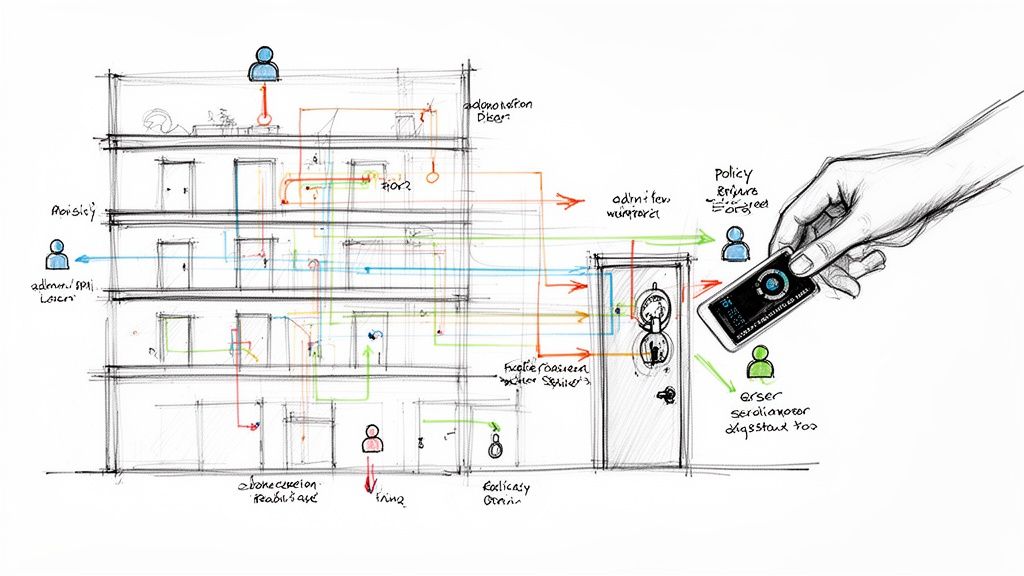
At its core, an access control policy is your company's official rulebook for who gets to touch what. It's a formal document that lays out, in no uncertain terms, how you manage access to everything from sensitive data and critical systems to the server room down the hall.
This document answers three fundamental questions: who can access a resource, what can they access, and under which conditions? It’s the bedrock of your entire security strategy.
Imagine your company's digital assets—customer data, financial records, proprietary code, API endpoints—are all housed inside a high-security building. Your access control policy is the master blueprint for that building. It doesn't just say who gets a key; it defines which keycard opens which doors, what floors are accessible, and the exact times someone is allowed inside.
This isn't just some technical manual for the IT department, either. It’s a vital business framework that turns your high-level security goals into concrete, day-to-day rules. Without one, you're just making it up as you go along, and access decisions become inconsistent, reactive, and dangerously arbitrary. You’re essentially handing out keys without knowing which doors they open.
Trying to operate without a formal access control policy is an open invitation for trouble. The consequences aren't just minor security hiccups; they can hit your finances, your reputation, and your legal standing. The fact that a huge percentage of data breaches involve internal actors proves just how dangerous poorly managed permissions can be.
Here’s what you’re really risking:
An access control policy is what moves your security posture from reactive to proactive. Instead of just cleaning up after a breach, you’re building clear, enforceable fences around your most valuable assets to prevent one from happening in the first place.
Ultimately, a well-crafted access control policy is the non-negotiable foundation for secure, scalable operations. It brings clarity to a complex process, creates accountability, and ensures everyone is playing by the same rules.
It’s the difference between a secure, organized system and a chaotic free-for-all where your most sensitive data is left wide open. This policy doesn't just lock things down; it empowers your teams to make smart, secure decisions, protecting the business while letting people get their work done.
Choosing the right access control model is a lot like picking the right lock for a door. You wouldn't secure a bank vault with a simple bedroom doorknob, and you wouldn't install a complex biometric scanner on a closet. The right choice always depends on what you're protecting and how secure it needs to be.
Every access control policy is built on a foundational model that provides the logic for its rules. These models are the brains of the operation, ensuring every access request is handled consistently and securely. Let's walk through the four primary models you'll encounter.
This diagram breaks down the fundamental idea behind any access control policy: who can do what, and how?
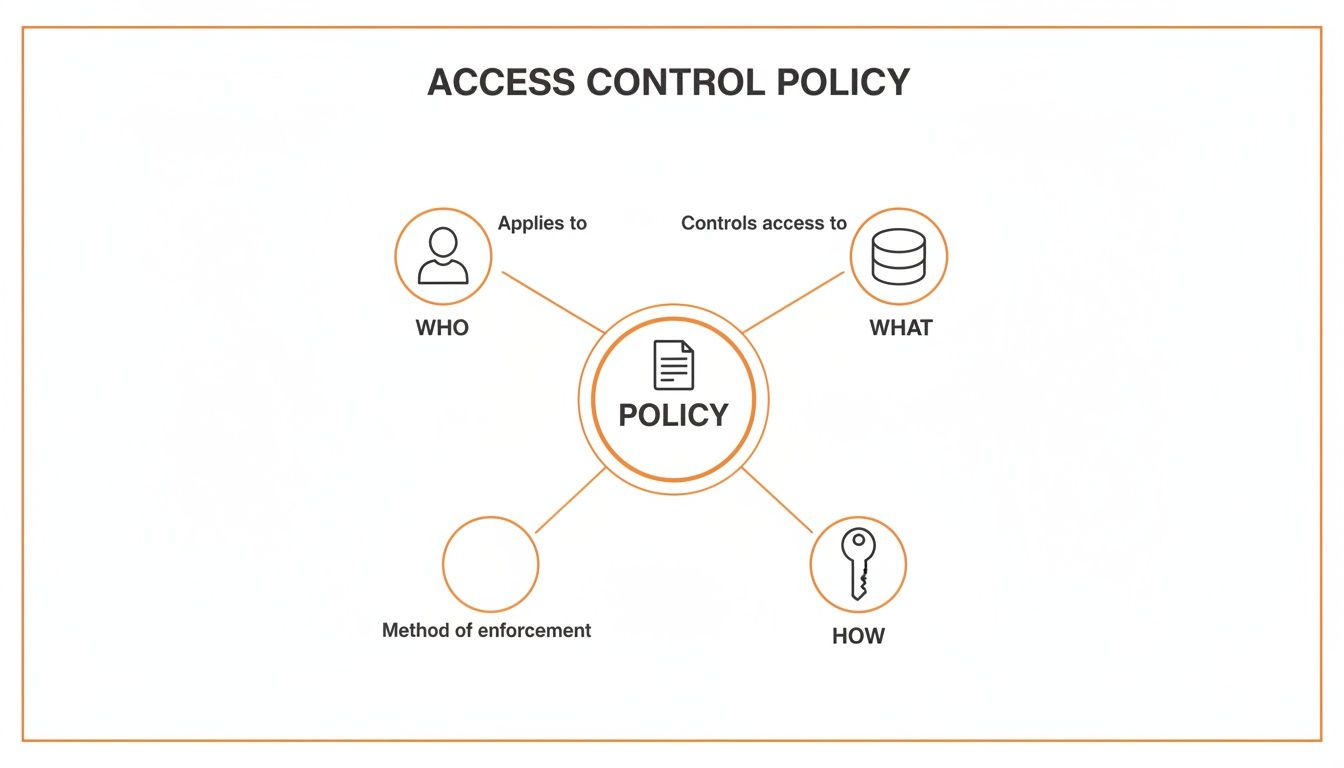
As you can see, a policy is the bridge that connects a user (the "Who") to a resource (the "What") by defining a set of permissions (the "How"). This simple triangle is the heart of access management.
If there's a workhorse in the world of access control, it's Role-Based Access Control (RBAC). It's the most common model you'll find in business settings, and for good reason. Instead of getting bogged down assigning permissions to individual users one by one, RBAC bundles permissions into roles based on job functions.
A person is assigned a role, and they instantly inherit all the permissions that come with it. It’s simple and scalable.
For example, you could set up roles like:
This approach is a massive time-saver. When a new marketing manager starts, you just assign them the "Marketing" role instead of manually ticking off dozens of permissions. It's no surprise that the role-based access control (RBAC) segment holds a commanding market share; it just makes sense for most businesses. For a deeper dive, you can explore more data on access control market trends and see how different models stack up.
At the other end of the security spectrum, we have Mandatory Access Control (MAC). This is the model for environments where security is non-negotiable. We're talking military, intelligence agencies, and government systems that handle highly classified information.
With MAC, the owner of a resource gets no say in who can access it. Instead, a central authority assigns security labels (like "Confidential" or "Top Secret") to all resources and clearance levels to all users. The system's operating system then becomes the ultimate gatekeeper, enforcing one simple rule: a user can only access a resource if their clearance is equal to or higher than the resource's label.
This model is incredibly rigid and centrally controlled, leaving zero room for individual discretion. Its strictness is precisely why mandatory access control (MAC) is tipped for the highest growth rate, as it caters to sectors needing ironclad security against sophisticated threats.
You probably use Discretionary Access Control (DAC) every single day without even thinking about it. In a DAC system, the owner of a resource has the discretion to decide who gets access and what they can do. If you've ever shared a Google Doc and set "view" or "edit" permissions for specific people, you've used DAC.
The defining feature here is owner-based control. Each file or object has an owner, and that owner can grant or revoke access to others as they see fit. While this offers incredible flexibility, it can quickly become a security nightmare in a large organization. Without any central oversight, permissions can sprawl out of control, leading to a messy situation often called "permission creep."
Key Takeaway: DAC is flexible but lacks the central control needed for enterprise environments. It's great for small teams or personal use, while MAC and RBAC provide the structured oversight required for serious, large-scale security.
Finally, we have the most dynamic and granular model of them all: Attribute-Based Access Control (ABAC). Often called the "next-generation" model, ABAC makes access decisions in real-time by evaluating a combination of attributes.
These attributes can be about anything:
An ABAC policy isn't a static rule; it's a dynamic evaluation. A rule might sound something like this: "Allow doctors to access patient medical records, but only if they are on a hospital-issued laptop, during their scheduled shift hours, and only for patients currently under their direct care." This context-aware logic provides incredibly powerful, fine-grained control that other models just can't match, making it a perfect fit for complex, zero-trust security architectures.
To help visualize how these models differ, here's a quick comparison.
| Model | Basis of Control | Flexibility | Primary Use Case | Example |
|---|---|---|---|---|
| RBAC | User's job role | Moderate | Most business applications, SaaS platforms | A 'Sales Manager' role can view and edit all accounts within their team's territory. |
| MAC | Security labels & clearance | Very Low | Military, government, high-security systems | A user with 'Secret' clearance can't access a 'Top Secret' document. |
| DAC | Resource ownership | High | File sharing, personal cloud storage | You share a photo album with specific friends by adding their email addresses. |
| ABAC | Attributes (user, resource, environment) | Very High | Zero-trust networks, complex enterprise systems | Allow access to financial data only during business hours from a corporate IP address. |
Each model has its place. The key is understanding your organization's specific needs to choose the one that provides the right balance of security, flexibility, and administrative ease.
A solid access control policy isn't just a list of dos and don'ts. Think of it as the constitution for your organization's digital security—a foundational document built on several key pillars. Each piece plays a specific role, working together to create a framework that’s clear, enforceable, and tough enough to protect what matters most.
Without these core elements, a policy can quickly become vague, confusing, and ultimately, ineffective. Let's break down the building blocks you need to construct a policy that actually works.
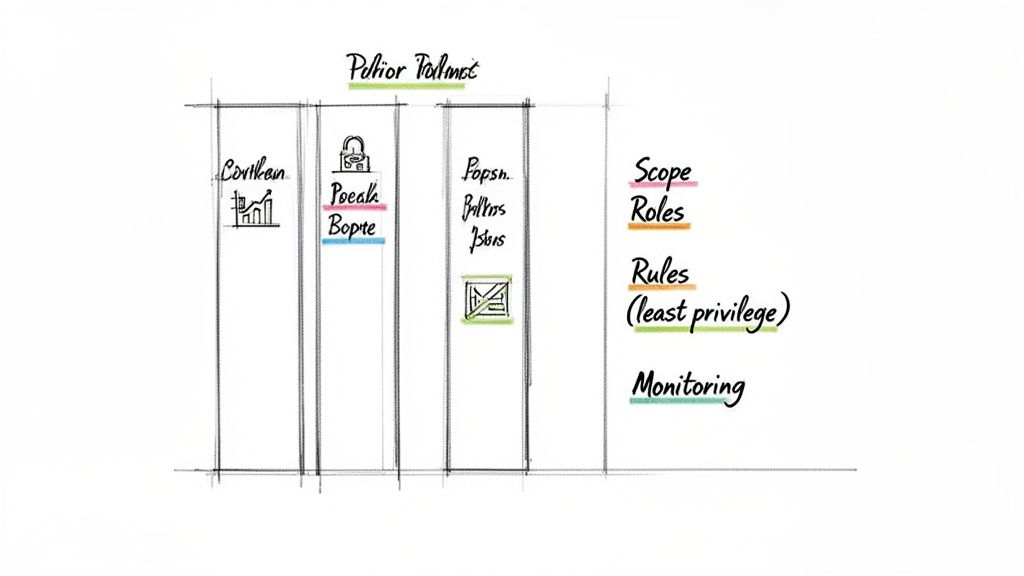
These first two components set the stage for everything else. They immediately answer the two most important questions: "Why are we doing this?" and "What does this cover?"
The Policy Statement is your mission statement in a nutshell. It should be a clear, concise declaration of purpose—usually, to protect the confidentiality, integrity, and availability of company data and systems. This isn't just corporate jargon; it aligns the entire organization on the strategic importance of getting access control right.
Next up is the Scope, which draws the lines on the map. It defines exactly which resources, systems, people, and data fall under the policy's rules. A well-defined scope is your best defense against confusion and ensures the policy is applied consistently everywhere it needs to be.
For instance, your scope might cover:
If you don't define the scope, you can't enforce the policy. It's as simple as that.
One of the fastest ways for a security policy to fail is a lack of clear ownership. This section is where you assign accountability, making sure critical security tasks don't fall through the cracks. It spells out who is responsible for what, from high-level approvals down to day-to-day enforcement.
A policy without defined responsibilities is just a suggestion. True security comes from accountability, where every individual understands their specific role in protecting the organization’s assets.
Key roles you absolutely need to define include:
When you clearly outline these duties, you transform your access control policy from a static document into a living, breathing security program. Considering that a staggering 34% of data breaches involve internal actors, getting everyone to understand their role is non-negotiable.
This is the real meat of your policy. Here, you detail the specific rules that govern who can access what, all based on time-tested security principles. The most critical of these is the Principle of Least Privilege (PoLP). This concept is simple but powerful: users should only be granted the absolute minimum level of access needed to do their jobs, and not an ounce more.
This section should also lay out rules for:
Finally, a policy is only as good as your ability to enforce it. This last component outlines how you'll verify the rules are being followed and, just as importantly, what happens when they aren't. This section gives your policy its teeth.
It must include procedures for:
By building in these mechanisms, you create a continuous feedback loop that keeps your policy relevant, effective, and consistently applied over time.
Building an access control policy from scratch can feel overwhelming. But if you break it down into a few manageable steps, it becomes much clearer. The idea is to build a solid foundation first and then layer the details on top.
This step-by-step approach ensures your policy is grounded in the reality of your business—your assets, your people, and your operational needs. Let's walk through how to build a policy that actually works.
You can't protect what you don't know you have. The very first thing you need to do is take a complete inventory of every digital and physical asset your organization relies on. This isn't just about servers and databases; it’s about anything that holds value.
Think broadly and start documenting everything:
Once you have your list, you need to classify each asset based on its sensitivity. A simple classification scheme like Public, Internal, Confidential, and Restricted works well for most organizations. This step is critical because it determines how tight the security controls need to be. For example, customer credit card data (Restricted) will demand far stricter rules than your internal company newsletter (Internal).
With a clear map of what you're protecting, the next move is to figure out who needs access to it. The key here is to think in terms of roles, not individuals. Grouping people by their job function—like "Sales Representative" or "Database Administrator"—is the secret to creating a policy that can scale.
For each role, define the exact permissions they need to do their job, and nothing more. This is the Principle of Least Privilege in action. Ask yourself:
Going through this process means a "Marketing Manager" gets access to the marketing automation platform and campaign data, but not the source code repositories that an "Engineer" needs.
Defining roles isn't just an HR exercise; it's a strategic security measure. It forces you to map out your business workflows and pinpoint precisely where access is—and isn't—needed, which dramatically shrinks your attack surface.
Now you have your "what" (assets) and your "who" (roles). It's time to choose the model that will connect them. As we've covered, different models provide the logical framework for your rules.
For most companies, Role-Based Access Control (RBAC) is the best place to start. It’s a great balance of security and simplicity, and it lines up perfectly with the roles you just defined. However, if your access needs are more complex—say, you need rules based on a user's location, the time of day, or the device they're using—then a more dynamic Attribute-Based Access Control (ABAC) model might be the right fit. Your choice here dictates how you'll write and implement your policy.
With all the foundational work done, you can start writing the actual policy document. Using the essential components we talked about earlier (scope, responsibilities, rules, etc.), draft the official text. Keep the language clear and straightforward. The goal is for everyone to understand it, not just the tech team.
Before you roll it out to the entire company, run a pilot test with a small, handpicked group of users. This is your chance to catch any problems in the real world. Does the policy accidentally block someone from doing their job? Are the rules confusing? Use the feedback from this test to iron out the kinks and make sure the final version is both secure and practical.
An access control policy document is a fantastic start, but its true value comes to life only when it’s put into action. A policy gathering dust on a server isn't a safeguard; it's a security risk waiting to happen. To make it effective, you have to weave its rules into the very fabric of your IT environment using the right tools and strategies.
This is all about moving from theoretical rules to tangible, automated enforcement. The goal is to build a system where the right access is granted seamlessly, and any unauthorized attempt is blocked automatically, without someone having to manually intervene every time.
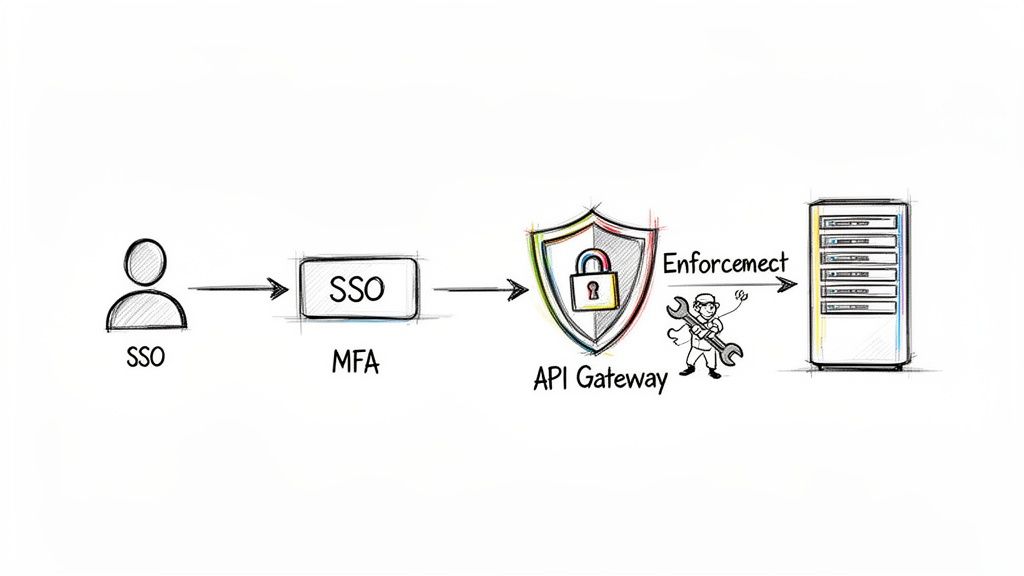
Modern technology gives you a powerful toolkit for enforcing your access control policy at scale. These systems become your digital gatekeepers, tirelessly checking credentials and permissions for every single access request that comes through.
Here are the core technologies that make this happen:
Multi-Factor Authentication (MFA) is a non-negotiable layer of security today. It forces users to provide two or more verification factors to get in, which drastically reduces the risk of a single compromised password leading to a full-blown breach. Enforcing MFA should be a top priority in any implementation plan.
The global access control market is growing fast, and it’s the software solutions that are really taking off. That's because they allow for sophisticated management of user access and plug in seamlessly with modern IT ecosystems. This trend shows how access control is moving beyond basic locks and becoming an intelligent, policy-driven framework. You can learn more about the growth in access control solutions and see how software is leading the charge.
If your organization relies on APIs and microservices, your policy has to be enforced right down at the code level. This is where security stops being an afterthought and becomes an integral part of how you build software.
An API gateway is the perfect place to do this. You can configure it to validate every incoming request against your access control policy. For example, the gateway can inspect an authentication token to verify a user's role and make sure they actually have permission to access a specific endpoint (like POST /api/payments) before the request ever reaches the underlying service. This approach centralizes your security and frees up your microservices to focus on their core business logic.
Let's be clear: technology alone isn't enough. Your employees are the first and last line of defense. If they don't buy into your access control policy, it’s doomed to fail. A policy that people don’t understand or actively try to work around is worse than having no policy at all.
This is where user training and awareness programs become critical. And no, a simple email with a PDF attachment won't cut it.
Try these strategies to get real buy-in:
By investing in both your technology and your people, you can transform your access control policy from a static document into a living, breathing security program that protects your organization from the inside out.
An access control policy isn't something you can just set up and walk away from. Think of it more like a living security plan—it has to adapt to stay useful. Security is never a one-and-done project, so your policy has to evolve right alongside your organization and the threats you face.
Without this constant attention, even a perfectly crafted policy will quickly become obsolete. This creates dangerous security gaps as your technology, teams, and business goals change over time. It requires a dedicated cycle of monitoring, auditing, and updating to stay sharp.
You can't protect what you can't see. That’s why the first step in maintaining your policy is total visibility. This means you absolutely have to log every single access attempt, whether it succeeds or fails. These logs are your digital security cameras, giving you the raw data you need to spot trouble.
For instance, a sudden flood of failed login attempts for one account could be a brute-force attack in progress. Likewise, if an employee starts accessing sensitive files at 3 AM when they normally work 9-to-5, that’s a red flag that needs immediate investigation. Good monitoring turns a sea of data into real, actionable security intelligence.
A policy without monitoring is just wishful thinking. A policy with active monitoring is based on hard evidence. Logging gives you the ground truth to confirm your rules are working and to catch weird activity before it blows up into a breach.
People change roles, contractors finish their projects, and responsibilities get shuffled around. If you're not regularly reviewing who has access to what, people will inevitably collect permissions they no longer need. This is a classic problem called permission creep, and it’s a direct violation of the principle of least privilege that leaves you wide open to attack.
The best way to fight this is with periodic access reviews. A quarterly review is a great standard to set. During this process, managers should be required to:
This simple but crucial process keeps your access controls aligned with how your business actually works today, not how it was structured six months ago.
Your policy also needs to keep up with bigger shifts in technology and business. Moving to cloud-native tools, for example, brings powerful new capabilities like real-time analytics and policy automation—things that are essential for enforcing access rules in today’s fast-moving environments. The access control market in the U.S. is set for major growth, with software adoption far outpacing hardware. You can find more details about the U.S. access control market trends on mordorintelligence.com.
Make sure you have a formal process for updating your policy. This process should be triggered by things like adopting new technologies, learning about new threats, or making significant changes to your business. A clear update plan ensures your access control policy remains a powerful and relevant defense for your most important assets.
Even the most well-crafted access control strategy can bring up questions. Let's tackle some of the most common ones that come up for IT teams, developers, and business leaders.
People often use these terms interchangeably, but they represent two distinct steps in securing your systems.
Authentication is all about verifying identity. It asks the question, "Are you who you claim to be?" Think of it as the first checkpoint: logging in with a password, using a fingerprint scanner, or entering a code from an app.
Authorization, however, comes next. Once the system knows who you are, authorization determines what you're allowed to do. Your access control policy is the rulebook that governs these permissions.
Think of it this way: Authentication is like showing your ID to a bouncer to get into a club. Authorization is the VIP wristband that dictates whether you can access the main floor or the exclusive lounge upstairs.
An access control policy should never be a "set it and forget it" document. The digital world moves too fast for that.
Plan on a comprehensive, top-to-bottom review at least once a year. This is your chance to make sure the policy still makes sense for your business goals, current technology stack, and any new compliance rules you need to follow.
But don't wait a full year to check on things. User access reviews—where managers confirm their team members have the right permissions—should happen quarterly. You'll also want to trigger a review anytime there's a major change, like a department reorganization or the rollout of a new mission-critical piece of software.
The Principle of Least Privilege (PoLP) is one of the most important ideas in all of cybersecurity, and it’s beautifully simple. It means that every user should only have the bare-minimum permissions needed to do their job. Nothing more.
If an accountant only needs to view financial reports, they shouldn't have the ability to edit marketing campaigns. This principle is the heart of a strong access control policy because it dramatically shrinks your attack surface. If an account is ever compromised, the damage is contained because the user's permissions were limited from the start.
Ready to build secure, intelligent applications? Lemonfox.ai offers powerful and affordable Speech-to-Text and Text-to-Speech APIs designed for developers. Transcribe audio with high accuracy across 100+ languages or generate human-like audio, all while ensuring top-tier security and privacy. Start your free trial today.