
First month for free!
Get started
Published 12/21/2025
So, what exactly is audio file transcription? Think of it as the art of turning spoken words from an audio recording into a clean, written document. It’s like having a digital scribe that captures every word, making your audio searchable, shareable, and analyzable.
At its heart, transcription is about converting unstructured audio—just a stream of sound—into structured text. This isn't just about getting the words down; it's also about identifying who said what and when they said it, so that computers and people can easily make sense of the content.
This process is a game-changer for industries swimming in audio content, like media, healthcare, and finance. By making audio searchable, teams can pinpoint specific information in seconds instead of scrubbing through hours of recordings. It also opens up content to everyone, especially users with hearing impairments.
For example, a law firm can jump to the exact moment a key testimony was given, or a market researcher can analyze dozens of customer interviews in a fraction of the time. Even educators use transcripts to create study guides and accessible learning materials for their students.
It's no surprise that the demand for this technology is skyrocketing. The global AI transcription market is exploding, growing from $4.5 billion and projected to hit $19.2 billion by 2034. That's a massive 15.6% compound annual growth rate, a clear sign of how essential this has become. You can read the full research about automated transcription statistics to see just how fast things are moving.
A well-crafted transcript is like a treasure map, guiding you to the most valuable insights hidden within hours of audio.
When you need to turn audio into text, you've got three main paths to choose from, each with its own set of pros and cons. You can go old-school with manual transcription, lean into modern tech with an automated AI service, or get the best of both worlds with a hybrid approach.
Let's break down how these methods stack up against each other.
| Method | Typical Accuracy | Turnaround Time | Cost Per Audio Minute | Best For |
|---|---|---|---|---|
| Manual | ~99% | Days to weeks | $1–$3 | Legal proceedings, critical medical records, and anything requiring near-perfect accuracy. |
| Automated | 85%–95% | Minutes to hours | $0.10–$0.30 | Podcasts, meeting notes, interviews, and large-scale content analysis where speed is key. |
| Hybrid | 95%–99% | Hours | $0.50–$1.00 | Specialized content with complex jargon (e.g., medical, financial) that needs high accuracy without the slow manual turnaround. |
As you can see, there's a clear trade-off between speed, cost, and accuracy.
So, which one is right for you? It really boils down to your project's specific needs.
If absolute accuracy is non-negotiable and you have the budget and time, nothing beats a human expert. For projects where you need to process a high volume of audio quickly and cost-effectively, an automated AI solution is the obvious choice. The hybrid model is that perfect middle ground, using AI for the initial heavy lifting and then having a human clean it up for a polished, highly accurate result.
Ask yourself these questions before you decide:
Your answers will point you to the best fit.
The applications are practically endless, but here are a few common examples:
Seeing how different industries use transcription can help you imagine what it can do for your own work.
Now that you have a solid grasp of what audio transcription is and the different ways to get it done, it’s time to think about implementation. In the next sections, we’ll dive into how AI-powered engines like Lemonfox.ai can plug directly into your workflow, bringing your costs down to less than $0.17 per audio hour.
Ever pause to think how your voice command to a smart speaker turns into action? Or how a recorded interview becomes a neatly typed transcript? It’s not magic—it’s a series of deliberate steps that transform raw audio into clear, editable text.
Imagine you have a bilingual translator who not only speaks both languages but also knows the context and slang. That’s essentially the AI’s role: it “listens” to sound waves and then reconstructs them into human language with surprising accuracy.
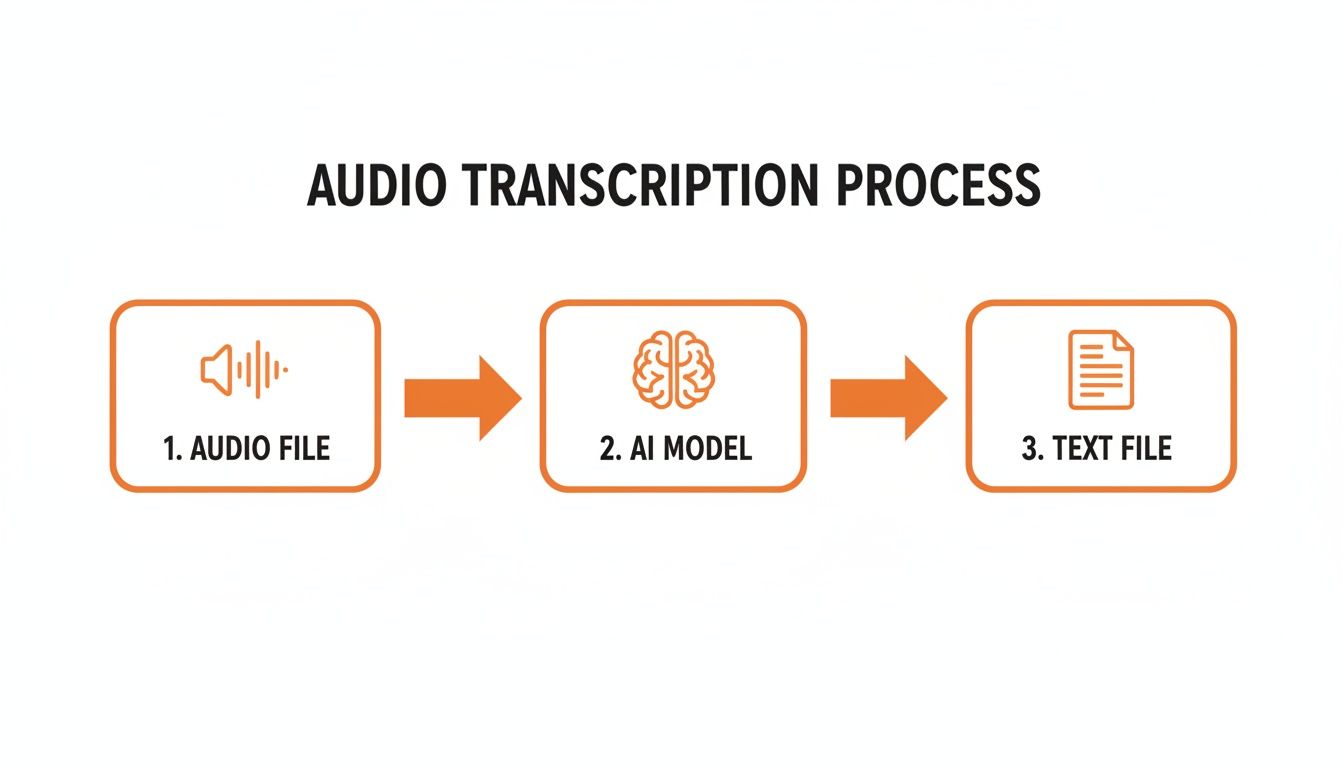
As the image shows, this journey moves in a straight line—each phase refines the audio until you end up with polished text ready for editing.
Before any “translating” happens, the AI cleans and standardizes the audio. Think of trying to chat in a crowded café—you’d naturally tune out the background noise to focus on your friend. Pre-processing does the same for automated transcription.
Key tasks include:
A spotless audio signal cuts down on misinterpretations later. In short, what you clean up here pays dividends in transcript accuracy.
Once the audio is prepped, it moves to the Acoustic Model, which acts like a finely tuned microphone inside the AI. This component breaks the sound into tiny chunks called phonemes—the building blocks of speech.
For example, “dog” splits into the phonemes “d,” “ɔ,” and “g.” The Acoustic Model has “heard” these elements thousands of times across accents and speaking styles, so it learns to spot them reliably.
The Acoustic Model doesn’t understand words; it only structures sounds into the most probable phonemic sequences.
If it mistakes a phoneme, that ripple can lead to a wrong word downstream. For a deeper dive into the underlying artificial intelligence that powers such services, explore various AI automation capabilities.
After phonemes are lined up, the Language Model leaps in. It’s read millions of pages—articles, books, websites—and uses that experience to predict which words fit best together.
Suppose the phonemes could form “ice cream” or “I scream.” The Language Model looks at context. If earlier text reads “This summer, I want,” it confidently picks ice cream.
This probability-driven approach is what turns sound fragments into coherent sentences you can actually read.
A simple transcript is one thing, but an organized transcript is invaluable. Modern services tag extra metadata so you can navigate and attribute content effortlessly.
With these features, your transcript becomes a dynamic tool for editing, quoting, and analysis.
If you're a developer building anything that relies on audio file transcription, you need to know a fundamental truth: the quality of your output isn't just about the AI model. It's heavily influenced by the technical guts of the audio file itself. Making the right choices upstream can dramatically improve accuracy, slash errors, and create a far more reliable transcription pipeline.
Think of it like digital photography. You can't magically turn a blurry, low-resolution photo into a crystal-clear image, no matter how powerful your editing software is. In the same way, a poor-quality audio file will always hamstring even the most advanced transcription API. Getting these foundational elements right is the first step toward building something that actually works well.
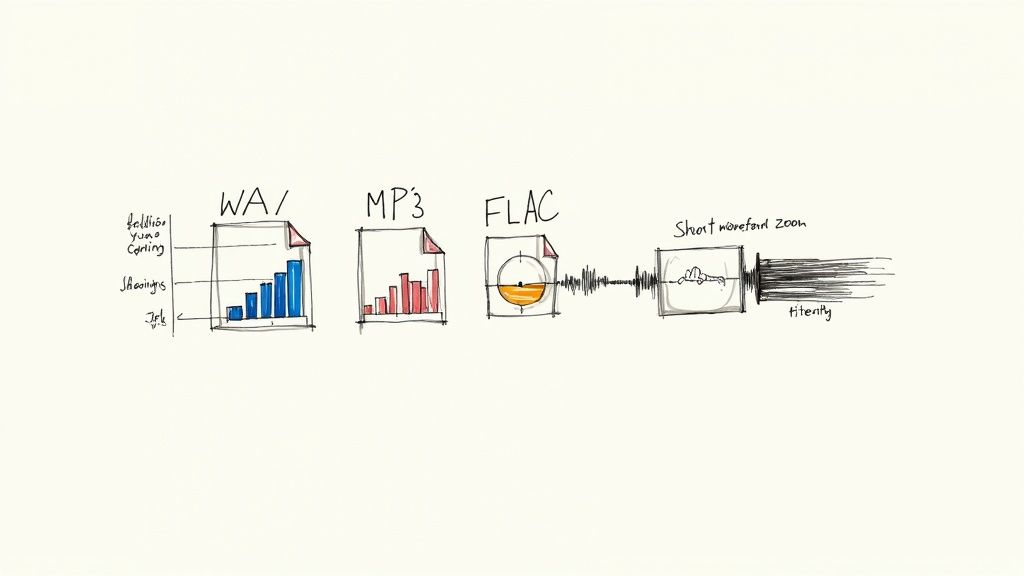
Not all audio files are created equal. The format you choose is a constant balancing act between file size and data fidelity—and that choice directly impacts your transcription accuracy.
WAV (Waveform Audio File Format): This is the raw, uncompressed, lossless format. It contains every single bit of the original audio data, making it the undisputed gold standard for transcription. The trade-off? Its large file size can mean longer uploads and higher storage costs.
FLAC (Free Lossless Audio Codec): Think of FLAC as the best of both worlds. It’s also a lossless format but uses clever compression to shrink file sizes by 50-70% without throwing away any audio data. It gives you the same pristine quality as WAV in a much more manageable package.
MP3 (MPEG Audio Layer III): This is a "lossy" format. To achieve its tiny file sizes, it permanently discards audio data it deems less important. While that's fine for your music playlist, that lost data can contain subtle speech nuances that transcription models rely on, leading to more errors.
The bottom line is simple: for the highest accuracy, always use a lossless format like FLAC or WAV whenever you can. Only fall back to MP3 if file size is an absolute, non-negotiable constraint.
Beyond the file type, two other specs are critical: sampling rate and bit depth. Together, they define the resolution and clarity of your audio.
The sampling rate, measured in Hertz (Hz), tells you how many times per second the audio waveform is captured. A higher rate means more detail. For human speech, a sampling rate of 16,000 Hz (16 kHz) is the sweet spot—it’s high enough to capture the essential frequencies of the human voice, making it a solid baseline for quality transcription.
Bit depth is about the amount of information stored in each of those samples. A higher bit depth provides a greater dynamic range, allowing the recording to capture both very quiet whispers and very loud sounds with much more precision. For most transcription needs, a 16-bit depth is the standard and works perfectly.
A simple analogy: Think of sampling rate as the number of pixels in a photograph and bit depth as the number of colors each pixel can display. More of both gives the AI a much clearer, more detailed picture to analyze.
The table below breaks down how these choices can impact real-world accuracy.
This table illustrates how different audio parameters directly affect the Word Error Rate (WER) of a typical transcription model. A lower WER is better, indicating fewer mistakes.
| Audio Parameter | Specification | Expected Word Error Rate (WER) | Recommendation |
|---|---|---|---|
| Audio Format | WAV or FLAC (Lossless) | 5-10% | Highest Priority. Use lossless formats to preserve all audio data for the AI. |
| Audio Format | MP3 (128 kbps, Lossy) | 15-25% | Avoid if possible. Data loss directly leads to higher error rates. |
| Sampling Rate | 16 kHz or higher | 5-15% | Industry Standard. Captures the full range of human speech frequencies. |
| Sampling Rate | 8 kHz (Telephony) | 20-30% | Use only for legacy phone audio. Expect a significant drop in accuracy. |
| Background Noise | Clean (Studio Quality) | <5% | Ideal. The cleaner the audio, the easier it is for the AI to process. |
| Background Noise | Moderate (Office, Cafe) | 10-20% | Apply noise reduction pre-processing to isolate the speaker's voice. |
| Background Noise | High (Street, Crowd) | >30% | Transcription will be challenging. Heavy pre-processing is essential. |
As you can see, sending a clean, high-resolution file in a lossless format gives any transcription model its best shot at success.
Even with the right format and specs, raw audio can be messy. Pre-processing is your cleanup phase—it’s where you prep the audio to remove distractions and help the AI focus.
Two essential techniques are:
Noise Reduction: This is about identifying and filtering out persistent background sounds, like the low hum of an air conditioner or the buzz from nearby electronics. Getting rid of this "static" lets the model concentrate on what matters: the words being spoken.
Echo Cancellation: In rooms with bad acoustics, sound waves bounce off hard surfaces, creating echoes that can smear the audio signal. This overlap confuses transcription models. Echo cancellation algorithms are designed to remove these reverberations and clarify the primary voice.
For more challenging scenarios, modern transcription APIs offer some seriously powerful tools. One of the most important is speaker diarization—the process of figuring out who is speaking and when.
This feature is a game-changer for transcribing meetings, interviews, or any recording with multiple people. Instead of a giant wall of text, you get a clean, conversational transcript broken down by "Speaker 1," "Speaker 2," and so on.
The demand for this kind of sophisticated analysis is fueling incredible growth. The global market for audio transcription software is on track to hit USD 1.5 billion by 2033, growing at a 12% CAGR. This boom is driven by innovations in multi-language support and real-time processing, with top-tier speaker diarization models now reaching up to 99% accuracy. You can learn more about transcription market trends to see just how quickly this space is evolving.
By mastering these technical factors—from picking the right format and settings to applying smart pre-processing and using advanced features—you can build a transcription workflow that is not just functional, but genuinely reliable and accurate.
Alright, you've got a handle on what makes a high-quality audio file. Now comes the fun part: putting that knowledge to work. We're moving from theory to practice, which means picking a Speech-to-Text (STT) API and plugging it into your application. This decision is a big one—it will directly shape your costs, how much time your developers spend, and ultimately, how good your final transcriptions are.
Choosing an API isn't as simple as grabbing the one that boasts the highest accuracy. You have to weigh a few key factors against what your project actually needs, whether you're building a podcast transcriber, an app to analyze customer service calls, or a tool for live event captioning.
When you start looking at different services, it’s easy to get overwhelmed by the options. To cut through the marketing noise, just focus on these make-or-break criteria. Each one plays a huge role in the performance and cost-effectiveness of your audio file transcription setup.
Accuracy Rates: Every provider will claim high accuracy, but those numbers can be deceiving. Dig deeper. Look for performance metrics across different real-world scenarios—think noisy environments, calls with multiple speakers, or regional accents. A truly great API shines in messy, real-life conditions, not just a perfect studio recording.
Pricing Models: Let's be honest, cost is a huge factor. APIs usually bill in one of two ways: per-minute/per-hour or a monthly subscription. The per-minute model is perfect if your usage is unpredictable, while a subscription often provides better value if you're processing a high volume of audio. For instance, a budget-friendly option like Lemonfox.ai offers transcription for less than $0.17 per hour, making it a great fit for both startups and large-scale projects.
Feature Set: Does the API actually do what you need it to? Some projects require real-time streaming for live audio, while others just need batch processing for existing files. Also, check for advanced features like speaker diarization (who said what), custom vocabularies for jargon, and support for multiple languages.
Developer Documentation: Clear, well-written documentation is a developer’s best friend. It can be the difference between a smooth, quick integration and a week of headaches. Good docs have clear code examples and make troubleshooting a breeze. Never underestimate the pain of working with an API that has sloppy documentation.
While you're sizing up your options, it's also a good idea to see what the best audio transcription software on the market looks like to get a feel for the different tools out there.
Let's make this real. Integrating a transcription API usually boils down to a few core steps: authenticating your request, sending over the audio file, and then handling what comes back. Here’s a quick look at how you might do this with an API like Lemonfox.ai using Python, a go-to language for this kind of work.
The flow pretty much always looks like this:
Get Your API Key: Once you sign up, you'll get a unique API key. Think of it as a password for your application. Keep it safe and never, ever expose it in your front-end code.
Prepare Your Audio File: Make sure your audio is in a supported format (FLAC or WAV usually give the best results) and that your script can access it, either from a local path or a URL.
Make the API Request: You'll use a library like requests in Python to send a POST request to the API's endpoint. This request will include your API key in the headers for authentication and the audio file itself in the body.
Process the Response: The API will send back a response, almost always in JSON format. This JSON will contain the transcribed text and any other goodies you asked for, like timestamps or speaker labels. Your job is to write code that can parse this response and pull out the data you need.
An API call is like ordering from a restaurant. You present your "key" (authentication), place your "order" (the audio file), and the kitchen (the API) sends back your "meal" (the transcript). A well-structured JSON response is like having your meal served neatly on a plate.
Here’s a simplified Python snippet to show you what this looks like in practice. This example sends a local audio file to a hypothetical transcription endpoint.
import requests
API_KEY = "YOUR_LEMONFOX_API_KEY"
AUDIO_FILE_PATH = "path/to/your/audio.flac"
TRANSCRIPTION_URL = "https://api.lemonfox.ai/v1/transcribe"
headers = {
"Authorization": f"Bearer {API_KEY}"
}
with open(AUDIO_FILE_PATH, "rb") as audio_file:
files = {
"file": (audio_file.name, audio_file, "audio/flac")
}
response = requests.post(TRANSCRIPTION_URL, headers=headers, files=files)
if response.status_code == 200:
transcription_data = response.json()
print("Transcription successful:")
print(transcription_data['text'])
else:
print(f"Error: {response.status_code}")
print(response.text)
This basic pattern—authenticate, send, and parse—is the blueprint for almost any transcription API integration. Once you get a simple script like this working, you can quickly test the API's performance and start weaving it into your larger application.
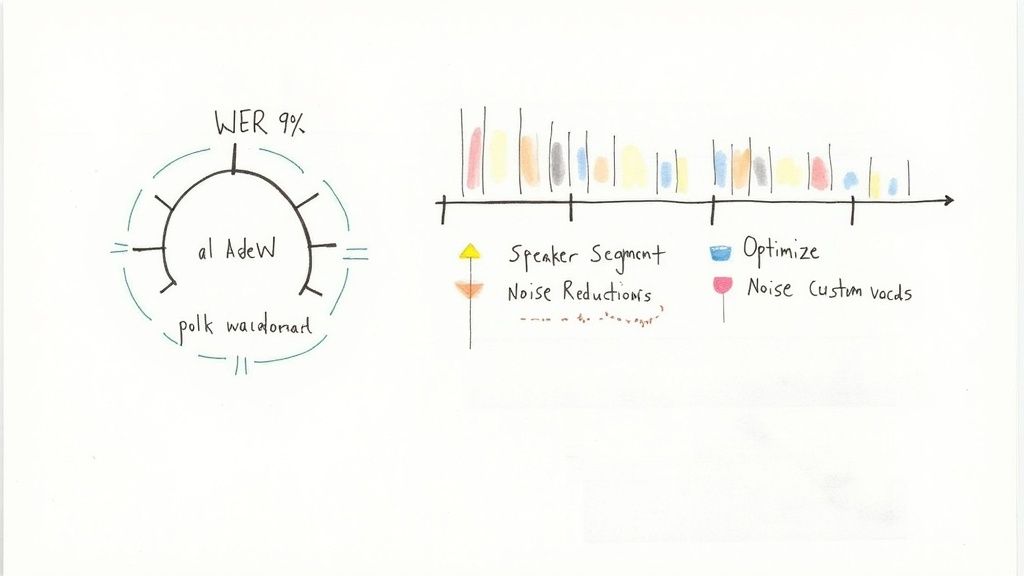
So, you've got a transcription system running. How do you know if it's actually any good? Getting transcription right is a lot like tuning a high-performance engine—you need reliable gauges to tell you what's working and what needs a tweak.
In the world of speech-to-text, two of the most critical gauges are Word Error Rate (WER) and Diarization Error Rate (DER).
WER is the industry standard for measuring raw accuracy. It looks at how many words the machine got wrong (substitutions), missed entirely (deletions), or hallucinated (insertions), then divides that by the total number of words in the correct transcript. A lower number is always better.
The formula for WER is simple enough: (Substitutions + Deletions + Insertions) / Total Words. But a stellar WER score doesn't tell the whole story, especially when you have multiple people speaking. You might have a perfectly transcribed sentence, but if you don't know who said it, the text isn't very useful.
That's where DER comes in. It measures how often the system assigns a line of dialogue to the wrong person. If you've ever read a transcript where two people are talking over each other and the labels are all mixed up, you've seen high DER in action. It kills readability.
A few other metrics can help you pinpoint specific problems:
Here’s a quick cheat sheet for what to aim for. Think of these as your target thresholds.
| Metric | What It Measures | Ideal Threshold |
|---|---|---|
| WER | Word mismatches, insertions, deletions | <5% |
| DER | Accuracy of speaker labels | <5% |
| SER | Percentage of sentences with errors | <10% |
| CER | Character-level errors | <2% |
This table helps you diagnose issues fast. A high insertion rate, for instance, might mean your noise amplification is a little too aggressive.
"Accuracy metrics are your dashboard lights—they tell you exactly where to adjust." — Transcription Specialist
By tracking these numbers over time, you start to see patterns. You learn your system's quirks and can make much smarter decisions about where to focus your engineering efforts.
The old saying "garbage in, garbage out" has never been more true. The absolute best way to improve your transcripts is to start with cleaner audio. It's like sharpening the lens on a camera before you take the shot.
Here are a few proven techniques to get better results:
Even with all the progress in AI, the human-in-the-loop model still delivers the highest quality, hitting 99% accuracy for specialized fields like medicine and law. It's a huge market; healthcare providers alone transcribe over 1.2 billion audio minutes every year to keep up with documentation. You can dive deeper into these transcription market trends to see just how big the demand for quality is.
You can't manually review every single transcript. The key is to automate your quality control.
Build simple scripts that automatically calculate WER and DER for a sample of your files. You can even integrate this directly into your CI/CD pipeline to catch any dips in quality before a new model goes live.
Case Study: A legal tech company was struggling with transcription errors. By combining aggressive noise filters with a custom dictionary of legal terms, they saw their WER drop by 40%. That one change cut their human review time in half.
Once your system is tuned, the work isn't over. Audio environments change, new accents appear, and models can drift.
Set up a dashboard to monitor your key metrics in real-time. If you see a sudden spike in WER or DER, you can jump on it immediately.
For example, a call center I worked with started getting daily reports showing the average WER for each agent's calls. When one agent's WER consistently rose above 15%, they knew something was wrong. It turned out to be a faulty microphone headset. A quick hardware swap fixed the problem.
Optimization is a process, not a one-time fix. Great transcription quality comes from a constant feedback loop.
By systematically measuring, tweaking, and monitoring, you turn a good transcription system into a great one. You transform messy audio files into clean, actionable data that your business can actually use.
Jumping into audio transcription can feel a bit like learning a new language. A lot of questions pop up, especially if you're a developer or product manager tasked with integrating it for the first time. We've compiled some of the most common ones we hear, along with straightforward answers to help you sidestep common roadblocks.
Getting a handle on these details upfront can save you a world of hurt down the line. Let's dig into some of the stickiest challenges you're likely to face.
Ah, background noise—the sworn enemy of accurate transcription. Your first and best defense is always to tackle it at the source. If you have any control over the recording process, use a quality directional mic and find a quiet space. It’s far easier to prevent noise than to remove it later.
Of course, we often have to work with the audio we're given, which is rarely perfect. This is where pre-processing becomes your best friend. You can use tools like Audacity for a manual cleanup or write scripts using libraries like SoX or FFmpeg to apply noise reduction filters programmatically. While many modern APIs have their own noise-handling magic built-in, a little pre-processing on your end can dramatically improve the final result.
This all boils down to timing and what you're trying to accomplish.
Batch Transcription: Think of this as the "drop it off and pick it up later" approach. You upload a finished audio file, and the service gets back to you with the full transcript once it's done. It’s perfect for turning recorded lectures, podcasts, or meeting notes into text when you don't need the results this very second.
Real-Time Transcription: Also called streaming, this is the "as-it-happens" method. The API processes audio live and sends back text in near-instant chunks. This is an absolute must-have for things like live captions on a webinar, voice commands in an app, or analyzing customer sentiment during a live support call. Be prepared for a bit more complexity here, as it usually involves managing a persistent connection with WebSockets.
Yes, and this fantastic feature is called speaker diarization. Most high-quality transcription APIs can do this. When you flip this switch, the API listens for the unique vocal fingerprints in the audio—pitch, tone, and other nuances—to figure out who is speaking and when. It then neatly labels the transcript with something like "Speaker 1" and "Speaker 2."
The accuracy of diarization really hinges on the audio quality. You'll get the best results from clear recordings where people aren't talking over each other. It’s an invaluable feature for turning a chaotic, multi-person conversation into a structured script that’s actually readable.
Speaker diarization transforms a monolithic block of text into a clean, conversational script, making it instantly more useful for analysis and review.
This should be at the very top of your checklist, especially if you're dealing with sensitive audio. Trustworthy providers take a multi-layered approach to security.
First, look for end-to-end encryption. This ensures your data is scrambled both while it's traveling to the API (in transit) and while it's sitting on their servers (at rest). Next, dig into their privacy policy. You need to know how they handle your data—specifically, do they use it to train their models, and can you opt out?
If you're in a field like healthcare or law, compliance with regulations like HIPAA or GDPR is non-negotiable. A serious provider will be ready and willing to sign a Data Processing Agreement (DPA), which legally binds them to protect your data under these strict rules.
Ready to add fast, accurate, and affordable transcription to your application? With Lemonfox.ai, you can transcribe audio for less than $0.17 per hour with a simple, developer-friendly API. Start your free trial today and get 30 hours of transcription on us.