
First month for free!
Get started
Published 11/21/2025

Automated voicemail systems are a pretty clever way to get audio messages into someone's voicemail box without a human having to pick up the phone and record anything. They typically rely on Text-to-Speech (TTS) technology to turn text into audio, making them a go-to tool for businesses that need to send out things like appointment reminders, delivery updates, or marketing messages in bulk.
This guide is all about rolling up your sleeves and building your own.
With everyone glued to instant messaging and email, it's easy to write off voicemail as a technology from a bygone era. But for developers and businesses, that's a huge mistake. Automated voicemails aren't the robotic, one-size-fits-all recordings you might remember. They've become dynamic, AI-driven tools that can seriously boost a company's efficiency and even make customers happier.
We're not just talking about leaving a message. We're talking about building smart communication workflows. The magic behind it all is Text-to-Speech (TTS), which lets you convert written text into incredibly natural-sounding audio in real-time. This cracks open the door to all sorts of personalization and scalability.
Believe it or not, voicemail has a pretty cool history. Back in the early 80s, it was a high-end luxury for big corporations. Then, PC-based voice processing boards came along and suddenly it was everywhere. By 2004, a massive 78% of Americans had it. While texting has certainly changed how we communicate, automated voicemail has found a new, powerful niche in the business world, supercharged by AI.
The real power of these systems today is how they plug into bigger, automated processes.
When you build a solid system for automated voicemails, you're not just sending a notification. You're creating a personalized, meaningful touchpoint. The idea is to shift from just broadcasting messages to building a communication channel that’s actually useful.
By building your own system, you get total control over the message, the timing, and how it all connects with the other software you're already using. For a wider look at how this fits into the world of automated outreach, you can find some great information in guides on automated outbound calling software.
Before you write a single line of code, let’s talk architecture. Building a system to generate automated voicemails isn't just about plugging in an API; it's about creating a reliable blueprint that can handle the job, whether you're generating ten messages a day or ten thousand. A little planning upfront prevents major headaches and performance bottlenecks down the road.
At its core, the system is pretty straightforward. You need a front door for requests, a brain to handle the logic, a voice to create the audio, and a place to store the finished product. Each component has a specific job in turning a simple string of text into a clear, ready-to-use voicemail.
The real shift we're seeing is moving away from clunky, static recordings to dynamic, AI-generated audio.
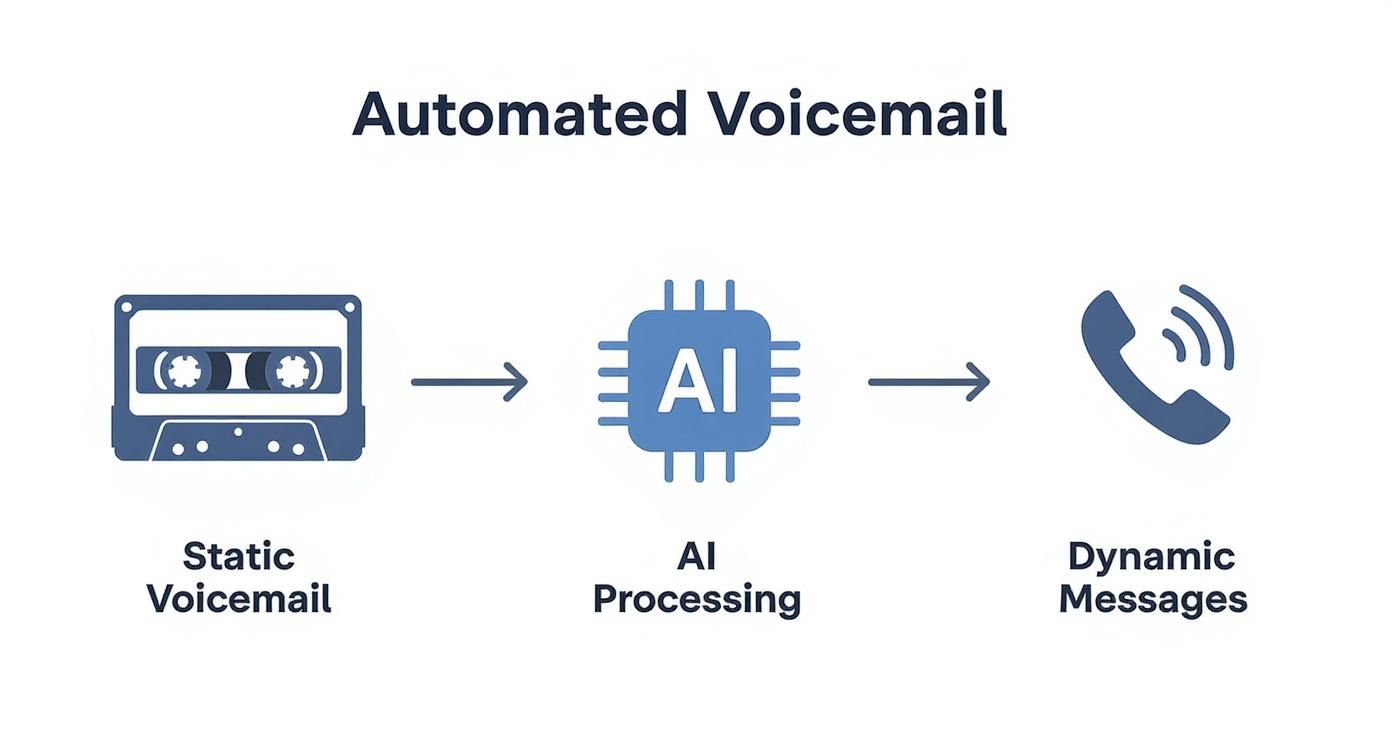
This new approach is what makes it possible to create personalized, on-demand audio that feels relevant, not robotic. It’s the difference between a one-size-fits-all message and one that speaks directly to the recipient.
A solid voicemail generation system usually has four main parts working in concert. Here’s a quick rundown of what each one does:
One of the first big decisions you'll make is whether to build a synchronous or asynchronous architecture. This isn't a minor detail—it has huge implications for performance, user experience, and even your costs.
So, should your system generate audio on the spot or in the background? The right choice depends entirely on what you're building. Here's a practical comparison to help you decide which model is the right fit for your application's needs.
| Aspect | Synchronous Generation | Asynchronous Generation |
|---|---|---|
| Best For | Real-time applications, live call flows, and interactive voice response (IVR) systems. | Bulk processing, marketing campaigns, and scheduled notifications. |
| User Experience | The user or system must wait for the audio file to be fully generated before proceeding. | The system gets an immediate response, allowing it to continue other tasks while the audio generates. |
| Scalability | Can become a bottleneck under high load as each request ties up resources. | Highly scalable, as tasks can be queued and processed by a pool of workers. |
| Complexity | Simpler to implement initially, with a direct request-response flow. | More complex, requiring a message queue (like RabbitMQ or SQS) and background workers. |
If you’re building something that needs an immediate response—like dropping a voicemail into a live call—synchronous is the way to go. The system makes the request and waits for the audio file to come back right then and there.
But if you're sending out thousands of appointment reminders or a large marketing blast, making your main application wait for each one would be a disaster. That’s where asynchronous processing shines. Your app fires off the request and gets an instant "we got it" confirmation. The heavy lifting of audio generation happens in the background, often managed by a message queue and dedicated workers, leaving your main system free to handle other tasks.
Choosing asynchronous adds a bit more complexity upfront, but for any kind of bulk operation, the payoff in scalability and performance is massive.
With the architecture mapped out, it's time to get our hands dirty and actually connect the pieces. This is where we plug a Text-to-Speech (TTS) API into our application, turning simple text into the polished audio files for our voicemails. We're moving from diagrams on a whiteboard to code that works.
The whole process boils down to making a secure, authenticated call to a TTS service, sending over the text you want converted, and then correctly handling the audio data you get back. There are plenty of options out there, but developer-focused services like Lemonfox.ai make this surprisingly straightforward with clean APIs that are powerful but don't break the bank.
This screenshot from their homepage gives you a sense of their no-fuss, developer-first approach.
The big takeaway here is that modern TTS platforms are built for easy integration. This lets you spend more time on your application's core logic and less on the nitty-gritty of voice synthesis.
Before you write a single line of code, there are a few housekeeping tasks to tick off. Think of this as laying the foundation. Nailing these steps from the start will save you from security headaches and messy code down the road.
First and most importantly: manage your API keys properly. Never, ever hardcode them directly into your application. If your code leaks, your credentials are out in the wild, and that's a nightmare you don't want.
LEMONFOX_API_KEY. It keeps your secrets completely separate from your codebase.Next up, take a few minutes to actually read the API documentation. I know, I know, but it's worth it. Pay close attention to how authentication works, what parameters you can use (like voice, language, and audio format), and especially the rate limits. Knowing these details upfront will prevent a lot of frustrating, unexpected errors.
Let's walk through a classic real-world scenario: generating a personalized appointment reminder. We'll use Python along with the trusty requests library to talk to a TTS API endpoint. This example will cover authenticating, sending our text, and saving the audio file that comes back.
Let's say our goal is to create an audio file that says, "Hello Jane, this is a reminder for your appointment tomorrow at 10 AM."
import requests
import os
API_KEY = os.getenv("LEMONFOX_API_KEY")
API_URL = "https://api.lemonfox.ai/v1/audio/speech"
headers = {
"Authorization": f"Bearer {API_KEY}",
"Content-Type": "application/json"
}
customer_name = "Jane"
appointment_time = "10 AM"
message_text = f"Hello {customer_name}, this is a reminder for your appointment tomorrow at {appointment_time}."
payload = {
"model": "lemon-tree-v1",
"input": message_text,
"voice": "sara" # Specifying a voice model
}
try:
response = requests.post(API_URL, headers=headers, json=payload, stream=True)
response.raise_for_status() # Raises an HTTPError for bad responses (4xx or 5xx)
# Save the audio stream to a file
with open("appointment_reminder.mp3", "wb") as f:
    for chunk in response.iter_content(chunk_size=8192):
        f.write(chunk)

print("Audio file generated successfully!")
except requests.exceptions.HTTPError as err:
print(f"HTTP Error: {err}")
except Exception as e:
print(f"An error occurred: {e}")
Pro Tip: When you get the response back from the API, always process it as a stream. Trying to load a large audio file entirely into memory is a recipe for trouble. Streaming the response and writing it to a file in chunks, just like in the code above, is far more memory-efficient—especially when you start generating thousands of messages.
This snippet is a solid starting point. It shows you how to handle keys securely, build messages dynamically, and include some basic error handling. By using raise_for_status(), your application won't just crash if the API key is wrong or the service is down; it can handle the error gracefully. From here, you can easily expand this logic to pull customer data from a database and generate automated voice mail messages at scale.
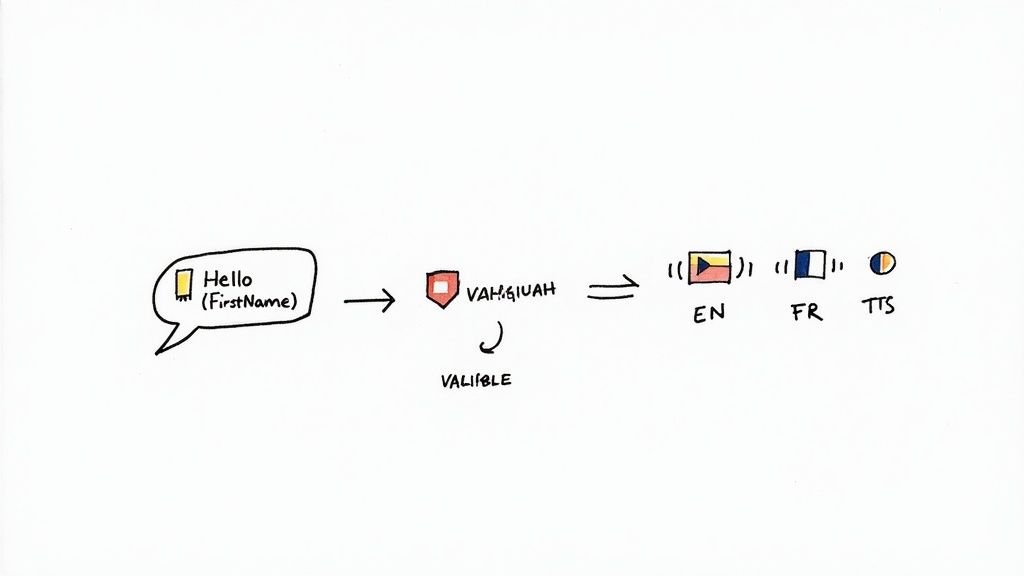
A static, one-size-fits-all message is a huge missed opportunity. If you really want to connect with your users, your automated voice mail messages have to feel personal and relevant. This is where dynamic content generation completely changes the game, turning a generic alert into a genuinely helpful communication.
Instead of a flat message like "Your order is ready," you can use templating to inject specific user data right into the script. It works a lot like a mail merge, but for audio. You just create a base script with placeholders—think {{FirstName}} or {{TrackingNumber}}—and your application pulls that data from your database before handing the text off to the TTS API.
This one change elevates the entire experience. Suddenly, the message transforms into, "Hello, David, your recent order, number 94351, has shipped and is scheduled for delivery on Tuesday." It's no longer just a notification; it's a useful interaction.
The secret to great dynamic messages is building templates that are both informative and concise. Nobody wants to listen to a long, rambling voicemail, so you have to make every word count.
Here are a few practical templates for common scenarios that you can adapt for your own use:
{{FirstName}}, thank you for your order with {{CompanyName}}. Your order number is {{OrderID}}. We'll notify you again once it ships."{{Date}} at {{Time}}. Please call our office if you need to reschedule."{{Address}}. We've detected a {{IssueType}} in your area. Our team is working on a solution and expects to resolve it by {{ETATime}}."Moving beyond static messages is about more than just good user experience; it's a proven business strategy. Personalized communication significantly increases engagement and can directly impact your bottom line.
If you want to serve a global audience, your system has to speak their language—literally. The good news is that modern TTS APIs like Lemonfox.ai make this incredibly easy by offering a huge range of languages and voices. Often, all it takes to implement multilingual support is changing a single parameter in your API call.
You just need to specify a language code (like es-ES for Spanish) and a corresponding voice when you send your text for synthesis. This lets you generate localized versions of your automated voice mail messages on the fly, making sure your communication is clear and accessible to everyone.
It's a powerful feature, and businesses are taking notice. A 2023 study found that over 67% of businesses now use some form of automated voicemail, with many turning to AI to improve their customer interactions. For instance, one restaurant saw a 23% jump in reservation conversions after deploying an AI system that could handle different languages to confirm bookings automatically. You can dive deeper into these trends in this detailed report on automated voicemail usage.
Alright, you've got your application generating audio files. That's a huge milestone. But now comes the real-world test: deploying it in a way that's both rock-solid and wallet-friendly. Building the system for your automated voice mail messages is one thing; making sure it doesn’t hemorrhage money over time is the key to a sustainable project.
This is where modern serverless platforms really shine. Think services like AWS Lambda or Google Cloud Functions. They let you run your code without ever thinking about a server. The best part? You only pay for the exact compute time you use, which is ideal for a system that likely sees waves of activity rather than a constant, steady stream.
Going serverless means your application can effortlessly scale up to handle a flood of requests—we're talking thousands per minute—and then scale right back down to zero when things are quiet. This kind of elasticity is a game-changer for your budget. You’re no longer paying for servers to sit around doing nothing, a classic money pit with traditional hosting.
To get started on a platform like AWS Lambda, you'd package up your code and its dependencies, then upload it. From there, you just set up a trigger, like an API Gateway endpoint, that kicks off your function whenever a new request to generate a message comes in.
The magic of serverless is that it’s completely event-driven. Your code wakes up, does its job—like creating a new voicemail—and then goes back to sleep. This model ties your costs directly to your actual usage, with no waste.
Your deployment model is a huge piece of the puzzle, but you can also slash your ongoing expenses by being smarter about how you talk to your TTS API. Every one of those calls costs money, but a few clever tactics can add up to big savings. When you're looking at the bigger picture, thinking about factors like offshore software development costs can also help frame your overall budget strategy.
Here are a few things I always implement to keep costs down:
When you move from the drawing board to actually building your own system for automated voice mail messages, you're bound to hit a few snags. It's just the nature of the beast. Let's walk through some of the most common questions and hurdles that trip up developers during the build-out.
Getting the tone right is a big one. We've all heard those old, clunky, robotic voice systems, and nobody wants to build something that sounds like that. Thankfully, modern APIs have come a long way.
The single biggest factor is choosing a high-quality, modern Text-to-Speech provider. An API like Lemonfox.ai isn't just a simple text reader; it uses sophisticated neural networks to generate audio that genuinely sounds human. You get access to a whole library of voices with different accents, cadences, and emotional tones, so you're not stuck with a single default option.
But you can take it even further. The real pro-move is to use Speech Synthesis Markup Language (SSML). Think of it as a way to give stage directions to your AI voice. With a few simple tags, you can tell the system exactly how to deliver the lines.
SSML lets you:
This kind of fine-tuning is what separates a decent system from a great one. It's the difference between a flat, robotic message and one that feels warm and engaging.
This part is absolutely critical. When you start sending automated messages, you're stepping into a world of regulations. In the US, the big one is the TCPA (Telephone Consumer Protection Act), and in Europe, you have GDPR. The main takeaway is that you almost always need explicit consent from someone before sending them pre-recorded marketing messages.
You also have to give people an easy way to opt out of future messages. Beyond the legal side, it's just good practice to handle data responsibly. Always encrypt sensitive personal information and have a clear, easy-to-understand privacy policy.
A great way to enhance your system is by adding a Speech-to-Text (STT) API. Once your automated voicemail plays, an STT service can listen to the caller's response, transcribe it into text, and then use that text to kick off another process—maybe confirming an appointment or routing them to the right department. This turns your one-way announcement into a genuine two-way conversation.
Adding that STT layer opens up a ton of interactive possibilities, making the whole system feel more dynamic and genuinely helpful.
Ready to build your own high-quality, cost-effective automated voice mail messages? The Lemonfox.ai Text-to-Speech API offers incredibly natural voices and a simple integration process, all at a fraction of the cost of other providers. Start your free trial and get 30 hours to test it out.