
First month for free!
Get started
Published 11/28/2025
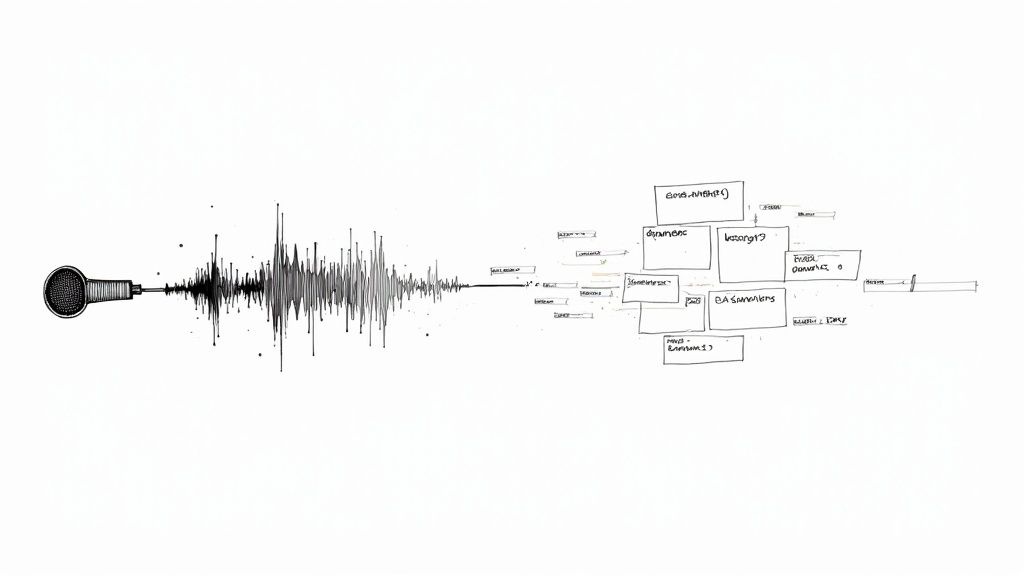
At its core, turning audio into text relies on a technology called Automatic Speech Recognition (ASR). Think of it as the engine that takes spoken words from an audio or video file and converts them into searchable, readable text. We've moved far beyond the days of painstaking manual transcription; today, this process is dominated by efficient, AI-powered services that unlock the true value of your audio content.
We're all swimming in audio. From podcasts and video meetings to quick voice notes, a staggering amount of valuable information is trapped in spoken-word formats. Converting that audio into text is the essential step that makes this data searchable, analyzable, and ultimately, useful. This isn't just about convenience anymore—it's a critical business strategy.
This shift is fueled by modern ASR systems that have made transcription faster, cheaper, and more accurate than ever. A task that once took a human transcriber hours can now be finished in minutes, letting companies process massive volumes of audio at a scale that was previously unimaginable.
Let’s get practical. Media companies can generate captions and full transcripts in an instant, which is a massive win for both SEO and accessibility. In healthcare, doctors can document patient visits with incredible accuracy, freeing them up to focus on care. Legal firms can sift through hours of deposition recordings in seconds. And for any business, transcribing meetings creates a perfect, searchable record of every decision and action item.
The real-world benefits are clear:
This isn’t just a passing trend; it's becoming a core part of any modern data strategy. If you're ignoring your audio, you're leaving a huge chunk of your data on the table, completely untapped.
The demand for these solutions is explosive. The AI transcription market was valued at around $4.5 billion in 2024 and is expected to rocket to $19.2 billion by 2034. That’s a compound annual growth rate (CAGR) of 15.6%, largely driven by the adoption of AI transcription across healthcare, media, and education.
You can dig deeper into these market trends over at Sonix.ai. For now, this guide will walk you through the practical steps to turn your own spoken words into structured, actionable data.
When you need to turn audio into text, you're faced with a sea of options. It's easy to get overwhelmed, but the choice really boils down to what you need for your specific project. You've got the big cloud platforms, smaller specialized APIs, and even open-source models you can run yourself. The path you choose will have a big impact on your costs, the accuracy you can expect, and how much control you have over your data.
Your first big decision is usually between a massive cloud provider like Google Cloud Speech-to-Text or Amazon Transcribe, a focused service like Lemonfox.ai, or a self-hosted model like OpenAI's Whisper. Each has its place.
Ultimately, this is all about turning raw audio into something useful. If you don't process it, that information is just gone.
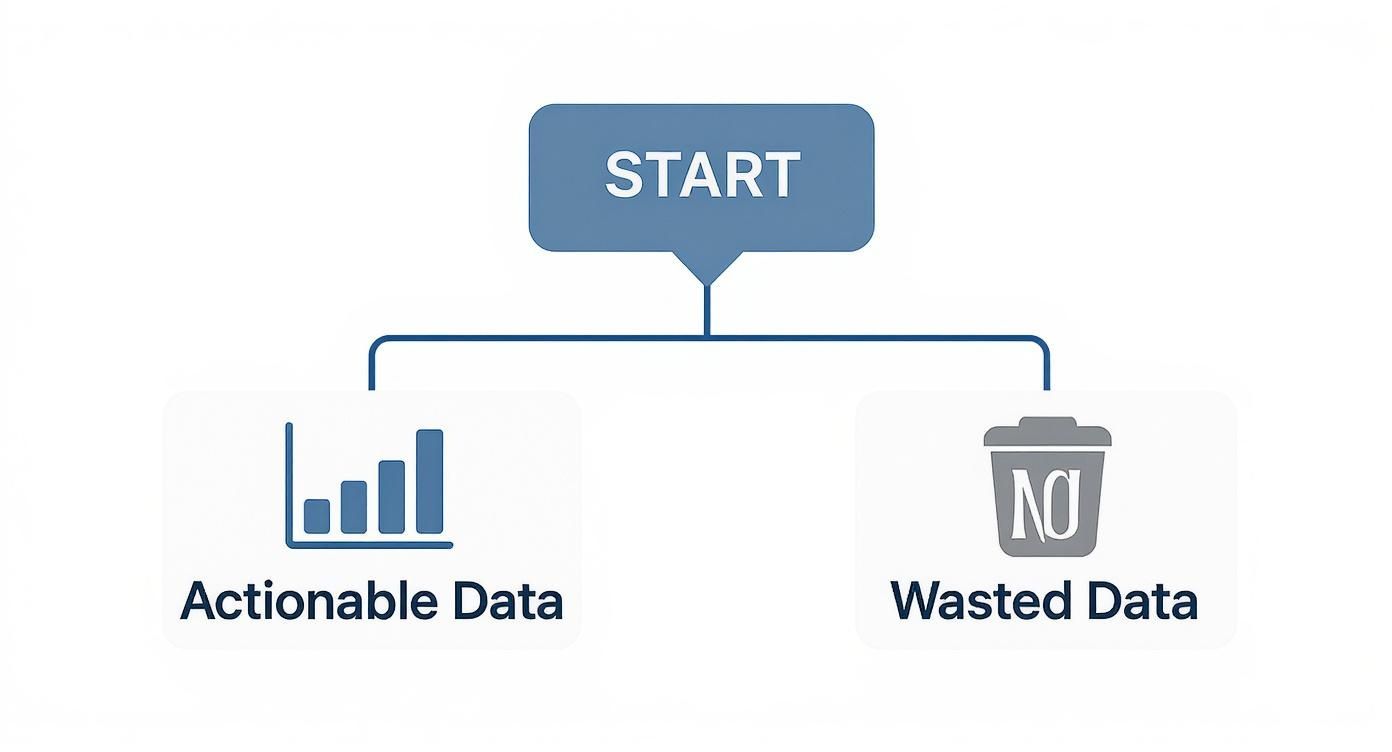
This simple flowchart says it all: get the right tool in place, and you unlock actionable data. Otherwise, it's a missed opportunity.
The big cloud players—Google and Amazon—offer incredibly powerful and scalable solutions. If your whole operation already runs on AWS or Google Cloud, using their native transcription services is often the path of least resistance. They’re built to handle huge volumes and are deeply integrated into their broader ecosystems.
But that convenience doesn't always make them the best choice. Specialized providers have carved out a space by competing on things that really matter to developers and businesses:
This healthy competition is fueling some serious growth. The AI speech-to-text market was valued at $3.083 billion in 2024 and is expected to skyrocket to $36.91 billion by 2035. You can read more in this detailed research on AI speech-to-text tools. That growth means we're constantly getting better and more affordable options.
To make the decision clearer, here's a side-by-side look at the different approaches.
| Method | Best For | Cost Model | Key Advantage | Key Challenge |
|---|---|---|---|---|
| Major Cloud APIs | Enterprises with existing cloud infrastructure; large-scale, complex workflows. | Pay-per-use, often with complex tiered pricing. | Deep integration with other cloud services, massive scalability. | Can be expensive; complex pricing and setup. |
| Specialized APIs | Startups, SMBs, developers needing fast integration and cost-effective solutions. | Simple pay-per-use, often at a lower flat rate. | Cost-effectiveness, ease of use, strong privacy features. | May lack the broad feature set of cloud giants. |
| Self-Hosted Models | Organizations with strict data privacy needs or requiring highly custom models. | Upfront hardware/setup costs + ongoing maintenance. | Complete data control and privacy; customization potential. | Requires significant technical expertise and infrastructure management. |
Choosing the right method is about aligning the tool's strengths with your project's non-negotiables, whether that's budget, privacy, or scalability.
For some, sending data to any third party is a non-starter. If you need absolute data sovereignty or a highly customized solution, running an open-source model like Whisper on your own servers is the way to go. You get total control over the entire process.
When you run your own model, you’re in the driver's seat. It's the ultimate solution for data sovereignty but requires significant technical expertise to set up, maintain, and scale the necessary hardware infrastructure.
But this power comes with responsibility. You're now in charge of managing servers, keeping the model updated, and making sure everything stays online. For a small team, this operational overhead can be a heavy lift. It's a classic trade-off: unparalleled control and privacy in exchange for complexity and cost.
Alright, let's move from the "what" to the "how." This is where the rubber meets the road. Integrating a transcription API isn't just a simple matter of firing a file into the void and getting text back. You've got to handle authentication, figure out the best way to upload your files, and then make sense of the data that comes back. Let's walk through what this actually looks like in practice, using Python as our example.
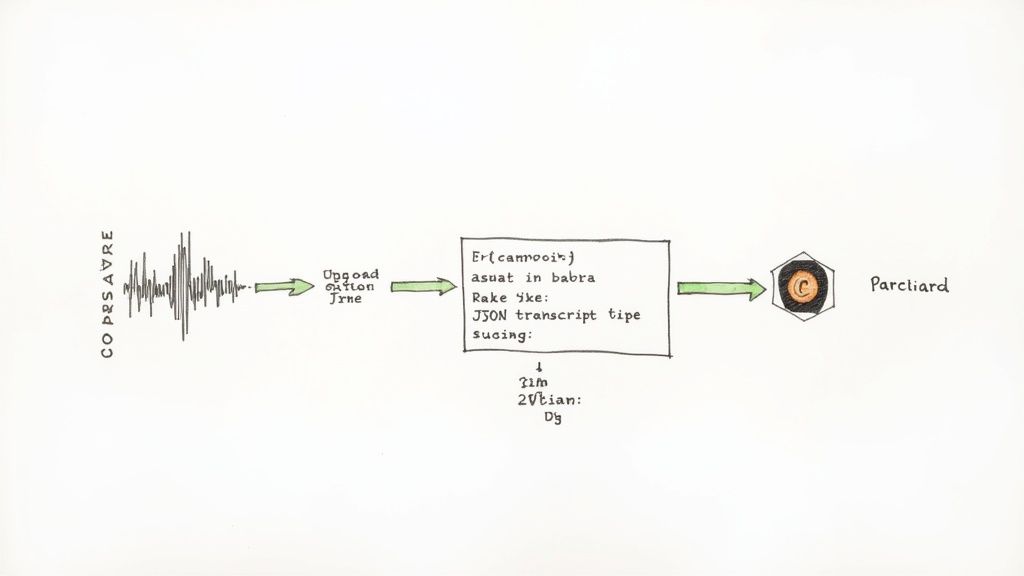
This flow—from raw audio to a structured JSON output—is pretty much the blueprint for any transcription API you'll work with. Your code is responsible for managing each one of these transformations.
Before you can even think about sending that first API call, you need to get your house in order. That means setting up your environment and getting authentication sorted out. This is a non-negotiable first step; it keeps your connection secure and tells the service who you are.
Most services, whether it's a specialized provider like Lemonfox.ai or a cloud giant like AWS, will give you an API key. This key is just a unique string of characters that you’ll need to include in your request headers. Think of it as the password for your app.
Here’s a quick mental checklist to run through:
requests library is your best friend for making HTTP requests. A quick pip install requests will get you what you need.With authentication handled, you can get to the main event: uploading your audio. For a pre-recorded file, you’ll typically make a POST request to the API's transcription endpoint. The audio file itself gets packed into the body of that request, usually as multipart/form-data.
So, let's say you've got a file called meeting_recording.mp3. Your Python script will need to open that file in binary read mode ('rb') and pass it along with the request. The API then gets to work, which could take anywhere from a few seconds to a few minutes, all depending on how long your audio is.
What you get back is almost always a response in JSON format. This isn't just plain text; it's structured data containing your transcript and a bunch of other useful metadata.
A classic rookie mistake is forgetting that transcription can take time, especially for large files. Many APIs work asynchronously. You'll send the file and immediately get back a job ID. You then have to use that ID to make a separate
GETrequest to check on the status until the job is complete and the results are ready.
The final piece of the puzzle is parsing that JSON response to pull out what you actually need. A good API response is a goldmine of information, not just a wall of text.
You’ll typically find a structure with key-value pairs like these:
"text" or "transcript": This is the big one—the full, stitched-together text from your entire audio file."words" or "segments": This is where things get really interesting. It’s usually an array of smaller objects, with each object containing a single word, its start time, and its end time. This is invaluable if you're building anything from captions to a text-based audio editor."speaker_labels": If you asked the API to perform speaker diarization, this is where you’ll find the data that tells you who said what.Your code will need to navigate this JSON object to grab the specific data your application needs. Whether you’re just displaying the full text, building a feature that highlights a word on a timeline as it's spoken, or creating a meeting summary that attributes quotes to the right people, it all starts with parsing this response correctly.
A basic transcript is a good starting point, but the real magic happens when you turn that raw text into structured, usable data. When you convert audio to text, you can capture more than just what was said. You can find out who said it, when they said it, and even how confident the model is about each word. This extra layer of context is what turns a simple transcription into a truly valuable asset.
Imagine you've just recorded a two-hour-long team meeting or a critical customer interview. A giant wall of text isn't very helpful. But what if you could instantly pull out every single comment made by your lead engineer? That's where speaker diarization comes into play.

Speaker diarization—also known as speaker labeling—is the feature that identifies and separates different voices in your audio. Instead of getting one long, messy block of text, you get a clean, organized conversation labeled "Speaker 1," "Speaker 2," and so on. For analyzing any recording with more than one person, this is an absolute game-changer.
Another crucial piece of the puzzle is timestamps. Most modern APIs can now provide word-level timestamps, marking the exact start and end time of every single word. This is incredibly useful for a few reasons:
The goal here is to move beyond a static document. By using features like diarization and timestamps, you’re creating an interactive, searchable, and far more insightful version of your original audio.
Let's be realistic: even the best speech-to-text models aren't flawless. The good news is you can take some concrete steps to dramatically improve the quality of your transcripts. The old "garbage in, garbage out" rule definitely applies here, so feeding the model the cleanest possible audio is your best strategy.
Start with Audio Pre-Processing
Before you even think about hitting the API endpoint, a little bit of audio cleanup can make a world of difference. Pop the file into some basic audio editing software to reduce background noise and normalize the volume so everyone is speaking at a similar level. Also, make sure you're using a high-quality, lossless format like FLAC or WAV. Compressing audio into MP3 can throw away important data the model needs to work its magic.
Leverage Custom Vocabularies
Does your audio contain a lot of industry-specific jargon, unique product names, or acronyms? If so, the transcription model is probably going to stumble over them. Many top-tier services, including options from Lemonfox.ai, let you upload a custom vocabulary. By simply giving the model a heads-up with a list of these uncommon words, you drastically increase the odds it will get them right. This one small step can be the difference between a confusing, error-riddled transcript and one that's clean and accurate.
When you're looking to convert audio to text, it's easy to get laser-focused on accuracy. But in the real world, the best solution is a careful balancing act between performance, cost, and how you handle your data. This isn't just a technical choice; it's a business decision that hits your budget, your workflow, and your security posture.
Think about performance. It's not just about getting the words right. How fast can you turn around a one-hour meeting recording? And what happens when a hundred people upload files at the same time? A system that’s lightning-fast for one file but chokes under pressure can quickly become a bottleneck for your entire operation.
It's tempting to compare services based on a simple price-per-minute metric, but that rarely tells the whole story. The total cost of ownership (TCO) is a much better guide, and it looks very different depending on your approach.
Cloud APIs give you a predictable, pay-as-you-go bill. On the other hand, self-hosting an open-source model like Whisper means you're taking on a whole different kind of expense.
This is where a managed service like Lemonfox.ai comes in. It hides all that infrastructure complexity behind a simple, low-cost rate, which makes budgeting a whole lot easier. For many teams, especially those without a dedicated DevOps crew, this approach just makes more sense financially.
The whole speech technology space is exploding. Just look at the flip side: the Text-to-Speech (TTS) market was valued at $3.87 billion in 2025 and is on track to hit $7.28 billion by 2030. This kind of growth shows just how much is being invested across the board, which you can see in reports shaping the market for speech technologies.
Security might just be the most important piece of the puzzle. Every time you upload an audio file, you're handing over your data. That could be a confidential board meeting, a sensitive therapy session, or a customer service call full of personal information. Data privacy isn't optional.
When you handle sensitive audio, data security isn't just a feature—it's the foundation of trust with your users. Sending unencrypted data or using a provider with ambiguous privacy policies is a significant and unnecessary risk.
If you're in a regulated industry, the stakes are even higher. You absolutely must ensure your transcription partner meets the right compliance standards for your needs.
Choosing a provider that puts security first—by offering an EU-based API and deleting your data as soon as it's processed, for example—is critical. This isn't just about checking a box on a compliance form. It's about protecting your company, your reputation, and your customers from a potentially devastating data breach.
As you start turning audio into text, you'll inevitably run into a few common questions. I've seen them come up time and time again. Whether you're struggling with messy audio or trying to keep costs from spiraling, getting these answers straight will save you a lot of headaches. Let's dig into the challenges that pop up most often.
This is probably the number one question. Dealing with poor-quality audio is just part of the job. Your best bet is always to clean it up before you send it off for transcription. A little pre-processing goes a long way.
You can use basic audio editing software to run some noise reduction filters and normalize the volume. Just that simple step can make a night-and-day difference. Also, make sure your audio is in a lossless format like FLAC or WAV. Compressed files like MP3s throw away data that the AI models need, so giving the API the cleanest possible signal is the best thing you can do for accuracy.
When you have more than one person talking—think meetings, interviews, or podcasts—you absolutely need a feature called speaker diarization. You might also see it called speaker labeling. Without it, you just get a giant, confusing block of text.
Speaker diarization automatically figures out who is speaking and when, tagging them as "Speaker 1," "Speaker 2," etc. This simple feature turns a chaotic conversation into a structured, easy-to-read script. As you're looking at different services, double-check that they offer diarization and see how it affects the price.
A transcript without speaker labels is often just a wall of text. Diarization adds the necessary structure to make sense of conversational audio, turning a confusing mess into a clear record of who said what.
Yep, you sure can. Most modern transcription services offer a real-time or "streaming" API just for this. Instead of uploading a finished file and waiting, a streaming API lets you feed it audio continuously and get the text back almost instantly.
This is a game-changer for anything that needs low latency, like:
Just be aware that the implementation for a streaming API is usually a bit different from a standard file-based one, so you'll want to spend some time with the provider's documentation.
Ah, the budget question. This is crucial, especially when you're working at scale. The first thing to do is match the pricing model to how you'll actually use it. If your needs are unpredictable, a pay-as-you-go plan is perfect. But if you know you'll have a high, steady volume, a monthly subscription will almost always save you money.
Another trick is to batch your smaller audio files into fewer, larger API requests. This can help you avoid per-request overhead fees that can add up. Finally, don't just default to the big names; shop around. A service like Lemonfox.ai can be dramatically more affordable than the massive cloud platforms for comparable (or even better) quality, which is a huge help in keeping your budget under control without cutting corners on performance.
Ready to start transcribing with an API that’s fast, accurate, and won't break the bank? Lemonfox.ai gives you a powerful, cost-effective way to convert your audio to text, complete with all the essential features like speaker diarization and real-time streaming. Try it for free and see the difference for yourself.