
First month for free!
Get started
Published 1/15/2026
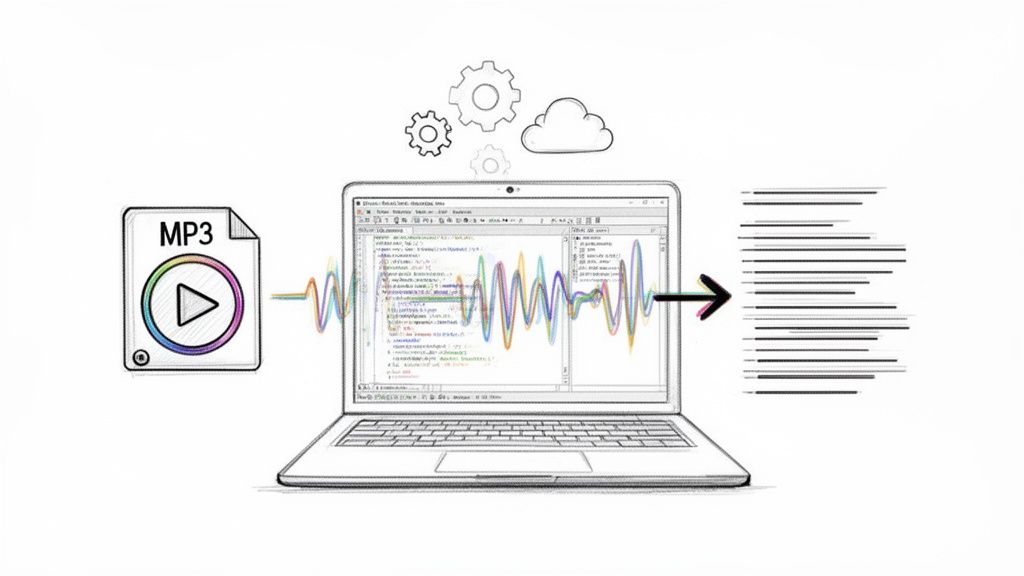
Turning MP3 audio files into text is all about using Automated Speech Recognition (ASR) to get a written transcript from a recording. It's a fundamental skill for anyone looking to make audio content searchable, accessible, or ready for analysis. The right approach really depends on your project—you might use a free, local tool for a private recording or a powerful cloud API for massive scale and accuracy.
We're drowning in audio. Podcasts, Zoom meetings, customer service calls—it's a goldmine of data just waiting to be used. But without a transcript, all that valuable information is locked away, impossible to search and hard to act on. The ability to convert MP3s to text has moved from a "nice-to-have" technical gimmick to a core competency for modern developers and businesses.
This isn't just a hunch; the numbers back it up. The global market for speech-to-text APIs was already valued at USD 1,321.5 million back in 2019. It’s on track to explode to USD 3,813.5 million by 2024, which is a staggering 188% increase in only five years. This boom shows just how much demand there is for tools that can efficiently turn spoken words into usable text.
Once you get the hang of audio transcription, you can start solving real-world problems and building genuinely useful features. Turning spoken words into structured data opens up a ton of possibilities.
Here are a few common scenarios I've seen:
The real magic is simple: transcription turns messy, unstructured audio into clean, structured data. This is the first and most important step toward building smarter, more data-driven, and accessible applications.
As a developer, you’ve got a few different ways to tackle MP3 to text conversion, and each comes with its own set of pros and cons. You can go the self-hosted route with open-source models or use a commercial cloud API.
Tools like OpenAI's Whisper give you total control and privacy, which is great. The catch? You'll need some serious technical chops and access to expensive GPU hardware to make it run well.
On the other hand, cloud APIs from providers like Lemonfox.ai offer top-tier accuracy and cool features like speaker recognition with very little setup. You’re essentially renting their expertise and infrastructure. This guide will walk you through these options, focusing on what really matters: accuracy, speed, cost, and privacy. Knowing how to convert MP3 to text also expands your options for modern messaging, like figuring out how to send audio text effectively.
Deciding on the right transcription method can feel overwhelming. This table breaks down the main approaches to help you figure out which path is the best fit for your specific needs.
| Method | Best For | Key Challenge | Cost |
|---|---|---|---|
| Local/Open-Source | Privacy-sensitive projects, developers wanting full control, and offline processing. | Requires significant technical skill and powerful (often costly) hardware (GPUs). | Free software, but hardware and maintenance costs can be high. |
| Cloud APIs | Projects needing high accuracy, scalability, and advanced features like speaker diarization. | Relies on an internet connection; involves sending data to a third-party service. | Pay-as-you-go, typically priced per minute/hour of audio processed. |
| Hybrid Approach | Balancing privacy for sensitive data with the power of cloud APIs for non-sensitive audio. | Managing the complexity of two different workflows and infrastructures. | A mix of upfront hardware costs and ongoing API usage fees. |
Ultimately, there's no single "best" answer. An open-source model is perfect for a hobby project handling sensitive interviews, while a high-growth startup will almost certainly lean on a cloud API to power its application without worrying about infrastructure.
The old saying "garbage in, garbage out" couldn't be more true when you convert mp3 audio to text. If you feed a noisy, muffled audio file into even the best transcription service, you're going to get a messy, inaccurate transcript back. It's a simple fact.
Spending just a few minutes cleaning up your audio before you send it off can make a world of difference. We're not talking about becoming a professional audio engineer overnight. These are just a few simple tweaks to give the AI a fighting chance. Think of it like prepping your ingredients before you start cooking—a little effort upfront makes the final result so much better. In fact, poor audio quality can tank your transcription accuracy by as much as 15-30%, which is often the difference between a usable document and a jumbled mess.
Here’s a quick win: convert your audio from stereo to mono. Most MP3s you encounter are in stereo, which is great for music because it sends different sounds to your left and right speakers. For transcribing speech, though, it's overkill and can even confuse the AI.
When you convert to mono, you merge those two audio channels into one. This makes the job much simpler for the transcription model because it only has one stream of data to analyze. For things like interviews or meetings where people are sitting at different distances from the microphone, a mono track helps center all the voices so they're heard equally.
My Two Cents: Switching to mono doesn't just help with accuracy—it also shrinks your file size. That means faster uploads and, depending on the service, lower costs. It's an easy optimization that pays off, especially when you're working with a lot of files.
MP3 is everywhere, but it's not the best format if you're chasing perfect accuracy. MP3s use what’s called lossy compression, which means some of the original audio data gets thrown away to keep the file size down. For the clearest possible audio, you want a lossless format.
Here are the heavy hitters:
Now, it's important to know that converting an existing MP3 to WAV or FLAC won't magically bring back the data that was already lost. But if you have any say in the recording process itself, always start with a lossless format. If you're stuck with an MP3, focus on the other cleanup tricks.
For anyone comfortable with the command line, FFmpeg is an absolute lifesaver. It’s a free, open-source powerhouse that can handle pretty much any audio or video task you can imagine, including the preprocessing steps we've just talked about.
Let's say you have a file called meeting_recording.mp3. It’s a stereo recording with a bit of annoying background hum. You can use a single FFmpeg command to remove that low-frequency noise, convert it to a mono track, and save it as a clean WAV file, all in one go.
Running this simple command sets your transcription up for success. You’re giving the API a clean, clear signal, which is exactly what it needs to accurately convert mp3 audio to text.
So, you need to convert MP3 audio to text. You’ve reached the first big fork in the road: do you wrestle with a self-hosted open-source model, or do you plug into a commercial cloud API? This isn’t just a technical decision—it’s a strategic one that will shape your budget, development speed, and how much time you spend on maintenance down the line.
It's a classic battle between total control and managed convenience.
On one side, you've got heavy hitters like OpenAI's Whisper. The appeal is obvious. It’s "free" software you can run on your own hardware, giving you absolute control over your data and the entire transcription pipeline. This path is a fantastic fit for projects with ironclad privacy needs or for developers who love to get under the hood and tweak things.
But that word "free" comes with some pretty big asterisks. To get these models to perform well, you need serious GPU hardware, which is anything but cheap. Without it, you're looking at painfully slow processing times that just aren't practical for most real-world applications.
Going the open-source route means you're signing up for a second job as a systems administrator. You're now on the hook for provisioning servers, wrangling dependencies, and diving deep into troubleshooting when things inevitably go wrong. That requires a skillset that goes way beyond just writing application code.
Think about what you're really taking on:
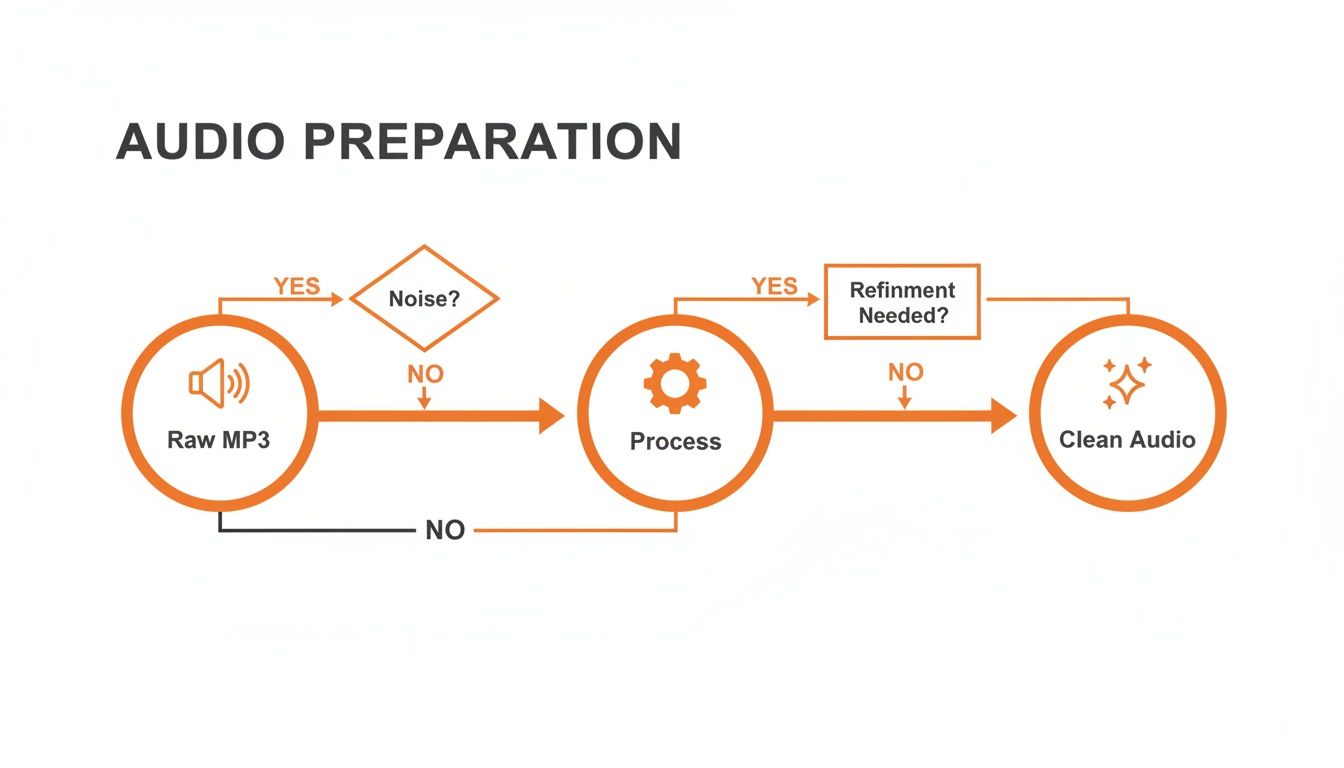
This flowchart gives you a high-level look at the audio workflow. No matter which path you choose, getting your audio prepped and clean is the first step to an accurate transcript.
On the other side of the fence, you have commercial cloud APIs like Lemonfox.ai or Google Speech-to-Text. These services take care of all the messy infrastructure for you. You just send them an audio file and get a clean transcript back in seconds. For most teams, that convenience is a total game-changer.
The pay-as-you-go pricing model makes these APIs incredibly accessible. Instead of sinking a ton of cash into hardware upfront, you only pay for what you actually use. This lets you go from a tiny side project to a massive application without ever losing sleep over server capacity.
And the demand for these services is booming. The U.S. transcription market alone hit USD 30.42 billion in 2024 and is projected to climb to USD 41.93 billion by 2030, growing at a steady 5.2% CAGR. This shows just how critical this technology has become in fields like healthcare, law, and media, where every word matters. You can dig deeper into these speech-to-text conversion market trends if you're curious.
For most developers, a cloud API is the fastest and most cost-effective way to get a production-ready transcription feature up and running. The time saved on infrastructure management can be reinvested into building your core product.
Of course, using a third-party service means you have to think about data privacy and vendor lock-in. It's essential to pick a provider with a solid privacy policy. Lemonfox.ai, for example, deletes all user data immediately after processing, which is a huge plus for security. While vendor lock-in is always a possibility, sticking to services with well-documented, standard APIs makes it much easier to switch providers later if you need to.
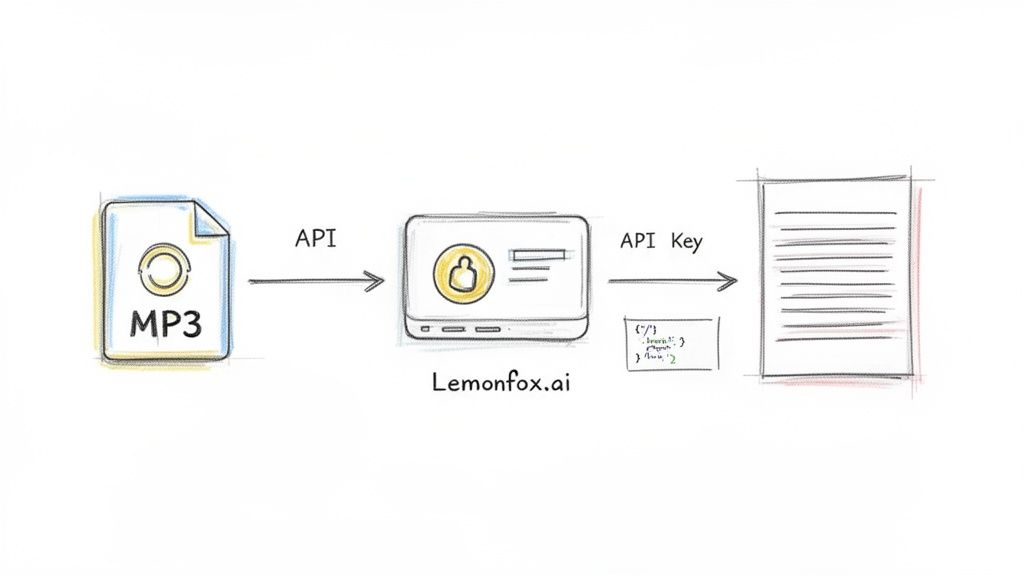
Alright, enough with the theory. It's time to roll up our sleeves and build something that actually works. In this section, we're going to bridge the gap from concept to code and show you how to convert MP3 audio to text using the Lemonfox.ai API. I like this tool because it's powerful but doesn't bury you in complexity.
We'll skip the dense documentation and get straight to a practical, step-by-step walkthrough. First, we'll grab an API key, then immediately jump into making our first transcription request with code snippets you can copy, paste, and run.
Before you can send any audio, you need to tell the API who you are. This is handled with a unique API key, which works as both your username and password for their service. Getting one from Lemonfox.ai is painless.
Seriously, treat this key like a password. Anyone who has it can make API calls on your behalf and use your credits. With that key in hand, you're all set to start transcribing.
Let's get right into it. The quickest way to test an API endpoint is usually with a simple cURL command right from your terminal. No complex setup, no extra libraries—just a direct line to the service.
This example shows how to send a local audio file, which I've called my-meeting.mp3, straight to the Lemonfox.ai transcription endpoint.
Example cURL Request
curl -X POST "https://api.lemonfox.ai/v1/audio/transcriptions"
-H "Authorization: Bearer YOUR_API_KEY"
-F file="@/path/to/your/my-meeting.mp3"
-F model="whisper-large-v3"
Just swap out YOUR_API_KEY with the one you just generated and update /path/to/your/my-meeting.mp3 with the real path to your file. Hit enter, and you’ll get a clean JSON response with the full transcript. It really is that easy to get started.
Of course, cURL is just for quick tests. For a real project, you’ll want to build this into your application. Here’s how you can create a simple transcription function in both Python and Node.js.
Python Example using requests
import requests
api_key = "YOUR_API_KEY"
file_path = "/path/to/your/my-meeting.mp3"
url = "https://api.lemonfox.ai/v1/audio/transcriptions"
headers = {"Authorization": f"Bearer {api_key}"}
with open(file_path, "rb") as audio_file:
files = {"file": (audio_file.name, audio_file, "audio/mpeg")}
data = {"model": "whisper-large-v3"}
response = requests.post(url, headers=headers, files=files, data=data)

if response.status_code == 200:
    print(response.json()["text"])
else:
    print(f"Error: {response.status_code}")
    print(response.text)
Node.js Example using axios and form-data
const axios = require('axios');
const fs = require('fs');
const FormData = require('form-data');
const apiKey = 'YOUR_API_KEY';
const filePath = '/path/to/your/my-meeting.mp3';
const url = 'https://api.lemonfox.ai/v1/audio/transcriptions';
const form = new FormData();
form.append('file', fs.createReadStream(filePath));
form.append('model', 'whisper-large-v3');
axios.post(url, form, {
headers: {
...form.getHeaders(),
'Authorization': Bearer ${apiKey},
},
})
.then(response => {
console.log(response.data.text);
})
.catch(error => {
console.error(Error: ${error.response.status});
console.error(error.response.data);
});
These snippets are a great starting point. You can easily wrap this logic into a reusable function in your codebase to handle audio processing and use the text output.
A basic transcript is a good start, but real-world audio is messy. You might have multiple people talking over each other or recordings in different languages. This is where API parameters become your best friend, letting you fine-tune the transcription to your specific needs.
For example, imagine your MP3 is a recording of a team meeting. A giant wall of text isn't very helpful when you need to know who said what. This is a classic use case for speaker diarization.
You can turn it on by adding a single parameter to your request.
curl ...
-F "diarize=true"
Suddenly, your output is transformed. Instead of a monologue, you get a structured dialogue with labels like Speaker 0 and Speaker 1. This one feature can turn a confusing transcript into a genuinely useful record of a conversation.
Here is a quick reference table for some of the most common parameters you'll use when sending requests.
| Parameter | Description | Example Value |
|---|---|---|
file |
The audio file to transcribe. | @/path/to/audio.mp3 |
model |
The transcription model to use. | whisper-large-v3 |
diarize |
Set to true to enable speaker diarization. | true |
language |
The ISO-639-1 code for the audio language. | es for Spanish |
num_speakers |
An optional hint for the number of speakers. | 3 |
This table covers the essentials for tailoring your API calls to get much more accurate and context-rich results from your audio files.
Let's be realistic: no integration is perfect, and eventually, a request is going to fail. It might be an invalid API key, a corrupted audio file, or a temporary hiccup on the server. A robust application anticipates these problems and handles them gracefully.
When a request to Lemonfox.ai fails, it will return a non-200 status code and a JSON body that tells you exactly what went wrong.
Example Error Response (401 Unauthorized)
{
"error": {
"message": "Incorrect API key provided. You can find your API key at https://lemonfox.ai.",
"type": "invalid_request_error",
"param": null,
"code": "invalid_api_key"
}
}
When you're building your integration, always check the response status code. If it’s not 200, log the error message from the response body. This info is your lifeline for debugging and will save you countless hours of frustration when something inevitably breaks.
A well-handled error is the difference between a frustrating bug and a minor hiccup. Always inspect the API's error response—it's your best tool for figuring out what went wrong and how to fix it quickly.
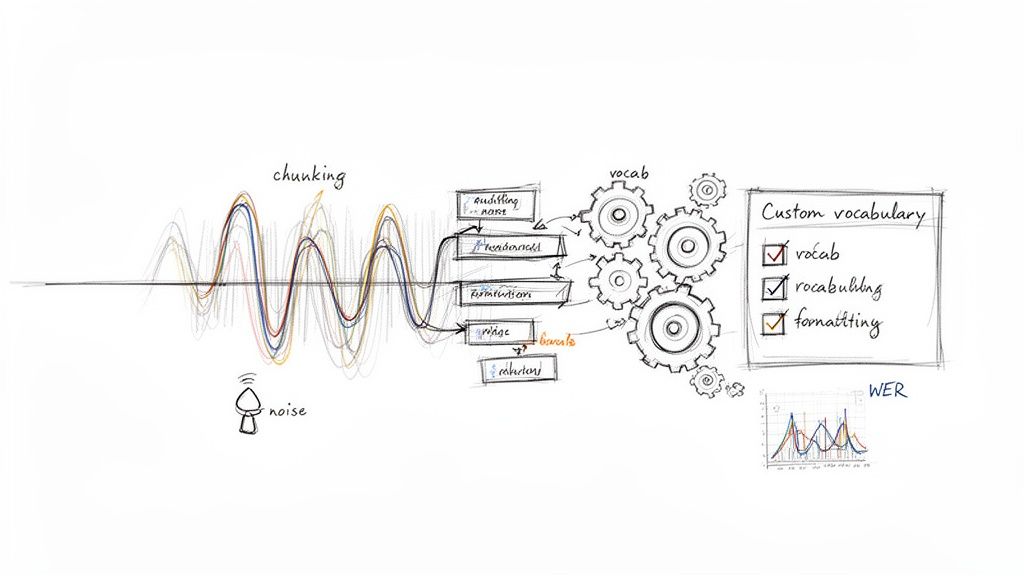
Getting a basic transcript is one thing. But when you need to build a system that can reliably convert mp3 audio to text for a real application, you'll quickly run into bigger challenges. Moving beyond a simple script means planning for failure, fighting for every percentage point of accuracy, and making sure your final output is actually usable.
This is what separates a quick-and-dirty tool from a professional-grade product. You have to build a workflow that can handle the messy, unpredictable nature of real-world audio without falling apart.
Ever tried to upload a two-hour podcast recording to a transcription API? You probably hit a file size limit or a frustrating network timeout. For any audio file longer than a few minutes, sending it all at once is asking for trouble.
The solution is a battle-tested technique called audio chunking. Instead of wrestling with one giant file, you programmatically slice it into smaller, more manageable pieces—I usually aim for 10-15 minute chunks. You can then feed these segments to the API one by one or, even better, process them in parallel.
This simple change brings some huge advantages:
Once all the chunks are transcribed, you just stitch the text back together in the correct order. It’s a straightforward way to build a much more robust system.
Off-the-shelf transcription models are trained on massive, general datasets. They’re fantastic for everyday conversations but often trip over industry-specific jargon, unique brand names, or technical acronyms.
This is where a custom vocabulary (sometimes called "word boosting") becomes your best friend. Most high-quality APIs let you provide a list of specific words and phrases you expect to see in your audio.
For example, if you're transcribing earnings calls for a tech company, you might feed the model a list of product names and internal codenames. Or for medical dictation, you could provide terms like:
Giving the model this context ahead of time drastically improves its ability to recognize these specialized words correctly, giving your final transcript a major accuracy boost.
In my experience, using a custom vocabulary can reduce the error rate for key terms by over 50%. It's one of the most effective ways to tailor a general-purpose model to a specific domain.
The raw text that comes back from an API is rarely perfect. It’s usually littered with filler words ("um," "uh," "you know"), odd punctuation, and inconsistent formatting. A smart production workflow doesn't stop at transcription; it includes an automated cleanup step.
You can write simple scripts to handle this, such as:
This final polish turns a raw, messy transcript into a clean, professional document without any manual intervention.
So, how do you actually know if your transcription process is getting better or worse? The industry-standard metric for this is the Word Error Rate (WER). It's a simple but powerful way to measure accuracy by comparing the machine-generated transcript to a perfect, "ground truth" version.
The formula is WER = (S + D + I) / N, where:
S = Substitutions (wrong words)D = Deletions (missing words)I = Insertions (extra words)N = Total number of words in the correct transcriptA lower WER score is better. By tracking WER, you can objectively benchmark different transcription models, measure the impact of your cleanup scripts, and catch any drops in quality over time. For any serious application, understanding real-time call transcription mechanisms and metrics like WER is absolutely essential for building a high-quality pipeline.
When you first start digging into audio transcription, a few questions always come up. Getting these sorted out early on can save you a world of headaches as you figure out how to convert mp3 audio to text. Let's jump right into the big ones.
This is always the first question, and the honest answer is: it depends. The good news is that modern AI models can be incredibly accurate, often hitting over 95% accuracy. But that number is completely at the mercy of your audio quality.
Think of it this way: a crystal-clear recording of one person speaking with a standard accent and zero background noise? That’s going to get you the best results, period.
The quality of the AI model itself is the other half of the equation. A top-tier service like Lemonfox.ai is built on models trained on massive, diverse datasets, which gives you a huge advantage out of the gate. For the best possible outcome, I always recommend preprocessing your audio—clean up any background noise and convert it to a lossless, mono format like FLAC before you even think about sending it to an API. If you're dealing with a lot of industry-specific jargon, you'll absolutely need to use features like custom vocabularies to keep that accuracy high.
Absolutely. This is where modern transcription APIs really show their strength. The feature you're looking for is called speaker diarization, and it's a total game-changer. When you flip this on in your API call, the service doesn't just give you back a wall of text. It actually identifies who is speaking and when.
The output is neatly labeled, making it incredibly easy to follow the conversation. You’ll get a structured transcript that looks something like this:
Speaker A: So, we've reviewed the quarterly numbers.Speaker B: And the projections for Q4 look solid.
This feature turns a messy recording from a meeting, interview, or podcast into a clean, readable script. It's usually as simple as adding a parameter like diarize=true to your request.
For almost every project I've seen, a pay-as-you-go cloud API is the clear winner on cost. Open-source models might seem "free," but that's a bit of an illusion once you factor in all the hidden costs.
You have to think about what it actually takes to run one of these models yourself:
Specialized services like Lemonfox.ai let you sidestep all of that. They offer straightforward, transparent pricing that makes it easy to scale affordably without any surprises. You get professional-grade transcription without the massive upfront investment in hardware and expertise.
Data privacy isn't just a checkbox; it should be a top priority. My advice is to only work with a service that has a crystal-clear privacy policy. The good ones get that your data is sensitive and go to great lengths to protect it.
Look for a no-storage policy. This is a big one. Services like Lemonfox.ai implement this, meaning your audio files and transcripts are wiped from their servers the moment the job is done. This one practice massively cuts down your risk.
Also, check for compliance with regulations like GDPR. If you’re handling highly sensitive information or need to comply with regional data laws, finding a provider that offers EU-based endpoints can give you that extra layer of security and peace of mind. If a service is vague about how they handle your data, walk away.
Ready to build powerful, accurate, and affordable transcription features into your application? Lemonfox.ai offers a developer-friendly API with best-in-class accuracy and features like speaker diarization, all at a fraction of the cost of other providers. Start your free trial and get 30 hours of transcription today.