
First month for free!
Get started
Published 1/5/2026
If your business deals with audio, you know that manually transcribing it is a dead end. To get real value from your audio data, you need a way to process it quickly and at scale. This is where a good speech-to-text API comes in—it lets you build accurate, affordable transcription right into your applications.
We're swimming in audio data these days. Think about it: customer support calls, sales meetings, user research interviews, podcasts—the list goes on. Trying to transcribe all of this by hand is not just slow; it's a massive bottleneck that prevents you from using the information locked inside those files.
This is exactly why so many developers are now using APIs like Lemonfox.ai to convert MP3 to text programmatically. It’s the only practical way to handle modern data volumes.
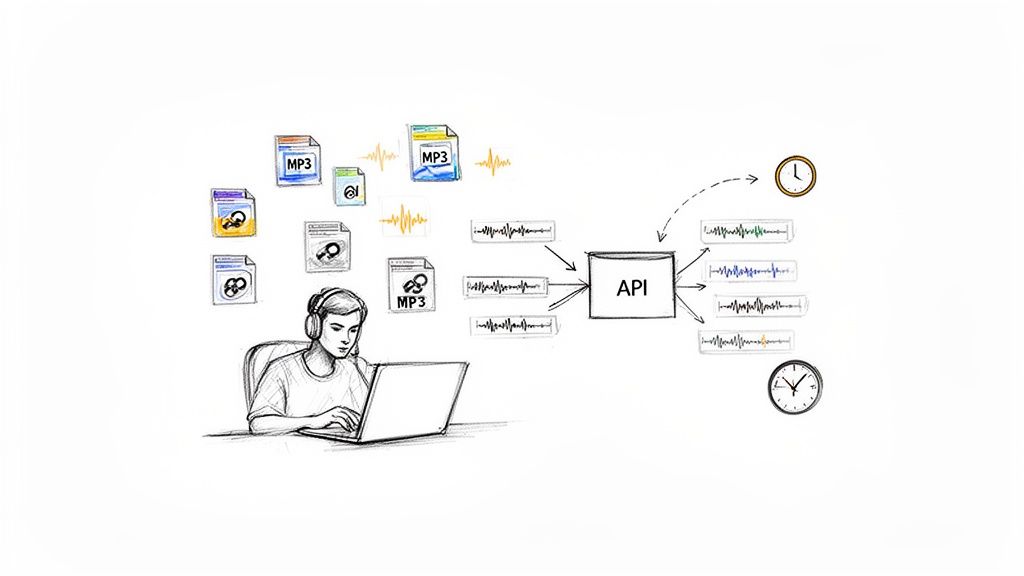
This move is about more than just getting a written record. It’s about turning a pile of unstructured audio files into structured, searchable, and genuinely useful data. Imagine a product team sifting through hundreds of hours of customer feedback calls. An API can chew through that entire dataset in minutes, letting them instantly search for keywords, analyze sentiment, and spot trends that would have otherwise stayed hidden.
The numbers don't lie. The global speech-to-text API market was already valued at USD 2.77 billion in 2023 and is on track to hit USD 9.86 billion by 2032. That's a compound annual growth rate of 15.2%, which tells you how fundamental this shift is. If you want to dig deeper, you can find the details in the full speech-to-text API market report.
This growth is fueled by real-world advantages. Here are just a few scenarios where a transcription API gives you a serious edge:
Integrating a powerful transcription API isn't just about turning audio into words. It's about building a system that can extract real intelligence from conversations. You go from simply having a recording to actually understanding what it means for your business.
At its core, using an API like Lemonfox.ai is about building smarter, more efficient software. It gives you the power to create tools that can listen, comprehend, and act on spoken language at a scale humans could never achieve. In this guide, I'll walk you through exactly how to add this capability to your own projects.
To give you a quick idea of what you're working with, here’s a snapshot of the core features that make Lemonfox.ai a solid choice for developers.
| Feature | Description | Developer Benefit |
|---|---|---|
| High Accuracy | State-of-the-art AI models deliver precise transcriptions, even with background noise or varied accents. | Reliable data output, reducing the need for manual corrections and post-processing. |
| Speaker Diarization | Automatically identifies and labels who is speaking and when, creating a turn-by-turn dialogue. | Easily analyze conversations, attribute quotes, and understand interaction dynamics. |
| Timestamps | Provides word-level or sentence-level timestamps, pinpointing exactly when each word was spoken. | Enables easy navigation of audio, synchronization with other media, and clip creation. |
| Language Support | Supports 10+ major languages with high accuracy, with more continuously being added. | Build applications for a global audience without needing separate solutions for each language. |
| EU & Privacy Focus | Offers a dedicated EU-based API endpoint and a strict zero data retention policy upon request. | Ensures GDPR compliance and protects sensitive user data, crucial for privacy-conscious apps. |
| Cost-Effective | A simple, pay-as-you-go pricing model at $0.0001/second with no hidden fees or minimum commitments. | Predictable, scalable costs that align with your actual usage, from small projects to enterprise. |
These features provide a powerful toolkit for building sophisticated audio intelligence into any application.
Alright, let's jump right in and get your first transcription done. The goal here is a quick win to show you how simple it is to convert mp3 to text with an API. We'll start with a universal tool that’s perfect for the job: cURL.
Think of cURL as a way to talk directly to the API from your command line, without any extra coding. It gives you a raw, unfiltered look at how everything works under the hood.
The process is simple. First, you need a way to tell the Lemonfox.ai servers who you are. This is handled with an API key—basically, a unique password for your account.
Before sending a request, you’ll need a free account at Lemonfox.ai. It only takes a second to sign up. Once you're in, you'll find your API key right there in the dashboard.
Keep this key handy and treat it like a password. It's your ticket to using the service.
The free trial comes with 30 hours of transcription, which is more than enough to run through this guide, test all the features, and even get a small project off the ground.
With your key ready, let's put together the cURL command. It might look a little technical at first, but it’s just a few distinct pieces working together. You're basically building the same request that a Python or Node.js script would send, but you're doing it by hand.
Here's the basic structure:
curl -X POST
https://api.lemonfox.ai/v1/audio/transcriptions
-H "Authorization: Bearer YOUR_API_KEY"
-F "file=@/path/to/your/audio.mp3"
-F "model=whisper-large-v3"
Let's quickly break down what each part does so you know exactly what’s happening.
curl -X POST: This tells cURL to make a POST request, the standard way to send data (like your audio file) to a server.https://api.lemonfox.ai/v1/audio/transcriptions: This is the API endpoint—the specific URL that’s set up to handle transcription jobs.-H "Authorization: Bearer YOUR_API_KEY": This is the header where you prove who you are. Just replace YOUR_API_KEY with the actual key from your dashboard.-F "file=@/path/to/your/audio.mp3": Here’s where you attach the audio file. The @ symbol tells cURL to upload the file found at that specific path on your computer.-F "model=whisper-large-v3": This tells the API which transcription model to use. We're using whisper-large-v3, which is an incredibly powerful and accurate option.Pro Tip: For your first test, use a short, clear audio file—a 15-second voice memo is perfect. It ensures you get a quick response and can confirm everything is working before moving on to longer or more complex recordings.
Now, open your terminal (or command prompt on Windows), paste the full command with your actual API key and file path, and hit Enter.
If all goes well, the API will process your MP3 and spit back a JSON object right there in your terminal. It’ll look something like this:
{
"text": "This is the transcribed text from your audio file."
}
That's it! You've successfully converted an MP3 to text. This simple exercise confirms the core mechanics are working. From here, you're ready to translate this logic into a more powerful language like Python or Node.js, which we'll get into next.
While cURL is perfect for a quick test run, you'll want to programmatically convert mp3 to text for any real-world application. This is where we move beyond the command line and into a proper coding environment. Let's walk through how to do this with Python and Node.js, two of the most common choices for building backend services and automation scripts.
The underlying logic is exactly the same as our cURL command—we're still just making a POST request to the Lemonfox.ai API endpoint. The real difference is that we’re now using well-established libraries to manage the file upload and handle the response. This makes the whole process far more reliable and much easier to plug into a larger application.
I've put together these examples to be as practical as possible. You can drop them right into your project, swap out the placeholder values, and get a working transcription script up and running in minutes.
Python is a natural fit for this kind of work, given its dominance in data processing and AI tasks. We'll lean on the requests library, a favorite among developers for its straightforward approach to HTTP requests. If you don't have it installed, just run pip install requests in your terminal.
Here’s a simple script that grabs an audio file from your computer, sends it off to the Lemonfox.ai API, and prints the transcript it gets back.
import requests
API_KEY = "YOUR_LEMONFOX_API_KEY"
FILE_PATH = "/path/to/your/audio.mp3"
headers = {
"Authorization": f"Bearer {API_KEY}"
}
files = {
"file": (FILE_PATH, open(FILE_PATH, "rb"), "audio/mpeg"),
"model": (None, "whisper-large-v3"),
}
try:
response = requests.post(
"https://api.lemonfox.ai/v1/audio/transcriptions",
headers=headers,
files=files
)
# This will automatically throw an error for bad responses (like 4xx or 5xx)
response.raise_for_status()

transcription = response.json()
print("Transcription successful:")
print(transcription['text'])
except requests.exceptions.RequestException as e:
print(f"An error occurred: {e}")
print(f"Response body: {response.text}")
Take a look at how the files dictionary is set up. We're sending a multipart/form-data request, which is the standard protocol for uploading files over HTTP. The beauty of the requests library is that it handles all the tricky encoding behind the scenes.
For anyone wanting to build more sophisticated transcription workflows, getting a good handle on Python for AI is a must. If you're just getting started or looking to sharpen your skills, A Guide to Python Coding AI is an excellent resource that covers everything from the basics to more advanced concepts.
This method is also incredibly memory-efficient. By streaming the file directly in the request body, you avoid loading the entire MP3 into memory first, which is a lifesaver when dealing with large audio files.
If you're working in the JavaScript world, Node.js gives you a powerful and speedy environment for API integrations. For this example, we’ll use two popular packages: axios for making the HTTP request and form-data to build the file payload. Just run npm install axios form-data to add them to your project.
This Node.js script does the same thing as our Python one: it uploads an MP3 and prints the resulting transcription. It's a perfect starting point for server-side apps, command-line tools, or even serverless functions.
const axios = require('axios');
const fs = require('fs');
const FormData = require('form-data');
// Your API key from the Lemonfox.ai dashboard
const API_KEY = 'YOUR_LEMONFOX_API_KEY';
// The path to your audio file
const FILE_PATH = '/path/to/your/audio.mp3';
const transcribeAudio = async () => {
const form = new FormData();
form.append('file', fs.createReadStream(FILE_PATH));
form.append('model', 'whisper-large-v3');
try {
const response = await axios.post(
'https://api.lemonfox.ai/v1/audio/transcriptions',
form,
{
headers: {
'Authorization': Bearer ${API_KEY},
...form.getHeaders() // This is crucial for setting the correct content-type header
}
}
);
console.log('Transcription successful:');
console.log(response.data.text);
} catch (error) {
console.error('An error occurred:', error.response ? error.response.data : error.message);
}
};
transcribeAudio();
The key piece of this code is fs.createReadStream(FILE_PATH). Instead of reading the whole file into memory, it creates a stream that axios can send to the API in manageable chunks. This is a core best practice in Node.js for file handling and makes the process incredibly efficient, especially for bigger files.
Both of these scripts give you a solid foundation to build upon. From here, you could easily wrap this logic in a function, integrate it into a larger data processing pipeline, or even set up a queueing system to handle batches of files. Next, we’ll dive into the more advanced features that can turn a simple transcription into a much richer dataset.
Getting a text dump from an audio file is just the first step. The real magic happens when you start digging into the context of the conversation. When you convert mp3 to text, the transcript itself is only half the story. The real value comes from knowing who said what, when they said it, and how you can manage this process for hundreds or even thousands of files.
This is where you turn a basic script into a searchable, powerful dataset. Think about being able to instantly find every moment "Speaker 2" mentioned a competitor in a two-hour focus group. That’s the kind of power we’re talking about.
In any recording with more than one person, a flat wall of text is practically useless. Was that a customer complaining or a support agent offering a solution? Speaker diarization solves this problem cleanly. By flipping on this feature, the API will tag every piece of dialogue with a label, like "Speaker 1" and "Speaker 2."
This one feature is a game-changer for so many common situations:
Putting it to work is as simple as adding a parameter to your API request. The JSON you get back will have a neat, structured breakdown of who spoke when, making it incredibly easy to parse and display the flow of the conversation.
Another must-have feature is precision timing. A basic transcript tells you what was said, but timestamps tell you when. With Lemonfox.ai, you can get timestamps for every single word, linking your text directly back to the exact moment in the audio.
This has some obvious practical wins. For content creators, it’s the bedrock for building spot-on subtitles for videos and podcasts. For analysts, it creates a way to navigate audio instantly—just click a word in the transcript, and you can play that exact audio clip. It makes reviewing and fact-checking unbelievably fast.
When you combine timestamps and speaker labels, you’re creating a rich, multi-layered data source. You're no longer just getting a script; you're mapping the entire conversational landscape.
Transcribing one file is easy. But what about that backlog of 10,000 hours of sales calls or an entire podcast library you need to process? Trying to blast thousands of API requests at once is a recipe for disaster—you'll hit rate limits, deal with timeouts, and create a management nightmare.
A much smarter way is to build a simple, scalable pipeline. The process is pretty straightforward.
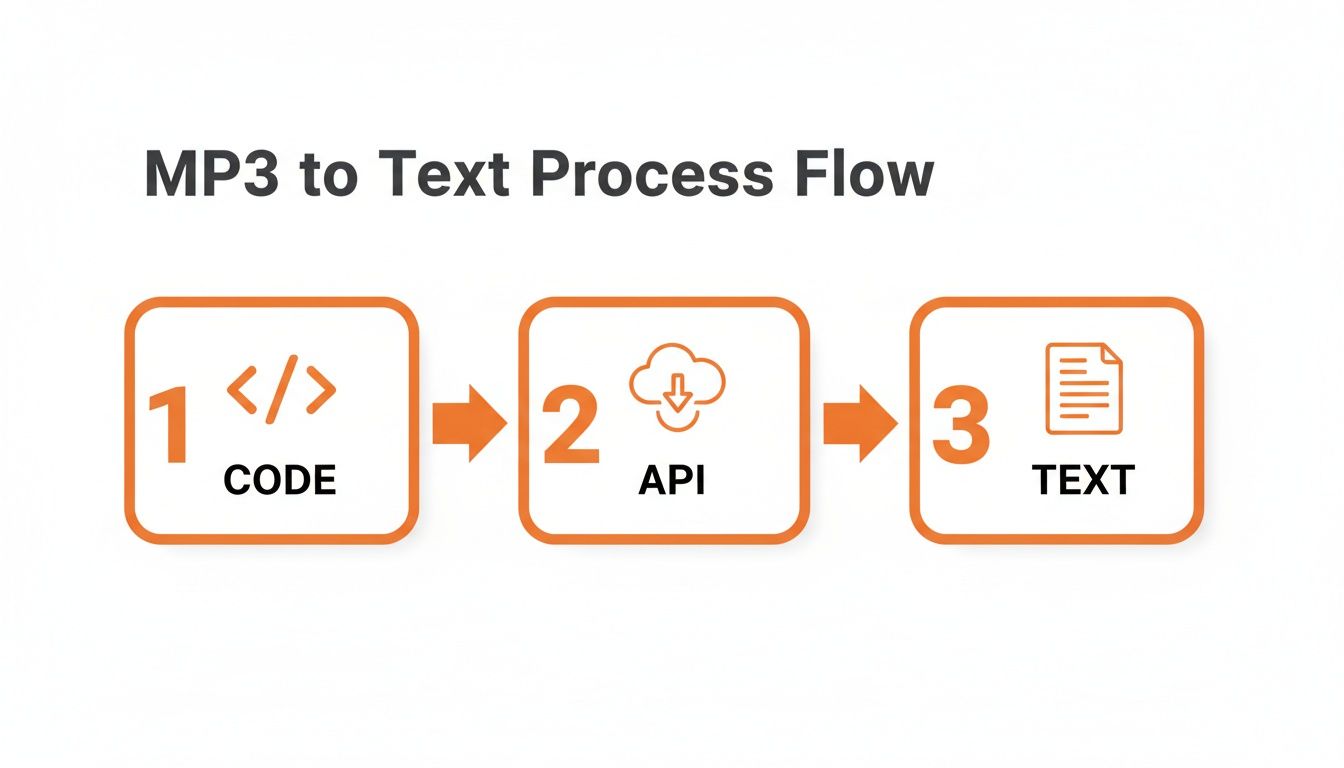
Here’s a practical workflow I’ve seen work well for managing this at scale:
This kind of setup is incredibly resilient. If the API has a hiccup or one job fails, it doesn't bring your whole system crashing down. The queue just holds the jobs until the worker can try again. This is how you build a system that can chew through terabytes of audio without needing a babysitter.
The demand for these kinds of automated systems is exploding. The closely related AI speech-to-text market was valued at USD 2.5 billion in 2024 and is on track to hit USD 10 billion by 2033, growing at a steady 17.2% each year. This just shows how much businesses are relying on AI to make sense of their audio content. You can explore more insights on the AI speech-to-text tool market to see the bigger picture.
By combining diarization, timestamps, and a smart batching system, you can build a truly powerful, enterprise-grade transcription solution.
Once you start to convert mp3 to text for more than just a few files, two things quickly become a big deal: how much it’s costing you and how secure your data is. You need a solution that won't break the bank but also one you can trust, especially if you're dealing with sensitive audio from customers, patients, or internal meetings.
Let’s walk through how to handle both of these critical areas so you can build a system that’s as affordable as it is secure.
Nobody likes surprise bills. For any project, you need predictable pricing. With Lemonfox.ai, the model is refreshingly simple—you just pay per second of audio you process. This pay-as-you-go approach means you never have to worry about hitting monthly minimums or navigating confusing subscription tiers.
The rate is built for scale, letting you transcribe audio for less than $0.17 per hour. That kind of transparency makes it incredibly easy to figure out your expenses ahead of time.
Let’s imagine a real-world scenario. A company needs to transcribe 1,000 hours of customer support calls every month to run sentiment analysis. Here’s the simple math:
This clear-cut calculation means you can budget accurately, whether you're processing a handful of interviews or a massive archive of corporate recordings.
This trend is part of a much bigger picture. The global AI transcription market, valued at USD 4.5 billion in 2024, is expected to explode to USD 19.2 billion by 2034. That's more than a four-fold jump in a decade, growing at a 15.6% compound annual rate. This isn’t just a niche tool; it’s a fundamental shift in how businesses work with audio and video.
Data security isn't just a feature; it's a necessity. When you upload an audio file to a third-party service, you have to be certain about how that data is handled, stored, and protected. This is non-negotiable for businesses operating under strict rules like GDPR or HIPAA.
Lemonfox.ai was built from the ground up with a serious focus on privacy, putting you in complete control of your data.
The core principle is simple: your data is yours, and it should never be stored longer than absolutely necessary. That's why Lemonfox.ai implements a 'delete after processing' policy, ensuring audio files and their resulting transcripts are automatically and permanently removed from servers immediately after the job is complete.
This zero-retention policy is your best defense. It means your sensitive information isn't just sitting on a server somewhere, drastically minimizing your exposure to potential data breaches. When you’re picking an MP3 to text API, always make time for reviewing a service's privacy policy to see exactly how they treat your data.
If your business serves customers in the European Union or is based there, data sovereignty is a major legal hurdle. The General Data Protection Regulation (GDPR) has strict rules about where personal data goes. Getting this wrong can lead to some eye-watering fines.
To tackle this head-on, Lemonfox.ai offers a dedicated, EU-based API endpoint.
This feature offers genuine peace of mind, letting you build compliant applications without getting bogged down in complex legal workarounds. It ensures you can confidently serve a global audience while respecting the world’s toughest data privacy laws.
Whenever you start working with a new transcription API, a handful of practical questions always seem to pop up. Nailing down the answers early on can save you a ton of headaches and help you build a much better product right out of the gate. Here are some of the most common questions I hear from developers.
This is usually the first thing people ask. It’s one thing to transcribe a standard news broadcast, but what about a medical lecture filled with Latin terms or a customer support call with a heavy regional accent? The good news is that modern AIs like Lemonfox.ai are trained on incredibly diverse audio, making them surprisingly adept at parsing different accents and filtering out background noise.
The real magic, though, is in giving the model a few clues. If your audio is packed with niche vocabulary, you can feed the API a list of those terms as context. This simple step primes the model, telling it what to listen for, and can dramatically boost accuracy for specialized content.
Don't just rely on the base model's accuracy. A little bit of context goes a long way, especially when you're dealing with industry-specific terminology.
Of course. In today's world, supporting multiple languages is table stakes. Lemonfox.ai was built with this in mind and can handle transcription for over 100 languages.
All you have to do is include the right language code in your API request. That's it. This tells the system which language model to use for your audio. So whether you're processing Spanish sales calls, German focus group recordings, or Japanese podcasts, the workflow is exactly the same. Just be sure to check the API docs for the full list of supported languages before you get started.
A five-minute clip is easy. A three-hour keynote is another beast entirely. The API can handle long-form audio just fine, but the real challenge is preventing your upload from timing out. Your code needs to be just as resilient as the API.
Here are a few pro tips for working with large files:
requests in Python or axios paired with fs.createReadStream in Node.js are perfect for this.Data security is paramount, especially when you're handling sensitive conversations. You need to be certain that uploaded audio is treated with care. At Lemonfox.ai, we have a strict "delete after processing" policy.
What this means is that your audio file and its transcript are wiped from our servers the second the job is done. Nothing is ever stored long-term. For companies operating under GDPR, you can go even further by using our dedicated EU-only endpoint. This ensures your data never leaves European servers, giving you a clear path to compliance and total peace of mind.
Ready to see what a powerful, developer-first transcription API can do for your project? Lemonfox.ai makes it easy to get started. Grab your free trial today and get 30 hours of transcription on us.