
First month for free!
Get started
Published 2/11/2026
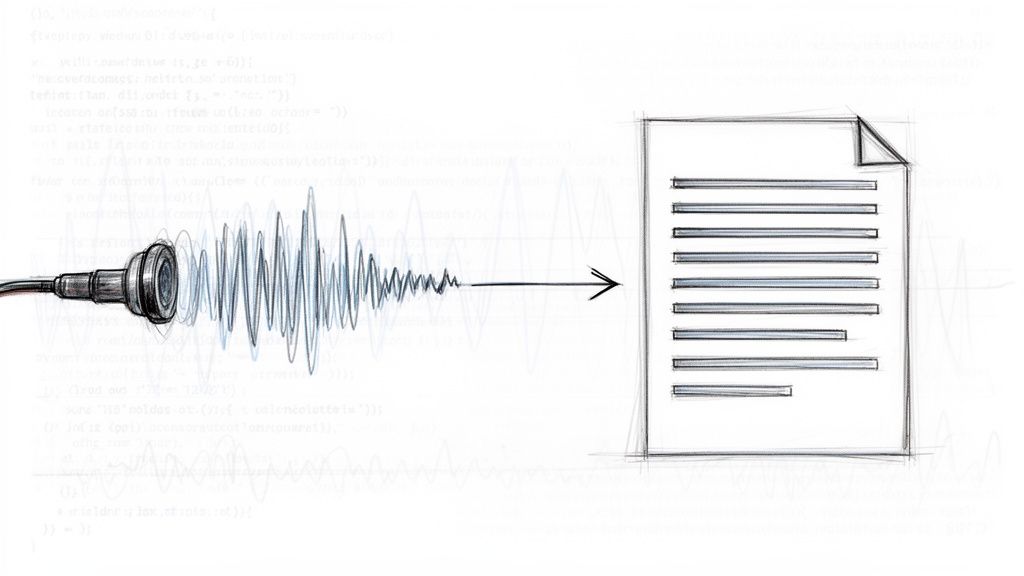
Turning an MP3 file into text is all about using a speech-to-text API to automatically transcribe spoken words. For developers, this is a game-changer. It means you can build applications that tap into the rich data hidden inside audio files, completely sidestepping slow and expensive manual transcription. The core process is simple: you send an MP3 file to an API endpoint and get a structured text file back.
As any developer who’s worked with audio knows, MP3 files are essentially black boxes. You can't search them, you can't analyze them, and you definitely can't index their content efficiently. Converting them to text cracks that box wide open, transforming unstructured audio data into a powerful, machine-readable asset. This isn't just about convenience; it's a foundational step for building smarter, more data-aware applications.
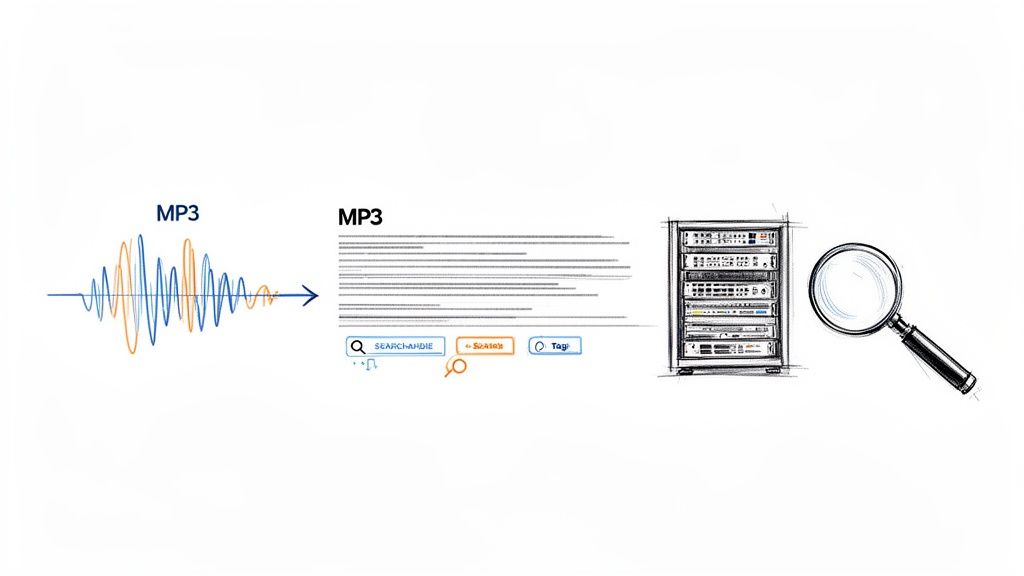
Think about a startup trying to sift through thousands of customer support calls to pinpoint recurring complaints. Or a media company that wants to make its entire podcast archive searchable by keyword. Trying to transcribe that much content by hand is a non-starter—it’s incredibly slow, riddled with errors, and costs a fortune.
This is where automated transcription APIs like Lemonfox.ai really shine. They deliver the speed, accuracy, and cost-effectiveness needed to tackle modern data challenges head-on. You get a scalable solution that plugs right into your existing workflows, letting you process audio in real-time or crunch through massive backlogs.
This move toward automation is happening everywhere. The speech-to-text API market was already valued at $2.2 billion in 2021 and is on track to hit $5.4 billion by 2026, growing at a blistering 19.2% CAGR. This boom is fueled by businesses hungry to analyze huge volumes of audio for everything from customer sentiment to fraud detection.
The Big Picture: The real win isn't just getting a transcript. It's about turning your audio archives into a structured, searchable database you can mine for insights, index for discovery, or repurpose into new forms of content.
Beyond raw data analysis, automated transcription is a massive leap forward for digital inclusion. When you convert spoken words into text, you can generate captions and transcripts that open up your content to people who are deaf or hard of hearing. Making content more accessible isn't just a "nice-to-have" anymore; it's a critical requirement, and solutions like Unlocking Accessibility: Medial V9 and AI Auto-Captioning show just how vital this technology has become.
Let's quickly compare the old way with the new.
For decades, the only option was a human transcriber. While still useful for certain high-stakes scenarios, the rise of powerful APIs has fundamentally changed the equation for most development projects.
| Metric | Manual Transcription | API-Based Transcription (e.g., Lemonfox.ai) |
|---|---|---|
| Speed | Very slow (hours or days) | Extremely fast (seconds or minutes) |
| Cost | High (per-minute human rate) | Low (fractions of a cent per minute) |
| Scalability | Limited by human availability | Virtually unlimited; scales on demand |
| Integration | Manual process; no direct integration | Simple; integrates directly into code |
| Consistency | Varies between transcribers | Highly consistent and predictable output |
| Features | Basic text output | Advanced features like timestamps & speaker labels |
As you can see, for any application needing to process audio quickly and affordably, an API is the only practical path forward.
This guide will walk you through the practical, code-first steps to implement this technology yourself, showing exactly why an API-driven approach is an essential tool in any modern developer's kit.
The quality of your final transcript is often decided long before you ever make an API call. Think of it like a chef prepping ingredients before they start cooking—getting your audio in order is a non-negotiable step if you want a clean, accurate text conversion from your MP3s. Tossing a raw, messy audio file at a transcription service is just asking for a garbled mess in return.
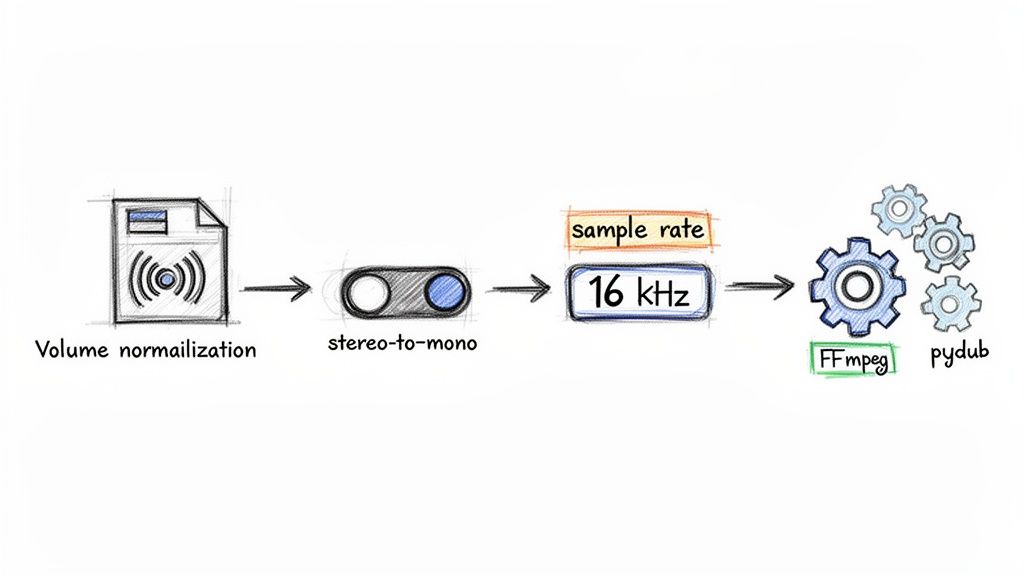
At the end of the day, speech-to-text models are trained on heaps of clean, standardized audio. Your job is to make your input files look as much like that training data as possible. This usually means fixing common problems like wonky volume levels, extra stereo channels, and sample rates that are either too high or too low.
A lot of audio, especially from professional mics or interviews with multiple people, is recorded in stereo. While that's great for listening with headphones, it can throw off transcription models that are built to process a single, unified audio stream. The fix is simple: convert your stereo track to mono. This merges both channels into one, giving the AI a much clearer signal to work with.
The sample rate is another critical piece of the puzzle. For transcribing human speech, the industry-standard sweet spot is 16000 Hz (or 16 kHz). This frequency captures everything needed to understand the human voice without bogging down the file with extra data that just slows down processing. Recording at a higher rate, like the 44.1 kHz common for music, provides zero benefit for transcription accuracy and can sometimes even make things worse.
Key Takeaway: Your goal here isn't to make the audio sound better to a human, but to make it cleaner and more predictable for a machine. Standardizing to 16 kHz mono is the single most important thing you can do right out of the gate.
You don’t have to do this manually. You can build a slick preprocessing pipeline right into your application using Python. The go-to library for this is pydub, which acts as a friendly wrapper around the powerhouse audio tool FFmpeg. This lets you automate the entire cleanup process with just a few lines of code.
Here's a handy Python snippet that shows you how to convert any MP3 into the ideal format.
from pydub import AudioSegment
def preprocess_audio(input_file, output_file): """ Converts an audio file to 16kHz mono WAV for optimal transcription. """ # Load the audio file sound = AudioSegment.from_mp3(input_file)
# Set to mono
sound = sound.set_channels(1)

# Set sample rate to 16kHz
sound = sound.set_frame_rate(16000)

# Export as WAV (a lossless format)
sound.export(output_file, format="wav")
preprocess_audio("meeting_recording.mp3", "processed_for_transcription.wav")
This little function takes care of the two most important steps automatically. By baking this kind of preprocessing into your workflow, you ensure that every file you send to the transcription API is clean and optimized. It’s a small effort that pays huge dividends in the reliability and accuracy of your final text.
Alright, your audio is prepped and ready to go. Now for the fun part: writing the code to turn that MP3 into text. We'll jump right into some practical, copy-paste-ready examples for Python and Node.js using the Lemonfox.ai Speech-to-Text API. No fluff, just code.
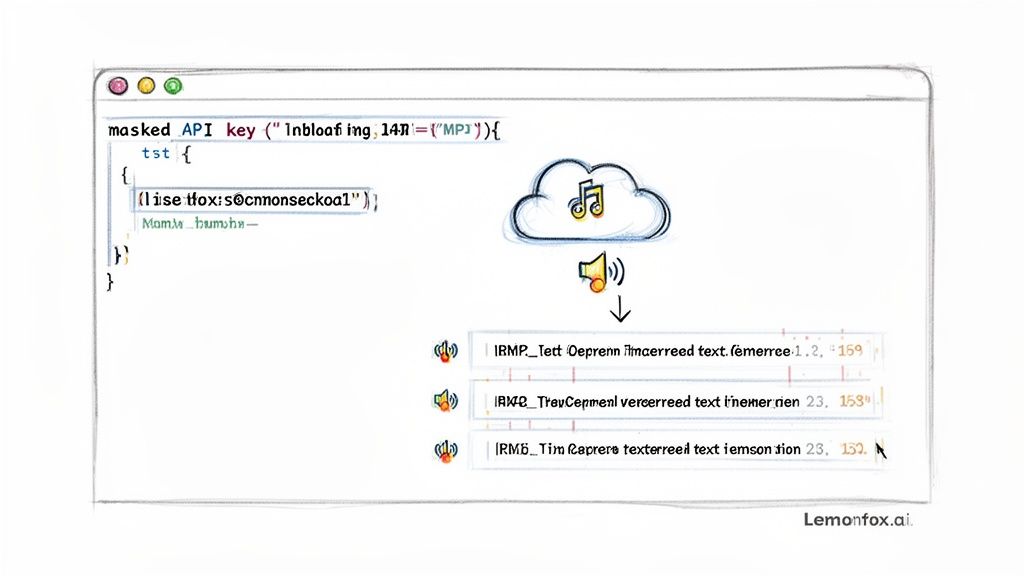
First things first: authentication. Once you've signed up for a Lemonfox.ai account, grab your API key from the dashboard. Think of this key as a password—keep it secret, keep it safe, and never, ever expose it in your front-end code.
Let's start with a bare-bones API call to see how it works. This is the most basic request: you send an audio file, and you get a text transcript back. I'll use Python's excellent requests library for this example.
import requests
api_key = "YOUR_LEMONFOX_API_KEY" file_path = "path/to/your/processed_audio.wav"
url = "https://api.lemonfox.ai/v1/audio/transcriptions"
headers = { "Authorization": f"Bearer {api_key}" }
with open(file_path, "rb") as audio_file: files = { "file": (file_path, audio_file, "audio/wav") } response = requests.post(url, headers=headers, files=files)
if response.status_code == 200: transcription_data = response.json() print("Transcription:", transcription_data['text']) else: print("Error:", response.status_code, response.text)
This snippet does all the heavy lifting. It authenticates using your API key, opens the local audio file in binary mode, and fires it off in a multipart/form-data POST request. A successful run will print out the final transcribed text.
If you're a Node.js developer, the logic is virtually the same. You'd use a library like axios to build the request with the same headers and file data, making it a breeze to plug into any backend service.
A basic transcript is great, but the real power comes from customizing the request with extra parameters. This is how you tell the API to do more complex work, like figuring out who is speaking or adding timestamps to every single word.
Here are a few of the most useful parameters you'll want to know:
language: You can give the API a hint by specifying the language with an ISO 639-1 code (like "en" for English or "es" for Spanish). While the API is pretty good at auto-detection, being explicit almost always boosts accuracy.speaker_detection: Set this to true, and the API will do its best to identify and label each speaker. This is a game-changer for transcribing meetings, podcasts, or interviews.timestamps: Setting this to true gives you word-level timestamps, pinpointing the exact start and end time for every transcribed word.Pro Tip: From my experience, it's almost always worth enabling
speaker_detectionandtimestampsfrom the start. If you ever plan on building an interactive transcript player or need to analyze speaker contributions, having that data upfront saves a ton of headaches later.
Let's see what our Python example looks like with these features enabled.
with open(file_path, "rb") as audio_file: files = { "file": (file_path, audio_file, "audio/wav") } # Here's where we add our custom parameters data = { "language": "en", "speaker_detection": "true", "timestamps": "true" } response = requests.post(url, headers=headers, files=files, data=data)
By simply adding that data payload, you've told the API to perform a much more sophisticated analysis.
When you request advanced features, you won't get a simple text string back. Instead, the API returns a nicely structured JSON object that's packed with information. Your final step is to parse this response to get what you need.
A typical JSON response with all the bells and whistles might look something like this:
{ "text": "Hello world this is a test.", "words": [ { "word": "Hello", "start": 0.1, "end": 0.5, "speaker": "A" }, { "word": "world", "start": 0.6, "end": 1.0, "speaker": "A" }, { "word": "this", "start": 1.2, "end": 1.4, "speaker": "B" }, { "word": "is", "start": 1.4, "end": 1.5, "speaker": "B" }, { "word": "a", "start": 1.5, "end": 1.6, "speaker": "B" }, { "word": "test.", "start": 1.7, "end": 2.1, "speaker": "B" } ] }
Getting the full, clean transcript is as easy as grabbing response_data['text']. But the real value is in that words array. You can loop through it to reconstruct dialogue, grouping words by their speaker label to see who said what. This structured output is exactly what you need for building more advanced applications.
Transcribing a single MP3 is one thing, but what happens when you have a whole directory staring you down? Real-world projects often involve hundreds, if not thousands, of audio files. Sending those requests one by one is a recipe for a very long coffee break. This is where asynchronous batch processing saves the day.
Instead of waiting for each API call to finish before sending the next one, an asynchronous approach lets you fire off a whole bunch of transcription requests at once. This completely changes the game for your throughput, allowing you to chew through a massive volume of MP3s in a fraction of the time a simple, sequential script would take.
A solid batch processing script is more than just a for loop that fires off requests. It needs to be tough enough to handle the unpredictable nature of network calls and API limits. Because, let's be honest, things will go wrong. Your script has to be ready for it.
Here's what a reliable script needs under the hood:
Building this kind of resilience from the get-go means you can create a system that runs on its own, working through your entire audio library without needing you to rescue it at the first sign of a network glitch.
When you’re converting a ton of MP3s, organization is everything. Don't hardcode file paths; that's just not scalable. A much better approach is to design your script to read all the MP3 files from a specific input folder and then write the text outputs to a separate output directory.
It’s also a good practice to save each transcript as its own file, mirroring the original audio filename. For example, podcast-guest-1.mp3 would become podcast-guest-1.txt or podcast-guest-1.json. If you're planning on doing some serious data analysis, you could even compile all the results into a single CSV or JSON file. This keeps all your data in one place, making it much easier to load into a database or analysis tool down the road.
The need for this kind of scalable thinking is only growing. The global speech-to-text API market is expected to hit $8,569.4 million by 2030, a massive leap from $3,813.5 million in 2024. This growth is all about the huge demand for audio transcription everywhere. If you want to dive deeper into these trends, check out this detailed industry report. Mastering batch processing puts you in a great position to handle this wave of audio data.
When you're picking a transcription API, you're not just choosing a tool—you're making a business decision. It's a classic balancing act. You have to weigh the price against data privacy and, of course, how well it actually works. The sweet spot is a solution that hits your budget, meets security standards, and delivers the performance you need without compromise.
Cost is usually the first filter. A low price tag immediately catches the eye. For instance, a service like Lemonfox.ai comes in at less than $0.17 per hour, which can stack up to some serious savings over time compared to other big names in the space. If you're just starting to explore, checking out the landscape of best free transcription software options can give you a good baseline for what's out there and what you get at different price points.
Let's be honest: in today's world, data privacy isn't just a feature; it's a requirement. You absolutely have to know what a provider does with your audio files from the moment you upload them. One of the things that makes a service stand out is a crystal-clear data policy, like immediately deleting files after processing. This isn't just a nice-to-have; it ensures your sensitive information doesn't linger on their servers.
If you're working with European customers or are based in the EU yourself, the stakes are even higher.
Your users trust you with their data. Choosing an API with a transparent and robust privacy policy is fundamental to maintaining that trust and avoiding legal headaches down the road.
After you've sorted out cost and privacy, the API has to deliver the goods. For any real-time application—think live captioning or voice-activated commands—low-latency processing is everything. Even a slight delay can kill the user experience.
The market for this technology is growing fast, projected to jump from $4.5 billion in 2024 to an incredible $19.2 billion by 2034. For developers working with MP3s, this means the ability to chew through hours of audio in a fraction of the time it used to take. Thanks to deep learning, we're now seeing accuracy rates hit 95% or even higher.
This diagram gives a great high-level view of how you can scale up your transcription workflow.
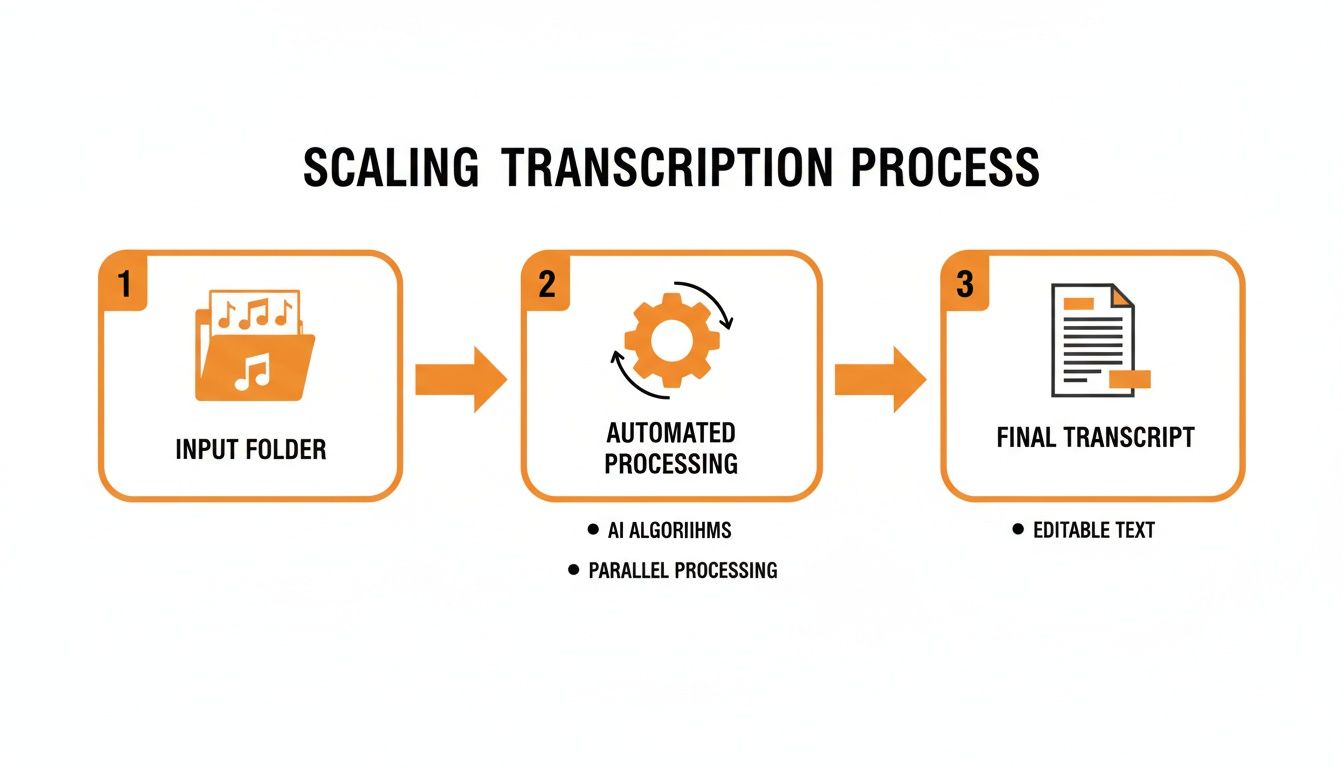
It really boils down to a simple, powerful flow: take a bunch of raw audio files, run them through an efficient automated system, and get structured, usable text on the other side. That's how you handle transcription at scale.
As you start working with speech-to-text APIs, a few questions always seem to surface. Let's tackle them head-on to save you some headaches and clear up some common misconceptions right from the start.
We're focusing on MP3s here, but are they actually the best format for getting an accurate transcript? Honestly, no. For pure quality, lossless formats are king.
For Peak Accuracy: If you can, always use uncompressed formats like WAV or a losslessly compressed one like FLAC. They contain every bit of the original audio data, which gives the transcription model the cleanest signal to work with. Think of it as giving the AI a crystal-clear recording instead of a fuzzy one.
For Everyday Use: This is where MP3s (at a decent bitrate, say 128 kbps or higher) and AAC (usually in an M4A file) shine. They strike a great balance between manageable file size and good-enough quality, which is perfect for most web apps where you're worried about upload times and storage costs.
Here’s a critical tip: don't bother converting an MP3 back to WAV. You can't magically restore the audio data that was thrown away during the original MP3 compression. Always start with the highest quality source file you can get your hands on.
Even the best transcription models can stumble when faced with thick accents or industry-specific terminology. They're trained on massive, general datasets, so they might not know the lingo for your specific field. The single most effective tool you have here is a custom vocabulary.
For instance, if you're building an app for transcribing medical notes, you can feed the API a list of terms like "bradycardia," "pharmacokinetics," or specific drug names. This simple action primes the model, telling it what to listen for and dramatically boosting accuracy.
Never assume the model knows your company's acronyms or your industry's slang. Giving it a list of key terms is a small effort that yields massive gains in quality. It's often the difference between a transcript you can actually use and one that's full of nonsensical phonetic guesses.
You've got the text back from the API. Now what? You could just dump the raw text into a database column, and sometimes, that’s all you need. But if you want to build anything more sophisticated, you should save the entire structured JSON response.
Why? Because that JSON contains a goldmine of data—word-level timestamps, confidence scores, and speaker labels. Storing it all lets you build powerful features down the road, like a media player that highlights words as they're spoken or analytics that track how long each person spoke. Saving the full structure gives you options, while saving plain text boxes you in.
Ready to put this into practice? You can start transcribing your audio with an API that’s fast, accurate, and incredibly affordable. With Lemonfox.ai, you can process audio for less than $0.17 per hour and get your first 30 hours completely free. Check out our developer-friendly Speech-to-Text API and get started today at https://www.lemonfox.ai.