
First month for free!
Get started
Published 1/17/2026
When you need to figure out what language is being spoken in an audio file, you have two main routes you can take. You can either analyze the raw audio directly with a specialized model, or you can transcribe it to text first and then identify the language from the transcription.
The right choice really boils down to your specific needs—are you prioritizing speed, accuracy, or the ability to handle very short, fragmented audio clips?
Identifying the language in an audio file isn't just a clever party trick; it’s the critical first step for a huge number of global applications. If you get this wrong, downstream systems break, user experiences fall apart, and processing voice data at scale becomes a nightmare. Nailing this at the outset is non-negotiable.
Think about a global customer support hotline. A call comes in, and the system must instantly know the language to send the caller to an agent who can actually help. A single mistake leads to a frustrated customer and a support ticket that goes nowhere. In this scenario, being able to detect language from audio is a core business function, not just a technical nice-to-have.
The demand for this kind of technology is exploding. It's the key that unlocks the value in voice data, a market that's growing at an incredible pace. Valued at USD 21.46 billion in 2025, the global voice and speech recognition market is on track to hit a massive USD 93.51 billion by 2032. That kind of growth shows just how essential this capability has become for developers to master.
You can see this need popping up everywhere:
As a developer, you're faced with two primary paths for tackling this problem. Each comes with its own trade-offs in performance, complexity, and cost.
The real question isn't which method is "better" in a vacuum, but which one is the right fit for your specific use case. A real-time voice assistant has completely different constraints than a service that processes archived audio recordings overnight.
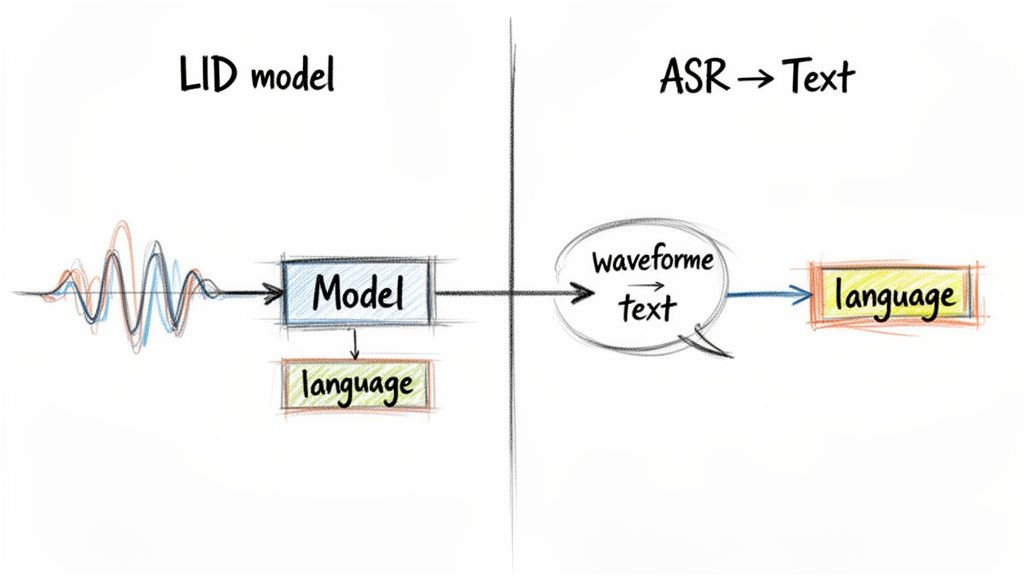
Your first option is to use a dedicated Language Identification (LID) model that works directly on the raw audio waveform. These models are specifically trained to pick up on the unique phonetic and acoustic signatures of different languages.
The second approach is a two-step process. First, you run the audio through an Automatic Speech Recognition (ASR) engine to get a text transcription. Then, you run a standard text-based language detection algorithm on that transcript. We'll dive deep into both of these methods to help you figure out the best tools for your project.
Before you even think about hitting a language detection model, you've got to clean up your audio. Raw audio is rarely clean—it's often a messy mix of long silences, background noise, and other non-speech sounds that can easily throw off even the best AI. Preprocessing isn't just a nice-to-have; it's a critical first step for getting results you can actually trust.
Think of it this way: garbage in, garbage out. If you feed a model noisy, unprepared audio, you'll get unreliable language predictions. A little bit of prep work upfront can make a massive difference in the accuracy and speed of your entire system.
Here’s a high-level look at the journey from a raw audio file to a confident language prediction.
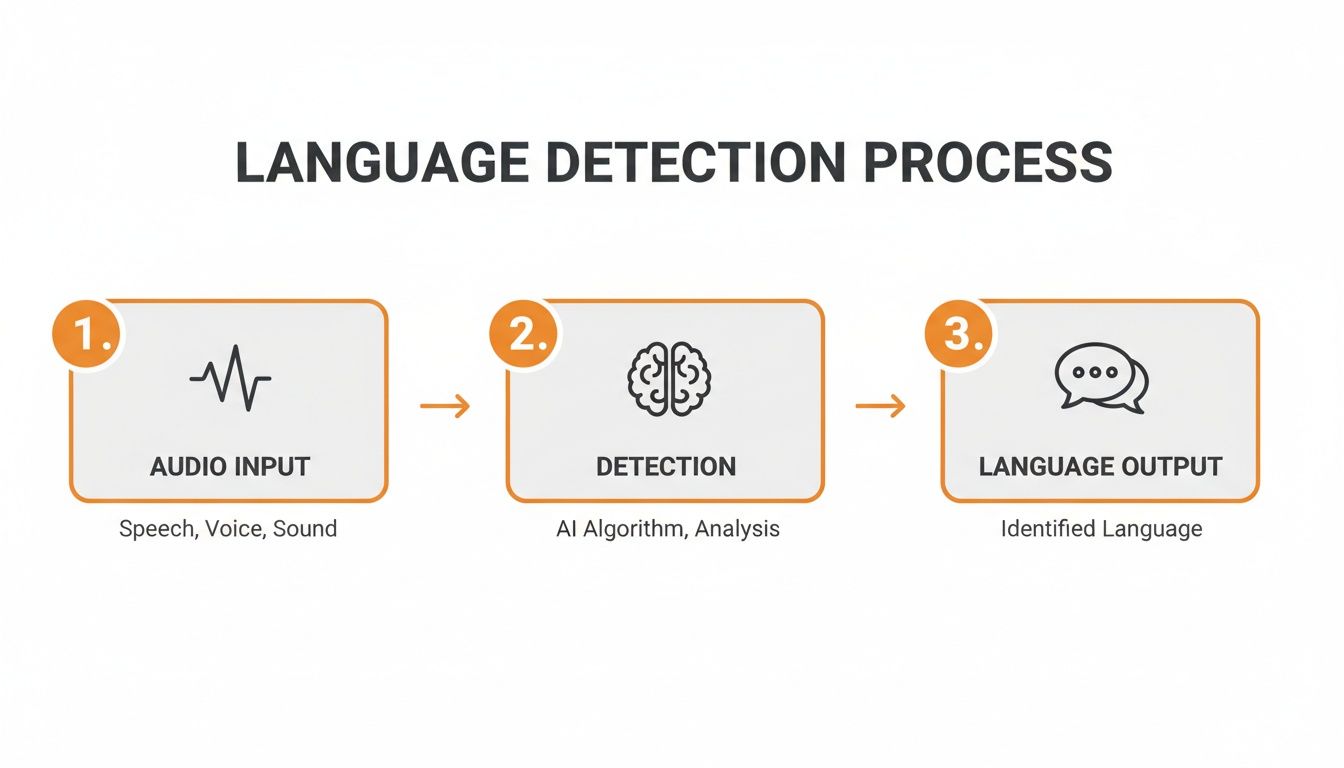
As you can see, the quality of that final output is directly tied to how well you prepare the input for the detection model itself.
One of the most powerful preprocessing steps is Voice Activity Detection (VAD). The goal here is simple: find the parts of the audio that actually contain human speech and cut out everything else.
Imagine you're processing a 30-minute call center recording. If only 15 minutes of that is actual conversation, why force your model to analyze 15 minutes of hold music and silence? VAD prevents that waste. It filters out the noise, so your model only works on the parts that matter. This not only speeds things up but also dramatically reduces the chance of an incorrect prediction.
There are some great open-source tools for this. A popular choice is webrtcvad, a library from Google built for real-time communication. It’s incredibly fast and efficient at telling speech apart from non-speech.
The basic workflow in Python looks something like this:
We’ve seen this firsthand in our own projects. Just implementing a solid VAD step can boost language detection accuracy by 5-10%. It’s a low-effort change with a seriously high impact, especially for audio with lots of dead air.
By stripping out the silence and noise, you’re giving the language detection model a clean, concentrated signal to work with. The result? Better, faster, and more reliable language identification.
Okay, so you’ve filtered out the silence. But what if you're left with a multi-hour-long audio file? Feeding a massive file to a model all at once is a recipe for disaster. It can gobble up memory, lead to timeouts, and is just plain inefficient, especially if you're working in a serverless function or on a device with limited resources.
The solution is audio chunking. You simply slice that big file into smaller, more manageable segments.
This strategy pays off in several ways:
For this, a tool like the pydub library for Python is perfect. It gives you a really simple way to slice and dice audio without getting into the low-level weeds. You could easily write a script that takes a long recording and splits it into consistent 30-second chunks, creating a queue of bite-sized jobs for your language detection model to work through.
Alright, you've prepped your audio, and now you're at a fork in the road. How you decide to detect language audio from here will have a major impact on your app's performance, cost, and overall architecture.
You essentially have two main ways to go: analyze the raw audio directly, or turn the speech into text first and then figure out the language. There’s no single "right" answer—the best choice really depends on what you're building, whether it's a real-time system or something that processes files in the background.
The first route uses a specialized Language Identification (LID) model. These models are trained to listen for the acoustic fingerprints of a language—the unique rhythm, intonation, and phonetic building blocks that make Spanish sound different from Japanese.
It’s a bit like knowing a song is heavy metal just from the distorted guitars and drum beat, without ever hearing the lyrics. LID models do the same thing, but for spoken language.
The biggest win here is speed. Because you skip transcription entirely, this method can be incredibly fast. If you're building something where latency is critical, like routing a customer to the right support agent instantly, this direct approach gives you a serious advantage.
The other, and frankly more common, method is a two-step dance. First, you pass your audio through an Automatic Speech Recognition (ASR) engine to get a text transcript. Then, you run a standard text-based language detection tool on that output.
This strategy gets to piggyback on the fact that text-based language detection is a well-solved problem. Most high-quality ASR services, like the Lemonfox.ai API, make this even easier by including the detected language right in the transcription response. This keeps your code cleaner and means you have one less system to worry about managing.
Of course, this all hinges on getting a good transcript. If the ASR does its job well, the language detection that follows is usually spot-on.
So, which path should you take? Making the right call means understanding the trade-offs. What you gain in speed with a direct LID model, you might lose in accuracy, especially on short or choppy audio clips.
To make it tangible, I've put together a table breaking down how these two methods stack up.
| Factor | Audio-Based LID Models | ASR-then-Text Detection (e.g., via Lemonfox.ai) |
|---|---|---|
| Latency | Low. Direct analysis is blazingly fast, perfect for real-time use cases where every millisecond counts. | Higher. The two-step process—transcription then detection—naturally adds more processing time. |
| Accuracy | Variable. Can be quite accurate with enough audio, but often struggles with short clips (under 3 seconds) where there aren't many acoustic cues. | High. As long as the ASR produces a decent transcript, text-based detection is extremely reliable, even on just a few words. |
| Complexity | Higher. You're often on the hook for sourcing, hosting, and maintaining a separate ML model just for language ID. | Lower. Modern ASR APIs bundle language detection right into the response, massively simplifying the developer workflow. |
| Use Case Fit | Best for real-time systems like call routing, voice assistants, or quick-and-dirty content filtering by language. | Excellent for offline processing, generating subtitles, content moderation, and any app where you also need the text transcript. |
Ultimately, choosing between these two often boils down to a single question:
Do you need a text transcript anyway? If the answer is yes, the ASR-then-text approach is almost always the more efficient choice. You get both the language and the content in one API call.
The need for transcription isn't going away—it's exploding. Market forecasts back this up, with Fortune Business Insights projecting the speech recognition market to grow from USD 19.09 billion in 2025 to a massive USD 81.59 billion by 2032. This growth underscores the importance of services that not only detect language audio but also provide accurate text. You can dig into the numbers yourself in the full market analysis on Fortune Business Insights.
So, think about your end goal. If you're building a tool that just sorts audio files into language-specific folders and you'll never touch the content, a dedicated LID model is a great fit. For nearly everything else, where the spoken words are what you're really after, an integrated ASR service is the smarter, more practical path.
Alright, let's get our hands dirty and move from theory to actual code. This is where the rubber meets the road. We'll walk through two practical ways to detect language from audio, covering the most common scenarios you'll encounter as a developer.
First up, we'll look at the API route—it's fast, scalable, and keeps your workflow clean by bundling services together. Then, we'll dive into an open-source solution for those times when you need offline processing or just want more control over the model itself.
For a lot of projects, the most efficient path is simply using an Automatic Speech Recognition (ASR) service that includes language detection in its response. Think about it: you probably need the transcript anyway, so why not get both results in a single API call?
Let’s use the Lemonfox.ai API as a real-world example. It's built for this kind of simplicity and automatically identifies the language as part of its transcription process.
Here's a quick Python snippet showing how you’d send an audio file to get both the transcript and the detected language. You'll just need the requests library (pip install requests).
import requests
import json
API_KEY = "YOUR_LEMONFOX_API_KEY"
FILE_PATH = "path/to/your/audio.mp3"
url = "https://api.lemonfox.ai/v1/transcribe"
headers = {
"Authorization": f"Bearer {API_KEY}"
}
with open(FILE_PATH, 'rb') as audio_file:
files = {
'file': (FILE_PATH, audio_file, 'audio/mpeg')
}
# Make the POST request to the API
response = requests.post(url, headers=headers, files=files)
if response.status_code == 200:
data = response.json()
detected_language = data.get('language')
transcription = data.get('text')
print(f"Detected Language: {detected_language}")
print(f"Transcription: {transcription}")
else:
print(f"Error: {response.status_code} - {response.text}")
In this case, the JSON response from Lemonfox.ai gives you a language field (like "en" or "es") right alongside the text. No separate process, no extra steps—the backend does all the heavy lifting. This approach seriously cleans up your application logic.
My Takeaway: The API route abstracts away all the machine learning complexity. You send a file, you get a clean JSON object back. This lets you focus on building your app's features instead of wrestling with ML infrastructure.
So, what if you need a completely offline solution or want to run a dedicated Language Identification (LID) model on raw audio? This is where open-source libraries and model hubs like Hugging Face really shine. You get total control, but you're also responsible for the setup and maintenance.
Hugging Face is a goldmine of pre-trained models for audio classification, including tons for language ID. You can load and use them with just a few lines of code thanks to the transformers library.
Here's a screenshot from Hugging Face showing a search for "language identification" models, sorted by popularity.
You can see popular choices like facebook/mms-lid, which supports a massive number of languages. It’s a great example of the powerful, free tools available to developers.
Let’s build a simple language detector with one of these models. First, make sure you have the libraries installed: pip install transformers torch librosa.
This Python example shows how to use a pre-trained model to figure out the language from an audio file.
from transformers import pipeline
import librosa
audio_path = "path/to/your/audio.wav"
speech_array, sampling_rate = librosa.load(audio_path, sr=16000, mono=True)
language_identifier = pipeline(
"audio-classification",
model="facebook/mms-lid-4017"
)
predictions = language_identifier(speech_array, top_k=5)
print("Top 5 Predicted Languages:")
for prediction in predictions:
lang_code = prediction['label']
score = prediction['score']
print(f"- Language: {lang_code}, Confidence: {score:.4f}")
Here’s a breakdown of what that code is doing:
librosa to load an audio file and resamples it to 16kHz, which is the standard input for most of these models.pipeline from the transformers library, telling it the task ("audio-classification") and which model to use. The pipeline handles all the messy preprocessing and inference work behind the scenes.This self-hosted approach is perfect for apps that need to run without internet or in environments where strict data privacy rules prevent you from sending audio to a third-party service.
Getting a basic language detection script running is one thing. Making it bulletproof enough for production is a whole different ballgame. The clean, pristine audio you use for development just doesn't exist in the wild. Real-world audio is messy, and your system needs to be ready for it.
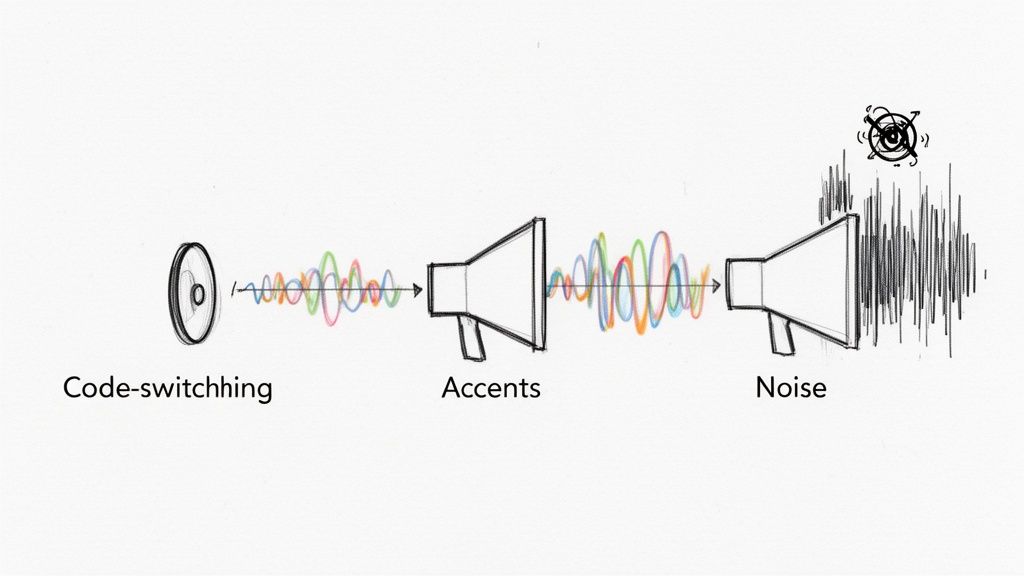
To build something that doesn't fall over at the first sign of trouble, you have to anticipate the curveballs. We're talking about everything from speakers mixing languages mid-sentence to noisy call centers. Let's dig into the most common issues you'll face and how to tackle them.
One of the trickiest problems you'll encounter is code-switching. This is when a multilingual speaker flips between languages in the same conversation, sometimes even in the same breath. Think of a customer starting a support call in English before switching to Spanish to describe a specific issue.
Most language ID models are trained on single-language audio clips, so this kind of mixed input can throw them for a loop. They might just guess the dominant language or lock onto the first one they recognize, missing the nuance completely.
Here's how to get a better handle on it:
This is one area where the ASR-then-text method really proves its worth. A good transcription model can output text like, "I need help with my cuenta, it's not working," allowing a subsequent text analysis to easily spot both the English and Spanish tokens.
Heavy accents and regional dialects are another classic hurdle. A model trained on a diet of standard American English might stumble over a thick Scottish accent, either misclassifying the language or failing to transcribe it well enough for text-based detection to work.
It's the same for languages with huge dialectal differences, like Arabic, Chinese, or Spanish. These can sound radically different from one region to another, fooling a model that hasn't been exposed to that variety. If your users are global, your system has to be ready for this.
The solution here is to bet on a model or API provider with a massive, diverse training dataset. A model that has heard thousands of hours of speech from all over the world is far more resilient and less likely to be thrown off by an accent it hasn't heard before.
For very specific use cases, you could even go a step further. Fine-tuning an open-source model on audio data from your actual target audience can give you a system that's perfectly tuned for the job, outperforming generic models.
Finally, let's talk about the constant enemy of all audio processing: background noise. A system trying to pick out a language from a call made in a busy cafe, a windy street, or a loud factory floor is starting at a major disadvantage.
This is where your preprocessing pipeline becomes absolutely mission-critical.
By planning for these real-world scenarios from the start, you can build a system that's truly production-ready—one that can handle the messy, unpredictable nature of human conversation.
Getting your language detection script working is one thing; deploying it as a reliable, production-ready application is a completely different ballgame. This is where you need to think carefully about costs, user privacy, and legal compliance. How you choose to detect language from audio in the real world will directly impact your budget and, just as importantly, your users' trust.
Your first major decision point is whether to use a third-party API or host an open-source model yourself. They come with very different cost structures.
APIs usually offer a straightforward pay-per-use model. This is great for managing cash flow, especially early on, as you only pay for what you use. On the other hand, self-hosting can look cheaper on the surface, but you have to account for the hidden costs: renting powerful GPU servers, ongoing maintenance, and the engineering hours needed to keep everything running smoothly and scale it up.
Let's be clear: data privacy isn't just a feature, it's a foundation. When you pass audio data to an external service, you absolutely must know how it's being handled. People are understandably wary about their voice recordings being stored indefinitely or used to train other models.
Look for services that explicitly offer a zero-data-retention policy. This is your best bet for building trust. It means the audio is processed for the task and immediately discarded, which significantly reduces your risk. This is the approach we've built at Lemonfox.ai, for example—data is never stored after the job is done.
If your application has users in the European Union, you can't ignore the General Data Protection Regulation (GDPR). This framework has strict rules about how personal data is processed and stored. For a deeper dive, this guide on GDPR compliance for software deployments is a fantastic resource.
A core principle of GDPR is data residency. By processing user data on servers located within the EU, you ensure it never leaves the jurisdiction. This is a massive step toward simplifying compliance and giving your European users the privacy guarantees they expect.
Choosing a provider with EU-based endpoints isn't just a nice-to-have; for many businesses, it's a critical requirement. Making this architectural choice from the start can save you from a world of legal and operational pain later on.
When you first dive into audio language detection, you'll inevitably hit a few common snags. I've seen developers wrestle with these same questions time and again. Getting these sorted out early will save you a ton of headaches down the road.
This is probably the most common question I get, and the honest answer is: it depends entirely on your method.
If you're using a raw-audio Language Identification (LID) model, you'll need a bit more to work with. Think 3 to 5 seconds of clear speech. These models are listening for phonetic and acoustic signatures unique to a language, so they need a decent sample size to make a confident call.
On the other hand, the ASR-then-text approach can be incredibly efficient. If your Automatic Speech Recognition (ASR) system can just pick up a single, distinct word like "hola" or "merci," the text-based detection that follows is pretty much instant and dead-on.
For applications where every millisecond counts—like routing a live phone call based on the caller's language—a dedicated audio-based LID model is almost always the winner. It cuts out the transcription step completely, giving you an answer with minimal delay.
But don't count out ASR just yet. Many real-time scenarios, like live captioning or agent-assist tools, need the transcript anyway. Modern streaming ASR APIs are built for this, delivering the language ID right alongside the live text feed.
My advice? Don't assume one is better than the other. You have to benchmark both approaches with audio that's representative of what your users will actually be sending you. The "best" tool is simply the one that hits your specific latency and accuracy targets.
At the end of the day, language detection is a classification problem, so we measure it the same way. You'll want to test your system against a dataset where you already know the correct languages and calculate a few standard metrics:
For a truly robust evaluation, I always look at the F1-score. It’s a combined metric that balances precision and recall, giving you a much more nuanced view of your model's real-world performance than accuracy alone.
Ready to build a fast, accurate, and affordable audio processing pipeline? Lemonfox.ai provides a simple Speech-to-Text API with automatic language detection built-in, supporting over 100 languages. Get started with 30 free hours and see how easy it is to integrate powerful transcription and language ID into your application. Explore the Lemonfox.ai API.