
First month for free!
Get started
Published 12/23/2025
Ever had that moment after a great podcast or an important meeting where you desperately need to find a specific quote? You know it's in there, but you don't have time to scrub through an hour of audio. That’s exactly the problem a free transcript service is built to solve.
Think of it as a digital stenographer that uses AI to listen to your audio or video and spits out a written version. Suddenly, all that spoken content becomes searchable, editable, and much more useful.
Let's say you just finished a brainstorming session packed with game-changing ideas, all captured in a recording. Instead of playing it back from the beginning, you could just upload the file to a transcript service. A few minutes later, you get back a text document. Now, finding that one critical decision is as simple as hitting "Ctrl+F."
That's the core magic of automated transcription.
At its heart, the whole process runs on Automated Speech Recognition (ASR), a sophisticated type of artificial intelligence. These ASR engines have been trained on mountains of spoken language data, learning to recognize the tiny sounds, words, and sentence patterns that make up human speech.
So, how does your audio file actually become a text document? It's a surprisingly straightforward journey:
This AI-powered method is what makes free transcription possible. It sidesteps the need for a human to manually type everything out, which is slow and expensive. By automating the work, companies can offer a solid baseline service for free, often as a way to introduce you to their more powerful, paid features.
A simple way to look at it: A transcript service is basically a search engine for your own audio and video files. It indexes your spoken words just like Google indexes the web, making everything inside instantly findable.
This technology isn't just a novelty; it has real-world applications everywhere. For instance, a modern church can expand its reach by understanding how a sermon transcription service operates, turning spoken messages into accessible online content. Whether you're a researcher analyzing interview data or a marketer turning a webinar into a dozen social media posts, the power to convert speech to text for free is a huge advantage.
The word "free" is always tempting, but with a free transcript service, it's smart to know what you're getting into. These tools are fantastic for certain jobs, but they come with trade-offs. If your expectations don't line up with what they can realistically deliver, you're in for a world of frustration.
Think of it like a free photo editor. It’s perfect for cropping a picture or adding a quick filter, but you wouldn't use it to design a professional magazine cover. The key is understanding these built-in compromises—usually around accuracy, usage limits, features, and privacy—so you can pick the right tool without wasting your time.
Most automated services follow a pretty simple workflow: you give them an audio file, and their AI engine spits back a text document.
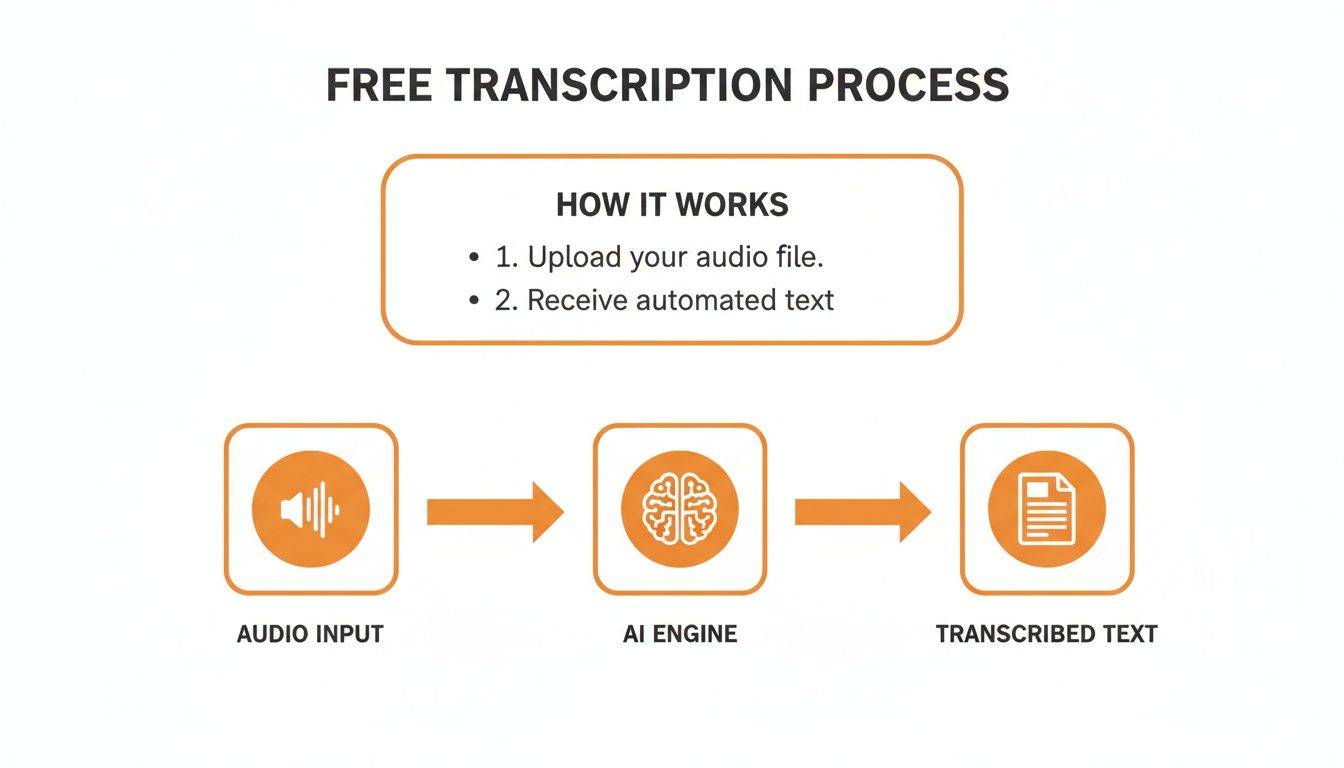
It’s that AI engine in the middle where the real magic happens, but it’s also where most of the limitations come from.
Let's be blunt: the biggest catch with any free transcript service is accuracy. The tech is impressive, no doubt, but it's not foolproof. The quality of your final transcript is almost entirely dependent on how clean your source audio is.
You'll see accuracy take a nosedive when dealing with:
For jotting down quick notes from a clear recording, an accuracy rate of 85-95% might be fine. But if you need a transcript for professional work where every word matters, you’ll likely spend a lot of time cleaning up the mistakes by hand.
Nothing is truly free forever. These services have server costs to cover, and they manage them by putting strict limits on free accounts. This is where most people hit a wall.
First, expect monthly minute caps. A typical free plan might give you just 30 to 60 minutes of transcription a month. That’s enough for a couple of short clips, but podcasters, journalists, or students with long lectures will burn through that in no time.
You’ll also run into file size or length limits. Many services won't process a file longer than, say, 30 minutes or larger than 100MB. This forces you into the tedious task of manually splitting up longer recordings before you can even upload them.
The Bottom Line: Most free services give you just enough to see what the tool can do. The business model is simple: get you to a point where your needs are bigger than the free plan, encouraging an upgrade.
Beyond just turning speech to text, you'll find that free plans are pretty bare-bones. The advanced features that professionals depend on are almost always locked behind a paywall.
Things like automatic speaker identification (which labels who said what), the ability to add a custom vocabulary for jargon, or exporting in different formats (like SRT for video captions) are typically paid perks.
And finally, you have to think about data privacy. How do you think these AI models get so smart? Some free services use your audio and transcripts to train their algorithms. While the data is usually anonymized, it's a huge deal if you're working with sensitive or confidential information.
Always, always read the privacy policy before uploading anything you wouldn’t want stored or analyzed on a third-party server. For confidential business meetings or personal projects, a free service is often a risk not worth taking.
To see the differences at a glance, here’s a breakdown of what you can typically expect from a free service versus what you get when you pay.
| Feature | Typical Free Service | Typical Paid Service |
|---|---|---|
| Accuracy | 85-95% on clear audio | 95-99%+ with higher tolerance for noise and accents |
| Usage Limits | 30-60 minutes/month; strict file size limits | Generous or unlimited minutes; support for large, long files |
| Speaker Recognition | Not available or very basic | Accurate speaker labeling (e.g., Speaker 1, Speaker 2) |
| Custom Vocabulary | Not supported | Add custom words, names, and jargon for better accuracy |
| Export Formats | Basic text file (.txt) only | Multiple formats (DOCX, SRT, VTT, etc.) |
| Turnaround Time | Standard processing, may be slower during peak times | Priority processing for faster results |
| API Access | Limited or no access | Full API access for developers to integrate into apps |
| Support | Community forums or email with slow response | Dedicated customer support, often with priority service |
| Data Privacy | Data may be used for AI training; basic security | Stricter privacy policies, often with a zero-data-retention option |
As the table shows, free services are a great starting point, but paid plans are built for serious, professional-grade work where reliability and advanced features are non-negotiable.
Ready to turn your audio into text? You don't have to spend a dime to get started. There are a few clever ways to get free transcripts right now, each perfect for different situations—from jotting down personal notes to transcribing a short video clip.
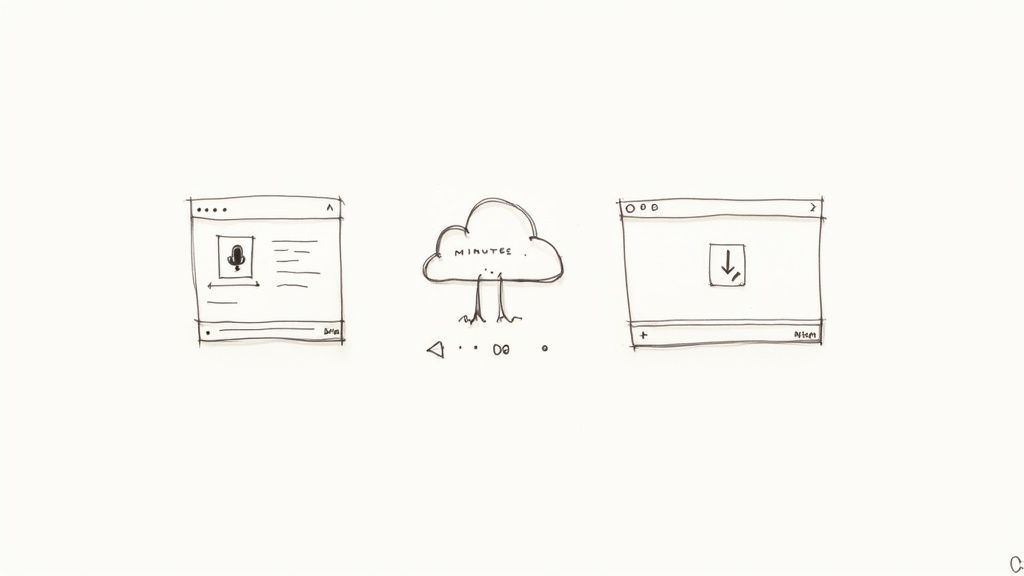
Let's walk through three of the most practical approaches you can use today. We’ll cover everything from the tools already hiding on your computer to more specialized platforms built for the job.
Honestly, the quickest way to get a transcript for short, simple audio is to use the software you already own. Most people don't realize that tools like Google Docs and Microsoft Word have pretty solid voice-to-text features built right in.
It’s a bit of a DIY hack, but it works. Here’s how you do it:
This trick is fantastic for single-speaker recordings under 10-15 minutes. It does require a quiet room and a bit of hands-on effort, but for a quick, zero-cost transcript of meeting notes or a personal voice memo, you can't beat it.
If you need better accuracy without the manual hassle, your next stop should be dedicated transcription platforms. Many of the big names in the industry offer a free tier, essentially letting you test-drive their tech.
These free plans usually give you a certain number of transcription minutes every month. For instance:
Pro Tip: Don't just stick to one. Sign up for a couple of different free trials to see which one works best for you. This lets you compare their accuracy and features with your own audio files, so you can find the perfect fit before spending any money.
This route is ideal when you need something more reliable than a dictation tool but aren't quite ready for a paid subscription. The market for these AI services is exploding precisely because of their speed and low cost. Valued at $4.5 billion in 2024, the AI transcription market is expected to reach $19.2 billion by 2034, fueled by how effective these free entry points are at showing users what's possible.
Finally, don’t forget about the transcription tools that are already part of platforms like YouTube. If your content is hosted there, you can often grab a surprisingly decent transcript straight from the source.
YouTube automatically generates captions for most videos, and you can simply open the transcript view and copy the text. For podcasters, there are even guides on how to find and use Spotify podcast transcripts to your advantage. It's an incredibly handy, no-cost method for content creators who want to repurpose their audio or video into blog posts and social media content.
Think of a transcript as more than just a written record of your podcast or video. It’s a powerful, strategic tool that can completely change how your content performs. When you use a free transcript service to convert spoken words into text, you're not just creating a document; you're unlocking a whole new world of discovery and engagement for your audience.
The most immediate win? A huge boost to your Search Engine Optimization (SEO). Search engines like Google are brilliant at reading text, but they can't "watch" a video or "listen" to a podcast. A transcript makes your entire audio or video file crawlable, so every single word you spoke becomes a potential keyword that can draw in organic traffic. That niche point you discussed twenty minutes into a webinar can now suddenly pull in a brand new audience from a Google search.
SEO is just the beginning. Transcripts throw the doors open for a much wider audience to connect with your work. We're talking about people who are deaf or hard of hearing, non-native speakers who find reading easier than listening, or even just someone on a loud train who can't turn their volume up. It's not just about ticking a box; it's about being genuinely inclusive.
This isn't a small niche, either. The market for marketing transcription is exploding, set to become a $2.24 billion industry by 2025. With 91% of B2B firms already using video, adding simple transcripts and captions can bump up engagement by 12%. It just makes the content easier to find and consume. You can learn more about the growing demand for marketing transcription and see why this is a smart move.
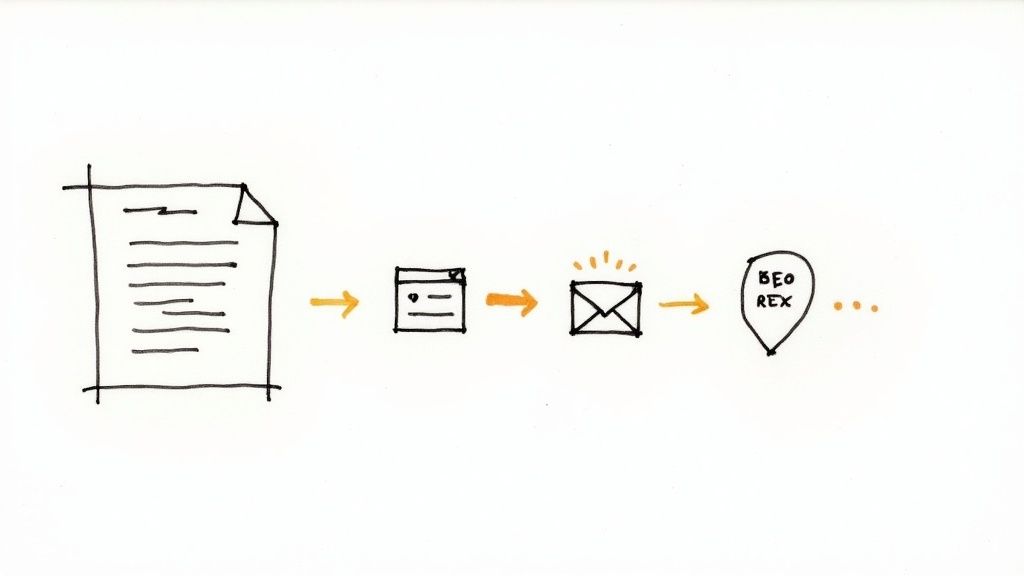
Okay, this is where transcripts become a content creator's secret weapon. A single transcript can be the foundation for a dozen new pieces of content, saving you an incredible amount of time and effort.
Just imagine what you can get from one hour-long webinar recording:
A transcript transforms your content from a single, static asset into a flexible, modular resource. It’s like having a creative toolkit that allows you to remix and redeploy your best ideas across every channel without starting from scratch.
This isn't just theory; it's a proven strategy. Creators who turn their videos into blog posts consistently see more traffic and higher engagement. By using a free transcript service as your first step, you can create a super-efficient content workflow that multiplies your impact with very little extra work.
Free transcription tools are a fantastic way to get your feet wet. Think of them like the free version of a mobile game—it's great for casual use, but the moment you get serious, you start bumping into walls. You'll eventually reach a point where the limitations of a free tool cost you more in time and frustration than a paid plan would ever cost in dollars.
Knowing when to make that leap is crucial. It’s not just about wanting shiny new features; it's about recognizing when your work genuinely demands a more robust, professional-grade solution. The signs are usually pretty clear once you know what to look for.
The first and most obvious sign is your need for precision. A free service is perfectly fine for jotting down personal notes or getting the gist of a meeting, where a few typos are no big deal. But for professional work, those mistakes can become a serious liability.
It's time to upgrade immediately if your transcripts are being used for:
There’s a reason the professional transcription market is so big. In the U.S. alone, it was valued at $30.42 billion in 2024, driven largely by medical and legal fields that simply can't compromise on accuracy. You can discover more insights on the professional transcription market to understand why precision commands such a premium. For these industries, a paid service isn't a luxury—it's a fundamental requirement.
Perhaps the most common frustration with free services is bumping up against the usage cap. Free plans are designed to give you a taste, not a four-course meal. You know it’s time to move on when your workflow involves:
Your workflow tells the real story. If you're spending a noticeable amount of time each week just trying to work around the limitations of your free tool, that's a direct hit to your productivity. Upgrading often pays for itself simply in the hours you get back.
Finally, you'll know it's time to upgrade when your projects get more complex. You start needing tools that free plans simply don't include, like speaker identification (also called diarization), the ability to add custom vocabulary for industry jargon, or API access to integrate transcription into your own apps. These are standard features in most paid tiers.
Security is another deal-breaker. Many free services use your data to train their AI models, which is a non-starter for confidential business meetings, sensitive research, or personal recordings. Paid plans almost always come with much stronger privacy guarantees, data encryption, and clear policies on how your files are handled.
If you’re ready to see what a professional-grade service can do for you, Lemonfox.ai offers a free trial with 30 hours of transcription. It’s a great, no-risk way to experience high-accuracy features and see just how much a paid tool can improve your workflow.
Dipping your toes into the world of free transcription services can feel a bit murky. You've got questions about accuracy, privacy, and what the "catch" is. It's smart to ask. Let's walk through some of the most common questions people have and get you some straight answers.
On paper, many free transcript services claim an accuracy of 80% to 95%. But that number comes with a huge asterisk: it only applies to perfect, lab-quality audio. Think of a single person with a clear, standard accent, speaking into a high-quality microphone in a soundproof room.
The reality is, our audio is almost never that clean. Accuracy starts to nosedive as soon as you introduce real-world variables like:
If you just need to jot down some personal notes or find a specific quote in an hour-long recording, that 80-95% (or less) is probably good enough. But if you're creating professional content, legal documents, or anything that needs to be precise, get ready to spend a good chunk of time cleaning up the output by hand.
This is one of the biggest trade-offs you make with free tools. The short answer is: probably not. Many free services use your uploaded audio and its resulting transcript to train their AI models. It's part of how they improve their product without charging you. While the data is often anonymized, it still lives on their servers and is used for their benefit.
Before you upload anything, you absolutely have to read the privacy policy. If the audio contains sensitive business discussions, client information, or personal details, a free service is a risky bet.
Paid services are a different story. They almost always come with strict security protocols, end-to-end encryption, and a clear promise that your data is yours alone and won't be used for AI training. That peace of mind is often what you're paying for.
Language support on free platforms can be hit or miss. Most are built with English as the top priority. While some might offer support for other common languages like Spanish or French, the quality is often a significant step down from their English-language performance.
If your work depends on accurate, reliable transcription in multiple languages, you’ll almost certainly have to look at a paid service. The pros invest a ton of resources into training their AI on diverse, global datasets to ensure their models perform well across the board.
If you had to point to one thing, the biggest limitation of any free transcript service is the usage cap. These tools are built for casual, infrequent use, not for serious workloads. You'll almost always run into a hard ceiling on how much you can actually transcribe.
Look out for these common walls you'll hit:
These limits make free tools fine for one-off tasks but a non-starter for podcasters, marketers, journalists, or anyone with a regular need for transcription. You'll also find that handy features like speaker identification or a variety of export formats are usually locked behind the paywall.
Ready to see what a professional-grade tool feels like? Lemonfox.ai offers a developer-friendly Speech-to-Text API with a free trial that includes 30 hours of transcription—way more than the typical monthly cap. Experience top-tier accuracy and a full feature set by checking out Lemonfox.ai's powerful API today.