
First month for free!
Get started
Published 10/16/2025

The GPT-4 API is essentially your direct access pass to one of the most powerful AI models on the planet. It's what allows developers to plug GPT-4's incredible reasoning and creative skills directly into their own software and applications.
Think of it as a programmatic bridge. Instead of you or your users having to go to a separate website to chat with the AI, your application can talk to it directly, sending requests and getting intelligent responses back automatically.
I find the best way to explain it is with an analogy. Picture the GPT-4 model as a world-class chef in a Michelin-star kitchen, someone who can cook up almost any dish you can dream of. The GPT-4 API is the waiter.
Your application’s job is to place an order with the waiter. This "order" is your API request, and it contains specific instructions like, "summarize this long article," or "write a Python script to scrape a website." You don't need to know the complex culinary techniques happening in the kitchen; you just have to be clear about what you want.
The waiter (the API) then takes your order to the chef (GPT-4), who gets to work and prepares the perfect response—a neat summary, a clean block of code, or whatever else you asked for. This finished "dish" is then sent right back to your application. It’s this simple request-and-response loop that makes the API so incredibly flexible.
The real magic here is the sheer performance jump that GPT-4 represents. It’s not just a minor update; it's a massive leap forward in handling complex tasks with greater accuracy and nuance.
Just look at the numbers. On a wide range of fact-based evaluations, GPT-4 scores 40% higher than its predecessor. It also blew past GPT-3.5 on professional and academic exams, scoring in the 90th percentile on the Uniform Bar Exam and the 99th percentile on the GRE Verbal section.
It's this kind of raw capability that has companies lining up. In fact, it’s estimated that 92% of Fortune 500 companies will be using OpenAI products by mid-2025. You can dig into more of these impressive figures in these ChatGPT statistics on Notta.ai.
At its core, the API makes powerful AI accessible to everyone. It takes an incredibly complex, resource-heavy technology and packages it into a straightforward tool that a developer can use with just a few lines of code.
This infographic does a great job of visualizing that simple, back-and-forth interaction between your app and the GPT-4 engine.
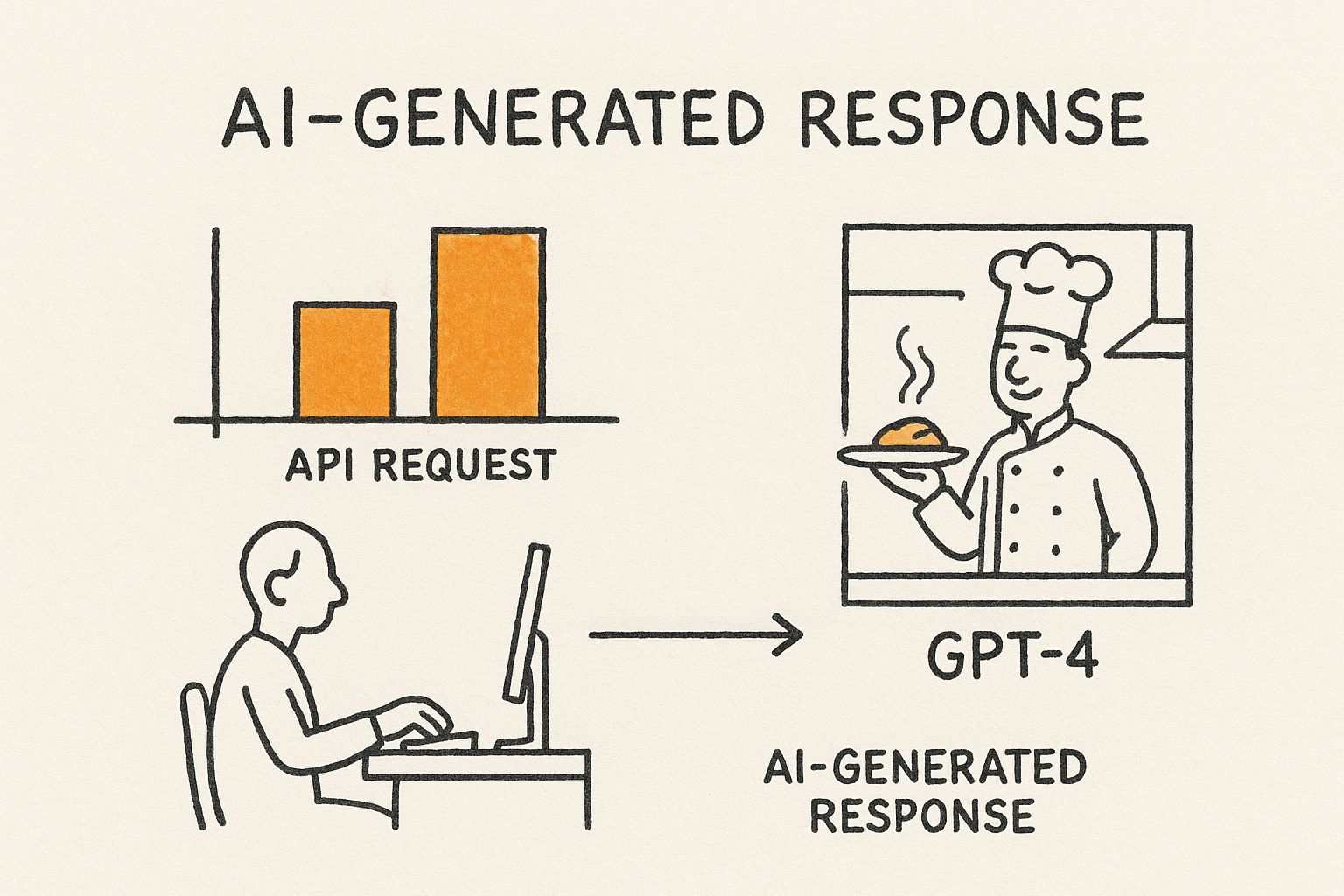
As you can see, the API acts as the perfect go-between. It translates a practical user need into a technical request for the AI and then delivers the polished result back. This entire process is the foundation for building smarter features into pretty much any piece of software you can imagine.

While its predecessor, GPT-3.5, was certainly impressive, the GPT-4 API represents a whole new level of performance. This isn't just a minor update; it's a monumental leap in reasoning, creativity, and technical prowess that moves well beyond simple text generation. To really get the most out of it, you have to understand what makes it tick.
The single biggest upgrade is its advanced reasoning. GPT-4 can dissect complex, nuanced information with a depth that was simply out of reach before. It's not just spotting keywords—it’s grasping context, intent, and the subtle relationships between ideas.
Imagine feeding it a dense, 50-page financial report and asking it to pinpoint the top three strategic risks. Instead of just pulling sentences with the word "risk," the API will actually read, synthesize, and formulate a concise analysis. It's the kind of work that would normally take a human analyst hours.
Beyond its analytical mind, the GPT-4 API is an incredibly powerful creative partner. It truly excels at tasks that demand a bit of originality and thinking outside the box. Its massive knowledge base and deep contextual understanding allow it to spitball ideas that feel fresh and genuinely compelling.
For example, say you need a marketing campaign for a new eco-friendly sneaker brand. You won't get back a list of generic slogans. Instead, you could ask it to generate:
This creative horsepower bleeds directly into its technical skills. One of the most talked-about features is its multimodal capability—specifically, its ability to work with visual inputs. It can literally see and interpret images, opening a whole new world of application development.
A developer could upload a picture of a hand-drawn website mockup, and the API can analyze the layout, identify the buttons and text fields, and generate the HTML and CSS to build a working prototype. It's a game-changer that can turn a rough sketch into functional code in minutes.
To really appreciate how far things have come, it helps to put the two models side-by-side. While GPT-3.5 is still a great choice for simpler tasks—it’s fast and cheap for basic chatbots or text classification—GPT-4 is the go-to for anything that requires deep understanding, accuracy, and nuance.
The improvements aren't just small tweaks. They're foundational changes that affect everything from the model's safety to its ability to follow intricate instructions, making the GPT-4 API a much more reliable and versatile tool for building professional-grade applications.
The transition from GPT-3.5 to GPT-4 is like upgrading from a knowledgeable assistant to a team of expert strategists. The former can execute commands well, but the latter can understand intent, handle ambiguity, and deliver results with far greater precision and creativity.
The table below breaks down the key differences, showing exactly where GPT-4 shines and why it's positioned as the premium model in OpenAI's lineup.
This table offers a direct comparison, highlighting the key advancements in GPT-4 to help you decide which API best fits your project's needs.
| Feature | GPT-3.5 API | GPT-4 API | Key Advantage |
|---|---|---|---|
| Reasoning Ability | Good for straightforward tasks and summaries. | Excellent at complex, multi-step reasoning and abstract problems. | Higher accuracy and reliability for critical thinking tasks. |
| Instruction Following | Follows simple instructions but can stray on complex prompts. | Adheres closely to nuanced and layered instructions. | More predictable and controllable output for developers. |
| Context Window | Smaller context window (e.g., 4k or 16k tokens). | Significantly larger context window (up to 128k tokens). | Can process and reference much larger documents in a single prompt. |
| Multimodality | Text-only input. | Accepts both text and image inputs (GPT-4 Turbo with Vision). | Enables new use cases like image analysis and visual Q&A. |
| Performance | Faster response times and lower cost. | Slower and more expensive per token. | Delivers superior quality and depth for mission-critical applications. |
Ultimately, choosing between the APIs comes down to what you're trying to build. For developers aiming to create next-generation applications that can reason, create, and even see, the GPT-4 API offers a toolkit that felt like science fiction just a few years ago.
So, you've seen what the GPT-4 API can do. Now for the fun part: getting your hands on it and turning all that potential into a real-world project. Let's walk through how to get started, from creating an account to making sure you're in full control of your costs.
First things first, you'll need to head over to the OpenAI platform and sign up. It’s a pretty standard process, but once you're in, you’ll land on the developer dashboard. This is your command center for everything—generating API keys, tracking usage, and managing your billing.
Think of an API key like the front door key to your house. You wouldn't leave it lying around for anyone to find, and the same goes for your API key. It’s the unique credential that lets your application talk to OpenAI's servers, so keeping it secure is non-negotiable.
Here’s how to grab your key:
Seriously, never, ever paste your API key into your website's front-end code or check it into a public GitHub repository. Protecting this key is the first rule of using the API responsibly.
Before you make your first API call, you need to understand how billing works. OpenAI charges you based on "tokens," which are little pieces of words. As a rough guide, 100 tokens is about 75 English words.
This is a crucial detail because you pay for everything that goes in and everything that comes out. You're billed for the tokens in your prompt (the input) and for the tokens in the model's response (the output). A long, detailed prompt costs more than a short one, and a lengthy, detailed answer costs more than a simple "yes." This pay-as-you-go approach gives you granular control over your spending.
Think of it like a metered taxi. The meter runs not just for the distance you travel (the output), but also for the time you spend telling the driver where to go (the input).
Different models come with different price tags, which usually reflect their power and capabilities. Newer models like GPT-4o are often priced more aggressively to get developers on board, which is great news for anyone starting a new project.
Here’s a quick look at the pricing for a couple of the most popular GPT-4 models. Just remember, these prices can change, so it's always smart to check the official OpenAI pricing page for the most current rates.
| Model | Input Price (per 1M tokens) | Output Price (per 1M tokens) |
|---|---|---|
| GPT-4o | $5.00 | $15.00 |
| GPT-4 Turbo | $10.00 | $30.00 |
As you can see, GPT-4o is a much more economical choice, making it the perfect starting point for most new applications.
This might be the most important tip in this whole section: set your spending limits before you do anything else. This is your financial safety net, and it ensures a small bug in your code doesn't turn into a massive, unexpected bill.
OpenAI gives you two handy controls:
Make it a habit to set these limits from day one. It lets you experiment and build with peace of mind, knowing your budget is protected.
https://www.youtube.com/embed/Vurdg6yrPL8
All the theory is great, but let's be honest—the real fun starts when you actually write some code. Here, we'll walk through exactly how to make your first successful call to the GPT-4 API using Python. We'll build a complete script you can run yourself, from start to finish.
This isn't just a copy-and-paste exercise. I'll break down each piece of the code so you really understand what's happening under the hood. Once you get this foundation, you'll be ready to start adapting it for your own ideas.
First things first, you need to get the official OpenAI Python library installed. This handy package takes care of all the complicated networking stuff for you, so you can focus on what you want to build.
Just open your terminal and run this command. It uses pip, Python's package manager, to get everything set up.
pip install openai
Once that's done, you're all set to write the script. The basic flow is simple: import the library, plug in your API key, and send your request.
Here’s a complete, commented script. You can save this as a Python file (I'd call it test_gpt4.py) and run it right from your terminal. Just remember to swap out "YOUR_API_KEY" with the actual key you generated earlier.
from openai import OpenAI
import os
client = OpenAI(api_key="YOUR_API_KEY")
try:
completion = client.chat.completions.create(
model="gpt-4o", # Specify the model you want to use, like gpt-4o or gpt-4-turbo
messages=[
{"role": "system", "content": "You are a helpful assistant who is an expert in creative writing."},
{"role": "user", "content": "Compose a short poem about the power of an API."}
],
temperature=0.7, # Controls the randomness of the output
max_tokens=150 # Sets the maximum length of the response
)
print(completion.choices[0].message.content)
except Exception as e:
print(f"An error occurred: {e}")
So, what's actually going on here? The heart of the operation is the client.chat.completions.create() function. It's where you send your instructions to the model, and it takes a few key parameters that let you control exactly how the AI behaves.
Getting the results you want is all about tweaking the parameters in your API call. While there are plenty of knobs to turn, a few are absolutely essential for every request.
model: This is where you tell the API which version of GPT you want to chat with. We're using "gpt-4o" because it's the latest and greatest, giving a fantastic blend of intelligence, speed, and cost. You could also use others like "gpt-4-turbo".
messages: This is the most important part—it's how you structure your conversation with the AI. It's a list containing one or more messages, each with a role (system, user, or assistant) and content. The system message sets the AI's personality, and the user message is your actual question.
Think of the
systemmessage as giving stage directions to an actor. You're setting the context and tone before they deliver their lines, which are prompted by theusermessage.
temperature: This number, usually between 0 and 2, controls the AI's creativity. A low value like 0.2 makes the output more predictable and focused—perfect for factual Q&A. A higher value like 0.8 lets the model get more creative and surprising.
max_tokens: This puts a firm cap on how long the response can be. It's a crucial setting for managing your costs (since you pay per token) and ensuring the output doesn't get too long-winded.
Just by mastering these few parameters, you can start steering the GPT-4 API to do an incredible range of tasks, from writing poetry to analyzing customer feedback.
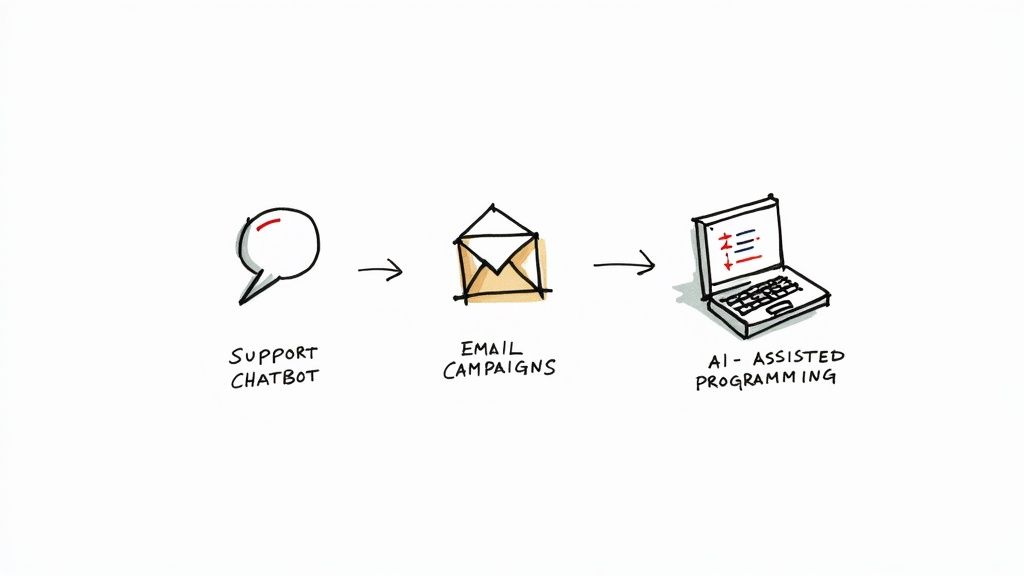
The theory and the code examples are one thing, but the true magic of the GPT-4 API really clicks when you see what people are building with it to solve actual business problems. This isn't just a shiny new toy for developers; it’s a powerful engine that’s already creating real value across countless industries.
Let's get out of the abstract and look at some concrete examples. From making customer service genuinely helpful to giving developers a second brain, companies are creating smarter, faster ways to work. These stories show just how flexible the API is and will hopefully get you thinking about what you could build.
Customer support is one of the most natural fits for the GPT-4 API, and the impact is immediate. Imagine a medium-sized software company drowning in support tickets. Their team was completely bogged down answering the same questions over and over—billing, setup, basic features—leaving customers with tougher problems waiting in line.
They decided to tackle this by building a truly intelligent chatbot using the API. By feeding the model their entire knowledge base, all their product docs, and years of past support chats, they created something far beyond a simple keyword-based bot. This new assistant could actually understand a user's intent, ask smart follow-up questions, and walk them through solutions step-by-step.
The results were a game-changer. The chatbot now resolves over 70% of all incoming support tickets on its own, with no human help needed. This freed up the support team to focus on the tricky, high-value problems, which boosted both customer satisfaction and team morale.
A content marketing agency was struggling with a classic problem: they needed to send highly personalized emails to their clients' customers, but doing it by hand for thousands of people was simply impossible. Their generic email blasts just weren't cutting it anymore, leading to dismal open rates and even worse engagement.
Their solution was to plug the GPT-4 API directly into their marketing platform. Now, they could feed the API specific data for each subscriber—their purchase history, which pages they visited, and what they’d shown interest in before. With that context, the API could generate a unique email for every single person.
The API acts like a master copywriter who has a personal file on every customer. It can casually mention a product someone looked at last week, reference a blog post they read, and craft a call-to-action that speaks directly to their needs, all in a friendly, human tone.
This level of personal touch completely transformed their campaigns. The agency saw a 45% increase in email open rates and a massive 60% jump in click-through rates for their clients. It's a powerful reminder that in modern marketing, relevance is everything. The huge adoption of tools like GPT-4 highlights this shift, and with the GPT-4o model's ability to handle over 1 million tokens, analyzing huge customer datasets for these campaigns is easier than ever. You can dig into more fascinating OpenAI statistics to see the full picture of this growth.
For any software company, the pressure to ship new features and squash bugs is relentless. Activities like code reviews, writing documentation, and hunting for bugs are non-negotiable but they eat up a ton of time and often become bottlenecks.
One firm tackled this by integrating the GPT-4 API as a "pair programmer" right inside their coding environment. This allows their developers to highlight a piece of code and instantly ask the API for help.
This AI coding assistant has made their entire workflow faster. The company estimates it has cut down the time spent on debugging and documentation by 30%, giving developers more time to focus on what they do best: building creative new features.
Jumping into a new piece of tech always brings up a few questions, and the GPT-4 API is no different. Let's walk through some of the most common things developers ask so you can get started on the right foot and build with confidence.
We’ll clear up everything from how the API differs from the consumer-facing ChatGPT to practical advice on keeping your app secure and your costs predictable.
This is probably the most common point of confusion, but the distinction is pretty simple. Think of ChatGPT Plus as a finished car you can drive right off the lot. It's a subscription service that gives you a polished web interface to talk directly with OpenAI's top models.
The GPT-4 API, on the other hand, is the engine. It's a raw tool for developers, giving you the power to put GPT-4's intelligence directly into your own software. You get full programmatic control to automate tasks, process data, and build entirely new experiences for your users. Their payment models reflect this, too: ChatGPT Plus is a flat monthly fee, while API usage is pay-as-you-go, billed based on the tokens you send and receive.
Nobody likes a surprise bill, and with a pay-as-you-go service, managing costs is key. The most important thing you can do is set usage limits right inside your OpenAI account dashboard.
You get two layers of control:
Beyond setting limits, just be conscious of your token usage. Writing tight, efficient prompts and using the max_tokens parameter to control response length can make a huge difference to your bottom line.
This is a big one. The good news is that OpenAI handles API data differently than data from its consumer products.
According to OpenAI's official data policies, information you send through the API is not used to train their models unless you specifically opt-in. This gives developers much more control over their data compared to using the public ChatGPT service.
Your data is kept for a maximum of 30 days for the sole purpose of monitoring for abuse or misuse, and then it's deleted. While OpenAI is SOC 2 Type 2 compliant, you should still operate with caution. Never send highly sensitive information like PII or financial data through the API. Always protect your API keys like you would a password, and be sure to sanitize any user-generated inputs.
Rate limits are just what they sound like: caps on how many API requests you can make in a given amount of time. They’re in place to keep the service stable and fair for everyone. If you send too many requests too fast, you’ll get a 429 error code and your request won't go through.
The standard way to handle this is to build a retry mechanism with exponential backoff. It sounds complicated, but it just means that if a request fails, your code waits for a short—and progressively longer—period before trying again. For example, it might wait 1 second after the first failure, then 2 seconds, then 4, and so on. This simple strategy prevents you from hammering the server and allows your application to recover smoothly. As your application grows, you can always request a rate limit increase from your OpenAI account settings.
Ready to integrate powerful AI into your applications? Lemonfox.ai offers one of the most affordable and accurate Speech-to-Text and Text-to-Speech APIs on the market, perfect for developers looking to build next-generation features without breaking the budget. Start your free trial today and discover the difference.