
First month for free!
Get started
Published 12/22/2025
If you've ever needed to turn an audio recording into text, you know how tedious it can be. Using a speech-to-text API like Lemonfox.ai completely changes the game. It’s a straightforward process: you send your audio file to the API using a simple script, and in return, you get a clean, structured text file. This approach gives you accurate, fast, and scalable transcriptions without any of the manual grunt work.
In a world overflowing with audio and video content, the ability to quickly convert spoken words into searchable text is a massive advantage. It's not just about convenience; automated transcription makes content more accessible, improves its discoverability online, and pulls valuable, structured data out of unstructured conversations.
The benefits are clear across different fields. A podcaster, for example, can publish full transcripts to boost their SEO, making every word they say indexable by Google. For legal and medical professionals, precise transcription is essential for maintaining accurate records and ensuring compliance.
The growing need for these services is more than just a trend—it's a major economic driver. The U.S. market for general transcription services is on track to exceed $32.6 billion by the end of 2025. This explosion is fueled by the huge volume of digital recordings from healthcare, education, corporate meetings, and more—all of which need to be documented.
This image really captures the essence of what a speech-to-text API does. It takes raw audio and transforms it into organized, useful information.

At its core, the API is turning messy, unstructured sound into something clean and organized that software can actually work with.
Today's transcription technology is used for much more than just taking notes. Developers are building it into all sorts of sophisticated tools and workflows that were once impossible.
By mastering API-driven transcription, you gain a valuable skill for building modern applications that can listen, understand, and act on spoken information.
Think about these real-world examples:
Learning to transcribe audio with an API isn't just a technical skill. It’s about unlocking the valuable information hidden in audio data and making it accessible and actionable.
Before we jump into the fun part—transcribing audio—we need to get our workspace set up properly. Taking a few minutes to create a clean, organized development environment is one of the best things you can do to avoid headaches down the road. It keeps your project isolated, secure, and ready to go.
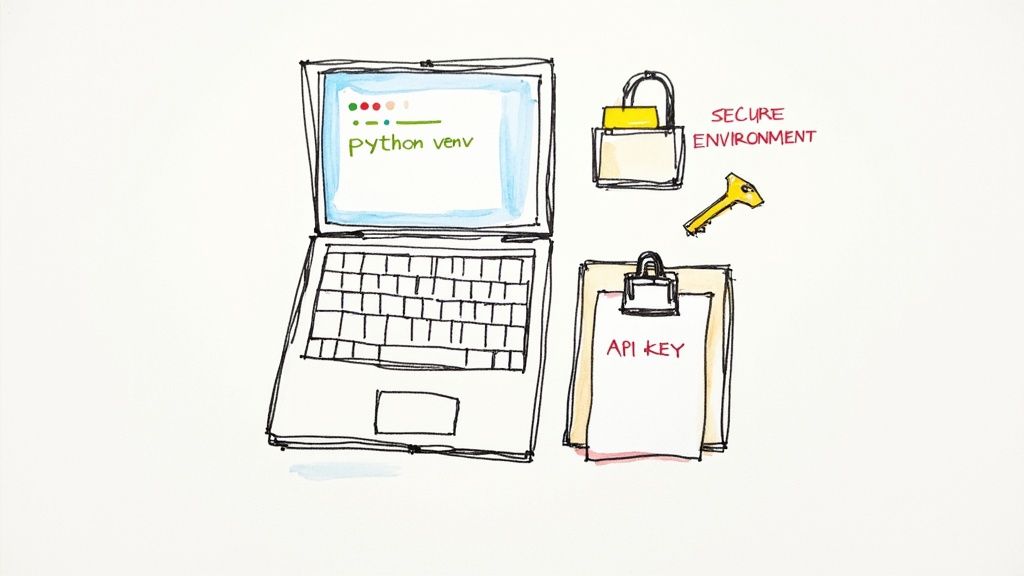
First things first, let's make sure you have a recent version of Python. The Lemonfox.ai tools play nicest with Python 3.8 or newer. You can quickly check what you're running by popping open a terminal and typing python3 --version.
Now for a pro move: creating a virtual environment. Think of it as a clean, private sandbox just for this project. It’s a game-changer because it stops the packages for one project from messing with the packages for another—a classic developer nightmare.
Here’s the quick-and-dirty on getting it set up:
python3 -m venv venv. This command whips up a new venv directory with a fresh copy of Python inside.source venv/bin/activate. If you’re on Windows, you’ll use venv\Scripts\activate. The tell-tale sign that it worked is seeing (venv) pop up at the start of your command prompt.Now that your sandbox is active, we just need one tool to talk to the Lemonfox.ai API: the excellent requests library. Install it by running pip install requests. Simple as that.
Your API key is basically the password to your account. You should treat it like one. Never, ever hardcode it directly into your scripts. It's a huge security hole, especially if you're using a version control system like Git or sharing your code with others.
The professional way to handle this is by using an environment variable.
An environment variable is a secret that lives on your computer, completely separate from your project's code. Your script can grab it when it needs to, but the key itself never gets exposed in the source file.
Head over to your Lemonfox.ai dashboard to grab your API key. Once you have it, let's store it securely.
In your terminal, you can set it for your current session. For macOS or Linux, use this command, making sure to replace 'YOUR_API_KEY' with the real deal:
export LEMONFOX_API_KEY='YOUR_API_KEY'
On Windows, the syntax is a little different:
set LEMONFOX_API_KEY='YOUR_API_KEY'
This makes the key available until you close the terminal. If you want a more permanent fix, you can add that export line to your shell's profile file (like .zshrc or .bash_profile). This small habit is a non-negotiable part of building safe, professional applications. Your future self will thank you.
Alright, with your environment prepped and API key tucked away safely, it's time for the fun part: turning sound into words. This is where the magic happens and you get to see the Lemonfox.ai API in action. We're going to build a simple request using a sample audio file and then take a look at the JSON response we get back.
The whole process is surprisingly straightforward. We'll use the popular requests library in Python to send an HTTP POST request to the API endpoint. This request just needs two things to work: our authentication details and the audio data itself.
Let's walk through a complete, working Python script for transcribing a short audio clip. For this example, I'm using a hypothetical podcast snippet I’ve named podcast-sample.mp3 and saved in the same folder as my script.
First things first, we need to import the libraries that will do the heavy lifting. We'll grab os to access our environment variable (remember, no hard-coding keys!) and requests to handle the actual web communication.
import os
import requests
api_key = os.getenv('LEMONFOX_API_KEY')
if not api_key:
raise ValueError("API key not found. You need to set the LEMONFOX_API_KEY environment variable.")
url = 'https://api.lemonfox.ai/v1/audio/transcriptions'
headers = {
'Authorization': f'Bearer {api_key}'
}
audio_file_path = 'podcast-sample.mp3'
try:
with open(audio_file_path, 'rb') as audio_file:
files = {
'file': (os.path.basename(audio_file_path), audio_file, 'audio/mpeg')
}
# 4. Send the POST request with your file and headers
response = requests.post(url, headers=headers, files=files)
response.raise_for_status() # This will flag any HTTP errors (like 4xx or 5xx)
    # 5. Print the good stuff: the JSON response
    transcription_data = response.json()
    print("Transcription successful!")
    print(transcription_data['text'])
except FileNotFoundError:
print(f"Error: Whoops, couldn't find the file '{audio_file_path}'. Is it in the right place?")
except requests.exceptions.RequestException as e:
print(f"An API error occurred: {e}")
This script neatly packages everything up. It authenticates with the Bearer token in the headers and sends our audio file as multipart form data. If everything goes smoothly, it prints the transcribed text directly from the API's response.
To make sense of what's happening in that requests.post() call, here’s a quick breakdown of the core components.
This table shows the essential elements you're sending in your API call to get that audio transcribed.
| Component | Purpose | Example |
|---|---|---|
| URL | The specific endpoint you're targeting on the Lemonfox.ai server. | 'https://api.lemonfox.ai/v1/audio/transcriptions' |
| Headers | Contains metadata, most importantly your API key for authentication. | {'Authorization': f'Bearer {api_key}'} |
| Files | The actual audio data, sent as a file payload in the request body. | {'file': ('podcast-sample.mp3', audio_file, 'audio/mpeg')} |
Understanding these three parts is key to troubleshooting any issues and customizing your requests later on.
When your call is successful, Lemonfox.ai sends back a JSON object. The field you'll care about most is 'text', which holds the complete transcript of your audio file.
For a podcast clip, the output might look something like this:
"Welcome back to Tech Forward, the show where we break down the latest trends in software development. Today, we're diving deep into the world of speech-to-text APIs and how they are changing everything from content creation to business analytics."
The demand for this kind of instant, accurate text is absolutely booming. The global transcription market was already valued at $21 billion in 2022 and is on track to blow past $35 billion by 2032. This isn't just a niche tool anymore; it's a reflection of the broader AI revolution. Top-tier automated tools are now hitting accuracy rates of 90% or higher, making them essential for all kinds of modern applications. If you're curious, you can discover more insights about these AI transcription trends and see where the industry is headed.
With this simple script, you've officially transcribed an audio file. You now have a solid foundation for integrating automated transcription into any project, bridging that gap between the spoken word and structured, usable text.
Working with a short, 30-second audio clip is one thing. A single, direct request gets the job done quickly. But what about when you’re facing a two-hour interview, a long webinar, or a full podcast episode? Trying to push a massive file through a real-time (or synchronous) request and waiting for the result is a classic rookie mistake.
Most web servers will simply give up after 30 to 60 seconds. A large audio file will almost certainly take longer than that to upload and transcribe, leading to a dropped connection and a failed request. This is where a lot of developers get stuck when they first try to build a scalable transcription workflow.
The professional way to handle this is with an asynchronous process. Instead of sending the file and tying up your connection while you wait, you submit a "job" to the API. The API instantly responds with a unique job ID, which is just its way of saying, "Got it, I'll work on this in the background." Your application can then use that ID to check in on the job's progress later.
This "submit now, check back later" model is far more reliable and scalable. It completely sidesteps timeout issues and is the standard practice for any heavy-lifting task in modern web development.
This diagram illustrates the basic flow. It’s a simple three-part dance: authenticate, upload, and then get the transcription.
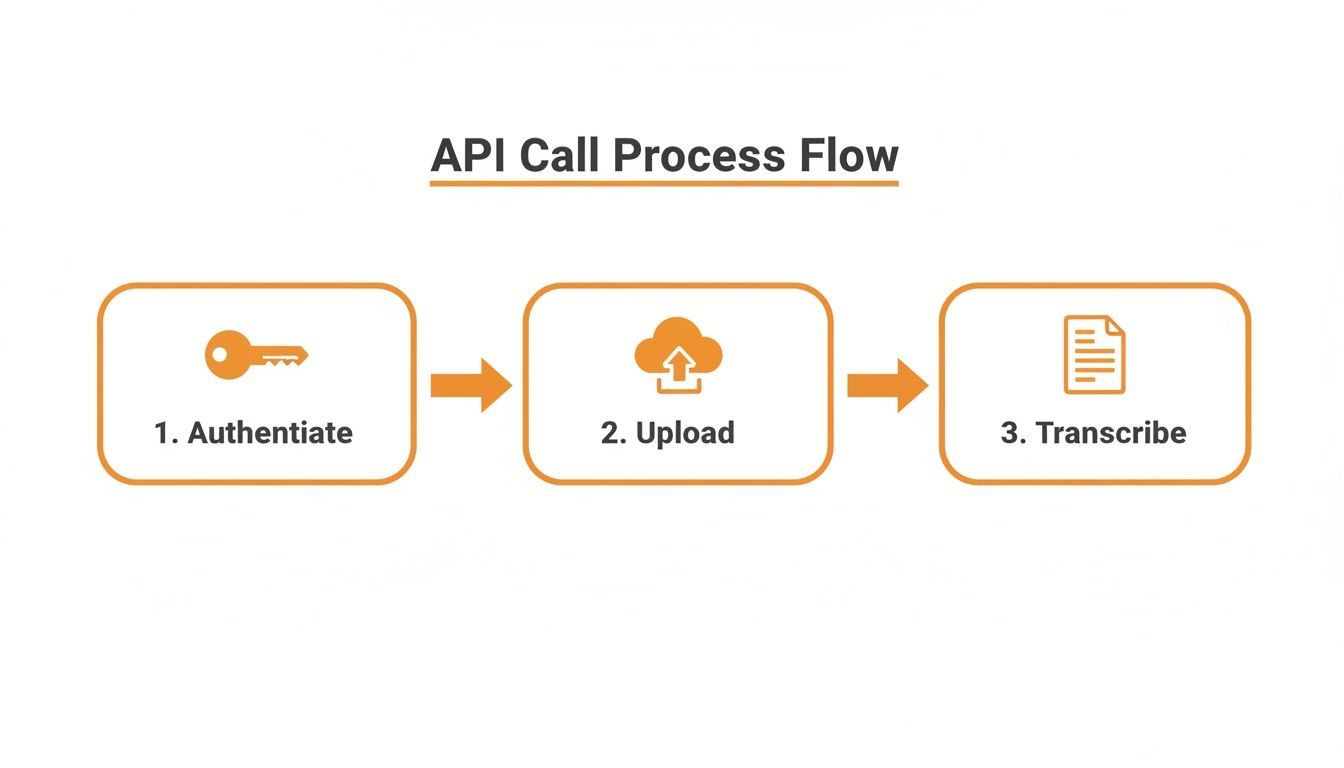
Breaking it down, you can see the core steps: authenticating your request, sending the audio data, and finally, pulling down the finished text. This is the heart of an asynchronous workflow.
Let’s tweak our earlier script to handle a bigger file. Most of the code will look familiar, but we’ll add one crucial parameter to tell the API we want to run the job asynchronously.
We'll start by defining our API URL and headers, just like before. The real change happens in the payload we send. We can include a callback_url, which is a powerful (but optional) feature that lets the API ping your server when the transcription is ready. For now, we'll keep it simple.
Here’s what that looks like in practice when submitting a large file:
import os
import requests
api_key = os.getenv('LEMONFOX_API_KEY')
url = 'https://api.lemonfox.ai/v1/audio/transcriptions'
headers = {'Authorization': f'Bearer {api_key}'}
large_audio_file = 'long_interview.mp3'
with open(large_audio_file, 'rb') as audio_file:
files = {'file': (large_audio_file, audio_file, 'audio/mpeg')}
data = {'async': True} # This is the magic line!
response = requests.post(url, headers=headers, files=files, data=data)
job_details = response.json()

print("Job submitted successfully!")
print(f"Your Job ID is: {job_details['id']}")
See that data = {'async': True} line? That one parameter flips the switch, telling the API to process this file in the background instead of making us wait.
Once you submit the job, the API immediately hands back a JSON response with the job id.
Key Takeaway: You absolutely need to save this job ID. Store it in your database or somewhere persistent. It's the only way you can retrieve your transcript later. Think of it as your claim ticket.
Now, your application just needs to check in periodically—a process called polling—to see if the job is finished. You’ll do this by making a simple GET request to a status endpoint, tacking the job ID you saved onto the URL.
A common approach is to set up a loop that checks the status every 30 seconds. As soon as the status field in the response switches from "processing" to "completed," the JSON will also contain the full transcript. This polling method frees your application from having to wait and ensures you can handle transcriptions of any length without ever hitting a timeout.
A basic transcript is a good starting point, but the real magic happens when you enrich that text with deeper context. This is where you move beyond a simple wall of text and start creating a smart, structured document that understands who said what and recognizes the specific language of your world.
These are the features that solve real problems. Think about it: a transcript of a team meeting, a customer interview, or a legal deposition is useless if you can't tell the speakers apart.
Ever tried to read a script from a three-person panel discussion without speaker labels? It's a confusing mess. Speaker diarization is built to solve that exact problem. When you flip this feature on, you’re asking the API to listen for distinct voices and chop up the transcript accordingly.
Instead of a single block of text, the API sends back the conversation in chunks, each one tagged with an identifier like Speaker 0 or Speaker 1.
This simple change turns an unreadable transcript into a clear, back-and-forth dialogue. If you're building anything that handles audio with multiple speakers—from meeting bots to podcast tools—diarization isn't just nice to have; it's essential.
Every field has its own slang. A standard transcription model might be great with everyday chatter but completely trip over niche jargon, technical terms, product names, or specific acronyms. This is where a custom vocabulary becomes your secret weapon for accuracy.
You can essentially hand the API a list of specific words to listen for.
Lemonfox.ai) or product names are spelled correctly, every time.asynchronous or API endpoint.Giving the model these hints dramatically cuts down on errors in specialized audio. This push for precision is a common theme in AI; getting it right often requires a careful balancing act, which you can read more about in this article on balancing accuracy in AI translation.
Pro Tip: I like to think of a custom vocabulary as a cheat sheet for the AI. It fills in the knowledge gaps of the general model, which results in a much more precise and context-aware transcript.
So, how do you actually put this to work in your code? To turn on diarization, you just add a diarize: True parameter to your request's data payload. It’s a single line that adds a ton of value.
Here's a quick look at what your API call would look like with these features enabled:
with open('multi_speaker_meeting.mp3', 'rb') as audio_file:
files = {'file': ('multi_speaker_meeting.mp3', audio_file, 'audio/mpeg')}
data = {
'diarize': True,
'custom_vocabulary': ['Lemonfox.ai', 'asynchronous', 'API endpoint']
}
response = requests.post(url, headers=headers, files=files, data=data)
rich_transcript = response.json()

# The response will now contain speaker labels and more accurate terms
print(rich_transcript)
The JSON you get back will be much more detailed. It won't just have the text; it'll include timestamps and speaker labels for each segment. This kind of structured data is what lets you build genuinely useful applications on top of the raw transcription.
Once you start digging into speech-to-text APIs, a few practical questions almost always pop up. Getting fantastic results isn't just about sending a file; it's about understanding the nuances of audio formats, how to handle multiple speakers, and the different ways you can process your audio.
Let's walk through some of the most common hurdles I see developers run into when they're building out their first transcription workflows.
If you're chasing the absolute highest accuracy, you can't beat lossless formats. Think FLAC or WAV. These files keep all the original audio data intact, giving the AI model the richest information to analyze. No compression, no lost details.
But let's be realistic—for web or mobile apps, those huge file sizes aren't always practical. That's where compressed formats like MP3 or M4A come in handy. Just make sure you're using a bitrate of at least 128 kbps for mono audio. Anything less, and you start sacrificing the clarity the model needs.
Here's a pro tip: The cleanliness of your audio—things like minimal background noise and clear speakers—matters way more for accuracy than the specific file format you pick.
When you've got more than one person talking, a raw transcript can quickly become a confusing mess. This is where a feature called speaker diarization becomes your best friend. It automatically listens for and separates different voices, tagging each part of the conversation with a label like 'Speaker 0' or 'Speaker 1'.
This one feature can turn an unreadable block of text into a clean, structured dialogue. Want to take it a step further? If you can record each speaker on a separate channel (a stereo recording), the model will have an even easier time telling them apart. The golden rule, though, is encouraging clear turn-taking with as little overlapping speech as possible. That alone will dramatically improve your results.
Absolutely. Most modern speech-to-text services, including Lemonfox.ai, offer real-time (or "streaming") transcription. This works a bit differently than just uploading a finished file.
Instead of a one-off upload, you set up a persistent connection to the API, usually with WebSockets. From there, you stream your audio data in small, continuous chunks. The API processes it on the fly and sends back partial transcripts almost instantly. It's the perfect setup for any application that needs immediate text output.
Think about use cases like:
This approach is essential for any interactive voice application where you need immediate feedback.
Ready to put this into practice? Lemonfox.ai offers a simple, affordable, and incredibly accurate Speech-to-Text API that’s built for developers. You can start a free trial today and get 30 hours of transcription to see how it works for your project.