
First month for free!
Get started
Published 12/28/2025
At its core, transcribing video to text is about converting spoken words into a written script using an automated service or API. But it’s so much more than that. This process unlocks your video content, making it searchable, accessible, and incredibly easy to analyze. Modern tools have come a long way, now offering high accuracy and handling multiple languages and speakers without breaking a sweat.
Video is king, we all know that. But without a text counterpart, you're leaving a huge amount of its potential on the table. When you transcribe a video, you're not just getting a script; you're turning a one-dimensional asset into a powerhouse tool that can drive real business value. For any developer or business trying to get the most out of their content, this isn't just a nice-to-have, it's essential.
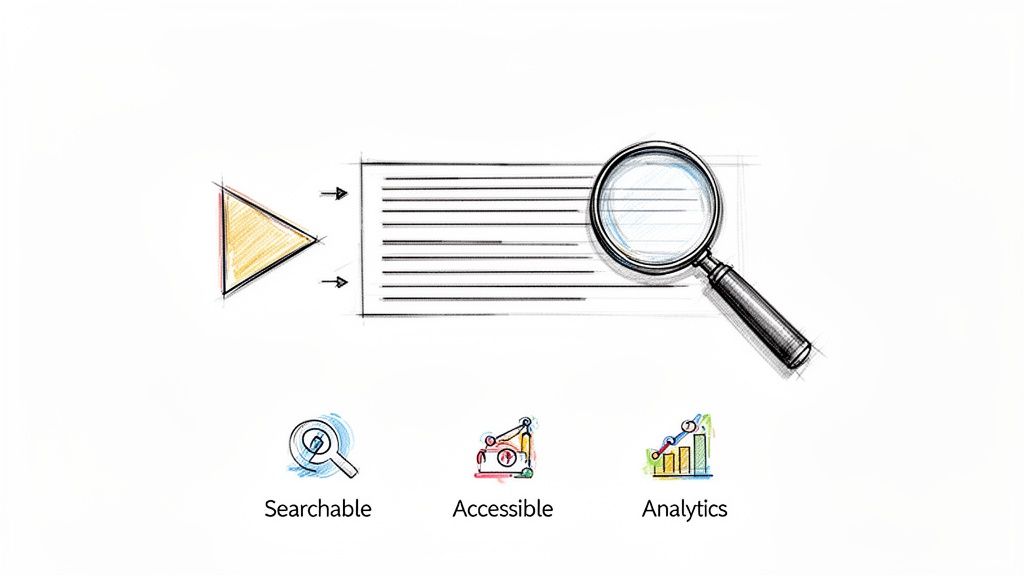
Trying to do this manually is a non-starter. It’s painfully slow, shockingly expensive, and just doesn't scale if you're dealing with a lot of video. This is where modern Speech-to-Text (STT) APIs completely change the game, offering a fast, affordable, and scalable alternative.
An accurate transcript is an SEO goldmine. Suddenly, every single word spoken in your video becomes an indexable keyword that search engines can find, dramatically boosting your content's discoverability and pulling in more organic traffic. For developers, this opens up incredible possibilities, like building apps where users can search inside a video for specific topics or mentions.
Beyond just searchability, transcription is the cornerstone of accessibility. One of the most common and powerful uses is for creating closed captions. If you want to dive deeper, there's a lot of great info on adding subtitles to videos. This simple step helps you comply with accessibility standards like the WCAG and opens up your content to a much wider audience, including people with hearing impairments or those who aren't native speakers.
For businesses, transcripts are an untapped reservoir of unstructured data. Just think about it: you could analyze thousands of customer support calls, sales meetings, or user feedback videos to spot trends, common pain points, and overall sentiment. You can only get that kind of deep insight once spoken words are turned into machine-readable text.
Transcription bridges the gap between spoken content and data-driven insights. It turns conversations into quantifiable data that can inform product development, marketing strategy, and customer experience improvements.
It’s no surprise the demand for this is exploding. The AI transcription market was valued at a whopping USD 4.5 billion in 2024 and is expected to hit USD 19.2 billion by 2034. This surge is driven by companies across media, healthcare, and education realizing just how valuable this technology is.
Throughout this guide, we'll use Lemonfox.ai as a practical example to show you exactly how to put this powerful technology to work.
Let's get one thing straight: before you even think about calling a Speech-to-Text API, the most critical work is already done. The old developer saying, "garbage in, garbage out," is gospel when it comes to audio processing. You can have a stunning 8K video, but if the audio sounds like it was recorded in a wind tunnel, your transcript will be a mess.
Putting audio quality first is the single biggest lever you can pull for better transcription accuracy.
This isn't about needing a Hollywood-grade sound studio. It's about smart, simple optimizations. I've seen small pre-processing tweaks cut the word error rate by 10-20%. These steps just feed the API a cleaner signal, letting its language models do their best work.
A lot of videos have stereo audio, splitting the sound between left and right channels. That's great for watching a movie, but it can throw transcription models for a loop. Imagine one speaker is louder on the left channel, or different people are isolated on separate tracks—it creates confusion.
The fix is simple: merge the audio into a single mono track.
By combining both channels into one, you create a consistent, unified audio source that is far easier for an AI to interpret. For any developer working with media, a tool like FFmpeg is your best friend here. A quick command-line entry can pull the audio from your video and convert it to a mono file, ready to go.
Here's the command I use all the time:
ffmpeg -i your-video.mp4 -vn -ac 1 -ar 16000 -c:a pcm_s16le output_mono.wav
Let’s break that down: it strips out the video (-vn), sets the audio channels to one (mono) (-ac 1), resamples the audio to a standard 16kHz (-ar 16000), and encodes it into a clean WAV file.
Once you have that clean mono track, you need to decide how to package it for the API. You could just send the massive, uncompressed WAV file, but that’s not always the most efficient route.
Here are your best options:
My Two Cents: Just use FLAC if the API supports it. Seriously. The file might be slightly larger, but the peace of mind you get from eliminating compression as a potential source of errors is worth its weight in gold.
Taking a few minutes to normalize to mono and encode to a high-quality format like FLAC sets your project up for success. You're giving the API a clean, unambiguous audio source, and that's the foundation for getting a transcript you can actually rely on.
With a clean, properly formatted audio file in hand, you’re ready for the real work: calling a Speech-to-Text (STT) API. This is where your audio stream gets converted into structured, usable text. Choosing the right API can feel like a daunting task, but I've found it really just comes down to a few key factors that will make or break your project.
Before you even think about the API call, make sure you've nailed the pre-processing steps. Getting this right is half the battle.
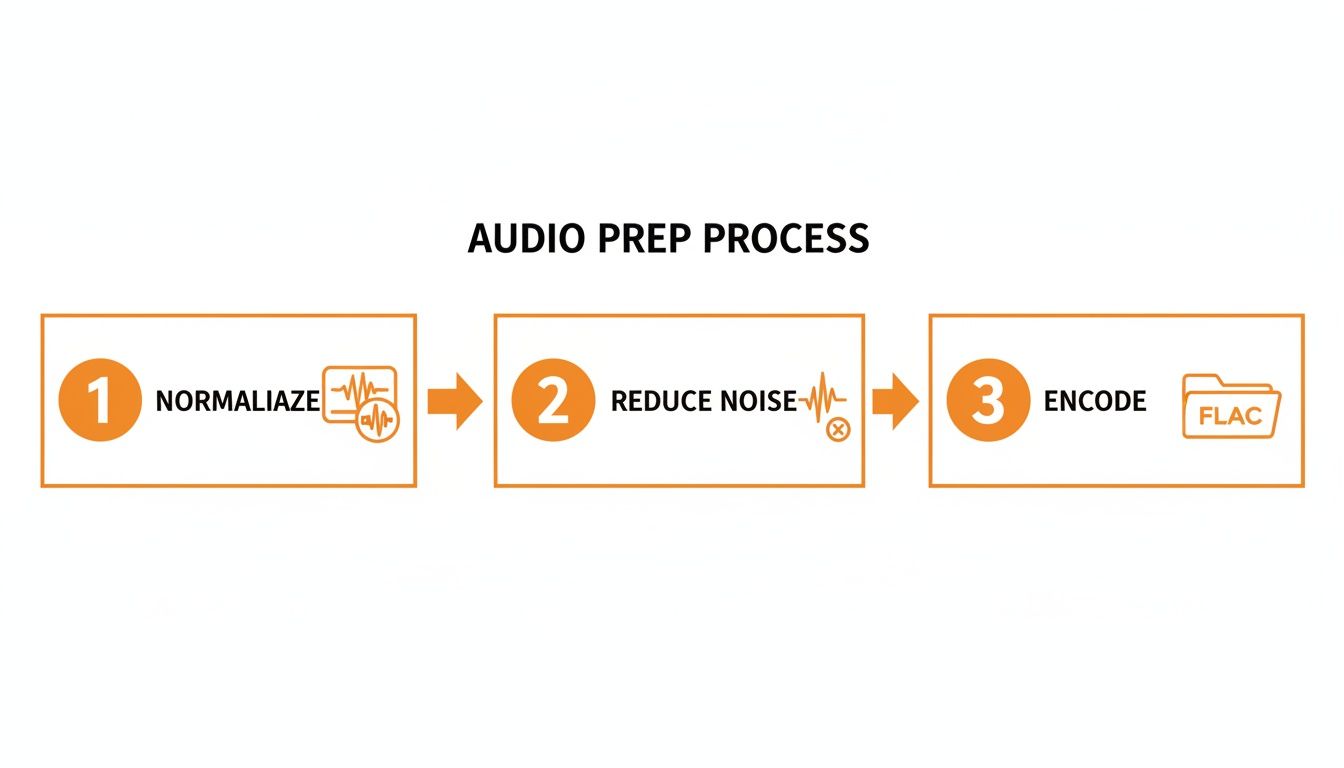
This simple workflow—normalizing to mono, cleaning up noise, and encoding to a lossless format like FLAC—is the foundation for any high-accuracy transcript. Don't skip it.
Not all STT services are built the same, especially from a developer's point of view. Forget the marketing hype; your choice should be based on cold, hard technical and business needs.
Over the years, I've developed a checklist for evaluating any new STT service:
For developers and small businesses, money talks. The cost per hour and a genuinely useful free trial are often the biggest factors. An aggressive price point under $0.17 per hour paired with a free trial of 30 hours is a massive advantage. It gives you enough runway to fully test everything—from speaker recognition to latency—before pulling out your credit card. You can discover more insights about video transcription market trends to see how competitive pricing is shaking up the industry.
This is why a service like Lemonfox.ai often comes up in conversation. It manages to balance high accuracy with the core features developers actually need, all wrapped in a pricing model that’s accessible for projects of any size.
When you're comparing options, it helps to lay out the features side-by-side.
Here’s a quick-glance table to help you evaluate what matters most when picking an STT API for your next project.
| Feature | What to Look For | Why It Matters for Developers |
|---|---|---|
| Speaker Diarization | Accurate speaker labeling with unique IDs. | Essential for building searchable meeting transcripts or analyzing customer support calls. Without it, you just have a wall of text. |
| Word-level Timestamps | Precise start and end times for every single word. | Allows you to create clickable transcripts, highlight text as video plays, or jump to specific moments in the audio. |
| Real-time vs. Batch | Support for streaming audio (real-time) and file uploads (batch). | Your use case dictates this. Live captioning needs streaming; archiving interviews is a perfect job for batch processing. |
| Language Support | Broad and deep support for your target languages and dialects. | Accuracy can plummet if the model isn't trained on the right dialect. Check for specifics, not just "English." |
| API Documentation | Clear, comprehensive docs with code examples in multiple languages. | Good documentation saves you hours of frustration. Poor documentation is a huge red flag about the company itself. |
| Error Handling | Informative error codes and messages. | When a request fails, you need to know why. "Error 400" isn't helpful; "Error 400: Invalid audio format" is. |
| Pricing Model | Simple, pay-as-you-go pricing without complex tiers or upfront commitments. | You need a model that scales predictably with your usage. Per-minute or per-hour billing is the most transparent. |
Looking at a checklist like this helps you move past the flashy marketing and focus on the technical capabilities that will directly impact your ability to build and scale your application.
Alright, let's get our hands dirty. Integrating an STT API usually follows the same pattern: authenticate, send your audio file, and process the results. We’ll use Lemonfox.ai for this example to show you just how straightforward it can be.
First things first: authentication. You’ll grab an API key from your provider's dashboard. This key goes into the header of your request to prove it's you.
A quick cURL command is the perfect way to test an endpoint without writing a single line of application code.
curl -X POST "https://api.lemonfox.ai/v1/audio/transcriptions"
-H "Authorization: Bearer YOUR_API_KEY"
-F "file=@/path/to/your/audio.flac"
-F "language=en"
-F "response_format=json"
Let's break that down:
POST request to the /audio/transcriptions endpoint.-H flag sets the Authorization header, where you'll pop in your API key.-F flags build the request body, pointing to your audio file and specifying the language and desired response format.While cURL is great for a quick sanity check, you'll be using a language like Python for any real application. The logic is identical: authenticate, send the file, and handle what comes back.
Here’s a simple Python script using the fantastic requests library to do the same job.
import requests
api_key = "YOUR_API_KEY"
audio_file_path = "/path/to/your/audio.flac"
api_url = "https://api.lemonfox.ai/v1/audio/transcriptions"
headers = {
"Authorization": f"Bearer {api_key}"
}
with open(audio_file_path, "rb") as audio_file:
files = {
"file": (audio_file.name, audio_file, "audio/flac")
}
data = {
"language": "en",
"response_format": "json"
}
response = requests.post(api_url, headers=headers, files=files, data=data)
if response.status_code == 200:
transcription_data = response.json()
print(transcription_data['text'])
else:
print(f"Error: {response.status_code}")
print(response.text)
This script reads your audio file in binary mode, packages it into a multipart/form-data request, and sends it off. If everything goes well (a 200 status code), it parses the JSON response and prints out the transcript.
The real power here is that a modern API doesn't just send back a blob of text. You get a rich JSON object packed with the full transcript, metadata like timestamps for every word, and speaker labels. This structured data is the key to building truly powerful features on top of your video content, which we'll dive into next.
Getting a raw block of text from a transcription API is a decent first step, but the real magic happens when you start adding structure. For anyone building applications on top of transcribed video, two features are non-negotiable: timestamps and speaker diarization. These are what turn a simple script into a powerful, interactive, and genuinely useful dataset.
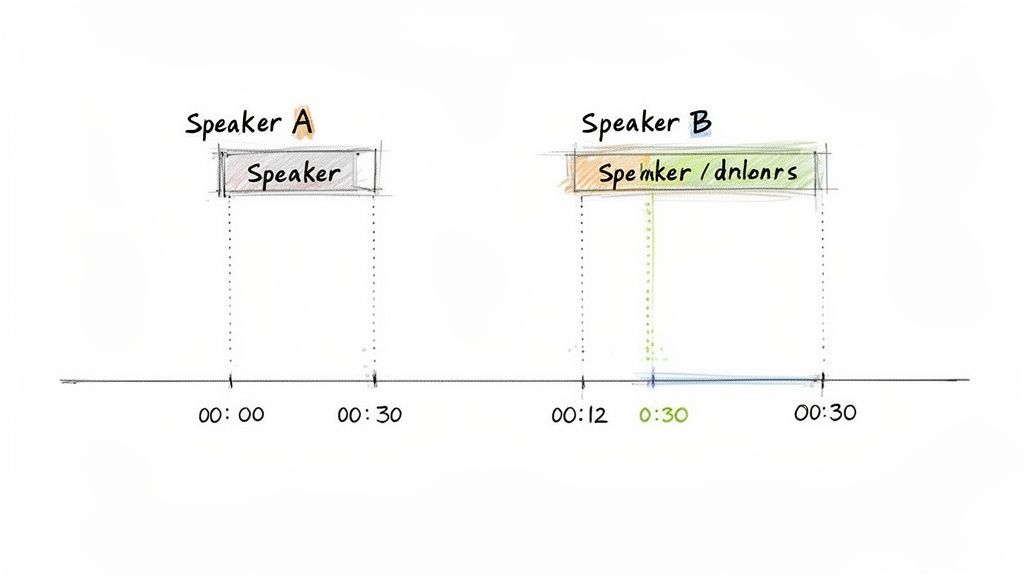
Without them, you're just looking at a flat document. With them, you can create dynamic experiences, from clickable transcripts that sync with video playback to detailed analytics on who spoke and for how long. It's the difference between a book and a fully searchable database.
Most modern Speech-to-Text APIs, including Lemonfox.ai, don't just hand you a wall of text. They deliver a detailed JSON response packed with precise timing information for every single word. Honestly, this is a game-changer for creating rich user experiences.
Instead of a basic text file, you get a structured output that looks something like this:
{
"text": "This is a sample transcript.",
"words": [
{ "word": "This", "start": 0.5, "end": 0.8 },
{ "word": "is", "start": 0.8, "end": 0.9 },
{ "word": "a", "start": 0.9, "end": 1.0 },
{ "word": "sample", "start": 1.1, "end": 1.6 },
{ "word": "transcript.", "start": 1.7, "end": 2.4 }
]
}
This level of detail opens up a ton of possibilities for developers.
This data is the raw material you need to build features that make your video content more accessible and far easier to navigate.
When your video has more than one person speaking—think team meetings, podcasts, or customer support calls—a transcript without speaker labels is a confusing mess. Speaker diarization is the tech that solves this by figuring out who spoke when.
An API with this feature will segment the audio and assign a unique label, like Speaker A or Speaker 0, to each chunk of speech.
Diarization is the key to turning conversational chaos into structured insight. It allows you to analyze not just what was said, but the dynamics of the conversation itself—who dominated the discussion, how often people interrupted each other, and the overall flow of dialogue.
Imagine you're transcribing a 45-minute project meeting with five people. A simple, undifferentiated transcript would be almost useless for review later. But with diarization, you can instantly see:
Parsing this data is surprisingly straightforward. The API response will usually include a speaker identifier with each word or segment. You can then process this info to group the text by speaker, creating a clean, readable script that accurately reflects the real-life conversation. This structured data is fundamental if you want to do more than just read the text; it's for when you really need to understand it.
Even the best Speech-to-Text API on the market won't give you a perfect transcript every single time. Let's be real, the raw output is often just that—raw. This is where post-processing becomes your secret weapon, transforming a decent AI-generated text into a polished, production-ready asset without getting bogged down in manual edits.
For developers, this isn't about firing up a text editor and hunting for typos. It's about building smart, automated workflows that clean, correct, and structure the text on the fly. This step is absolutely critical when you're transcribing video to text at scale and need to maintain a high bar for quality.
One of the most common headaches with AI transcription is how it handles specific terminology. The model might have been trained on the entire internet, but it likely has no idea about your company’s unique product names, internal acronyms, or the niche jargon that defines your industry.
A simple, incredibly powerful fix is to build a custom find-and-replace script. This doesn't need to be complicated; a basic Python script that loops through a dictionary of common mistakes and their corrections can work wonders.
For example, imagine your company is "QuantuMetrics," but the AI keeps spitting out "Quantum Metrics" or, even worse, "Kwantumetrics." Your script can catch and fix these instantly.
"Kwantumetrics" → "QuantuMetrics""Project Firefly" → "Project FireFly" (getting the capitalization just right)"Our CRM" → "Our Customer Relationship Manager (CRM)" (expanding acronyms for clarity)This method ensures brand consistency and accuracy across potentially thousands of files, saving an incredible amount of time that would otherwise be spent on manual review.
An even smarter way to handle this is to give the AI a heads-up before it starts transcribing. Many modern APIs, including services like Lemonfox.ai, allow you to provide a custom dictionary or glossary.
Think of it like giving the AI a study guide before a big test. By feeding it a list of key terms, proper nouns, and industry-specific vocabulary, you're essentially tuning its ear to your specific content. This single step can dramatically cut down on the post-processing work you need to do later.
This is a game-changer for anyone working with technical content, medical lectures, or legal depositions where getting the terminology exactly right isn't just a nice-to-have, it's a requirement.
Raw AI transcripts often come out as a giant, intimidating wall of text. They might lack the proper punctuation and paragraph breaks that are essential for readability. Thankfully, this is something you can also fix programmatically.
Here are a few common-sense rules you can code into your workflow:
By layering these automated techniques—correcting jargon, providing context with dictionaries, and adding logical formatting—you create a powerful pipeline. It takes a raw, machine-generated file and turns it into something clean, accurate, and genuinely useful, automating your transcription process from start to finish.
Alright, so you've got your transcription pipeline up and running. That's a huge step. But now, two of the most critical real-world challenges pop up: how do you keep this from costing a fortune as you scale, and how do you handle user data without landing in hot water?
Getting these two things right from the start is what separates a proof-of-concept from a production-ready application. Mishandling data can destroy user trust (and invite hefty fines), while letting costs spiral out of control can kill your project before it even gets off the ground.
Let's talk about the bottom line. When you're dealing with a high volume of video, that per-hour transcription rate becomes your most important number. You'll find that some of the big cloud providers have pricing structures that feel like you need a PhD to understand them.
This is where newer, more focused APIs like Lemonfox.ai have a real advantage. They often come in with incredibly competitive, flat-rate pricing—we're talking under $0.17 per hour in some cases. A simple, transparent model like that makes it a breeze to predict your costs as your user base grows.
But the sticker price is only half the battle. How you implement the transcription process can have a massive impact on your monthly bill.
A little secret from the trenches: I've personally seen teams cut their transcription spend by over 40% just by combining an affordable API with smart batching and selective processing. It’s all about being intentional.
In this day and age, you can't just treat data privacy as a checkbox. It has to be baked into your design from day one. The moment you send a video file to a third-party API, you're handing over potentially sensitive data. It’s on you to know exactly how they handle it.
If you have users in Europe or other regions with strict privacy laws, picking a provider that takes this seriously isn't just a good idea—it's a requirement.
An API based in the EU, for example, is far more likely to be built with the General Data Protection Regulation (GDPR) in mind. You need to look for providers who are upfront about their compliance and have crystal-clear data retention policies. The absolute best-case scenario? A service that deletes user data immediately after the transcript is generated. Your files never sit on their servers, which massively reduces your security footprint.
Before you integrate any transcription service, you need to get clear answers to these questions:
Ultimately, finding that sweet spot of aggressive pricing and an unwavering commitment to privacy is key. It ensures your application is built on a foundation that's not just affordable, but also secure and worthy of your users' trust.
When you're diving into automated transcription, a few common questions always seem to pop up. Let's tackle some of the most frequent ones I hear from developers and businesses getting started.
It’s the million-dollar question, isn't it? Top-tier Speech-to-Text APIs can hit accuracy rates well over 95%, but that's in a perfect world. Think crystal-clear audio, one person speaking, and zero background noise.
The reality is usually messier. Things like loud background chatter, multiple people talking over each other, thick accents, or industry-specific jargon will almost always knock that number down. This is exactly why prepping your audio beforehand isn't just a suggestion—it's essential for getting a transcript you can actually use.
Yes, absolutely. Most modern transcription APIs are built for a global audience and support a huge range of languages. For instance, with an API like Lemonfox.ai, you simply specify the language in your API request.
A quick tip from experience: while some services have an "auto-detect" feature, it's not foolproof. If you know the language, always declare it explicitly. You'll get more reliable results every time.
Even though you're starting with a video file (like an MP4), the transcription engine only cares about the audio stream inside it.
For the best possible quality, I always recommend extracting the audio and sending it in a lossless format like FLAC. It’s the raw, uncompressed data, which gives the AI the most information to work with. If file size is a concern, a high-bitrate MP3 (think 320kbps) is the next best thing and a very decent compromise.
Ready to see what a developer-first transcription API can do for your project? Lemonfox.ai offers a clean, powerful API that’s both accurate and cost-effective. Grab a free trial and get your first transcription running in minutes. Explore the API and start transcribing today.