
First month for free!
Get started
Published 11/16/2025
At its heart, identifying the language spoken in an audio file comes down to two main approaches. You can either analyze the sound itself—the phonetic building blocks, rhythm, and intonation—or you can transcribe the audio into text first and then figure out the language from the words. Both paths rely on AI models trained on mountains of data, making this a crucial piece of the puzzle for any global application, from international customer support to automatic subtitling.
Before we jump into Python scripts and API calls, let's talk about why this matters. Identifying language from audio isn't just a neat technical trick; it solves real, expensive problems for businesses everywhere.
Think about a global company's support hotline. Without some form of language ID, every caller gets stuck in a manual sorting process, leading to long waits and frustrated customers. But with it, the system instantly recognizes the caller is speaking, say, Portuguese, and routes them straight to a Portuguese-speaking agent. It's a smoother experience for the customer and a massive operational win for the company.
The use cases go way beyond call centers. Automatically detecting a spoken language is often the very first step in a whole chain of events that we now take for granted.
This isn't a niche technology anymore. The demand has pushed the global speech and voice recognition market, where language ID is a cornerstone, into a massive industry. We're talking about a market valued somewhere between $15 and $17 billion. That number alone tells you how deeply this tech is embedded in the tools we use every day. If you're curious, you can explore more detailed insights into this market's growth and see where it's all headed.
At its core, language identification is about removing friction. It's the invisible bridge that connects a user speaking any language to a service that can understand and respond to them effectively.
So, learning how to identify language from audio isn't just about adding a feature. It’s about building smarter, more accessible applications that can work for anyone, anywhere. With that "why" in mind, let's get into the technical "how."
You can't get accurate language identification without clean audio. It’s a classic data science problem: garbage in, garbage out. Tossing raw, messy audio at a sophisticated model is a rookie mistake that almost always ends in wrong answers and wasted compute time. Getting this first step right isn't just a "best practice"—it's everything.
The goal here is simple: make the human voice as crystal clear as possible for the machine. Think about trying to read a crumpled, blurry document. You might get the general idea, but the important details are lost. For an AI, background noise, uneven volume, and long silent pauses are that crumpled page.
Your first job is to clean up the source file. Real-world audio from call centers, public spaces, or user uploads is rarely perfect. It’s often full of static, background hum, or other ambient sounds that muddy the speaker's voice.
Here’s where to start with your preprocessing pipeline:
This visual shows how language ID acts as the critical brain in a larger system, directing a user's voice to the right global service.
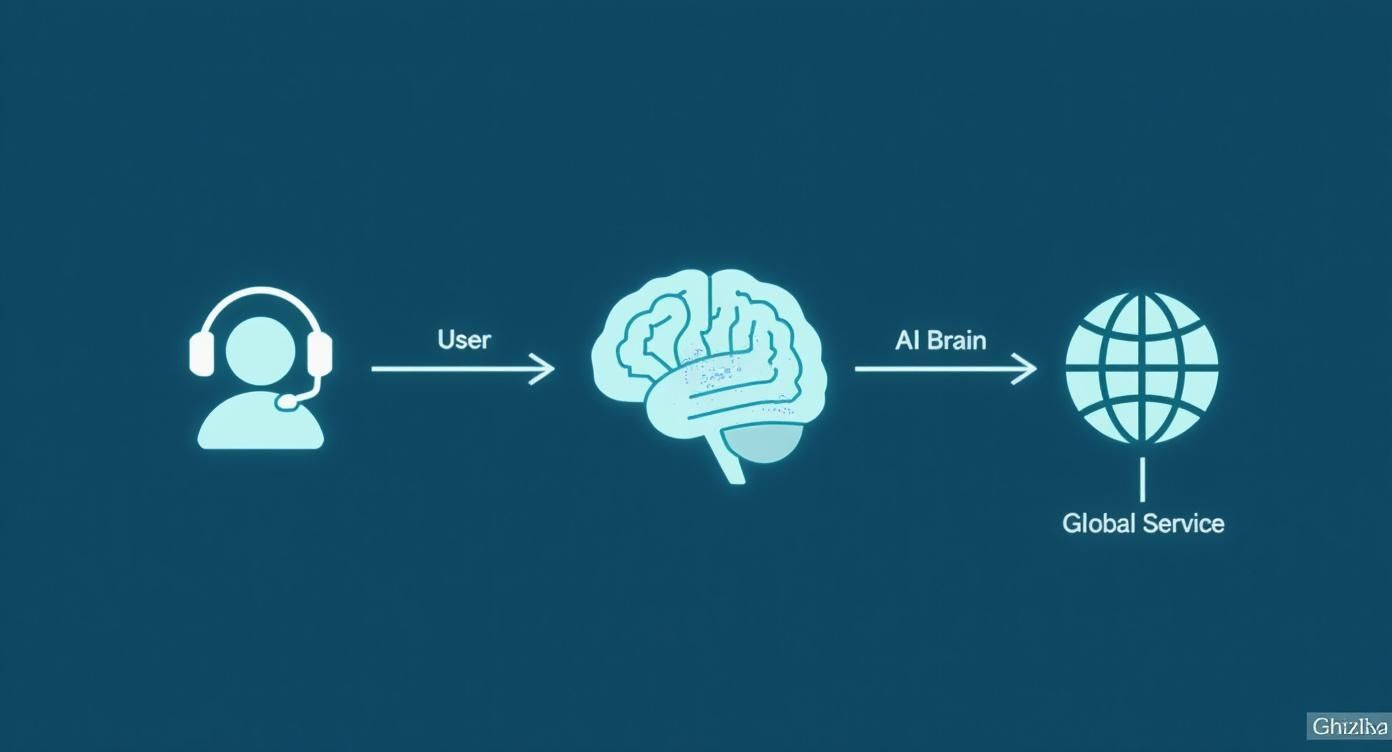
As the infographic makes clear, identifying the language is the key step that connects user input with the right AI-powered response.
After that initial cleanup, the single most powerful tool in your arsenal is Voice Activity Detection (VAD). A VAD system does exactly what it says on the tin: it scans the audio and finds the parts where a person is actually speaking.
Picture a five-minute support call where the customer was on hold for three of those minutes. Without VAD, your system chews through three full minutes of elevator music and silence. That’s a huge waste. By using a VAD, you can chop out all the non-speech segments, leaving just the parts that matter.
Voice Activity Detection isn't just about saving money; it's about accuracy. By cutting out silence and noise, you drastically lower the risk of the model mistaking a random sound for a linguistic feature and making a completely wrong guess.
This sharpens the signal-to-noise ratio, giving the language ID model a much cleaner, more concentrated data stream to work with. For any application processing audio at scale, the cost savings from VAD alone can be massive.
So, how does this look in code? Python has some fantastic libraries for this. For simple things like loading and resampling audio, pydub is a great, easy-to-use option. When you need a serious VAD, the webrtc-vad library from Google is a battle-tested industry standard.
A typical workflow might look something like this:
pydub to handle whatever format you have (MP3, WAV, etc.).webrtc-vad to label each chunk as speech or non-speech.The file you're left with contains only active human speech. By putting in this prep work upfront, you give your model the best possible shot at getting the language right, boosting both accuracy and efficiency down the line.
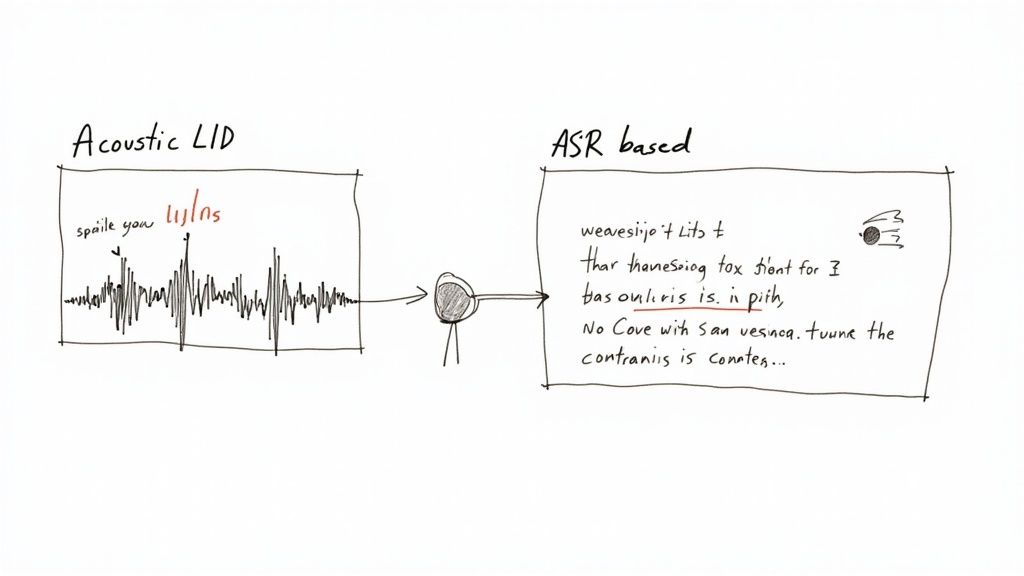
Deciding how to identify language from audio isn't a one-size-fits-all problem. The right tool for the job really depends on what you’re trying to achieve. Are you aiming for lightning-fast results, rock-solid accuracy, or keeping your costs down?
There are two main schools of thought here, each with a completely different philosophy.
First, you've got Acoustic Language Identification (LID). Think of this approach as a phonetic detective. It listens to the raw audio and zeroes in on the unique sounds, rhythms, and intonations of a language—its prosody—without ever trying to figure out what the words actually mean.
Then there's the Automatic Speech Recognition (ASR)-based method. This one works backward. It first transcribes the speech into text and then figures out the language from the written words. It’s less about how it sounds and more about the vocabulary and grammar that pop out.
Each path has its own distinct advantages and trade-offs, making one a better fit than the other depending on what your project demands.
Acoustic LID models are true specialists. They're trained for one thing and one thing only: telling languages apart based on their phonetic fingerprints. It’s like identifying a song from its melody and beat instead of its lyrics.
This focus is what gives them their biggest edge: speed. Because these models get to skip the computationally heavy step of full transcription, they can spit out an answer incredibly quickly. This makes them perfect for real-time situations where every millisecond is critical, like routing a live call in a global support center.
Acoustic models also tend to hold up well even with short snippets of audio. They can often make a solid guess from just a few seconds of speech because all they need is enough data to catch a characteristic sound pattern.
But that laser focus can also be a weakness. They can stumble when faced with heavy accents, unusual dialects, or audio that's muddled with background noise. Without the context of actual words, they have less information to work with when the signal isn't crystal clear.
Going the ASR route is a two-step dance: transcribe first, then analyze. This method taps into the sheer power of modern speech-to-text engines, which have been trained on mountains of spoken language data.
The main benefit here is robustness. By identifying actual words, the system becomes much more resilient to accents and tricky dialects. For example, if an ASR model transcribes the words "bonjour" and "merci," it can be almost certain the language is French, even if the speaker’s accent is thick.
This approach also unlocks the ability to handle more complex scenarios, like conversations where people switch between languages (code-switching). A good ASR system can provide word-level language labels, telling you exactly which parts were in Spanish and which were in English.
The trade-off for all that contextual power is latency and cost. Transcribing audio is far more demanding than simple acoustic analysis, which means ASR-based identification is usually slower and more expensive.
This makes it a much better choice for offline batch processing jobs—think analyzing recorded meetings or generating subtitles for videos—where an extra few seconds of processing time won't break anything.
To make the choice a bit more concrete, let's put these two strategies side-by-side. This should help you map your project's needs directly to the right technical solution.
Here’s a breakdown of how the two main approaches to language identification stack up, highlighting where each one shines.
| Feature | Acoustic Language Identification (LID) | ASR-Based Identification |
|---|---|---|
| Primary Method | Analyzes phonetic and prosodic features of raw audio. | Transcribes audio to text, then analyzes the text. |
| Speed | Very Fast. Ideal for real-time applications. | Slower. The transcription step adds latency. |
| Cost | Generally lower due to less computation. | Generally higher due to the intensive ASR process. |
| Accuracy | High with clear audio, but can be sensitive to noise/accents. | Often more robust with varied accents and dialects due to word context. |
| Use Case | Real-time call routing, initial language triage. | Offline audio analysis, subtitle generation, content moderation. |
| Handling Short Audio | Can work well with clips as short as 3-5 seconds. | Requires enough speech to form coherent words for accurate transcription. |
At the end of the day, it all boils down to your priorities. If your app needs to make a snap decision to route a live call, the pure speed of an acoustic LID model is your winner. But if you’re analyzing files after the fact and need the highest accuracy you can get—especially with messy audio—the contextual brainpower of an ASR-based approach is well worth the extra processing time and cost.
https://www.youtube.com/embed/hltLrjabkiY
Now that we've covered the different strategies, it's time to get our hands dirty. Moving from theory to a working implementation means making a critical decision right at the start: do you use a third-party API or build your own system from the ground up? This choice will have a huge impact on your project's timeline, budget, and performance.
For most teams, a managed API is the quickest way to get a language identification feature into production. It lets you skip the massive headache of training, deploying, and maintaining a complex AI model, so you can stay focused on what makes your app unique. On the flip side, building with open-source models gives you ultimate control, which is a must-have for projects with unique privacy constraints or very specific accuracy needs.
Let's be practical. Using a third-party service is often the smartest way to identify language from audio. These services give you a simple endpoint: you send an audio file and get back a clean JSON response with the language prediction and a confidence score. This approach can save you months of specialized development work.
When you're shopping around for an API, here’s what you should be looking for:
Choosing an API isn't just a technical decision; it's a business one. When you factor in the total cost of ownership—including your team's development time—a good API often ends up being far cheaper than building from scratch.
For organizations with the right in-house talent, building your own solution offers a level of flexibility you just can't get from an API. Using open-source models like those built on Mozilla's DeepSpeech or other community projects means you can fine-tune the system on your own data. This is how you squeeze out every last bit of accuracy for your specific use case.
This path makes sense when you need to run the whole process offline, inside a private cloud, or on edge devices. It gives you complete control over your data pipeline, which is non-negotiable in industries with strict data residency and privacy rules. Just be prepared for the significant upfront investment in infrastructure and the specialized engineers needed to manage the model's entire lifecycle.
Let's walk through what it actually looks like to use a managed service. For this demo, we’ll use the Lemonfox.ai Speech-to-Text API. I like it for this kind of example because it’s easy to get started with and its pricing is friendly for both solo developers and larger businesses.
The workflow is pretty standard across most modern APIs. You'll:
Here’s a complete Python snippet that does exactly that using the requests library. This code reads a local audio file and sends it to the Lemonfox.ai endpoint to figure out the language.
import requests
import json
API_KEY = "YOUR_LEMONFOX_API_KEY"
AUDIO_FILE_PATH = "path/to/your/audio.wav"
url = "https://api.lemonfox.ai/v1/audio/transcriptions"
headers = {
"Authorization": f"Bearer {API_KEY}"
}
with open(AUDIO_FILE_PATH, 'rb') as audio_file:
files = {
'file': (AUDIO_FILE_PATH, audio_file, 'audio/wav')
}
data = {
'language': 'auto' # Setting to 'auto' triggers language identification
}
# Send the request to the API
response = requests.post(url, headers=headers, files=files, data=data)
if response.status_code == 200:
result = response.json()
detected_language = result.get('language')
print(f"Successfully identified language.")
print(f"Detected Language: {detected_language}")
# The full response often includes the transcription text as well
# print("Full Response:", json.dumps(result, indent=2))
else:
print(f"Error: {response.status_code}")
print(response.text)
The key here is setting the language parameter to 'auto'. That tells the API to first detect the language before it does anything else. The response includes a language field with the detected language code (e.g., 'en' for English, 'es' for Spanish), which is exactly what you need to move forward. It’s this simple, effective workflow that makes managed APIs such a popular choice for getting projects off the ground fast.
So, you've got a JSON response from an API. That's a great start, but it's far from the finish line. The raw output is just data; turning it into a reliable feature means looking at it with a critical eye. If you blindly trust every prediction the model spits out, you're setting yourself up to frustrate users with bad results.
The real skill here is understanding the nuance in what the model is telling you. A language prediction isn't just a label—it's a hypothesis that comes with a measure of certainty. Learning to interpret that certainty is what separates a fragile prototype from a production-ready system that can reliably identify language from audio.
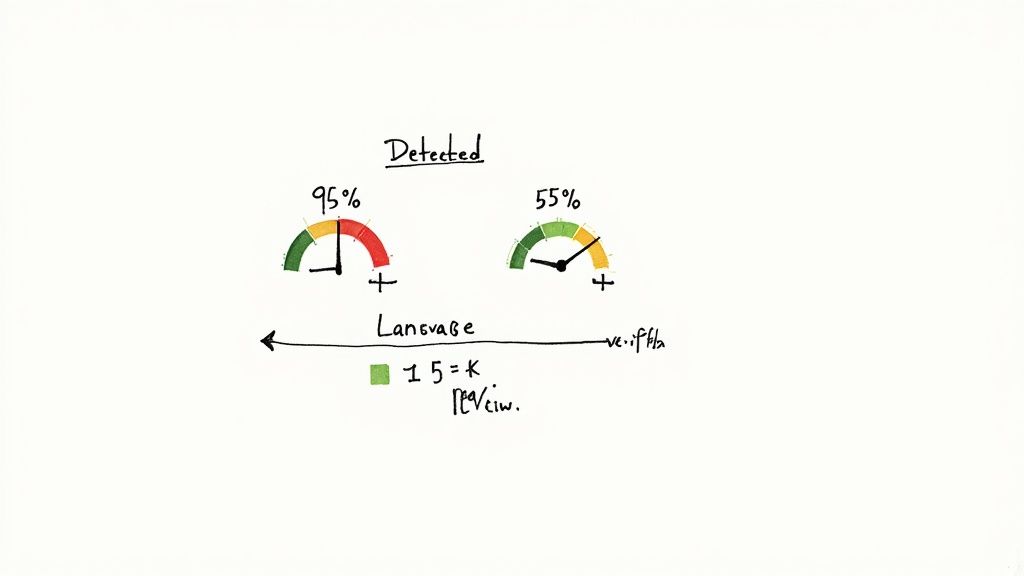
Most language ID APIs will give you a confidence score along with the predicted language. This number, typically between 0 and 1, represents the model's own assessment of how sure it is. It’s an incredibly useful metric, but it's also one of the most misunderstood.
Let's be clear: a confidence score is not the same as accuracy. A 95% confidence score doesn't mean there's a 95% chance the prediction is correct. What it really reflects is how well the input audio matches the patterns the model has learned for that particular language.
For instance, a crisp, five-second clip of a native French speaker might get a score of 0.98 for French. But a noisy, one-second clip with a thick accent might only score 0.55 for Spanish. Both predictions could technically be correct, but the first one is a much stronger, more trustworthy signal.
This is where you shift from just receiving data to actively making smart decisions with it. A confidence threshold is simply a rule you build into your application to filter out weak or ambiguous predictions. Think of it as your first line of defense against uncertainty.
You're basically setting a quality bar. If a prediction's confidence score falls below your threshold, you reject it. Then, you can trigger a fallback action.
Here are a few common strategies I've seen work well:
A good starting point for a threshold is often somewhere in the 0.70 to 0.80 range. But the right number really depends on your tolerance for error. A system routing urgent customer support calls needs to be far more certain than an app doing fun, informal translations.
While confidence scores are great for making real-time decisions, you need more robust metrics to judge your system's overall performance. This is where classic machine learning evaluation metrics come in handy, helping you benchmark how well your chosen model or API performs with your specific audio data.
Getting a handle on these is crucial for comparing different tools or knowing when your system is finally "good enough" for production.
By tracking these metrics over time with a dedicated test set of your own audio, you get a much clearer picture of how your system will behave in the wild. This data-driven approach is what allows you to confidently tweak your thresholds and build a truly solid application.
When you start working with language identification, you'll quickly run into a few tricky situations that come up again and again. Real-world audio is messy, and knowing how to handle these edge cases is what separates a fragile system from a truly robust one. Let's walk through some of the most common questions I hear from developers.
This is probably the number one question, and it makes sense. A thick, non-standard accent can sound worlds away from the version of a language you'd hear on the news. The good news is that most high-quality language ID systems are trained on enormous, diverse datasets. This means they’ve been exposed to a huge variety of dialects and accents from across the globe.
The system's job is to identify the core language—think "Spanish," not "Chilean Spanish." While a very strong accent might cause a slight dip in the confidence score, modern models are surprisingly good at seeing past it to the underlying language.
If your project absolutely needs to distinguish between dialects, like telling US English apart from UK English, you'll need to find a specialized model built for that exact purpose. Standard language ID tools just aren't designed for that level of nuance.
How much audio do you actually need for an accurate guess? It depends on the model, but a good rule of thumb is that 3-5 seconds of clear speech is usually enough to get a very reliable result. Some acoustic-based models can even work their magic on shorter clips since they're just listening for phonetic patterns.
That said, more data is almost always better. Anything under a second or two is a real gamble; there just might not be enough linguistic information for the model to latch onto. It's always a smart move to check the documentation for whatever model or API you're using. They'll usually give you a recommended minimum.
This is where things get interesting. When someone mixes languages in a single conversation—a behavior called "code-switching"—it poses a real challenge for most standard language ID systems. These tools are typically designed to listen to an entire clip and return a single, dominant language. They'll pick one winner, even if several are spoken.
If you need to correctly identify every language spoken in a file, you'll need a more advanced setup. This usually means one of two things:
Either approach is a significant step up in complexity from just identifying a single language, so be prepared for a more involved workflow.
Ready to build with a powerful, affordable, and privacy-focused API? Lemonfox.ai offers a developer-friendly Speech-to-Text API with automatic language identification built right in. Get started with 30 free hours and see how easy it is to integrate accurate transcription and language detection into your application. Explore the API at https://www.lemonfox.ai.