
First month for free!
Get started
Published 1/11/2026
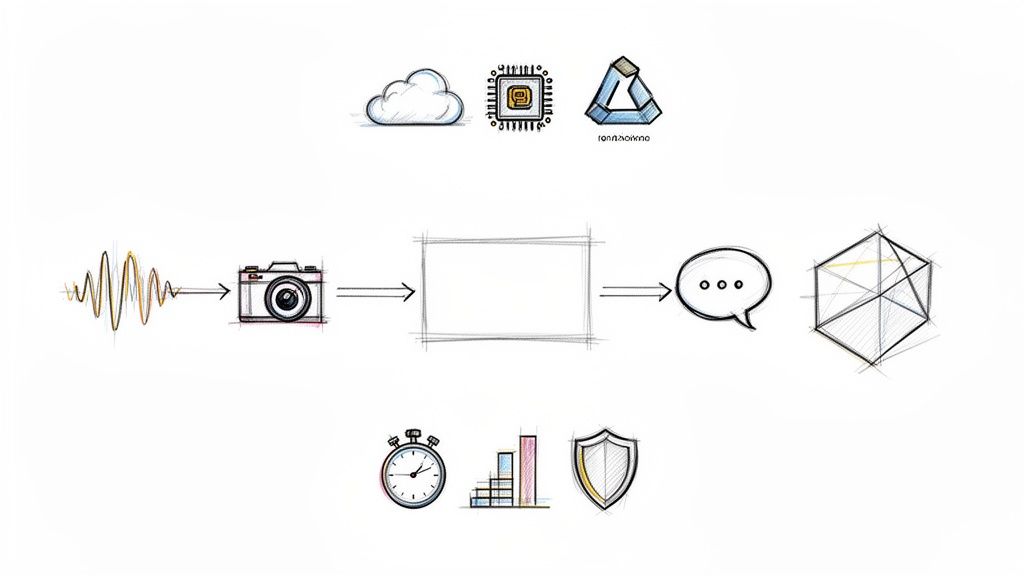
This is where a trained machine learning model actually gets to work. Think of it as the moment a model stops studying and starts doing—applying what it has learned to make predictions on new, real-world data.
If training is like a medical student spending years in school, inference is the moment they step into the operating room and perform surgery. All that knowledge is finally put into action.
Inference is the critical step that turns your model from a research project into a live application that provides real value. It’s the process of deploying a fully trained model—one that has already learned patterns from a massive dataset—and using it to generate outputs on fresh data points it has never seen before.
Consider a speech-to-text API. The initial training might have taken weeks, chewing through thousands of hours of audio to understand the complexities of human speech. But inference is what happens when you upload an audio file and get a transcription back in seconds. That quick, practical application is what it's all about.
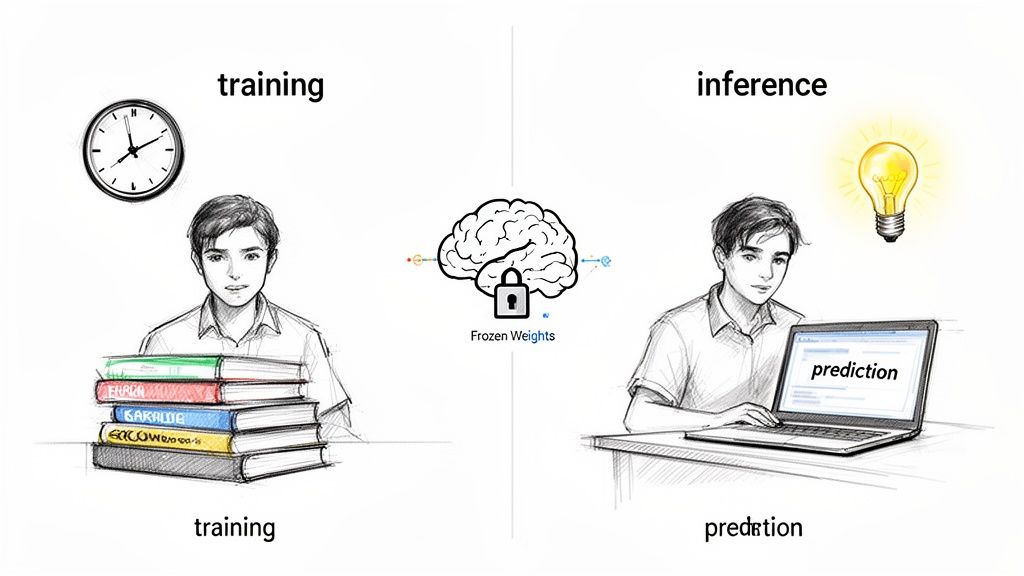
During training, a model is constantly learning. It tweaks its internal parameters, or "weights," over and over to minimize its mistakes. This is a heavy, time-consuming process.
Once training is done, those parameters are locked in, or "frozen." The model is no longer learning. Its one and only job is to perform a forward pass—taking an input, running it through its learned network, and spitting out a prediction as efficiently as possible.
This distinction is crucial for any developer. While training is a grind to get the highest accuracy possible, inference is a balancing act. Suddenly, other factors become just as important.
Inference isn't just about getting the right answer. It’s about getting the right answer quickly, reliably, and affordably. It’s the operational heart of any AI-powered feature.
Getting inference in machine learning right is what separates a clever algorithm from a great user experience. It’s the bridge that turns theoretical accuracy into real-world utility. For a closer look at the core concepts and business applications of machine learning, check out this guide to Machine Learning for Businesses.
To really get a handle on machine learning inference, you first have to understand its other half: training. These are the two fundamental stages in any model's lifecycle. Think of it like this: training is the slow, painstaking process of a master luthier crafting a perfect violin, while inference is the virtuoso musician playing that violin on stage, effortlessly producing beautiful music.
Training is where the heavy lifting happens. It's an intense, resource-hungry phase where a model is fed massive datasets. As it processes this data, it slowly adjusts its internal parameters—its "weights"—to learn patterns. This is the luthier meticulously carving the wood, applying varnish, and stringing the instrument, all to give it a specific, desired sound. This process is usually done offline and can take hours, days, or even weeks on powerful clusters of GPUs.
Inference, on the other hand, is all about performance. Once the model is trained, its parameters are locked in place. It stops learning. Now, its only job is to take a new, unseen piece of data—like an audio snippet for a speech-to-text model—and spit out a prediction almost instantly. This is the "doing" phase, where all that prior learning is put into action.
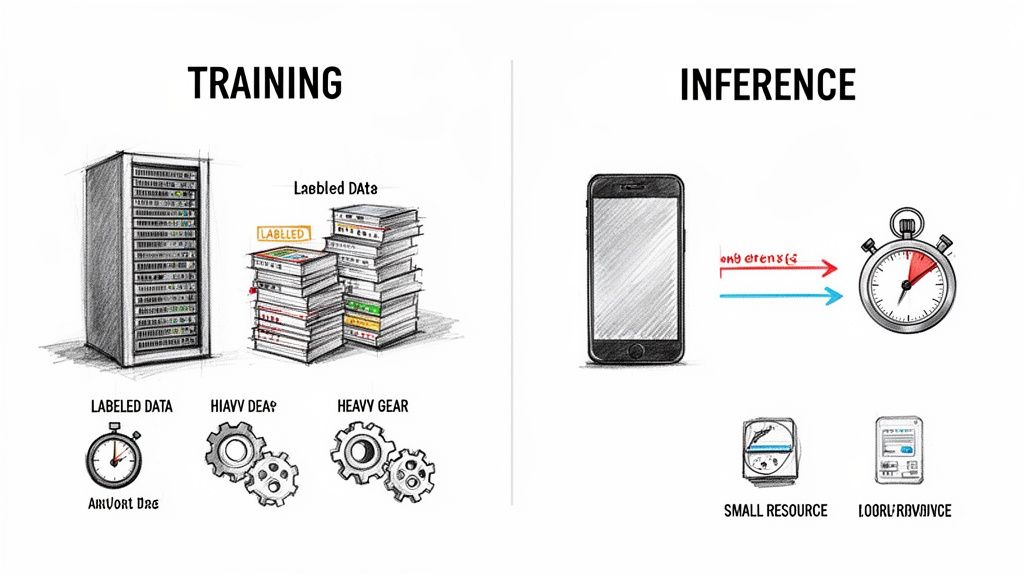
The core objectives and operational needs for these two stages couldn't be more different. Training is an occasional event focused on achieving the highest possible accuracy, no matter the cost. Inference is a constant, high-volume process where speed and efficiency are king.
This distinction became crystal clear as machine learning evolved from a rule-based discipline to the data-driven powerhouse it is today. The shift, which gained momentum between the late 1980s and early 2000s thanks to the explosion of online data, cemented ML as a critical industrial tool. You can dig deeper into this history by checking out the Wikipedia page on machine learning.
Modern frameworks like TensorFlow and PyTorch provide specialized tools for both training and inference, acknowledging just how different the requirements are for each stage.
The Bottom Line: Training is a marathon designed to build the smartest model possible. Inference is a series of sprints, focused on delivering that intelligence to users as quickly and efficiently as possible.
To put these differences into sharper focus, let's break them down side-by-side. Understanding this contrast is key for any developer planning to build and deploy ML systems, as it directly impacts how you allocate resources, design architecture, and optimize for performance.
Comparing Model Training and Inference
| Aspect | Training Phase | Inference Phase |
|---|---|---|
| Primary Goal | Learn patterns from data to achieve the highest possible accuracy. | Apply learned knowledge to make fast predictions on new data. |
| Data Usage | Requires massive, labeled datasets to adjust model weights. | Processes single or small batches of unlabeled, live data points. |
| Computational Needs | Extremely high; often requires multiple high-end GPUs for days. | Lower per-prediction; optimized for speed and low latency. |
| Model State | Dynamic; the model's internal weights are constantly updated. | Static; the model's weights are "frozen" and do not change. |
| Frequency | Infrequent; happens once or periodically to retrain the model. | Constant; happens millions or billions of times in a live application. |
This table makes it obvious why you can't just use your training setup for inference. A system built for the brute-force number-crunching of training would be hopelessly slow and expensive for the rapid-fire demands of a live application.
Take a real-world speech-to-text API, for example. It has to handle thousands of simultaneous requests, transcribing audio with minimal delay. That’s a classic inference challenge where speed, cost, and scalability are the name of the game.
Once your model is trained, its accuracy is pretty much locked in. But how can you tell if it's actually performing well in the real world? The answer isn't just about getting the right prediction. For any live application, success hinges on a delicate balance between three critical performance pillars that every developer needs to get right.
These pillars—latency, throughput, and cost—are the difference between a great user experience and a frustrating one, and they ultimately determine if your AI feature is financially viable. Getting a handle on them isn't just a technical task; it's the key to building a system that works in practice, not just in theory.
Latency is simply the time it takes for your model to spit out a single prediction. Picture sending an audio clip to be transcribed—latency is the total time you wait from the moment you send it to the moment you get the text back. For any kind of real-time application, low latency isn't a nice-to-have, it's a dealbreaker.
Think of a barista at a coffee shop. Latency is how quickly they can make and hand you a single espresso after you place your order. If that takes five minutes, you're not going to be a happy customer. In the same way, a voice assistant that takes several seconds to process what you said feels clunky and broken.
For interactive systems, people start to notice a delay at around 100-200 milliseconds. Anything more than that feels like lag. Nailing low latency is what makes an application feel instant and responsive.
Throughput, on the other hand, measures how many total predictions your system can handle over a period of time. We usually talk about it in terms of predictions per second or requests per minute. This is all about scale and capacity.
Let's go back to that coffee shop. Throughput isn't about that one quick espresso. It's about how many total customers the shop can serve during the chaotic morning rush between 8 AM and 9 AM. A shop that can get 500 customers through the line in an hour has fantastic throughput, even if each individual order takes a little longer than a single, perfectly crafted espresso.
This metric is essential for any service with a lot of simultaneous users, like a popular social media app where thousands of people might be trying to apply a filter to their photos at the exact same time.
This is where things get interesting. You can't just max out every metric. Pushing to improve one of them almost always comes at the expense of another. It’s a constant balancing act.
Boosting Throughput Can Hurt Latency: A classic trick to increase throughput is batching—grouping multiple requests together and processing them all at once. For the hardware, this is incredibly efficient, like our barista making ten lattes in one go. The catch? The first person who ordered now has to wait for nine other orders to come in, which tanks their personal wait time (latency).
Chasing Low Latency Can Kill Throughput: If your only goal is the absolute lowest latency possible, you might assign an entire GPU to process a single request the second it arrives. This is like giving every customer their own personal barista. It’s incredibly fast for each person, but it's a terrible use of resources and dramatically limits how many people you can serve overall.
So, what's the right balance? It completely depends on what you're building. A system that processes millions of documents overnight can be designed for massive throughput and low cost, without worrying much about the time per document. But a real-time translation app has to put lightning-fast latency above everything else.
An incredibly accurate model is useless if it's too slow, too big, or too expensive to run. A bloated, sluggish model will kill the user experience and burn through your budget, no matter how great its predictions are. This is where the real-world engineering of machine learning inference kicks in—the art of making your model lean and fast without gutting its performance.
Thankfully, you don't have to start from scratch. There's a whole toolkit of optimization techniques designed to transform heavy, research-grade models into nimble assets ready for deployment anywhere, from a massive cloud server to a smartphone in someone's pocket.
It's all about striking the right balance between a few key metrics.
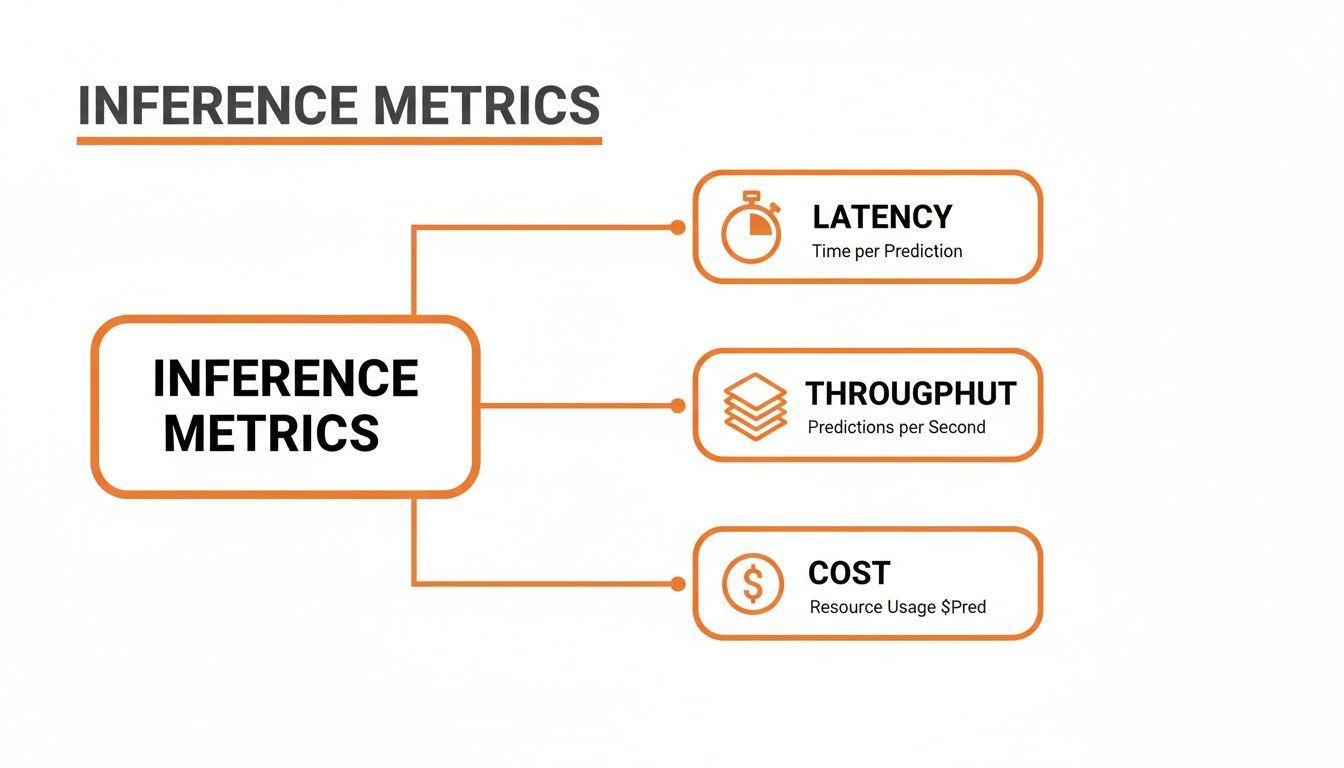
As you can see, it's a constant juggling act. Improving one area, like speed, often means making a trade-off in another, like cost or scale. These techniques help you find the sweet spot.
One of the most powerful and common tricks in the book is quantization. The best analogy is compressing a massive, high-resolution photo into a JPEG. The original file is huge and slow to load, but the JPEG is much smaller and quicker, and to the human eye, it looks almost identical.
Quantization does the same thing to your model's weights. These are usually stored as high-precision 32-bit floating-point numbers (FP32). This technique smartly converts them into lower-precision formats, like 16-bit floats (FP16) or even 8-bit integers (INT8).
The result? A dramatic reduction in model size and memory usage. A smaller model loads faster and needs less horsepower to run, which directly lowers your latency and compute costs, especially if you're using specialized hardware.
Another fantastic technique is pruning. Think of it like a gardener trimming dead branches off a tree to help it flourish. Deep neural networks often have millions of connections (weights), and it turns out a surprising number of them don't really do much to help with the final prediction. They're just dead weight.
Pruning is the process of systematically identifying and removing these useless weights, creating a much leaner, more efficient network.
You can tackle this in a couple of ways:
Knowledge distillation is a really clever approach that works a lot like a master-apprentice relationship. You start with a large, incredibly accurate, but very slow "teacher" model. Then, you train a much smaller, faster "student" model not just to copy the teacher's final answers, but to mimic its entire thought process.
The student model learns the rich patterns and subtle logic of the teacher, effectively absorbing all that "knowledge" into a much more compact form. This lets you get performance that's close to the giant teacher model but with the speed and efficiency of the tiny student. Better models have always driven better inference. For instance, back in 2015, Google saw a 49% relative error reduction in its speech recognition system by shifting to a more complex architecture, a leap that shows just how critical model design is. You can learn more about milestones like this in this brief history of machine learning from Dataversity.
The good news is that you don't have to build these optimization algorithms from scratch. A whole ecosystem of tools and frameworks has grown up around making this process much, much easier.
For example, standards like ONNX (Open Neural Network Exchange) exist to make models portable. It lets you train a model in one framework, like PyTorch, and then easily optimize and run it for inference using a different tool, like ONNX Runtime. It’s all about flexibility.
Here are a few of the go-to tools for model optimization today:
By mixing and matching these techniques and tools, you can dramatically improve your model's real-world performance. You'll end up with applications that aren't just smart, but also fast, scalable, and affordable to operate.
Deciding where your machine learning model will run its predictions is one of the most important architectural calls you’ll make. This isn't just a technical detail; it directly impacts your app's performance, operating costs, scalability, and how you handle user privacy.
Think of it like choosing a home for your model. Do you need a massive, powerful warehouse in the cloud, a compact and efficient setup right on a user's smartphone, or a flexible, on-demand space that spins up only when needed? Each choice has serious trade-offs.
Your goal isn't to find the single "best" option, but to pick the environment that perfectly aligns with what your product and your users actually need.
Deploying to the cloud means your inference workloads run on high-performance servers from providers like AWS, Google Cloud, or Azure. This has long been the go-to approach, essentially giving you access to a nearly infinite supply of computational horsepower.
This path is a natural fit for heavy-duty, complex models or applications that need to process huge batches of data without breaking a sweat.
Edge deployment completely flips the traditional model on its head. Instead of data going to a remote server, inference happens directly on the user's device—whether that’s a phone, a smart speaker, or an IoT sensor.
This approach delivers two massive wins: practically zero latency and rock-solid privacy. Because the data never leaves the device, predictions feel instantaneous, and user privacy is protected by default. The catch is that you're working with the limited processing power and memory available on that specific device.
The Bottom Line: Edge computing is the clear winner for real-time applications where responsiveness is everything. Think live camera filters, on-device voice assistants, or any app that handles sensitive personal information.
Serverless computing offers a smart compromise between the cloud and the edge. Here, you package your inference logic as a function that only executes when it's triggered. You don't manage any servers; the cloud provider handles all the scaling and resource management behind the scenes.
Its biggest advantage is cost. You only pay for the precise compute time you use, which is a game-changer for applications with sporadic or unpredictable traffic. It still has the network latency of a cloud-based solution, but it dramatically simplifies your operational overhead.
The applications for inference are also growing far beyond typical web data. For example, a recent study showed how machine learning can draw conclusions from over 10,000 historical tables, proving that inference techniques can be applied to incredibly diverse and complex datasets. You can see how this historical data analysis works and get a sense of just how versatile this field has become.
To make the decision a bit easier, here’s a direct comparison of the three main deployment models.
This table breaks down the core pros, cons, and ideal use cases for each deployment strategy, helping you map your technical needs to the right environment.
| Deployment Model | Pros | Cons | Best For |
|---|---|---|---|
| Cloud | Immense power, highly scalable, access to specialized hardware (GPUs/TPUs). | Network latency, higher operational costs, data privacy concerns. | Large-scale batch processing, complex models, and apps with unpredictable traffic. |
| Edge | Near-zero latency, strong data privacy, works offline. | Limited by device hardware, difficult to update models. | Real-time interactive features, applications handling sensitive user data. |
| Serverless | Pay-per-use cost model, automatic scaling, simplified operations. | Potential for "cold start" latency, execution time limits. | Applications with intermittent or event-driven traffic, like a chatbot API. |
Ultimately, choosing your deployment environment is a strategic balancing act. You have to weigh the need for raw computational power against the demand for instant results and the absolute necessity of protecting user privacy.
For a real-time speech-to-text feature, the low latency of the edge is almost certainly the right call. But for analyzing a massive archive of audio files overnight, the brute-force power of the cloud is unbeatable.
Getting a model from the research lab into a live, high-performance system doesn't happen by accident. It takes a deliberate, step-by-step process. This final checklist pulls together all the core ideas we've covered, giving you a practical game plan for deploying your model into a real-world production environment.
Think of it as your pre-launch sequence. Running through these steps will help you build an inference service that’s not just accurate, but also fast, scalable, and dependable.
Before you start planning your infrastructure, the model itself needs to be tuned for the job. A model built purely for top-tier accuracy in a lab setting is almost never ready for the performance pressures of a live application.
Profile Performance: Your first move is to benchmark the baseline model. Get hard numbers on its latency, throughput, and memory consumption on the hardware you plan to use. This will immediately show you where the performance bottlenecks are. You can't fix what you haven't measured.
Select Optimization Techniques: With that performance data in hand, you can pick the right tools. Use quantization if you need to shrink your model for an edge device, or try pruning to cut out redundant connections for a speed boost on a CPU.
Convert to an Inference-Ready Format: Use a tool like ONNX or TorchScript to transform your model into a standardized, high-performance format. This step frees the model from its original training framework, opening the door to a whole world of runtime-specific optimizations.
A well-prepared model is the foundation of a successful inference system. Skipping optimization is like trying to run a marathon in hiking boots—you might finish, but it will be slow, painful, and inefficient.
Once your model is optimized, it's time to build a solid deployment strategy and make sure you can keep an eye on its performance long-term. This is where your system finally meets reality.
Choose Your Deployment Environment: Figure out where your model needs to live. Will it be on the edge for immediate, low-latency responses? In the cloud for handling huge, scalable workloads? Or maybe a serverless setup for cost-efficient, on-demand tasks? Your choice here should directly support your application's most critical needs.
Implement Robust Monitoring: Don't fly blind. Set up dashboards to track your key inference metrics in real time. You need to be watching latency, throughput, error rates, and resource costs. This is the only way you'll catch performance decay or model drift before your users do.
Building a production-grade system means thinking about the entire lifecycle from start to finish. For a deeper dive into making sure your AI models are truly ready for the real world, check out these actionable MLOps best practices for production AI. This checklist is your final sanity check to ensure you're delivering value reliably and at scale.
Even after you've got the basics down, putting ML inference into practice always brings up some tricky questions. Let's tackle a few of the most common ones that developers run into.
You'd think so, but it's much harder than it seems. Even if you lock down all the random elements in a model (say, by setting the temperature to 0), you can still get slightly different outputs from the exact same input. The culprit? Modern hardware.
GPUs, in particular, are built for parallel processing. The problem lies in something called floating-point non-associativity. In plain English, this means the order in which math operations are completed can create tiny rounding differences. Since a GPU might finish calculations in a slightly different sequence each time, you get those small variations in the final result.
Batch size is probably the most important knob you can turn to tune your inference setup. It’s all about the trade-off between how fast you process one request versus how many you can get through in total.
Finding the right batch size is completely dependent on your use case. A real-time voice assistant needs a batch size of one to feel instant. On the other hand, a system that processes thousands of images overnight should use massive batches to get the job done as efficiently as possible.
A "cold start" is that annoying initial delay you see when a serverless function runs for the first time in a while. The cloud platform has to spin up a brand new container, load your model and its code, and get everything running. All of that setup time adds significant latency to that first request.
Once it's running, subsequent requests are "warm" and happen almost instantly because the environment is already active. For anything that needs a snappy response, cold starts are a real headache. You can often work around this by paying for provisioned concurrency, which forces the provider to keep a few instances "warm" and ready to go at all times.
Ready to build with a fast, affordable, and privacy-focused transcription API? At Lemonfox.ai, we provide a simple, powerful Speech-to-Text solution designed for developers. Transcribe audio for less than $0.17 per hour and get started with a free trial today. Discover the difference at Lemonfox.ai.