
First month for free!
Get started
Published 2/7/2026
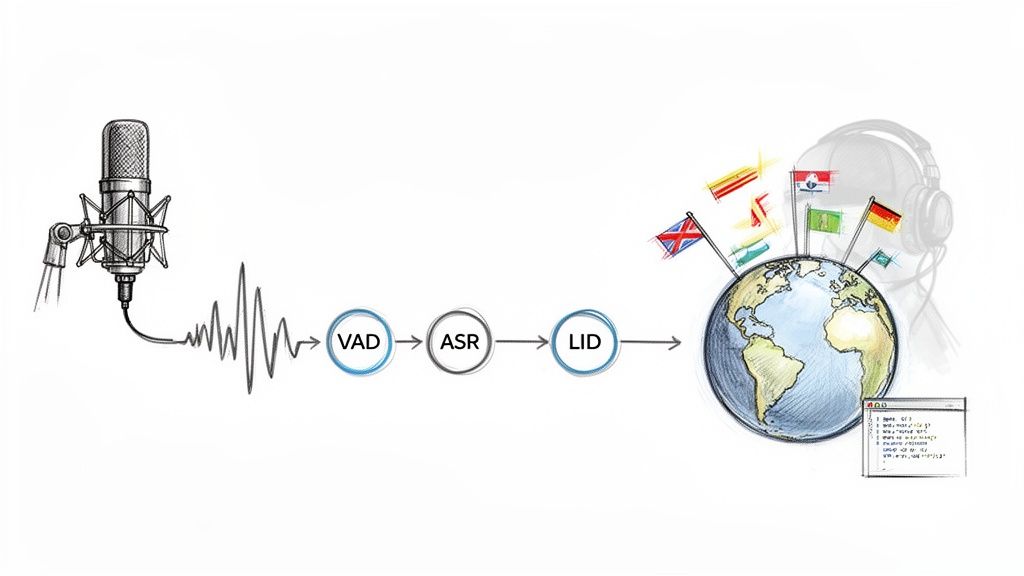
So, what exactly is an audio language detector? Put simply, it’s a system that figures out which language is being spoken in an audio file or live stream. This is the essential starting point for almost any global application that deals with voice, letting you process or transcribe audio without knowing the language ahead of time.
In a world where your users could be anywhere, you’re bound to get audio from all over the globe. Trying to manually sort through different languages just doesn't scale. That’s where an automated language detector audio system becomes more than a cool feature—it's a core requirement for any international product. It’s what makes your application efficient, user-friendly, and ready for a global audience.
Think about a global call center. Instead of making a caller navigate a clunky phone menu to select their language, an audio detector can pick it up instantly and send them straight to the right agent. It seems like a small tweak, but it makes a huge difference in cutting down wait times and keeping customers happy.
Getting language detection right delivers real business value. It's the engine behind a lot of features that users now take for granted.
For many audio-heavy applications, like advanced podcast transcription services that need to handle multiple languages, this step is non-negotiable. If you get the language wrong, everything that comes after—like transcription—will either break or produce garbage.
At its core, language detection acts as a universal sorting mechanism for the spoken word. It directs audio traffic to the right destination, ensuring that every subsequent AI process, from transcription to sentiment analysis, operates on a correct and understandable foundation.
And the need for this technology is only growing. The global market for speech and voice recognition is expected to blow up, reaching a staggering USD 104.05 billion by 2034. This boom is all thanks to voice tech becoming standard in everything from our phones to our cars. For developers, this signals a massive opportunity. You can dive deeper into the speech and voice recognition market growth on fortunebusinessinsights.com.
Of course, it's not always straightforward. Building a reliable system means tackling real-world problems. You'll have to deal with noisy backgrounds, super short audio clips, and even people mixing languages mid-sentence. In this guide, we’ll walk through practical ways to solve these challenges.
When you're building a system to detect language from audio, you'll hit a fork in the road right away. There are two main architectural paths you can take, and the one you choose will have a big impact on performance, complexity, and cost. This decision really sets the stage for how your application will handle spoken audio.
The first route is the traditional, multi-stage pipeline. Think of it like an assembly line where the audio goes through several specialized stations. Each component does one specific job before passing its work to the next in line.
The second path uses a modern, end-to-end model. This is a much more direct approach, consolidating the entire process into a single, unified step. One sophisticated model takes in raw audio and spits out the detected language.
No matter which path you choose, the goal is the same: take an audio file, figure out what language is being spoken, and route it to the right place. This is a critical function for any global application, from customer support centers to content moderation platforms.
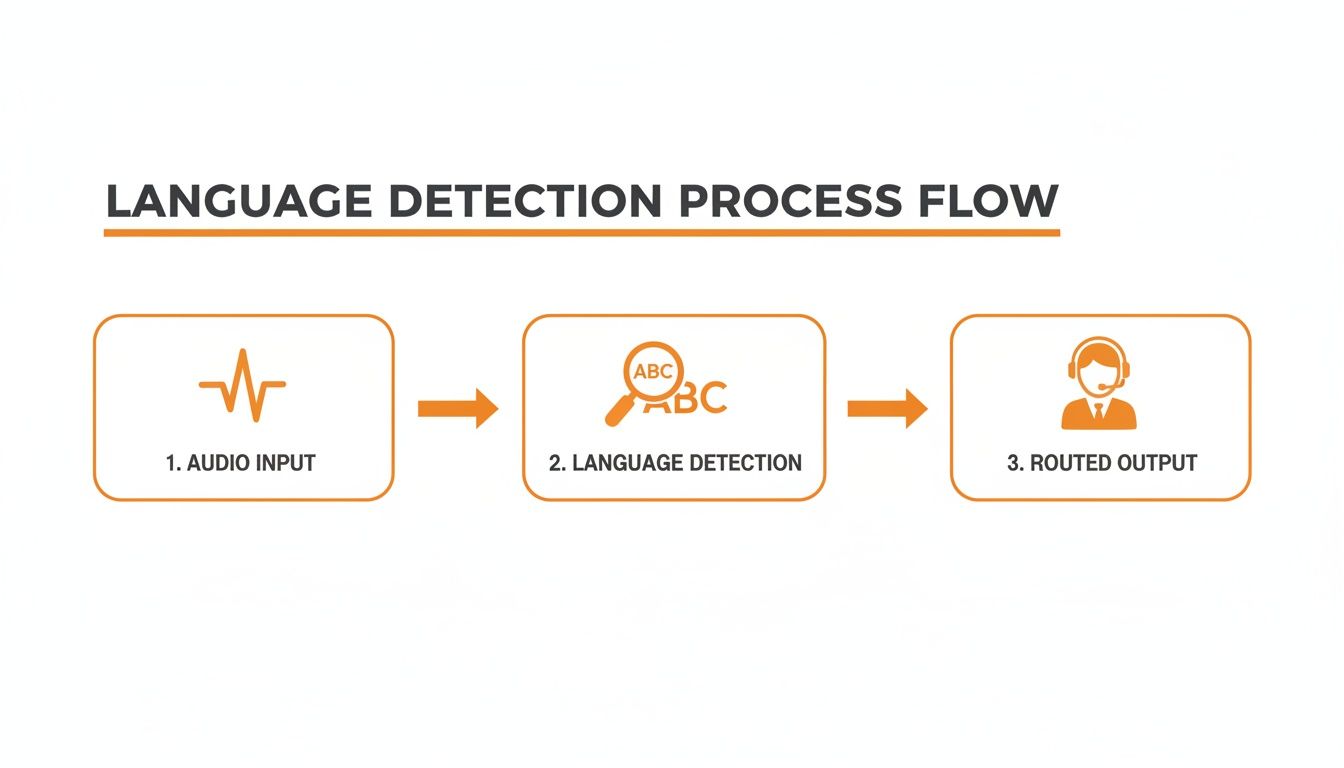
As this flow shows, the language detector acts as a smart switch, making sure that spoken audio gets where it needs to go—whether that's a language-specific transcription service or a support agent who speaks the caller's language.
The multi-stage approach is a classic for a reason—it’s modular. It gives you fine-grained control over each part of the process, which typically involves three core components working in sequence.
Voice Activity Detection (VAD): This is your gatekeeper. A VAD system scans the audio and chops it up, isolating segments that actually contain human speech. It's designed to filter out silence and background noise, which is crucial for preventing the next stage from wasting compute cycles trying to "transcribe" a barking dog or a passing siren.
Automatic Speech Recognition (ASR): Once the VAD gives it a clean segment of speech, an ASR model gets to work transcribing it into text. The quality of this transcript is everything. If your ASR produces garbage text, the next step is doomed to fail.
Language Identification (LID): Finally, a dedicated LID model takes the text from the ASR and analyzes it. This model is trained to spot linguistic patterns—grammar, vocabulary, syntax—to make the final call on the language.
The big upside here is the separation of concerns. If you discover a better VAD model, you can swap it in without having to rebuild your entire ASR or LID systems. But it also means you're managing three separate systems, each with its own potential for failure.
In contrast, end-to-end models are a more recent and, frankly, more powerful approach. These systems, often built on massive transformer architectures like the one behind OpenAI's Whisper, are trained to handle the entire task in one shot. You feed them an audio waveform, and they directly output a language label.
The biggest win here is simplicity. You're dealing with a single model and a single API call. That drastically cuts down on engineering complexity and eliminates multiple points of failure. No more orchestrating a fragile chain of different services.
The real magic of an end-to-end system is its holistic understanding. By learning from raw audio, these models pick up on subtle phonetic and acoustic cues—like intonation, rhythm, and accent—that are completely lost the moment you convert audio to text. This often leads to much higher accuracy, especially for short utterances or audio with background noise.
The demand for these advanced solutions is exploding. The audio AI tools market was valued at USD 1,046 million in 2024 and is on track to hit USD 2,260 million by 2034. Digging deeper, the need for multilingual solutions is growing at an incredible 35% annually, which explains why integrated, high-performance models are quickly becoming the industry standard. You can see more data on the growth of the audio AI tools market on intelmarketresearch.com.
To help you decide, here’s a quick breakdown of how these two architectures stack up.
| Metric | Multi-Stage Pipeline (VAD → ASR → LID) | End-to-End Model (Direct Audio → Language) |
|---|---|---|
| Accuracy | Dependent on the weakest link, especially ASR quality. Can fail on short or noisy audio. | Generally higher, as it uses richer acoustic cues lost in text conversion. More robust. |
| Latency | Higher due to sequential processing. Each stage adds overhead. | Lower, as it's a single inference step. Fewer network hops and less data transfer. |
| Complexity | High. Requires integrating, managing, and maintaining three separate components. | Low. A single model and API endpoint simplifies development and deployment significantly. |
| Flexibility | High. You can swap out individual components (e.g., upgrade your VAD model). | Lower. The model is a monolithic block. "Tuning" is more complex. |
| Cost | Can be higher, as you might be paying for three different services or running three models. | Often more cost-effective, especially through a managed API that optimizes inference. |
Ultimately, for most developers today, using an end-to-end model through a managed API like Lemonfox.ai is the most practical path forward. It abstracts away all the underlying complexity while giving you state-of-the-art performance, letting you focus on building your actual product instead of wrestling with a convoluted audio pipeline.
Okay, theory is great, but let's get our hands dirty and build a real language detector for audio. You'll find that going from a flowchart on a whiteboard to actual, working code is surprisingly quick when you lean on a solid API. I'm going to walk you through the process using the Lemonfox AI Speech-to-Text API to show how just a few lines of Python can give you top-tier language detection. This isn't just about copy-pasting code; it's about understanding how to plug this kind of power into your own projects.
The basic idea couldn't be simpler: you send an audio file to a server, and it sends you back structured data that includes the language it heard. That's it. This approach means you don't have to worry about managing heavy ML models, spinning up servers, or building a multi-stage processing pipeline. Your job is no longer to build the engine—it's just to drive the car.
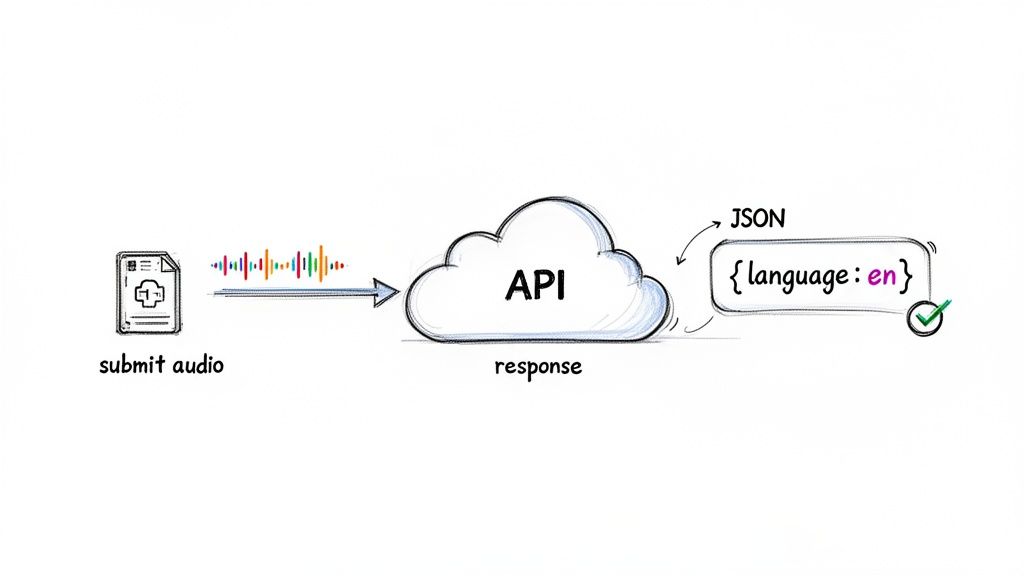
As you can see, a good API experience is as much about clear documentation and developer-friendly design as it is about the raw technology under the hood. It just works.
Before writing any code, you need two things: an API key and the right tools. Getting a key is usually just a matter of signing up. With Lemonfox AI, for example, their trial gets you 30 free hours of transcription, which is more than enough to prototype and test your language detector thoroughly.
Once you have that key, treat it like a password. The golden rule is to store it as an environment variable, not hardcoded in your script. This simple step can save you a massive headache by preventing you from accidentally pushing your credentials to a public GitHub repo.
For the tooling, we'll use Python's requests library. It's the de facto standard for making HTTP requests. If you don't have it, just pop open your terminal and run pip install requests. It makes handling file uploads and custom headers, which we'll need, a breeze.
With your key secured and requests installed, we can get to the fun part. The whole process boils down to sending a POST request to the API's transcription endpoint. This request will contain two main things: your audio file and your authorization header.
Let's say you have an audio clip named test_spanish.mp3 ready to go. Here’s how you’d send it to the Lemonfox AI API using Python:
import requests import os
LEMONFOX_API_KEY = os.getenv("LEMONFOX_API_KEY") API_URL = "https://api.lemonfox.ai/v1/transcribe"
def detect_audio_language(file_path): """ Uploads an audio file to the Lemonfox API and returns the response. """ headers = { "Authorization": f"Bearer {LEMONFOX_API_KEY}" }
with open(file_path, "rb") as audio_file:
    files = {"file": (os.path.basename(file_path), audio_file)}

    try:
        response = requests.post(API_URL, headers=headers, files=files)
        # This line is great—it'll automatically throw an error for bad responses (like 401 or 500)
        response.raise_for_status()
        return response.json()
    except requests.exceptions.RequestException as e:
        print(f"An API error occurred: {e}")
        return None
audio_file_path = "path/to/your/test_spanish.mp3" result = detect_audio_language(audio_file_path)
if result: print("API Response:", result)
Notice we're opening the file in binary read mode ("rb") and bundling it as multipart/form-data. Also, adding that try...except block is non-negotiable for production code. It ensures your application won't crash if the network hiccups or the API is temporarily down.
Now for the payoff. The API sends back a JSON object, and our job is to pull out the information we need. A successful response from the Lemonfox API is packed with useful data, including the full transcript, but for our purposes, we're zoning in on one specific field.
Here’s a look at the structure of a typical response:
{ "language": "es", "text": "Hola, esto es una prueba del servicio de transcripción.", "duration": 4.5, "words": [ // ... detailed word-level timestamps ] }
The treasure is right there in the
"language"field. In this case, it correctly tagged the audio as Spanish with the ISO 639-1 code"es". That one little string is the entire output of our language detection pipeline.
Grabbing this value in your code is dead simple. We can just add a few lines to our script to parse the result.
if result and "language" in result: detected_language = result["language"] print(f"Successfully detected language: {detected_language}") else: print("Could not detect language from the audio file.")
And that's it—you have a working, reliable language detector. The detected_language variable is now ready to be used to drive logic in your application. You could use it to route a support call to the right team, apply a language-specific content filter, or just tag the audio file with the correct metadata in your database.
We've just boiled down the incredibly complex task of audio language identification into a single API call and a quick JSON lookup.
Getting a basic language detection pipeline working is one thing. Turning it into a production-ready, high-performance tool is another challenge entirely. This is where we move beyond the basics and start focusing on the details that boost accuracy, slash latency, and keep costs in check. These optimizations are what really separate a functional prototype from a truly great language detector audio system.
It all begins with the audio itself. The old adage "garbage in, garbage out" has never been more true than with audio AI. Before you even think about hitting an API endpoint, pre-processing your audio can make a night-and-day difference. Simple steps like noise reduction and audio normalization aren't just minor tweaks; they can be the very reason a model correctly identifies a language instead of getting thrown off by background hum or wildly fluctuating volume.
Think of it like cleaning a smudged lens before taking a photo. By cleaning up the audio signal first, you're giving the AI a much better, clearer input to analyze.
Life would be easy if every audio file was a clean, studio-quality recording. But we know that’s not reality. Users will throw everything at your system—low-quality clips, files of different lengths, and mixed-language conversations—and your system has to be robust enough to handle it all.
Two of the most common headaches are very short audio snippets and files where the speaker switches between languages.
From my experience, I’ve found a good rule of thumb is to rely on a high-quality API like Lemonfox for the heavy lifting, but always implement some basic pre-processing for any mission-critical application. A simple noise reduction script is a low-effort way to significantly boost your success rate.
When you’re processing a high volume of audio files, raw speed becomes just as critical as accuracy. A system that keeps users waiting is a system they’ll stop using. This is where smart implementation choices come into play.
Optimizing these areas ensures your language detector audio pipeline can handle growth without breaking a sweat. This is especially crucial given the explosion in demand for multilingual voice tech. The Asia Pacific region, for instance, is the fastest-growing market for speech recognition, projected to expand at a CAGR of nearly 28.5% from 2026 to 2035, with multilingual solutions seeing 35% annual growth. You can read more about these trends in the global speech recognition market report from snsinsider.com. Building for scale isn't just a good idea; it's a necessity.
Of course, using a highly optimized service like Lemonfox's EU-based API can handle many of these challenges right out of the box, giving you a massive head start with low latency and high throughput.
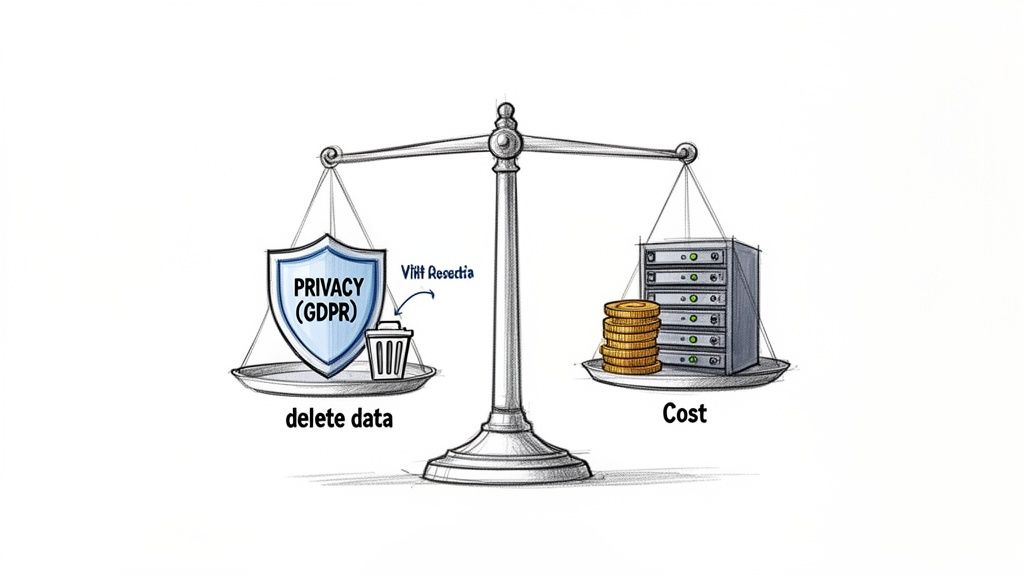
Building a great language detector audio system is about more than just slick code. You have to wrestle with two big, real-world constraints that can easily derail a project: data privacy and cost. Getting these right is the difference between a responsible, scalable application and one that’s a liability waiting to happen.
We live in an era of constant data breaches, and audio files are uniquely sensitive. Think about it—they can capture everything from confidential business meetings to private family conversations. That's why regulations like GDPR in Europe are so strict about how user data is handled. It's not something you can afford to get wrong.
When your app touches user audio, privacy can't be an afterthought. It has to be baked in from the start. Your users need to know their data isn't being stockpiled indefinitely or used for things they never agreed to. This is where your choice of API provider becomes a make-or-break decision.
I've found that one of the biggest wins is partnering with a service like Lemonfox AI that has a "zero retention" policy. This means they delete user data right after it's processed. It's not just a nice feature; it’s a core part of their architecture that simplifies your life immensely.
The single most impactful choice you can make for your app's trustworthiness is picking a partner with a transparent, privacy-first policy. This is especially true if you have users in Europe or other regions with strong data protection laws.
This approach isn't just about avoiding fines. It's about building a language detector audio tool that people can actually trust.
It’s tempting to look at an open-source model and think, "It's free! This is obviously the cheapest way to go." I've seen teams make this mistake before, and it almost always ends up costing them more in the long run. The sticker price is zero, but the total cost of ownership (TCO) is anything but.
Let’s get real about what it actually costs to run a model yourself versus using a managed API.
| Cost Factor | Self-Hosted Open-Source Model | Managed API (e.g., Lemonfox AI) |
|---|---|---|
| Server Costs | High. You're renting powerful, expensive GPU instances 24/7, whether they're busy or not. | Zero. It's all baked into the per-request price. |
| Maintenance | A constant time-sink. Your team is on the hook for every update, security patch, and bug fix. | Zero. The provider handles all of that behind the scenes. |
| Developer Time | Huge. Count on weeks for initial setup and then ongoing hours for monitoring and firefighting. | Minimal. You can be up and running in a few hours. |
| Scalability | Your problem. You have to build, test, and maintain your own auto-scaling infrastructure. | Handled for you. The API automatically scales to meet demand. |
| Uptime | Also your problem. Hope you enjoy setting up redundant systems and being on-call. | High. You're covered by the provider's Service Level Agreement (SLA). |
When you factor in the engineering hours spent on infrastructure instead of your actual product, that "free" model suddenly looks incredibly expensive. For most teams, a well-priced API is a far more practical and economical choice.
The only way to know for sure is to try it yourself. Don't just read the marketing copy—get your hands dirty. Before you commit to any platform, run it through its paces with a free trial. For instance, Lemonfox AI gives you 30 free hours of transcription, which is more than enough to see how it performs with your specific use case.
Here’s what I recommend focusing on during your trial:
This kind of hands-on testing gives you the hard data you need to make a smart decision—one that fits your technical needs, your privacy commitments, and your budget.
When you start building a system to detect language from audio, you'll quickly run into a few common, yet tricky, situations. How you handle these can make or break your application's performance in the real world. This section tackles those practical questions that pop up on the journey from concept to code.
Think of this as a field guide for navigating the most frequent challenges. We'll cover everything from messy, mixed-language audio files to figuring out just how much audio you need for a reliable result.
Mixed-language audio, often called "code-switching," is something you'll see a lot, especially in global communities. Someone might start a sentence in English and finish it in Spanish, which can be a real curveball for simple systems. A common approach is to slice the audio file into smaller chunks, maybe based on pauses, and then run the language detector on each piece.
But let's be practical—that adds a lot of complexity to your pipeline. For most applications, the best first step is to lean on a robust, end-to-end ASR API. Modern services like Lemonfox.ai are trained on incredibly diverse datasets and can often identify the primary language of an entire file, even with some code-switching thrown in. My advice? Start by sending the whole file. Only if your specific use case demands more granularity should you start exploring segmentation.
In practice, determining the dominant language is usually enough. A powerful API can often infer that an audio clip is primarily "English" even if it contains a few Spanish phrases, which is exactly what you need for routing or transcription workflows.
This is a classic "it depends" question, but I can give you some solid rules of thumb. Generally, more audio means higher accuracy. While some models can make a decent guess from just a few seconds of speech, you'll see confidence scores jump significantly once you hit about 5-10 seconds of clear audio.
When you're dealing with very short clips—think under three seconds—the risk of misidentification shoots up. There simply isn't enough phonetic data for the model to work with. If your app absolutely must handle these tiny snippets, your best defense is to ensure the audio quality is pristine and free from background noise. While today's APIs are getting better at this, giving them more to work with is always the safer bet.
Background noise is the arch-nemesis of any audio AI system. It directly poisons the quality of the underlying speech recognition, which in turn can easily lead to the wrong language being identified. A noisy signal can make "hello" sound like "hallo," potentially confusing an English clip for a German one.
The best solution is always prevention: use a quality microphone during recording. For audio you've already received, pre-processing is your friend. Using a library like librosa in Python to apply a noise reduction filter before sending the file to an API can make a world of difference.
Bottom line: Cleaner audio will always give you a better, more reliable language detection result.
For the vast majority of developers, using the built-in language identification feature of a comprehensive ASR API is the most efficient path. It simplifies your entire architecture down to a single API call, which means less complexity, lower latency, and fewer potential points of failure.
While a specialized, standalone Language Identification (LID) model might offer a tiny accuracy edge in some hyper-specific, academic scenarios, the trade-offs are rarely worth it for a production application. An integrated feature within a top-tier ASR service gives you excellent accuracy across tons of languages and delivers a much smoother developer experience at a lower total cost. You get both transcription and language detection in one clean, simple transaction.
For more insights, tutorials, or discussions on language detection and audio AI, you can find some great content on Parakeet AI's blog.
Ready to build your own high-performance language detector? With Lemonfox.ai, you can integrate state-of-the-art transcription and language identification into your application in minutes. Get started with 30 hours of free transcription and see how easy it is to process audio accurately and affordably. https://www.lemonfox.ai