
First month for free!
Get started
Published 11/17/2025
An AI for meeting minutes is a game-changer. It takes the entire, often painful, process of taking notes and automates it—transcribing audio, figuring out who said what, and boiling it all down into a structured document. Essentially, it transforms a raw recording into an actionable summary, saving a ton of time and making sure nothing important gets missed.
This guide is all about showing you how to build your own custom pipeline, giving you complete control from start to finish.
Let's be honest, taking meeting minutes manually is a slog. You're either typing furiously trying to keep up, or you spend hours later trying to make sense of your messy notes, organize the key points, and then send it around for everyone to approve. It’s not just a time-drain; it’s a process riddled with potential errors, leading to forgotten action items and fuzzy decisions. It's often called the "bane of every board professional’s existence," but it's absolutely critical for good governance.
While you could grab an off-the-shelf tool, building your own AI pipeline for meeting minutes gives you some serious advantages. A custom solution puts you in the driver's seat when it comes to data security, how it connects with your other tools, and what it costs to run. You get to dictate every single step, from how the audio is handled to what the final summary looks like, making sure it fits your team's workflow perfectly.
When you build your own system, you get to hand-pick the best tools for each part of the job. For example, you could use a super-accurate transcription API like Lemonfox.ai for the heavy lifting and then pipe that text into a powerful language model for the summarization part. This kind of flexibility means you’re never stuck with one vendor’s all-in-one, but maybe not-so-great, package.
The key upsides are pretty clear:
The whole process flows logically: raw audio goes in, an AI transcribes it and identifies the speakers, and a structured summary comes out the other end.
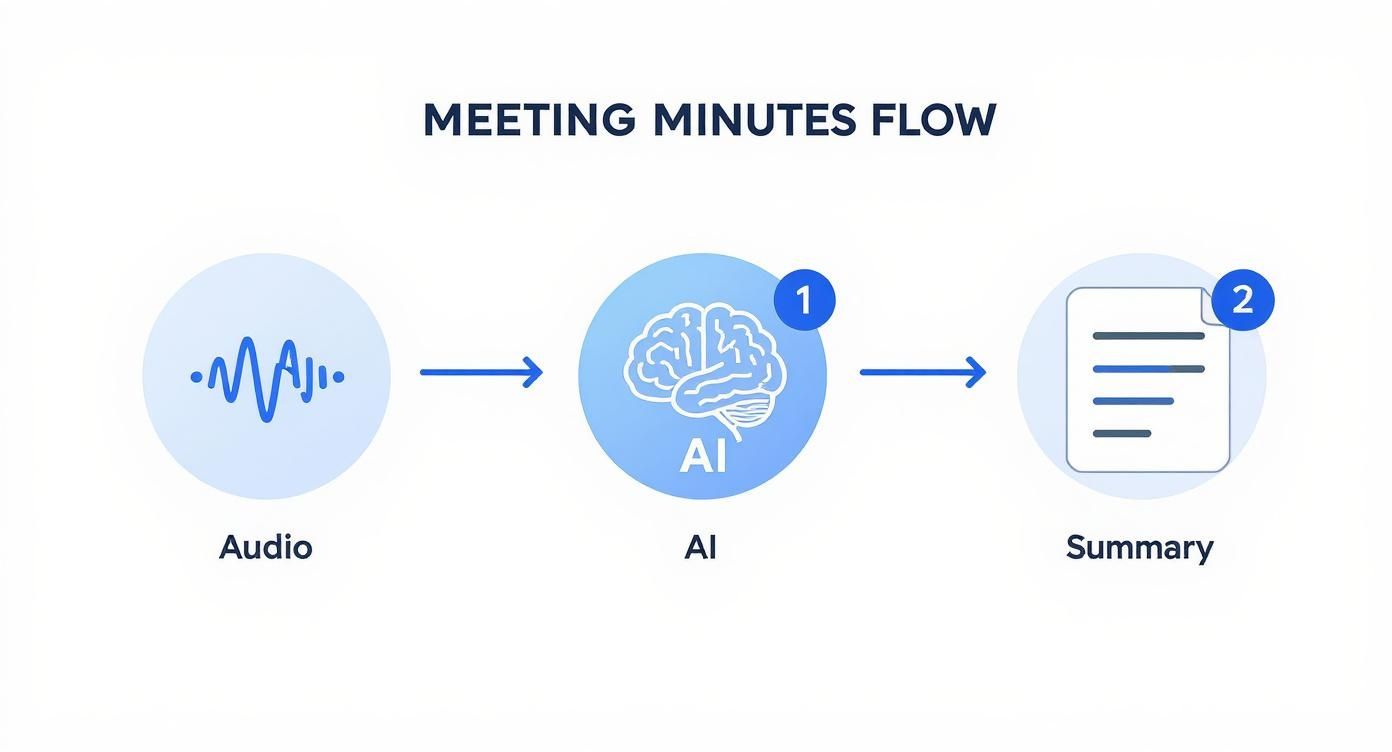
This simple three-stage process—capture, process, summarize—is the foundation of any solid automated note-taking system.
To give you a clearer picture, here’s a quick breakdown of what this pipeline looks like in practice.
This table outlines the essential steps involved in building the AI pipeline, showing the purpose and tools for each stage.
| Pipeline Stage | Core Function | Primary Technology/Tool |
|---|---|---|
| 1. Audio Ingestion | Securely capture and prepare the meeting audio file for processing. | Cloud Storage (e.g., AWS S3), API Endpoint |
| 2. Transcription | Convert the audio into an accurate text transcript with speaker labels. | Transcription API (e.g., Lemonfox.ai) |
| 3. Summarization | Analyze the transcript to extract key decisions, topics, and action items. | Large Language Model (e.g., GPT-4, Claude 3) |
| 4. Formatting | Structure the summary into a professional, easy-to-read minutes document. | Custom Code/Scripting (e.g., Python with templates) |
| 5. Distribution | Deliver the final minutes to the right people and systems. | Email Service, Collaboration Tools (e.g., Slack) |
Each stage builds on the last, turning a simple audio file into a valuable, actionable record for your team.
The move toward automated solutions isn't just a niche trend; it's a massive market shift. The global AI meeting minutes software market is exploding. In 2024 alone, valuations ranged anywhere from $1.42 million to $3.67 billion. The really wild part? Projections show the market could hit between $7.47 billion and $72.17 billion by 2034. That reflects a staggering compound annual growth rate of up to 34.7%. You can dig into more insights on this growth over at Market.us.
Building a custom pipeline isn't about replacing human oversight. It's about augmenting it. The goal is to produce a high-quality first draft that gets you 70% of the way there, freeing up valuable time for strategic review rather than manual transcription.
Let's be blunt: the entire success of your automated meeting minutes pipeline hinges on one thing—the quality of your audio. An AI model is only as smart as the data you feed it. Giving it a messy, unclear recording is like asking a stenographer to take notes from across a noisy stadium. The result will be a transcript full of gaps, guesses, and garbled nonsense.
To get the clean, accurate text you need for a useful summary, you have to nail the audio from the very start. This isn't just a "nice-to-have"; it's the absolute foundation. In my experience, poor audio is the number one reason transcription accuracy plummets, sometimes tanking by as much as 20-30%. That's the difference between a helpful tool and a frustrating waste of time.
Whether your team is gathered in a conference room or dialing in remotely, a few small tweaks to the environment can make a massive difference. The name of the game is simple: maximize the speaker's voice and minimize everything else.
For in-person meetings:
For virtual meetings:
Once you have a clean recording, the next job is to get it ready for the AI. You'll likely be dealing with audio from different devices in various formats and at inconsistent volume levels. Standardizing all of this is key to getting consistent, high-quality results.
The gold standard here is to convert every recording to a lossless format like WAV or FLAC. Unlike MP3s, these formats don't compress the audio in a way that discards data, preserving the original quality. You also need to normalize the audio, which means adjusting the entire recording to a consistent volume. This prevents any single speaker from being too quiet or too loud for the AI to process effectively.
Think of audio preparation as sharpening your knife before you start cooking. A few minutes spent cleaning up the recording will save you hours of frustrating correction work on a butchered transcript. It's the highest-leverage task in this entire pipeline.
Of course, nobody wants to manually convert and normalize every single audio file. That's where Python and a fantastic little library called pydub come in. It gives you the power to manipulate audio files programmatically with just a few lines of code.
Here's a glimpse of the pydub project page, which shows just how straightforward it is.
This library makes otherwise complex tasks like file conversion, audio slicing, or volume adjustments incredibly simple. It's an essential tool for our workflow.
With pydub, you can whip up a quick script that takes care of everything automatically:
By automating this pre-processing step, you guarantee that every recording is perfectly optimized before it even touches the transcription API. The payoff is a dramatic and immediate boost in accuracy.
Alright, with your polished audio file ready to go, we've reached the heart of the pipeline. This is where we hand off the recording to an AI that can listen, understand, and document the entire conversation. The goal here isn't just to get a massive block of text; it's to produce a smart, organized transcript that clearly shows who said what.
This two-part process is what makes the magic happen: transcription (turning audio into words) and diarization (assigning those words to the correct speaker). Without diarization, you just have a messy script. With it, you have a structured dialogue that's ready for the final summarization step.
This isn't just a futuristic concept anymore; it's becoming standard practice. A recent Grammarly study found that 33% of knowledge workers in the U.S. already use AI to help with their meeting notes. That number jumps even higher in Microsoft's research, which shows that a whopping 75% of knowledge workers are now using AI tools to be more productive. If you're curious about how professionals are folding this into their work, you can read the full research on AI meeting minutes software.
For a job this critical, we're going to lean on a specialized API like Lemonfox.ai. Why not build it yourself? Honestly, creating a top-tier transcription model with accurate speaker recognition from scratch is a massive undertaking. An API gives us immediate access to a powerful, pre-trained system that's already been battle-tested on different languages and tricky audio conditions.
When you send your audio file to an API like this, you get back way more than just plain text. The response is a structured JSON object loaded with valuable data:
Speaker 0, Speaker 1).This rich output is the raw clay we'll mold into our final, polished meeting minutes.
Getting this data is surprisingly simple using Python. A library like requests is all you need to communicate with the API. The basic workflow is to authenticate with your unique API key, upload the audio file, and tell the service a few things about it, like the language and how many speakers to listen for.
Here’s a quick Python snippet showing what that API call looks like.
import requests
import json
API_KEY = "your_lemonfox_api_key_here"
API_URL = "https://api.lemonfox.ai/v1/transcribe"
audio_file_path = "path/to/your/processed_meeting.wav"
headers = {
"Authorization": f"Bearer {API_KEY}"
}
files = {
'file': (audio_file_path, open(audio_file_path, 'rb'), 'audio/wav')
}
data = {
'language': 'en',
'num_speakers': 2 # Specify the number of expected speakers
}
response = requests.post(API_URL, headers=headers, files=files, data=data)
if response.status_code == 200:
transcription_data = response.json()
print("Transcription successful!")
# Now, parse the transcription_data to format the output
else:
print(f"Error: {response.status_code} - {response.text}")
This little script takes care of everything—sending the audio and receiving that treasure trove of structured data in return.
Once the API sends a successful response back, you'll have a JSON object. Think of this as the AI's raw notes. Your job now is to translate them into a clean, human-friendly format. The JSON will typically contain a list of "segments," with each segment holding the transcribed text, the speaker's label, and the start and end times.
The real value isn't just in the words themselves but in their structure. By parsing the JSON, you can reconstruct the entire conversation turn-by-turn, creating a clear record of the dialogue flow. This is impossible with a simple, non-diarized transcript.
Your Python script can now loop through this data, printing it out in a clean dialogue format. By iterating over each segment, you can easily display the speaker's label followed by what they said, creating an organized script of the entire meeting.
The final output from this stage should be a clean text file that looks something like this:
[00:01:15] Speaker 0: Okay, let's kick things off. The first item on the agenda is the Q3 marketing budget.[00:01:22] Speaker 1: Right. I've reviewed the proposal, and I have a few questions about the ad spend allocation.
With this perfectly structured text, you're now ready for the final step: feeding it to a large language model to pull out the key points and action items.
Alright, you've done the heavy lifting and turned a messy audio file into a clean, speaker-labeled transcript. That’s a massive win. But let's be honest, nobody wants to read a 30-page transcript. The real magic happens when you distill that raw text into something short, sharp, and actionable.
This is where Large Language Models (LLMs) come into play.
The goal here isn't just to get a summary; it's to create a document that actually makes things happen. A great meeting minutes AI pulls out the critical information: decisions made, questions left on the table, and most importantly, who is doing what by when.
Before you throw the transcript at an AI, you need a game plan. What should the final output even look like? The format for a formal board meeting is worlds away from what you'd need for a chaotic brainstorming session.
Different meetings have different goals. A weekly project sync lives and dies by its action items. A high-level strategy meeting, on the other hand, is all about capturing the big-picture decisions and overarching themes.
Pro Tip: The secret to a consistently great summary is a great template. When you define a clear structure, you're not just telling the AI how to format the text—you're telling it what to look for. This simple step dramatically improves the relevance and accuracy of your results.
Let’s look at a few common formats and how you can guide an AI to generate them.
Choosing the right structure from the start is half the battle. This table breaks down a few common templates to help you match the format to the meeting's purpose.
| Template Type | Best For | Key Sections | AI Summarization Focus |
|---|---|---|---|
| Action-Oriented | Project check-ins, team syncs | Action Items (Owner, Due Date), Blockers, Key Updates | Extracting tasks, identifying responsible individuals, and noting deadlines. |
| Formal Record | Board meetings, legal proceedings | Attendees, Motions Made, Votes, Official Decisions | Capturing formal motions and their outcomes, strictly adhering to the agenda. |
| Discussion Summary | Brainstorms, workshops, strategic reviews | Main Topics Discussed, Key Arguments, Unresolved Questions | Identifying dominant themes, summarizing different viewpoints, and listing open loops. |
| Simple Overview | Informal catch-ups, quick debriefs | High-Level Summary, Main Takeaways | Generating a brief, executive-style paragraph that captures the meeting's essence. |
Once you've settled on a template, you can craft the perfect prompt to get the LLM to deliver exactly what you need, every single time.
Now for the fun part: prompt engineering. This is where you give the LLM its marching orders. A lazy prompt like "summarize this" will get you a generic, often useless, paragraph. A well-designed prompt, however, acts as a precise set of instructions, ensuring you get a perfect summary every time.
Think of your prompt as a detailed checklist for the AI. You need to tell it three things:
Here’s an example of a solid prompt designed for a typical action-oriented meeting. It's specific, structured, and leaves little room for error.
You are an expert meeting summarizer. Your task is to analyze the following transcript and generate a concise summary based on the provided template. The transcript includes speaker labels (e.g., Speaker 0, Speaker 1).
Transcript:
{your_transcript_text_here}
Template to Use:
Meeting Title: [Generate a concise title based on the main topic]
Attendees: [List the speaker labels: Speaker 0, Speaker 1, etc.]
Key Decisions Made:
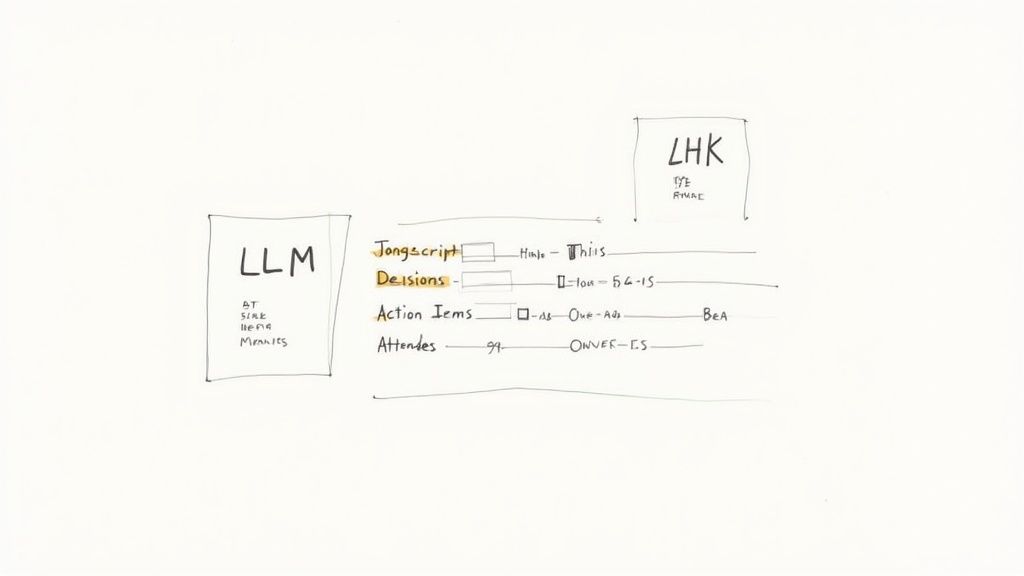
With the prompt ready, it’s time to connect to an LLM. Using Python, you can easily send your transcript and prompt to an API from providers like OpenAI (GPT models) or Anthropic (Claude models). This script is the final piece of the puzzle, turning your structured transcript into a polished, ready-to-share document.
import openai
openai.api_key = 'your_llm_api_key'
def generate_minutes(transcript):
prompt = f"""
You are an expert meeting summarizer. Your task is to analyze the following transcript and generate a concise summary based on the provided template. The transcript includes speaker labels (e.g., Speaker 0, Speaker 1).
Transcript:
{transcript}

Template to Use:
**Meeting Title:** [Generate a concise title based on the main topic]
**Attendees:** [List the speaker labels: Speaker 0, Speaker 1, etc.]
**Key Decisions Made:**
- [Decision 1]
**Action Items:**
- **Task:** [Describe the action item]
  - **Owner:** [Identify the speaker responsible]
"""

# For OpenAI, you might use the ChatCompletions endpoint for newer models
response = openai.ChatCompletion.create(
    model="gpt-4o", # Or another powerful model like gpt-4-turbo
    messages=[
        {"role": "system", "content": "You are an expert meeting summarizer."},
        {"role": "user", "content": prompt}
    ],
    max_tokens=500, # Adjust based on how long you expect the summary to be
    temperature=0.3  # Lower temp gives more predictable, factual outputs
)

return response.choices[0].message['content'].strip()
with open('formatted_transcript.txt', 'r') as file:
meeting_transcript = file.read()
final_minutes = generate_minutes(meeting_transcript)
print(final_minutes)
This simple script ties everything together. It takes your diarized transcript, hands it to a powerful LLM with crystal-clear instructions, and gets back a perfectly formatted, genuinely useful summary. This is the output that makes the entire automation pipeline worth the effort.
Alright, you’ve built a working pipeline. That's a huge step. But now we need to talk about two things that can make or break a project in the real world: security and cost.
Meeting recordings are a treasure trove of sensitive information. From strategic plans to confidential HR discussions, you’re handling data that absolutely cannot leak. That means security isn’t an afterthought; it has to be baked into every part of your system.
Every time your pipeline calls an external API like Lemonfox.ai, you're handing over your data. You have to be absolutely sure that the provider on the other end is treating it with the same level of care you would.
Before you integrate any third-party service, you need to do your homework. Dig into their security and privacy policies. What you’re looking for isn’t marketing fluff; you need concrete commitments.
Here’s my personal checklist of non-negotiables:
Your pipeline is only as secure as its weakest link. A single insecure API can expose everything. Vetting your partners isn't just a best practice; it's a fundamental part of responsible engineering.
Security is paramount, but your pipeline also has to be financially sustainable. The beauty of APIs is the pay-as-you-go model, but that also means you need a clear picture of what you'll be spending. Your total cost per meeting will boil down to two main expenses: transcription and the LLM summary.
Let's break that down.
1. Transcription Costs
This part is usually pretty straightforward. Most transcription services charge by the minute or hour. If a provider's rate is $0.17 per hour, a 60-minute meeting will cost you, well, $0.17 for transcription. Easy.
2. LLM Summarization Costs
Here’s where it gets a little trickier. LLMs charge by the "token"—think of tokens as pieces of words. You're charged for both the input (the transcript you send in) and the output (the summary it generates). A typical 60-minute meeting can easily produce a transcript of 8,000-10,000 words, which adds up to a lot of input tokens.
To keep these LLM costs from spiraling, you can get clever:
The market for AI meeting assistants is absolutely exploding, with projections showing a leap from $3.50 billion in 2025 to $34.28 billion by 2035. That's a staggering 25.62% CAGR, driven by the massive demand for smart, secure, and affordable automation like this. You can discover more insights about this rapidly expanding market to see where the industry is headed.
Finally, let's talk about deployment. How you host your pipeline really depends on your scale and technical setup.
For a simple internal tool that only runs occasionally, you can’t go wrong with a Python script on a local machine or a small, dedicated server. It’s easy, direct, and gets the job done without much fuss.
But if you’re building something more robust that needs to scale, you should seriously look at a serverless architecture. Services like AWS Lambda or Google Cloud Functions let you run your code in response to events, like a new audio file landing in a storage bucket. You don't have to manage servers, and you only pay for the milliseconds your code is actually running. It's an incredibly efficient and powerful way to run a production-grade pipeline.
https://www.youtube.com/embed/scEDHsr3APg
As you start piecing together your own automated workflow, some questions are bound to pop up. It's completely normal. Building a custom meeting minutes AI pipeline involves a few moving parts, and getting a handle on the details helps you sidestep common issues and get the best results.
Here are some of the most frequent questions I get, along with some straight-to-the-point answers.
This is the big one. The final accuracy of your minutes all comes down to the quality of your audio. Garbage in, garbage out.
If you have a clear recording with minimal background chatter, top-tier transcription services can hit over 95% word accuracy. That's the foundation of your entire process. A fuzzy, echoey recording will always give you a messy transcript, no matter how smart the AI is.
Speaker diarization—the part that figures out who said what—is also surprisingly good, but it can get tripped up by crosstalk. When people talk over each other, the model sometimes struggles to assign the text correctly. A little meeting etiquette, like taking turns to speak, can make a huge difference in the final output.
Summarization is a different beast; its quality is a direct reflection of your prompt. A lazy prompt gets you a lazy summary. But if you design a prompt that specifically asks for action items, key decisions, and who owns them, you'll get incredibly useful and accurate minutes. I still recommend a quick human review for critical meetings, just to catch any nuance the AI might have missed.
Absolutely. Most modern transcription APIs, including services like Lemonfox.ai, are built from the ground up to support a ton of languages. When you send your API request, you just have to specify the source language of the audio file. It's that simple.
The same goes for the large language models (LLMs) doing the summarization—they're multilingual powerhouses. To make your pipeline work for different languages, you’ll just need to add a parameter to your transcription and summarization functions to pass in the right language code (like 'en' for English or 'de' for German).
With that small tweak, the same script can process a recording from a team in Berlin just as easily as one from Boston. Just be sure to check the API docs for your chosen services to see their full list of supported languages.
Security and privacy are paramount here. Meeting recordings can be a goldmine of sensitive info—business strategies, financials, you name it. Protecting that data is non-negotiable.
Here are a few core principles I always follow to lock things down:
By choosing vendors who take security seriously and sticking to these fundamentals, you can build a pipeline that's not only efficient but also trustworthy.
This is where the magic happens. Integration turns your automated minutes into direct action. Once your pipeline has the summary and a list of action items, you just add one more step to your script to talk to the APIs of your other tools.
For example, you could write a function that takes the action items, formats them into a neat message, and posts it to a specific channel using Slack's Webhook API.
Or, for project management tools like Asana or Jira, their APIs let you automatically create new tasks from those action items. You can even assign them to the right person and set due dates if they were mentioned in the meeting. This final step closes the loop, turning a conversation into trackable work and making your team way more productive.
Ready to build your own high-accuracy, low-cost transcription pipeline? With Lemonfox.ai, you get access to a powerful Speech-to-Text API for less than $0.17 per hour, complete with speaker recognition and a zero-data-retention policy for maximum security. Start your free trial today and see how easy it is to automate your meeting minutes.