
First month for free!
Get started
Published 12/12/2025
Natural voice text-to-speech is all about using sophisticated AI to turn written words into audio that sounds genuinely human. This isn't just a small step up from the robotic voices of the past; it’s a massive leap. Modern TTS systems capture the subtle intonation, emotion, and rhythm of real speech, making the output almost impossible to tell apart from a live person.
Do you remember those clunky, monotone computer voices from a decade ago? They got the job done, but they felt cold and distant. That robotic delivery instantly created a barrier, reminding you that you were dealing with a machine. Thankfully, that's ancient history.
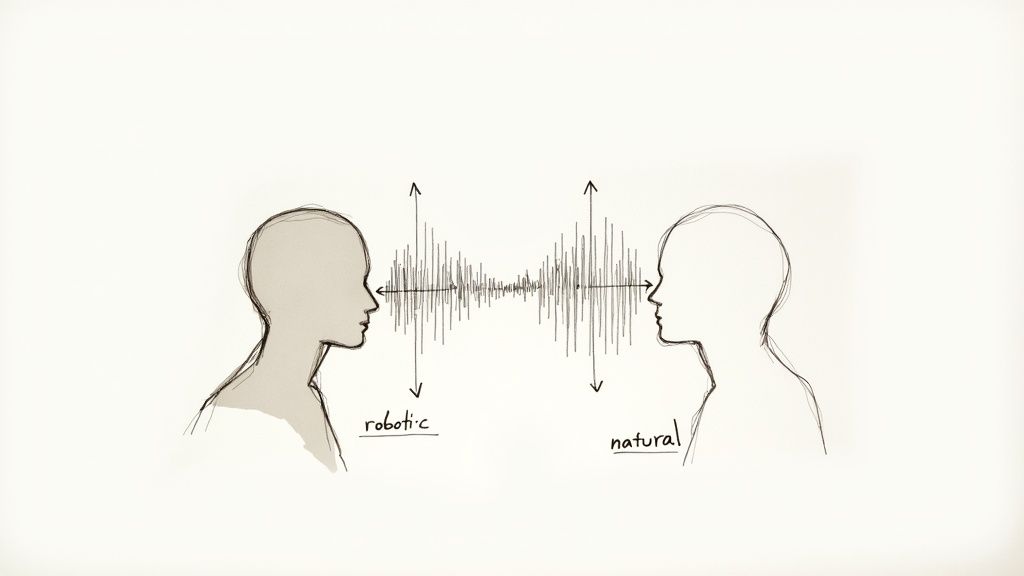
Moving from stiff, synthetic audio to a seamless, natural flow fundamentally changes how people interact with technology. This huge improvement comes from deep learning and neural networks. These AI models sift through enormous datasets of human speech, learning the intricate patterns of pitch, tone, and pacing that make us sound, well, human. They aren't just stitching pre-recorded sounds together anymore.
This evolution has opened up incredible new avenues in almost every industry you can think of.
A natural voice can make or break user engagement and trust. When an automated voice sounds clear and empathetic, people are far more likely to have a good experience. This is especially true in situations where tone and perception really matter.
Just think about these examples:
The powerhouse behind all this is neural TTS. It has completely redefined the market. In 2024 alone, neural voices accounted for a massive 67.90% revenue share of the global TTS market and are growing at a stunning 15.60% CAGR, leaving older methods in the dust. You can dig into the global text-to-speech market data to see just how dominant this trend has become.
This isn't just about making voices sound a little nicer. It's about making technology feel more human. When we close the gap between machine-generated audio and natural conversation, we create digital experiences that are more intuitive, effective, and welcoming for everyone.
Getting this level of quality isn't some far-off goal anymore. It's something you can implement right now, which is exactly what the rest of this guide will walk you through.
Picking the right voice for your app or service goes way beyond simply choosing a language and gender. You're actually crafting an auditory brand identity. The voice you land on becomes the literal sound of your company, and it has a direct impact on how users perceive, trust, and connect with you.
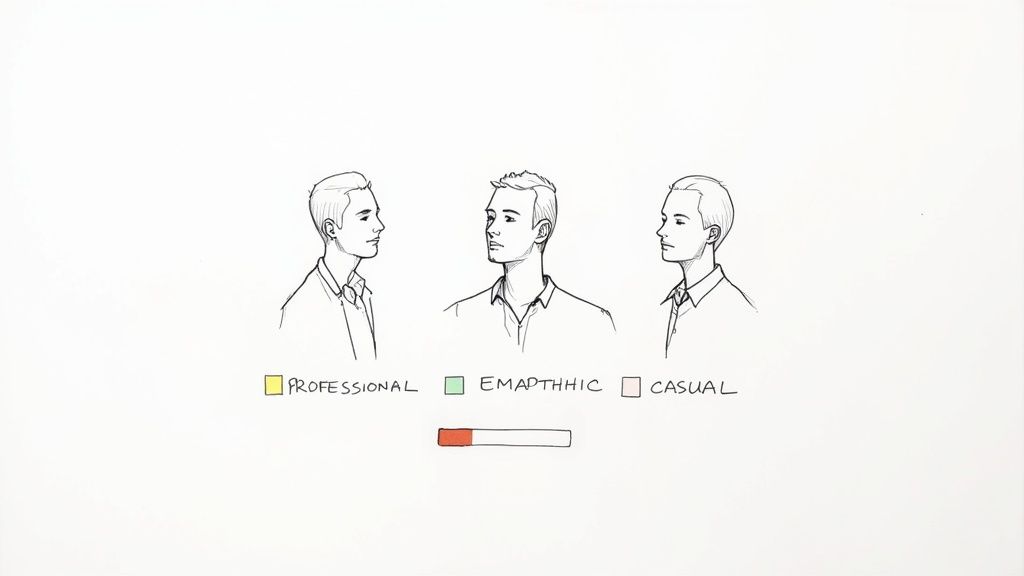
This decision really defines how your audience feels when they interact with your product. Are you aiming for an authoritative, professional tone? Or something warmer, more empathetic, and casual? A great natural voice text-to-speech solution will capture that persona perfectly.
The innovation in this space has been staggering. North America, for instance, held a 37% global share of the market in 2023, which translated to USD 1.3 billion in revenue. The whole thing kicked into high gear with breakthroughs like Google's WaveNet back in 2016, which dramatically narrowed the quality gap between synthetic and human speech. For a closer look at the numbers, you can explore the full text-to-speech market analysis.
Before you even think about listening to voice samples, take a step back and look at your brand. It’s pretty obvious that a serious financial institution will need a completely different voice than a whimsical storytelling app for kids.
Get started by asking a few fundamental questions:
Having a clearly defined persona acts as your North Star. It makes the whole selection process more focused and a lot less like guesswork.
Your AI voice is a direct extension of your brand identity. It absolutely has to sound like it belongs to your company. A mismatched voice creates a jarring user experience and can quickly undermine the trust you've worked so hard to build.
Listening to canned demo phrases like "Hello, how can I help you today?" won't cut it. To get a real feel for a voice, you need to hear it read your actual content.
Pull together a few scripts that represent your most common use cases. Make sure to include a mix of statements, questions, and maybe even some of your industry's specific jargon. This is the only way to truly assess clarity, tone, and how the voice handles the unique quirks of your domain.
As you test, listen carefully for these things:
This hands-on testing will quickly show you which voices are a good fit and which ones just aren't going to work. This step is absolutely critical for finding the best natural voice text to speech technology for your project.
Not all neural voices are created equal. Different models are built for different purposes, offering varying levels of quality, flexibility, and cost. Understanding these differences is key to making an informed choice.
Here's a quick breakdown to help you see how they stack up:
| Voice Model Type | Key Characteristics | Best For | Customization Level |
|---|---|---|---|
| Standard Neural | High-quality, natural-sounding, and clear. Widely available in many languages. | General-purpose applications, content narration, basic IVR systems. | Moderate (pitch, rate, volume adjustments via SSML). |
| Conversational/Studio | Premium, ultra-realistic voices. Often trained for specific speaking styles (e.g., newscaster, conversational). | High-end voice assistants, audiobooks, premium brand experiences. | High (extensive SSML support, sometimes style-specific tags). |
| Custom Voice (CNV) | A unique voice cloned from your own recordings. Offers exclusive brand identity. | Creating a unique brand voice, character voices for gaming/media. | Very High (built from the ground up to match your desired persona). |
| Generative AI Voices | New-generation models capable of extreme emotional range, voice cloning with minimal data, and cross-lingual synthesis. | Dynamic content, expressive character dialogue, dubbing, personalized audio. | Very High (often API-driven with parameters for emotion, style, etc.). |
Choosing the right model is a balancing act. While a premium conversational voice might sound incredible, a standard neural voice could be more than enough for your needs—and more cost-effective. Your brand persona and use case should guide you to the right tier.
Choosing a great voice model is a fantastic start, but it's just that—a start. If you want to create audio that genuinely connects with listeners, you can't just rely on the default settings. You need to get under the hood and direct the performance, and that's where Speech Synthesis Markup Language (SSML) becomes your best friend.
Think of SSML as a set of stage directions for your AI voice actor. Instead of just handing it a script (a plain string of text), you wrap that script in SSML tags to tell it how to say the words. You can orchestrate pauses, speed things up, slow things down, change the pitch, or put a little extra punch on a specific word. It’s the secret sauce for transforming a flat, robotic delivery into something dynamic and expressive.
This kind of fine-grained control is more important than ever. The quality of neural and synthetic voices is exploding, with neural TTS engines projected to capture a whopping 49.6% market share of the AI voice generation market by 2025. This incredible growth is happening because these voices can mimic human prosody so well—a feat that SSML lets you command directly. You can read more about the booming AI voice generator market to see just where this is all heading.
<break>One of the quickest ways to make synthesized speech sound more human is by adding pauses. We do it all the time in real conversation—we pause between thoughts, take a breath, or hold a beat for dramatic effect. The <break> tag is how you replicate that natural rhythm.
You can tell the engine to pause for a specific duration, like time="500ms" for a half-second beat, or use a more contextual cue like strength="medium" which feels like a natural pause at a comma.
Take a standard IVR prompt. Without any tweaks, it can sound rushed and unnatural:"Please enter your account number followed by the pound key."
But with a tiny SSML addition, it becomes much clearer and more patient:<speak>Please enter your account number <break time="400ms"/> followed by the pound key.</speak>
That small tweak makes a world of difference in the user's experience.
<prosody>The <prosody> tag is where the real magic happens. This is your primary tool for shaping the emotional tone and personality of the speech. It gives you direct control over three critical elements: rate, pitch, and volume.
Imagine you're voicing an audiobook. You could use <prosody> to make an excited character speak quickly with a higher pitch, instantly conveying their emotion.
<speak> <prosody rate="fast" pitch="high">"I can't believe we actually did it!"</prosody> </speak>
This one tag is the key to turning a simple text-to-speech output into something that feels truly alive and dynamic.
By mastering the
<prosody>tag, you move from simply converting text into audio to directing a vocal performance. It's the difference between a simple reading and a compelling narration.
<emphasis>Sometimes, the entire meaning of a sentence hinges on a single word. That's where the <emphasis> tag comes in. It’s a simple but powerful way to tell the TTS engine which word or phrase to stress, ensuring your message lands exactly as you intended.
For example, you can use it to clarify information and guide the listener's attention:<speak> Your package will arrive on <emphasis level="strong">Tuesday</emphasis>, not Wednesday. </speak>
The level attribute lets you choose how much stress to apply, with options like "strong," "moderate," or even "reduced." This subtle direction helps prevent misunderstandings and makes the audio feel much more intuitive.
The official W3C documentation on SSML is the foundational text for most TTS platforms. This example from their spec shows the basic structure you'll be working with.
This screenshot shows how you can nest different elements, like <p> for paragraphs and <voice> to switch speakers, all within the main <speak> tag. By layering these tags, you can build rich, complex audio experiences all from a single piece of text.
Alright, you've picked the perfect voice and gotten the hang of SSML. Now it's time for the real fun: plugging your natural-sounding text-to-speech into an actual application. Making that first API call is usually pretty straightforward, but the real craft is in how you manage those calls. If you're just firing off raw text for every single request, you're setting yourself up for high costs and sluggish performance.
The trick is to think about the entire process. You aren't just sending text; you're directing a vocal performance. This diagram really illustrates how SSML acts as that crucial "director's note" before the API even starts its work.
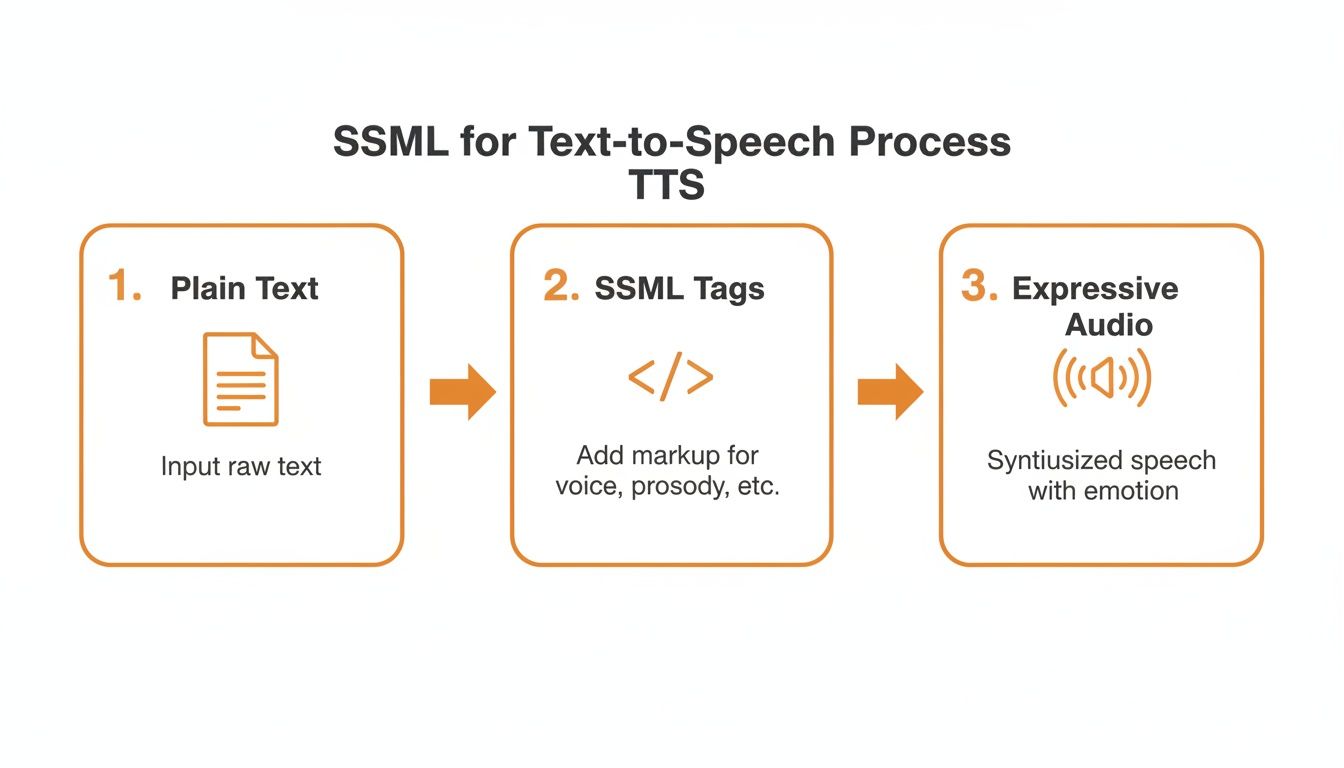
As you can see, SSML is what turns a basic text conversion into a nuanced piece of audio, all before you spend a dime on the API call itself.
So, what does a call actually look like in practice? Most of the big players, like Google Cloud Text-to-Speech or Amazon Polly, have great documentation and SDKs. Here’s a conceptual JavaScript snippet to give you a feel for a basic request.
// This is a simplified, conceptual example
async function synthesizeSpeech(textToSpeak, voiceId) {
const response = await fetch('https://api.tts-provider.com/v1/synthesize', {
method: 'POST',
headers: {
'Authorization': 'Bearer YOUR_API_KEY',
'Content-Type': 'application/json',
},
body: JSON.stringify({
text: textToSpeak, // Your SSML-enhanced text goes here
voice: { languageCode: 'en-US', name: voiceId },
audioConfig: { audioEncoding: 'MP3' }
}),
});
if (!response.ok) {
throw new Error('Failed to synthesize speech');
}
const audioContent = await response.arrayBuffer();
return audioContent;
}
This code does the job—it sends your text and gets audio data back. But blindly running this function for every piece of text is a massive missed opportunity for optimization.
Here’s the single most effective tip I can give you: use caching. Think about it. How many times does your application say the same thing? IVR prompts ("Please press one"), button labels ("Read more"), or standard greetings are all repetitive. Generating these from scratch every single time is just burning money.
By setting up a simple caching layer, you can store the audio file generated from a specific text input. The next time you need that exact same audio, you just grab the file from your cache instead of hitting the API. For apps with a lot of repeat content, this can easily cut your API costs by over 90%.
Your cache doesn't have to be complicated. It could be an in-memory store for quick access, or something more robust like Redis or a cloud storage bucket. The basic idea is to create a unique ID for each text string (a hash works great) and use that as your key to store and retrieve the audio.
The audio format you request from the API directly impacts file size, quality, and latency. This isn't a minor detail; it affects user experience and your bandwidth bill. You're generally choosing between two camps:
My advice? Start with MP3. It gives you the best bang for your buck in terms of performance and cost. Only move to a lossless format if you have a specific, critical need for that extra bit of audio fidelity. For real-time applications, a snappy response is almost always more important.
When you're building with a natural voice text to speech API, especially one that handles user-generated content, you’re not just processing text—you're a steward of someone's data. The responsibility to protect that information is massive, and a single misstep on privacy can vaporize user trust.
Think about it: every piece of text sent to your TTS provider, whether it's a customer's name for a personalized IVR greeting or sensitive financial details in an automated update, needs to be handled with extreme care. This makes your choice of a TTS partner one of the most critical decisions you'll make.
Regulations like GDPR in Europe and CCPA in California aren't just bureaucratic suggestions; they are serious legal frameworks, and the penalties for non-compliance are steep. Your first order of business is to find a TTS provider that is dead serious and transparent about its data handling policies.
Here’s what to look for as non-negotiable proof of a privacy-first approach:
A provider’s commitment to privacy isn't just another feature on a pricing page—it's a foundational element of a secure, trustworthy application. If they can’t guarantee immediate data deletion or provide regional endpoints, they simply aren't equipped to handle your users' data.
The power of modern natural voice text to speech now includes voice cloning, and this is where things get ethically tricky. While it's an incredible tool for creating a unique, consistent brand voice, the potential for misuse in deepfakes or malicious impersonation is real.
You have to implement your own ethical guardrails. Your terms of service should explicitly state that users must have consent from anyone whose voice they want to clone. On top of that, your TTS provider should have their own safeguards in place to prevent the unauthorized replication of voices.
Building voice applications that are both innovative and secure means taking a proactive, not reactive, stance on privacy. By prioritizing providers like Lemonfox.ai that offer EU endpoints and a firm commitment to immediate data deletion, you're building on a foundation of trust that protects your business, and more importantly, your users.
Once you start plugging a TTS API into a live application, the real-world questions pop up. It’s one thing to read the docs, but it's another to handle the practical hurdles that come with high-volume usage or real-time conversations. Let's dig into some of the most common issues developers run into.
Cost is almost always the first thing on everyone's mind, especially when you're dealing with a ton of requests. Caching is your best friend here, but another trick is to batch your API calls. If you need to generate audio for a list of items, for instance, don't send ten separate requests. Bundle them into one. It’s cleaner, cuts down on network chatter, and is just more efficient all around.
Then there's latency. In a conversational app, a slow, laggy response just kills the experience. Every millisecond feels like an eternity and makes the whole thing feel robotic.
The secret to a snappy, real-time response is streaming. Don't wait for the entire audio file to generate before you do anything.
Instead, your application should start playing the audio the moment the first bit of data arrives from the API. Most of the best TTS providers, including Lemonfox.ai, offer this capability through streaming APIs. It completely changes the user's perception of speed. Even if the full audio clip takes a second to create, the user hears the voice almost instantly, which makes the conversation feel incredibly fluid.
Pro Tip: When you're streaming, opt for a lower-bitrate MP3 format. The data packets are smaller and travel faster, which helps reduce that initial delay even further. It makes the response feel instantaneous.
Out of the box, a TTS engine might trip over things like dollar amounts, dates, or acronyms. It can sound awkward when "$1,250.50" is read out literally instead of like a human would say it. This is exactly what the SSML <say-as> tag was made for.
You can give the engine explicit instructions on how to pronounce specific bits of text.
<say-as interpret-as="currency" format="USD">$1250.50</say-as>. The engine will then say, "one thousand two hundred fifty dollars and fifty cents."<say-as interpret-as="characters">SSML</say-as>. This forces the engine to read it as "S S M L."Taking a few extra seconds to properly tag these special cases makes a massive difference. It's a small detail that elevates the audio from "good enough" to truly professional and polished.
Ready to build with a voice API that prioritizes performance, privacy, and affordability? Lemonfox.ai offers a simple-to-use Text-to-Speech API with human-like voices, an EU endpoint for GDPR compliance, and a zero-retention data policy. Start generating premium audio for your projects at a fraction of the cost. Explore the API and start your free trial.