
First month for free!
Get started
Published 11/29/2025

Think of real-time agent assist as an AI-powered co-pilot, sitting right alongside your customer service agents during live calls and chats. It actively listens to the conversation, figures out what's being discussed, and then instantly pushes relevant information—like troubleshooting steps, product details, or compliance scripts—directly to the agent's screen.
It’s like having a seasoned expert whispering the perfect answer in your ear, exactly when you need it most.
Picture a new support agent on their first day, suddenly hit with a really tricky customer problem. The old way involved putting the customer on hold while they desperately searched through a clunky knowledge base. The new way? An intelligent assistant recognizes the customer's problem and automatically displays the precise troubleshooting guide on the agent's screen.
This is the whole point of real time agent assist: it's there to empower agents, not replace them. It acts as both a safety net and a dynamic knowledge hub, turning a high-stress contact center into a much more supportive and effective workplace. And the impact on the business is immediate and measurable, since the technology is built to improve the metrics that matter most.
Why are so many companies adopting these tools? It comes down to a few clear business needs:
This laser focus on operational excellence and agent well-being is driving huge growth in the market. Right now, the global real-time AI agent assist market is valued at around USD 4.4 billion. That boom is a direct result of businesses using AI to sharpen their customer service and make agents more productive.
The future looks even bigger. Projections point to a compound annual growth rate (CAGR) of nearly 40%, with the market expected to reach an incredible USD 124.6 billion by 2034. You can dig into the numbers and explore more data on this market growth from recent industry analyses.
In the end, real-time agent assist closes the gap between what customers expect and what agents can deliver, creating a win-win for everyone.
Think of a real-time agent assist system not as a single piece of software, but as a lightning-fast digital team working behind the scenes on every call. Each member of this team has a very specific job: one listens, another analyzes, and a third provides the right information at the perfect moment. It's a seamless cycle that turns a spoken conversation into a powerful tool for your agent.
The whole process kicks off the second someone speaks, capturing a continuous stream of audio that feeds the entire system.
This diagram breaks down that basic listen-analyze-assist workflow that makes real-time guidance possible.
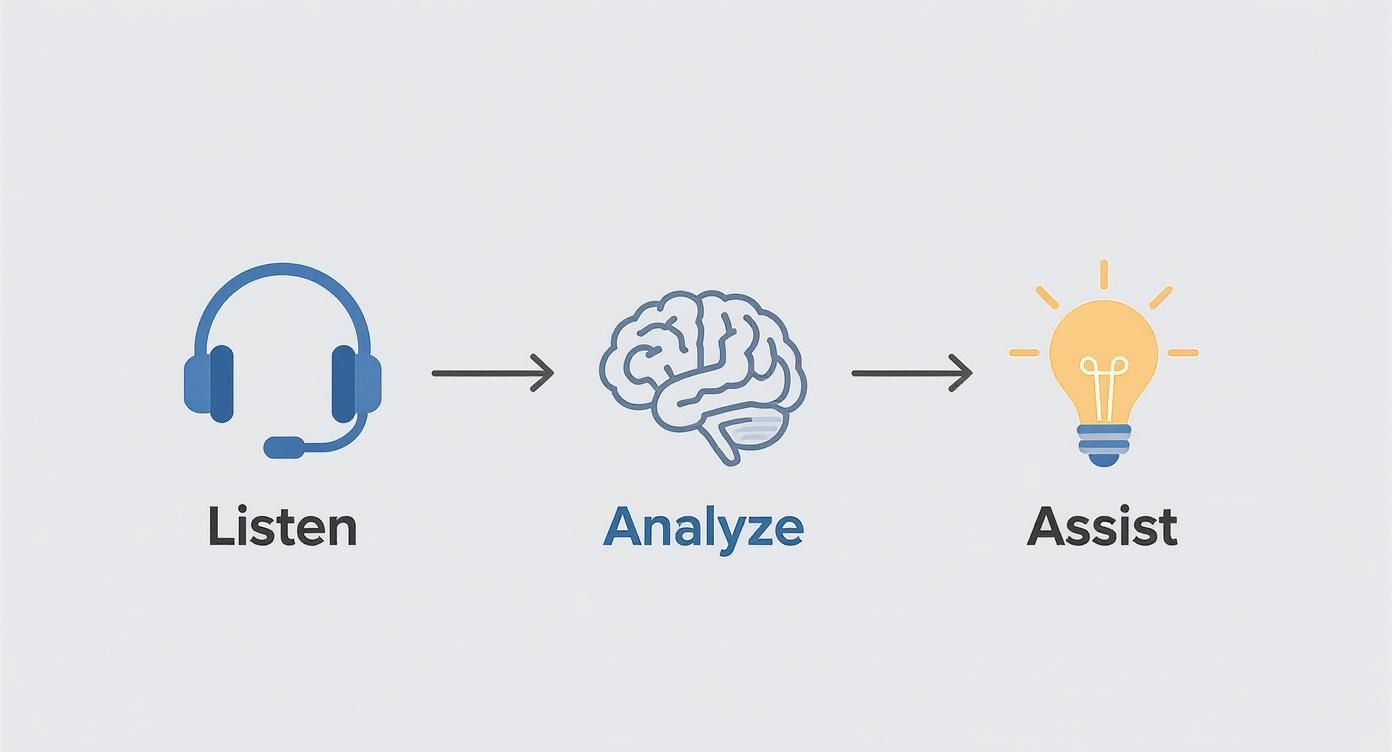
As you can see, it’s a direct path from raw audio to intelligent, contextual support. Every single step has to work perfectly for the agent to get accurate and timely help.
First up in this digital assembly line is the Speech-to-Text (STT) engine. Its sole purpose is to be an incredibly fast transcriber, turning the live audio from the call into a written transcript in real time. For this to work, the STT needs extremely low latency. Any lag at this stage means the entire system is playing catch-up with a conversation that's already moved on. For developers building these systems, a low-latency STT API like Lemonfox.ai is the foundation, giving them the raw speed they need.
At the exact same time, Speaker Diarization is working to answer the critical question: "Who said what?" It's the component that tags each piece of the transcript as belonging to either the customer or the agent. Without this, the context is lost, and the system can't provide relevant assistance.
Once we have the "who" and the "what," the transcript is handed off to the brains of the operation: Natural Language Understanding (NLU). This is where the magic really happens. NLU moves beyond just spotting keywords; it deciphers the actual intent behind the words. It can detect sentiment, pull out key entities like product names or ticket numbers, and figure out if a customer is angry, confused, or just looking for information.
The NLU's ability to grasp context is what separates a truly helpful agent assist tool from a glorified script prompter. It’s the difference between the system hearing the word "invoice" and understanding the customer is disputing that invoice.
Finally, the NLU's analysis triggers the last, and most visible, part of the process. This is where Retrieval and Generative AI models take center stage.
This entire sequence—from a word being spoken to a helpful suggestion appearing on the agent's screen—has to happen in under a second. It's this combination of high-speed transcription, precise speaker identification, deep contextual understanding, and rapid information delivery that makes real-time agent assist so powerful.
When you decide to bring real-time agent assist into your contact center, one of the first big questions you'll face is how to build it. This isn't just a technical detail; it's a decision that fundamentally shapes the agent's day-to-day experience and the overall complexity of the project.
There are two main paths you can take, and your choice will come down to your team's priorities. Are you looking for speed and a quick proof-of-concept, or are you aiming for a seamless, deeply integrated experience from day one?
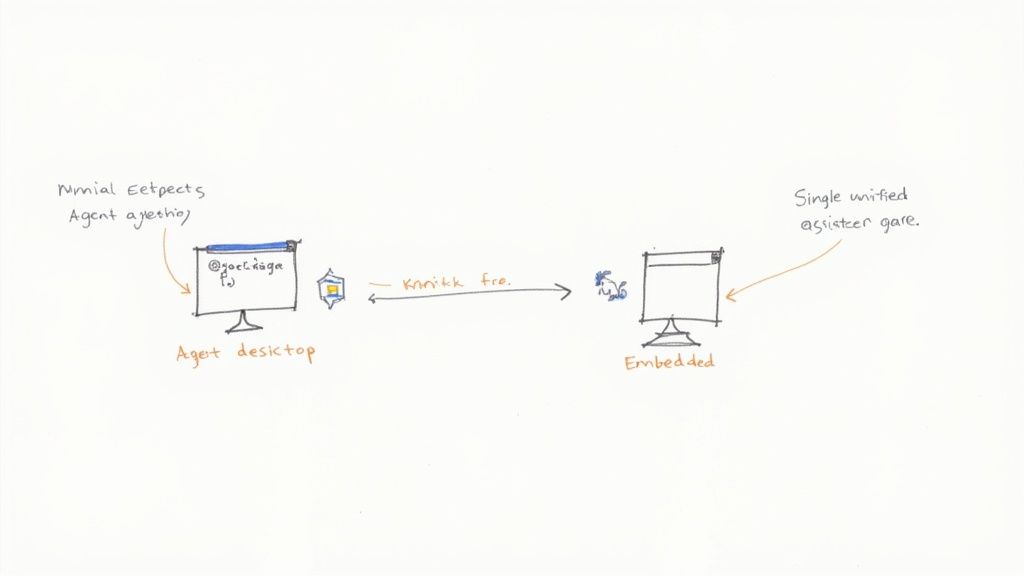
This diagram shows the basic data flow: audio goes from the agent's desktop to the assist system, which sends back helpful guidance. The real architectural choice is about where and how that guidance shows up for the agent.
Think of the Sidecar model as giving your agent a co-pilot who sits in a separate chair. It’s a standalone application that runs alongside the agent's main tools, like their CRM or softphone. This separate app listens to the call and pops up suggestions in its own window.
This is often the fastest way to get started. Since it isn't tangled up with your core software, you can get a prototype up and running relatively quickly. The downside, however, is that it can feel a bit clunky. Your agents have to constantly shift their attention between their main screen and the assist window, which can disrupt their flow.
The Sidecar model is a great starting point if you want to test the waters and prove the value of agent assist without committing to a massive integration project upfront. It's all about getting results quickly, even if the experience isn't perfectly smooth.
The Embedded model is a completely different philosophy. Instead of adding a separate tool, you weave the agent assist features directly into the software your agents already live in every day. It’s like upgrading a car’s dashboard with a built-in navigation system instead of just sticking a phone to the windshield.
Here, you use APIs to make AI-powered suggestions, compliance checklists, and knowledge base articles appear as native parts of the CRM or softphone interface. This makes the whole experience feel fluid and natural.
This approach definitely takes more upfront development work. You'll need to dig into your existing systems' APIs to make it all work. But the payoff is huge: a far superior user experience. Agents don't have to learn a new tool; the one they already use just gets smarter. This is where real-time agent assist truly shines, becoming an invisible, indispensable part of the agent's workflow rather than just another app to manage.
Launching a real-time agent assist platform isn't about a big-bang, disruptive event. It’s a strategic deployment. Simply dropping a powerful new tool on your entire team at once is a classic recipe for confusion, pushback, and a failed project.
The best rollouts I've seen always start small with a targeted pilot program.
Think of it like this: you wouldn't cook a brand new, complex recipe for 50 people on your first try. You’d start with a small batch, get it just right, and then scale. The same logic applies here. Find one specific, high-impact, and repetitive problem—maybe it's processing refunds or walking customers through a common technical snag.
By zeroing in on a single use case, you create a controlled environment. This lets you measure the impact clearly and gather honest feedback without completely overwhelming your agents with change.
Let's be blunt: your AI is only as good as the information you feed it. The single biggest reason agent assist tools fail is a messy, outdated, or disorganized knowledge base. It's the Achilles' heel of these projects.
Before you even think about deploying, you have to get your house in order. Make sure your internal documentation is clean, well-structured, and easy to search. This isn't just a pre-launch checklist item; it's an ongoing commitment to knowledge management that becomes the fuel for your AI engine. Nail this, and the AI will deliver accurate, relevant suggestions from day one, which is crucial for building trust with your agents.
The goal is to build a tool that agents see as their trusted co-pilot, not a robotic micromanager. The only way to get there is by making them part of the process. This is where a "human-in-the-loop" feedback system becomes essential.
A simple thumbs-up or thumbs-down icon next to each AI suggestion is incredibly powerful. It transforms agents from passive users into active partners, teaching the AI what works and what doesn't in real conversations.
This feedback loop accomplishes two critical things. First, it constantly refines the AI's accuracy. Second, it gives agents a real sense of ownership over the tool they use every day.
The market for these tools is growing fast for a reason. The global AI agents market was valued at USD 5.4 billion and is expected to hit USD 7.6 billion soon. This growth is driven by companies that get it—they understand AI must work for their teams, not against them. If you want to see how this is playing out across different industries, you can explore more AI agent statistics.
When you empower your agents to help train the AI, your investment doesn't just work; it gets smarter and more valuable with every single interaction.
When a real-time agent assist system is listening in on every word of a live customer conversation, you take on a massive responsibility. Protecting sensitive customer data isn't just a nice-to-have feature; it’s the bedrock of your entire system. Get it wrong, and you're facing a catastrophic loss of trust and potentially crippling legal fines.
The stakes couldn't be higher. During a normal call, customers might share anything from credit card numbers and social security details to sensitive health information. Your system has to be built from the ground up to handle this data with extreme care, making sure it's never stored improperly or exposed.

Your first and most important line of defense is technical. Implementing automatic PII redaction is non-negotiable. Think of this technology as a digital bouncer that instantly identifies and removes sensitive information from transcripts as they're being generated.
For instance, if a customer reads out their credit card number, the system should immediately swap it for a placeholder like [REDACTED_CREDIT_CARD] long before that data has a chance to hit a log file or an agent's screen.
This is absolutely essential for meeting strict regulations like GDPR in Europe and CCPA in California. These laws come with heavy penalties, so your entire architecture needs to be designed around secure data protocols, limited data retention, and strict access controls.
A core principle here is data minimization: only process and store the absolute minimum data required for the agent assist tool to function. If you don't need it, don't touch it.
Technical safeguards are only half the battle. There's a huge human element to consider, too. Both your agents and your customers have a right to know that an AI system is part of the conversation. Trying to hide it is a surefire way to destroy trust and make people feel like they're being spied on.
A successful rollout depends on being completely upfront.
This kind of open communication creates a foundation of trust. It shows everyone involved that the real time agent assist tool is there to help responsibly, not to snoop. In the long run, ethical deployment is every bit as important as technical perfection.
So, you've invested in a real-time agent assist solution. Now comes the hard part: proving it was worth it. To build a solid business case that gets leadership's attention, you have to move beyond just talking about cool features. You need to draw a straight line from what the tool does to the numbers that matter most to the business.
It’s about shifting the conversation. Instead of saying, "It gives agents real-time suggestions," you need to show, "Those suggestions cut our call times by 15% and boosted customer satisfaction." That’s how you demonstrate real value.
https://www.youtube.com/embed/fx-JBk8ZEVc
The first place you'll see an impact is in your core contact center metrics. These are the nuts-and-bolts numbers that define your team's efficiency. A good agent assist platform should make a clear, positive dent in these areas almost immediately.
Start by zeroing in on these fundamental Key Performance Indicators (KPIs):
The goal is to build a clear data story. You want to be able to walk into a meeting and say, "After we turned this on, Average Handle Time decreased by 15%, which saved us thousands of agent hours last quarter."
This kind of data-driven proof turns your agent assist platform from a "nice-to-have" gadget into an engine for operational excellence.
Speed is one thing, but quality is another. The deeper value of agent assist often lies in how it improves the human side of the interaction. Confident, supported agents lead to happier customers, and that's where you'll find the most strategic wins.
Start tracking the metrics that reflect satisfaction and loyalty. Look at your Customer Satisfaction (CSAT) and Net Promoter Score (NPS) surveys. Are customers leaving interactions feeling more positive because their issues were resolved quickly and accurately? The data will tell you.
But don't forget about your team. The agent experience is just as crucial. Keep an eye on Employee Satisfaction (eSAT) scores and, importantly, Agent Retention rates. A tool that genuinely makes a stressful job easier by reducing cognitive load will create a more stable, skilled, and happier workforce. This trend is gaining serious momentum, with North America leading the charge in the global real-time AI agent assist market, accounting for roughly 37.7% of its growth. You can dig deeper into the real-time AI agent assist market's growth to see how these trends are playing out across different regions.
To make the connection between the technology and the results crystal clear, it helps to map specific features to the KPIs they influence. This table breaks down how each component of an agent assist platform contributes to a measurable business outcome.
| Feature | Primary KPI Impacted | How It Improves the KPI |
|---|---|---|
| Real-Time Transcription | Compliance & Quality Assurance | Provides a searchable, accurate record of every call, making it easier to monitor for compliance and coach agents. |
| Knowledge Base Retrieval | Average Handle Time (AHT) | Instantly surfaces relevant articles and answers, cutting down the time agents spend searching for information. |
| Step-by-Step Guidance | First Call Resolution (FCR) | Walks agents through complex processes, ensuring no steps are missed and leading to more successful resolutions on the first attempt. |
| Sentiment Analysis | Customer Satisfaction (CSAT) | Alerts agents to customer frustration in real-time, allowing them to de-escalate and adjust their approach proactively. |
| Automated Call Summaries | After-Call Work (ACW) | Eliminates manual note-taking by generating accurate summaries, letting agents move to the next call faster. |
| CRM Data Integration | Personalization & AHT | Automatically displays customer history and relevant data, so agents don't have to ask repetitive questions. |
| Agent Coaching & Prompts | Agent Retention & eSAT | Provides gentle reminders and compliance prompts, reducing agent stress and helping them feel more confident and supported. |
Ultimately, measuring success is about connecting the dots. When you can show that a specific feature, like automated summaries, directly led to a reduction in After-Call Work, you've built an undeniable case for the value of your agent assist platform.
Thinking about bringing real-time agent assist into your contact center? You're not alone. Development teams and operations leaders often have a few practical questions before they dive in. Here are some of the most common ones we hear, with straightforward answers.
It's probably more manageable than you think. The integration effort really depends on your approach. Modern agent assist tools are designed with APIs that play nicely with major CRMs and helpdesk platforms.
An embedded approach, where the assistance appears directly inside your CRM, takes more upfront development. On the other hand, a "sidecar" application that runs alongside your existing software can be stood up much faster, which is perfect for a pilot.
The key is choosing a solution with a flexible, well-documented API. This saves your dev team a ton of heavy lifting and lets you inject the AI's smarts right into the tools your agents already know and use. No one wants another window to manage.
Yes, absolutely. The barrier to entry has come way down. You don't need a massive enterprise budget to get started anymore, especially with API-first solutions.
A smart way to begin is with a tightly focused pilot program. Pick one high-impact, repetitive problem—like guiding agents through password resets—and prove the ROI on a small scale. This phased approach makes the technology accessible even for smaller teams.
Security is non-negotiable, and any platform worth its salt puts this first. Reputable systems handle sensitive data with automatic PII redaction, which strips out things like credit card numbers or social security numbers from transcripts as the conversation happens.
This is critical for staying compliant with regulations like GDPR and CCPA. Most of the processing is also done ephemerally, meaning the system analyzes the conversation's content without permanently storing the sensitive bits. It's all about protecting your customers and your company.
Ready to build your own real-time agent assist solution with the fastest, most affordable voice AI? Lemonfox.ai provides the low-latency Speech-to-Text APIs you need to power instant analysis and guidance. Start your free trial and get 30 hours of transcription today.