
First month for free!
Get started
Published 12/14/2025

A speech assistant AAC is a tool that gives a voice to people who can't speak on their own. It closes the gap between what someone is thinking and what they can say out loud by turning text, symbols, or even pictures into clear, audible speech. More than just technology, it’s a way for users to express themselves, join conversations, and connect with the world.
Imagine the frustration of having a mind full of thoughts, jokes, and opinions but no easy way to share them. For millions of people, this is a daily reality. A speech assistant AAC (Augmentative and Alternative Communication) system completely changes that, offering a reliable and personal way to communicate. It's not just about speaking—it's about being heard and understood.
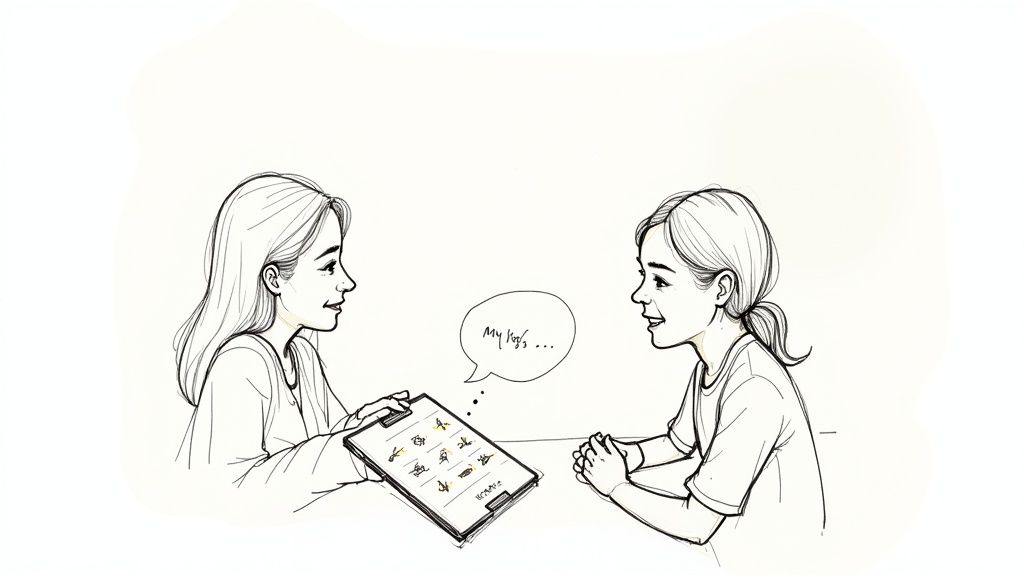
For parents, therapists, educators, and developers, getting to grips with this technology is the first step toward unlocking someone's potential. This guide will walk you through everything you need to know, from the basic ideas to the practical steps of picking and using a solution.
Think about a child with nonverbal autism using a tablet with a speech assistant AAC app. Instead of just pointing or getting frustrated, they can tap a few symbols to say, "I want the red ball, please." That simple request is a huge leap in their independence and ability to connect with others.
Or picture an adult who lost their voice after a stroke or due to ALS. With an advanced eye-gaze system, they can write emails to family, weigh in on important decisions, and even keep working. These aren't just far-off ideas; they're happening every single day, all thanks to AAC.
I've structured this guide to build your understanding step by step. We'll cover:
The goal of any speech assistant AAC is to make communication more efficient and less effortful than the user's natural method. It's about reducing barriers and amplifying a person's inherent voice.
By the time you finish this guide, you’ll have a clear picture of how AAC works and why it’s so vital. You'll understand the key differences between various systems and feel confident navigating the options. Together, let’s explore how these tools are creating a more inclusive and connected world, one voice at a time.
To really get what makes a speech assistant AAC system tick, you have to look at the core technologies working together behind the screen. Think of them as the crew of a stage play—each one has a critical job in turning a simple input into a clear, audible voice.
The heart of almost any modern AAC system is Text-to-Speech (TTS) technology. TTS is like a digital narrator that can read any text you give it out loud, instantly. When someone types a message or taps a pre-saved phrase, the TTS engine is what turns those letters on the screen into natural-sounding speech.
This process has come a long, long way. The early TTS voices sounded robotic and flat, but today's engines use sophisticated algorithms to create voices with realistic pitch, tone, and rhythm. This makes the conversation feel so much less mechanical and a lot more human.
Flipping the script, you have Speech-to-Text (STT), which works like a very fast digital stenographer. This technology listens to spoken language through a microphone and converts it into written words on the device.
While it's not the main way most AAC users communicate out, STT is incredibly helpful for their support circle. It lets a caregiver, therapist, or family member quickly add new words or phrases to the device just by saying them. This makes personalizing the system much faster and more intuitive than typing everything out by hand.
For many people, communication isn't about typing out words. This is especially true for those with cognitive challenges or children just starting their AAC journey. They often rely on a visual language, and that's where symbol and picture-based systems are a game-changer.
These systems use a grid of icons or pictures that stand for words, actions, and ideas. A person might select a few pictures in a row—like an icon for "I," another for "want," and a picture of an apple—to build a sentence. The speech assistant AAC then speaks that sequence aloud: "I want apple."
This visual approach has some huge benefits:
Well-known frameworks like the Picture Exchange Communication System (PECS) are built around this very idea, offering a structured path to teaching functional communication from the ground up.
Now we get to one of the most personal and profound technologies in the AAC space: Voice Banking. This is the process of recording someone's voice to create a unique, synthesized version that can be loaded onto their communication device.
Voice banking is more than just a feature; it's a way to preserve a fundamental part of a person's identity. For individuals with degenerative conditions like ALS who face losing their natural voice, it allows them to continue communicating in a voice that is recognizably theirs.
The process usually involves reading a list of sentences aloud. An AI system then analyzes these recordings to capture all the unique qualities of that person's speech—their pitch, accent, and cadence. This vocal "fingerprint" becomes their personal voice on their speech assistant AAC device.
A similar process, sometimes called voice creation, can be used for children who have never been able to speak. By blending voice samples from parents or siblings, developers can build a unique voice that sounds like it belongs in the family. This level of personalization makes the whole experience feel more authentic and connected, turning a generic tool into a true personal voice.
Choosing a speech assistant AAC system can feel overwhelming. The options are vast, ranging from simple picture cards you can hold in your hand to sophisticated digital devices that track eye movements. But you don't need to be an expert to find the right path.
The key is to understand that these systems fall into a few clear categories based on their technology. Think of it as a spectrum—from no-tech to high-tech—with each level offering different strengths. We'll walk through them one by one, so you can see how they stack up and figure out what makes the most sense.
You might be surprised to learn that some of the most effective AAC tools don't have a power button. Low-tech AAC refers to any communication aid that doesn't need batteries or electronics. These are often the starting point for someone's communication journey, and they remain invaluable backups even when more advanced tech is available.
Simple, tangible, and reliable, these tools include things like:
Because they're so straightforward and affordable, low-tech options are fantastic for getting started or for situations where a digital device might fail or be impractical.
Taking a step up, we find mid-tech AAC. These are simple, battery-powered electronic devices that bridge the gap between static picture boards and full-blown computers. They introduce basic voice output without the complexity of a high-tech system.
A classic example is a big red button that, when pressed, plays a single pre-recorded message like, "I need a break." Some devices have a few buttons, each with a different message. They are excellent for introducing the concept of cause and effect and giving users a direct way to voice specific, common needs.
This is where things get really exciting. High-tech AAC systems are advanced electronic devices running specialized software to provide robust, dynamic communication. This is the category where the modern speech assistant AAC truly comes to life.
These systems include dedicated Speech-Generating Devices (SGDs)—tough, purpose-built machines—as well as AAC apps on standard tablets or phones. They offer massive vocabularies, natural-sounding text-to-speech engines, and flexible input methods, from touchscreens and physical switches to advanced eye-gaze tracking.
The demand for these powerful tools is growing fast. The global market for speech-generating devices was valued at USD 327.20 million in 2024 and is expected to soar to USD 833.58 million by 2032, fueled by new technology and greater awareness. You can find more insights on the growing SGD market and how it’s changing lives.
This diagram shows the key technologies that make these advanced systems work, from turning text into speech to preserving a person's unique voice.
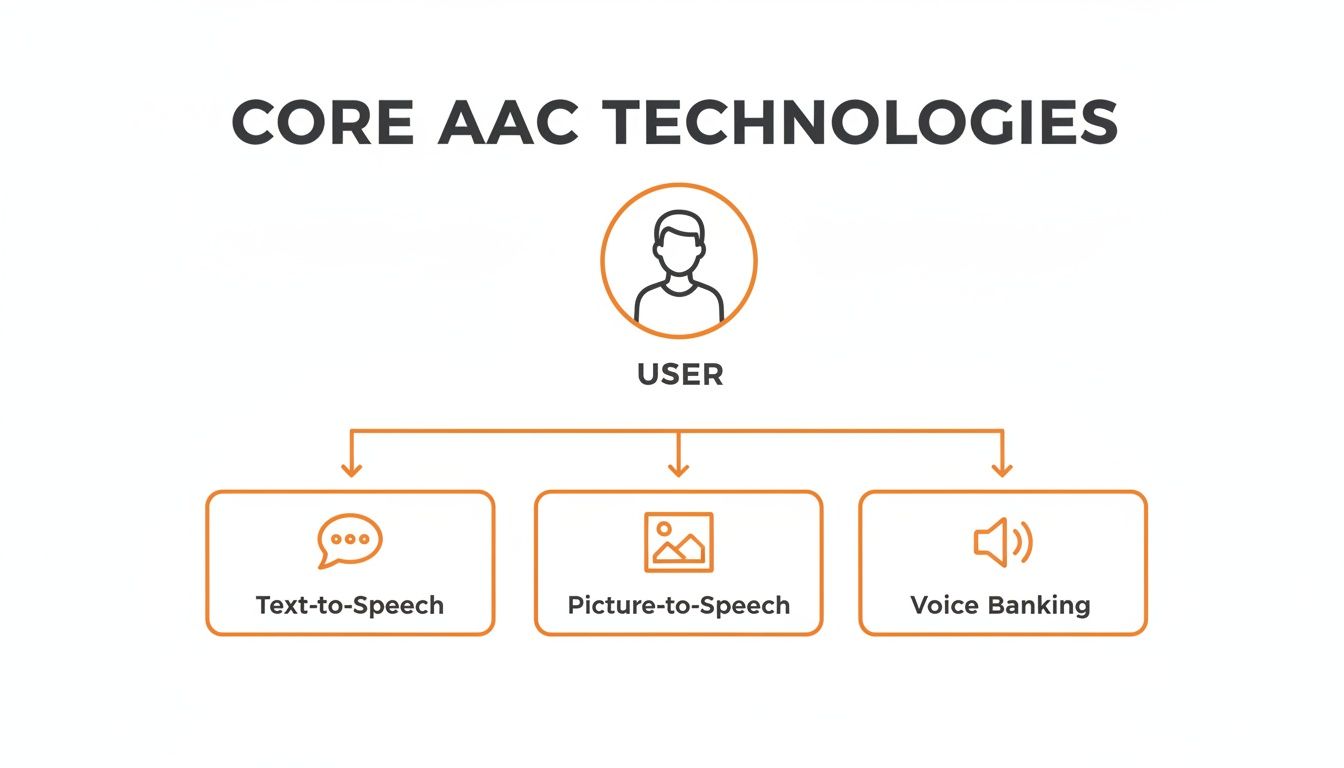
As you can see, it all starts with the user's intent and branches out into different technological pathways to give them a voice.
By understanding this hierarchy—from simple, non-electronic aids to powerful, dynamic digital systems—you can begin to match a user's specific abilities and communication goals to the right category of tools.
This table breaks down the three main types of AAC systems to help you understand their strengths and best-use cases.
| System Type | Examples | Portability | Customization Level | Typical Cost Range | Best For |
|---|---|---|---|---|---|
| Low-Tech | Picture boards, communication books, writing aids | High | Low to Moderate | $0 - $200 | Beginners, backup systems, specific contexts (e.g., swimming), low budgets. |
| Mid-Tech | Single-message buttons, simple voice output devices | High | Low | $50 - $500 | Teaching cause-and-effect, communicating a few core needs simply. |
| High-Tech | Speech-generating devices (SGDs), AAC apps on tablets | Moderate to High | High | $500 - $20,000+ | Users needing robust vocabulary, diverse access methods, and dynamic communication. |
Ultimately, the best system is the one the user feels comfortable and confident with. Comparing these options on factors like cost, portability, and how much they can be personalized is the next crucial step in making the right choice.
Choosing an AAC speech assistant isn't like buying a gadget off the shelf; it’s more like getting a prosthetic limb. The goal is to find a system that fits the user so perfectly it feels like a natural part of them—a true extension of their thoughts and personality. A system that doesn't fit right will inevitably end up collecting dust, but the right one can completely open up a person's world.
The whole process has to start with the user. It’s not about finding the "best" technology in a vacuum, but about understanding the individual's unique strengths, the challenges they face, and what they want to achieve.
Before you even glance at a device or an app, the first step is to get a clear picture of the user's physical and cognitive abilities. This foundational knowledge is your filter; it immediately narrows the vast field of options and points you in the right direction.
First, think about physical access. Can the user reliably use their hands? Someone with good fine motor control might fly on a high-resolution touchscreen, tapping out messages with incredible speed. But for a person with limited hand function, that same screen would be a barrier.
This is where alternative access methods become essential:
Cognitive skills are the other side of the coin. A person's literacy, memory, and attention span will tell you whether a text-based system is the way to go or if a symbol-based approach makes more sense. The key is to match the system’s complexity to the user’s abilities to build confidence, not frustration.
This is not a decision to be made in isolation. The best outcomes always come from a team effort, bringing together experts, family, and most importantly, the user themselves. Every single person on that team brings a critical piece of the puzzle.
While a speech-language pathologist (SLP) often spearheads the evaluation, the real magic happens when everyone works together. The goal isn't just to choose a system for the user, but to choose it with them.
A strong evaluation team usually includes:
Together, this team will trial different devices and software setups, seeing what actually works in the real world. This hands-on trial period is non-negotiable; it's the only way to make a truly informed decision.
Once you have a deep understanding of the user and a team in place, you can start digging into the features. And when it comes to AAC, customization is everything. The ability to fine-tune a system is what transforms it from a generic tool into a personal voice.
Look for a system that can be deeply personalized:
Ultimately, choosing an AAC speech assistant is a deeply personal process of matching a human being with the right technology. By keeping the focus on the user, building a collaborative team, and demanding deep personalization, you can find a solution that doesn't just enable speech—it empowers a person to be truly heard.
Off-the-shelf AAC apps are fantastic tools, but they can't cover every unique need. Sometimes, a person's specific circumstances demand something built just for them. For developers and institutions stepping up to this challenge, creating a custom speech assistant AAC is about more than just code—it’s about building a deeply personal bridge to the world.
This journey always starts with people, not programming. A thorough needs assessment is your blueprint, and it's a collaborative process. You have to sit down with the therapists, the caregivers, and most importantly, the person who will be using the device. What words are absolutely essential? What’s the easiest and least tiring way for them to make a selection? Getting these answers right from the start is what separates a truly helpful tool from a frustrating one.
This push for more personalized solutions is driving major growth in the field. The global market for AAC devices was valued at USD 231.0 million in 2024 and is expected to nearly double, reaching USD 431.1 million by 2032. This isn't just a market trend; it reflects a 45% increase in adoption by individuals with complex communication needs who are finding their voice through technology. You can learn more about the growth of the AAC devices market.
With a clear picture of the user's needs, it's time to talk tech. The heart of any modern AAC system beats with Text-to-Speech (TTS) and Speech-to-Text (STT) services, which you’ll typically access through APIs.
Your choice of API is critical. You’re looking for a provider that hits the sweet spot between voice quality, language options, and—this is a big one—low latency. In a real-life conversation, a delay of even a few hundred milliseconds feels like an eternity. Real-time responsiveness isn't a luxury; it’s the key to making communication feel natural and fluid.
When you're evaluating APIs for your custom speech assistant AAC, focus on these core factors:
When you're building a tool that handles someone's personal thoughts and conversations, privacy is paramount. It’s not just a feature; it's a fundamental requirement, especially in healthcare environments where you have to meet strict standards like HIPAA.
This leads to a key architectural choice: do you process data on the device itself or in the cloud?
On-device processing provides the strongest privacy because sensitive information never leaves the user's hands. The trade-off is that you might be limited by the hardware's power and miss out on the most advanced cloud-based AI. Cloud solutions offer incredible processing muscle but demand rock-solid security to protect data every step of the way.
Finally, you have to design the user interface (UI). This is where the technology meets the human. The interface must be dead simple to navigate and accommodate a wide range of input methods—from a simple touch to sophisticated eye-gaze tracking. A great UI feels like an extension of the user, empowering them to speak freely. A poorly designed one just becomes another obstacle.
By carefully balancing powerful technology with thoughtful, user-focused design, you can build a custom AAC solution that is secure, effective, and genuinely changes someone's life.
The world of speech assistant AAC is changing fast. We're moving away from simple voice output and toward systems that are predictive, integrated, and deeply personal. The future isn't just about making voices sound clearer; it’s about creating smarter, faster, and more intuitive ways to communicate that can almost anticipate what a person wants to say.

This evolution is being powered by Artificial Intelligence (AI) and Machine Learning (ML). Picture an AAC system that learns someone's unique communication style, guesses what they might want to say next based on the situation, and offers up the right phrases on the spot. This isn't science fiction; it’s the next logical step in making conversation faster and less mentally taxing for the user.
The predictive text we see on our phones today is just scratching the surface. The next generation of AAC devices will use AI to grasp context on a whole new level.
There's a strong economic driver behind all this innovation. The market for speech assistant AAC is booming, with some projections showing it will climb from USD 2.09 billion in 2024 to USD 3.62 billion by 2029. This expansion is driven by factors like an aging population and a growing awareness of disability needs, underscoring the demand for better communication tools. You can dive deeper into the dynamic AAC market on ResearchAndMarkets.com.
The ultimate goal of AI in AAC is to close the gap between the speed of thought and the speed of communication, making interactions as seamless as possible.
Looking even further down the road, the possibilities are truly mind-bending. Brain-Computer Interfaces (BCIs) could represent a monumental leap, holding out the promise of a future where people control their communication devices just by thinking. While the technology is still in its infancy, BCIs might one day create a direct line from neural signals to synthesized speech.
At the same time, AAC is breaking free from being just a dedicated device. The clear trend is toward seamless integration with the world around us. A speech assistant AAC user could soon control their smart home—turning on the lights, changing the thermostat, or playing music—all through the same interface they use to speak.
This kind of integration is about more than just convenience. It helps shift assistive technology from being a separate, specialized tool to being a natural part of everyday life. It’s all about fostering greater independence, reducing social stigma, and building a future where everyone can connect more easily. The next wave isn't just coming; it's already here.
Diving into the world of assistive technology can feel a bit overwhelming, and it’s natural to have practical questions. Let's tackle some of the most common ones about speech assistant AAC systems, covering everything from cost and learning curves to the devices themselves.
The price tag on a speech assistant AAC can vary wildly depending on how simple or sophisticated it is. There's a huge spectrum of options out there.
Before you pull out your wallet, it’s absolutely essential to look into funding options. Many insurance providers, including Medicare and Medicaid, often provide coverage. Don't forget to check with schools and nonprofit organizations, as they sometimes offer financial help or even provide the systems directly.
This is a question with no single answer. The journey of learning to use a speech assistant AAC is deeply personal. It really comes down to the individual's cognitive abilities, physical skills, motivation level, and, of course, the complexity of the system itself.
Some people might start expressing basic needs and wants within just a few days. For others, becoming truly fluent and mastering a large vocabulary is a much longer road—it can take months or even years of consistent practice, therapy, and dedicated support from family and caregivers.
The real key to success is patience and encouragement. It's far better to start with a system that can grow with the user, rather than overwhelming them with something too complex right away. That’s a surefire path to frustration.
This is a classic fork in the road for many families and users. A dedicated device (SGD) is a piece of hardware built from the ground up for one purpose: communication. They often come with rugged cases to withstand drops, extra-loud speakers that cut through background noise, and built-in ports for things like switches or eye-gaze trackers.
On the other hand, an AAC app running on a regular tablet (like an iPad) offers a lot more flexibility and is almost always the less expensive option. While that's a huge plus, the device itself might not be as durable, and you'll likely need to buy separate accessories for alternative access. The best choice really hinges on the user’s specific physical needs, the environments they'll be in, and the funding you have to work with.
Ready to build powerful voice capabilities into your own applications? Lemonfox.ai offers high-quality, affordable Text-to-Speech and Speech-to-Text APIs perfect for creating the next generation of assistive technology. Explore our developer-friendly tools and start your free trial today.