
First month for free!
Get started
Published 11/22/2025

When you're looking into a clinical AI assistant, one of the first things you want to know is, "What's this going to cost me?" Suki AI keeps its pricing pretty close to the chest, but based on industry reports and what customers are saying, you can expect their subscription plans to run between $299 and $399 per user, per month.
Let's break down what you get for that investment.
Suki's pricing is built around a straightforward per-user subscription. This is a deliberate choice that stands in contrast to some competitors who charge based on usage. The benefit here is predictability; you know exactly what your monthly bill will be, which makes budgeting a whole lot easier, whether you're a solo practitioner or a sprawling health system.
The cost of each plan ties directly to its capabilities and who it's designed for. Reports from the field suggest that Suki Compose, the entry-level option, starts at $299 per user per month. For the more advanced Suki Assistant, the price tag is around $399 per user per month.
Suki Compose is really the starting point. It’s a great fit for smaller clinics or individual doctors who are primarily looking to cut down on the time they spend on documentation. Think of it as a powerful dictation and note-generation tool that gets you out of the weeds of manual typing.
On the other hand, Suki Assistant is geared toward larger practices and hospitals. These are organizations that need the AI to do more than just listen—they need it to interact deeply with their existing Electronic Health Record (EHR) systems. The extra cost covers these more complex integrations and advanced voice commands. For the biggest organizations with truly unique demands, Suki also offers custom enterprise packages with negotiated pricing based on the number of users and the specific EHR setup.
This breakdown gives a good sense of how Suki positions its plans to match different clinical needs.

As you can see, the value scales up from foundational dictation to a fully integrated ambient assistant.
Key Insight: Suki's tiered model lets you scale your investment with your needs. A small practice can jump in with Compose to fight documentation burnout right away, while a large hospital can go for the Assistant to overhaul workflows across the entire system.
To get a feel for how Suki’s costs stack up, it's always smart to look at what other players are doing. Checking out the Voice Charts pricing page, for example, can give you a broader perspective on market rates for similar medical AI services.
Here's a quick summary of what Suki brings to the table.
The table below offers a snapshot of Suki AI's main plans, helping you quickly see which one might be the right fit for your practice or organization.
| Plan Name | Estimated Monthly Price (Per User) | Ideal For | Key Features |
|---|---|---|---|
| Compose | $299 | Small clinics, individual practitioners, specialists. | AI-powered dictation, note generation, ambient listening. |
| Assistant | $399 | Larger practices, health systems, hospitals. | All Compose features, plus advanced EHR voice commands. |
| Enterprise | Custom Pricing | Large health systems with unique integration needs. | Fully customized features, dedicated support, volume discounts. |
Ultimately, Suki’s pricing structure is designed to provide a clear path for adoption, whether you're just dipping your toes into AI-powered documentation or ready for a full-scale implementation.
To really get a handle on Suki AI’s pricing, you have to look past the monthly cost and dig into what you actually get with each plan. The difference between Suki Compose and Suki Assistant isn't just a number—it’s about the specific clinical workflows they’re designed to support. Each one is built for a different level of operational need.
Think of Suki Compose as the starting point. With a reported price of around $299 per user per month, its main job is to tackle documentation burnout head-on. It’s perfect for individual clinicians or smaller practices that just need a powerful, AI-driven scribe.
This plan is laser-focused on one thing: generating clinical notes efficiently. A clinician can just talk naturally during an encounter, and Suki’s AI handles the heavy lifting, structuring the conversation into a clean SOAP (Subjective, Objective, Assessment, and Plan) note. This ambient listening is a game-changer, letting doctors focus on the patient instead of a keyboard.
Here’s what you get with Suki Compose:
In short, Suki Compose is the ideal entry point if your main goal is to drastically cut down on administrative time without overhauling your entire tech stack.
For larger healthcare organizations and health systems, the Suki Assistant plan steps things up significantly. At a reported $399 per user per month, it builds on Compose's foundation by adding a powerful layer of interactive, voice-driven commands that tie directly into the EHR.
This is where Suki goes from being a passive scribe to an active partner. With the Assistant plan, a clinician doesn't just dictate notes—they can use their voice to pull up patient data, place orders, and queue up diagnoses, all from within the EHR. It’s a tool that smooths out the entire clinical workflow, not just the documentation piece.
The real magic of Suki Assistant is its ability to take action inside the EHR with voice commands. It's a true workflow automation tool, and that's what makes the higher price a no-brainer for busy, high-volume clinics.
On top of that, the Assistant plan usually comes with enterprise-level security and dedicated support, which are non-negotiable for large-scale hospital deployments. These features ensure everything stays compliant and stable, even with hundreds of users. The choice really boils down to what you need: a powerful tool for documentation, or a comprehensive assistant that actively helps you manage clinical tasks from start to finish.
When you're evaluating AI tools for transcription and documentation, the pricing model is often the first major fork in the road. Suki AI and Lemonfox.ai tackle similar problems but come at it from two completely different directions, with cost structures designed for very different users and technical needs. Getting this fundamental difference is the key to choosing the right tool for the job.
Suki AI is built on a straightforward per-user, per-month subscription model. This approach gives healthcare organizations what they value most: budget predictability. With plans reportedly starting around $299 per user, the cost is fixed, no matter how heavily a clinician relies on the service.
Lemonfox.ai, on the other hand, operates on a pay-as-you-go basis, charging only for the audio you actually process. This usage-based model is a perfect fit for developers or businesses with fluctuating workloads, since you’re never paying for idle capacity. For projects with variable or lower volume transcription needs, this can translate into serious cost savings.
The contrast in their billing philosophies couldn't be clearer. Suki AI’s model is all about providing a stable, all-inclusive service for a clinical setting, whereas Lemonfox.ai is designed for granular control and technical scalability.
Suki AI: You get a fixed monthly subscription for each user. This is great for organizations that need consistent access for a set number of clinicians and want to completely avoid surprise charges. The real value is getting unlimited use for that single flat fee.
Lemonfox.ai: You pay a per-minute or per-hour usage fee. This is built for developers creating applications or for businesses whose audio processing needs change month to month. If you have a slow period, your costs drop right alongside your usage, giving you direct financial flexibility.
This image shows how Suki AI packages its two main offerings, Compose and Assistant, for different clinical workflows.

You can see how Suki tailors its products, from straightforward documentation (Compose) to a more interactive workflow tool (Assistant), which helps explain its subscription pricing.
Looking past the price, the technical details really tell you which platform is built for which task. Things like latency, language support, and data privacy are huge differentiators that affect both how the tool works and whether it meets compliance standards.
For example, Suki AI’s strength lies in its specialized medical vocabulary and deep integrations with EHRs—features that are baked in to justify its premium subscription. It was born and bred for the clinical world. Lemonfox.ai, however, casts a much wider net with support for over 100 languages, making it the obvious choice for any global application or multilingual project.
To make things crystal clear, let's look at a side-by-side comparison.
This table breaks down the essential differences between the two platforms, highlighting what really matters when making a decision.
| Criterion | Suki AI | Lemonfox.ai | Key Differentiator |
|---|---|---|---|
| Pricing Model | Per-user subscription | Pay-as-you-go (per-minute) | Predictable costs vs. scalable, usage-based billing. |
| Language Support | English, Spanish, others | Over 100 languages | Specialized for medical encounters vs. broad global reach. |
| Speaker Recognition | Optimized for clinician-patient scenarios | High-accuracy diarization | Designed for two-speaker medical dictation vs. general multi-speaker needs. |
| Data Retention | Based on HIPAA requirements | Immediate data deletion | Long-term compliant storage for healthcare vs. privacy-first ephemeral processing. |
| EU API Availability | US-focused, HIPAA compliant | Dedicated EU API available | Built for US healthcare compliance vs. built for GDPR and EU data residency. |
Ultimately, the choice comes down to who the tool is built for.
The most significant takeaway is the target audience. Suki AI is a vertically integrated solution for healthcare providers, while Lemonfox.ai is a horizontal, flexible API for developers and diverse businesses.
Your decision hinges entirely on your primary goal. If you need a turnkey clinical assistant that plugs right into Epic or Cerner, Suki AI is the purpose-built tool. But if you're a developer who needs a scalable, affordable, and privacy-focused transcription engine for a new application, Lemonfox.ai's API-first design gives you the exact building blocks and cost structure you need.
Moving past the sticker price is where the real evaluation begins. To make a smart decision, you need to understand how the numbers will play out in your specific environment. The total cost of ownership for a fixed-rate service like Suki AI looks very different from a pay-as-you-go platform like Lemonfox.ai, so let's break down how to project your expenses.
For Suki AI, the math is refreshingly simple. It’s a classic subscription model: just multiply your number of users by the monthly fee. That predictability is a huge plus for clinical budgets where surprises are rarely welcome.
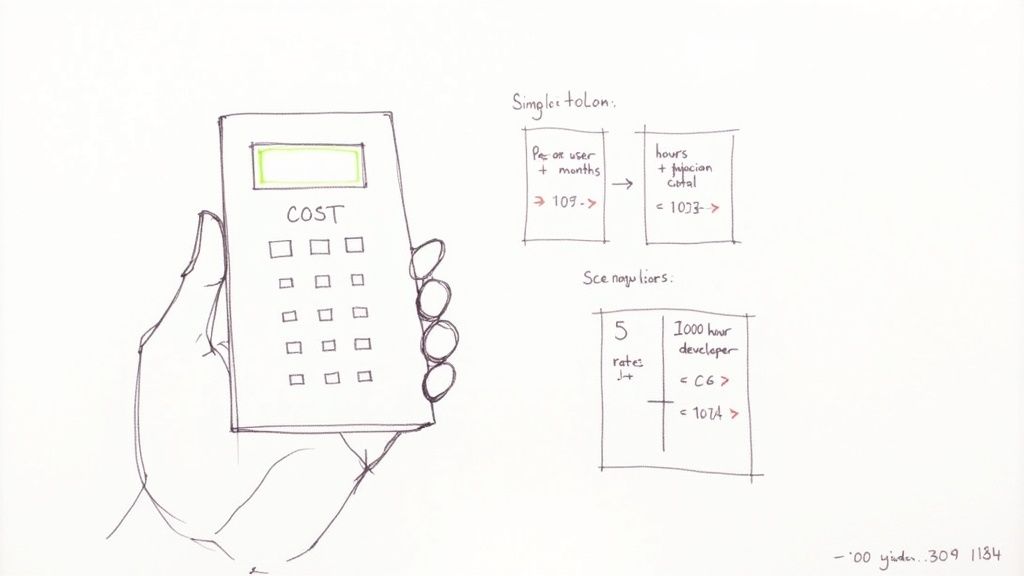
Let's ground the Suki AI pricing in a couple of real-world clinical examples. This is how the fixed-cost model works in practice for different-sized teams.
Small Private Practice: Picture a clinic with 5 physicians on the Suki Assistant plan. If we use the reported rate of $399 per user per month, the total comes out to a flat $1,995 each month. All five clinicians get unlimited access without anyone having to track minutes or worry about overages.
Larger Hospital Department: Now, imagine a department with 20 clinicians. The formula is the same: 20 users multiplied by $399 gives you a predictable monthly cost of $7,980. Larger enterprise contracts might offer volume discounts, but the basic calculation doesn’t change.
This model is all about financial stability, a top priority for most healthcare organizations.
Key Consideration: While Suki AI's monthly cost is predictable, don't forget to ask about one-time fees. Setup, deep EHR integration, or custom training sessions can add to the initial investment, so make sure you get the full picture upfront.
With Lemonfox.ai, the entire cost model flips. Your bill is tied directly to your consumption, making it a perfect fit for developers and businesses with fluctuating audio needs. The calculation is simple: total hours of audio transcribed per month multiplied by the hourly rate.
This pay-as-you-go flexibility means you never pay for idle capacity. Many developers kick the tires with a free trial, which often includes a substantial amount like 30 hours of transcription, to see how the API performs before spending a dime. It's a no-risk way to validate if the service fits both your project and your budget.
Deciding between a specialized clinical tool like Suki AI and a versatile API like Lemonfox.ai really boils down to your end goal. The choice isn't about which one is "better" overall, but which one fits your specific role, technical resources, and budget. One is a ready-to-use solution for healthcare providers, while the other is a powerful building block for developers.
Each platform shines in different situations. Let's walk through a few common scenarios to see which service makes the most sense, helping you match your needs with the right tech and pricing.
In a couple of clear-cut cases, Suki AI's all-in, subscription-based model is the obvious choice. The predictable nature of Suki AI pricing offers the budget stability that established medical organizations absolutely need.
Large Hospitals Needing Deep EHR Integration: A major hospital system requires more than just a transcription service; it needs a tool that plugs directly and reliably into its EHR, like Epic or Cerner. Suki Assistant was built from the ground up for this, offering deep integrations and enterprise-level security. Its fixed per-user cost makes budgeting predictable across large departments, which is a must-have for administrators.
Small Private Practices Fighting Physician Burnout: A small clinic's biggest pain point is often the administrative load crushing its doctors. Suki Compose provides a direct fix by automating clinical notes. The flat monthly fee is a simple operational expense that delivers immediate and significant time savings, all without needing an IT team to get it running.
Suki is a classic B2B software-as-a-service (SaaS) company. Its subscription fees generally fall between $299 and $399 per user per month for its main products. This premium pricing, backed by significant funding, shows its strong position as a top-tier player in the healthcare AI space.
On the flip side, developers and nimble startups live and breathe flexibility, scalability, and tight cost control. These are the exact strengths of Lemonfox.ai’s pay-as-you-go API model.
The Bottom Line: The core difference is purpose. Suki AI sells a complete, end-to-end clinical workflow product. Lemonfox.ai offers a high-performance transcription engine for developers to build whatever they can imagine.
Here are two scenarios where Lemonfox.ai is the clear winner:
Telehealth Startups Needing Multilingual Support: Imagine a startup building a telehealth app for a diverse, multilingual patient population. They need an API that can handle dozens of languages without breaking the bank. Lemonfox.ai’s support for over 100 languages and its low per-hour cost is perfect for scaling up without a huge initial investment.
Developers Building a Privacy-First EU App: A developer creating a voice-powered app for the European market has to put GDPR compliance first. Lemonfox.ai’s dedicated EU API and its policy of deleting data immediately after processing provide the data residency and privacy guarantees that are non-negotiable for operating in the EU.
As you weigh your options, it's also smart to look at the wider tech landscape, which includes various No Code AI Platforms that offer different ways to build. Ultimately, your decision comes down to whether you need a finished product right out of the box or a flexible tool to build your own.
After digging into the features and pricing, a few key questions always seem to pop up. Let's tackle the most common ones to give you a clearer picture of how Suki AI really works.
One of the first things people ask about is a free trial. Unlike a lot of SaaS platforms you might be used to, Suki AI doesn't have a standard, publicly advertised free trial for solo practitioners or small clinics.
Instead, they focus on a more hands-on evaluation process. For larger health systems or practices that are a good fit, Suki offers personalized demos and pilot programs. This approach lets you see exactly how the platform performs in your own clinical environment, with your specific EHR, before you commit to a full deployment. To get the ball rolling, you'll need to reach out to their sales team.
Suki AI's real strength lies in how well it plays with Electronic Health Record (EHR) systems, especially with the Suki Assistant plan. It's built to connect with the big names in the industry, like Epic, Cerner, athenahealth, and Elation Health.
But the depth of that integration really depends on the plan you choose.
This advanced capability is what makes Suki Assistant feel less like a simple dictation tool and more like a true clinical workflow partner.
Key Takeaway: The integration is where Suki AI delivers its core value. Compose handles the essential task of getting notes into the EHR, but Assistant provides a deeply embedded experience, letting clinicians command their EHR with just their voice.
Absolutely. Suki AI was built from the ground up to be fully compliant with the Health Insurance Portability and Accountability Act (HIPAA). Handling sensitive Protected Health Information (PHI) is its entire business, so security and patient privacy are baked into its DNA.
Suki AI maintains compliance through a few critical measures:
For any healthcare provider, HIPAA compliance is a deal-breaker. Suki's strict adherence to these standards makes it a safe and trustworthy choice for clinical environments, from a small private practice all the way up to a large hospital system.
Ready to build with a transcription API that’s fast, affordable, and privacy-focused? Lemonfox.ai offers developers a powerful Speech-to-Text solution for less than $0.17 per hour. Start building today by exploring our API.