
First month for free!
Get started
Published 12/9/2025
When we talk about generating Arabic speech from text, we're aiming for something much bigger than just converting words into audio. The real goal is to create authentic, natural-sounding voice experiences for the 420 million people who speak Arabic natively. From accessibility tools to IVR systems, getting the voice right is everything, and that means using technology built specifically for the language's unique character.
If you’re building an application for Arabic-speaking users, you've probably noticed that generic text-to-speech engines just don't cut it. The demand isn't just for any audio output; it's for a voice that feels human, familiar, and trustworthy.
Imagine a user in Cairo interacting with a banking IVR, or a visually impaired student in Riyadh relying on a screen reader. The quality of that synthesized voice directly shapes their entire experience. A robotic, poorly pronounced voice can shatter immersion in an instant, eroding a user's confidence in your product. This is because Arabic has some very specific linguistic traits that demand a smarter approach.
Unlike many Western languages, Arabic throws a few curveballs that standard TTS systems often miss. Getting past these is the secret to producing speech that sounds clear and natural.
Here’s what you're up against:
A specialized approach is non-negotiable if you want to build an experience that feels genuine. When your application speaks in a voice that gets the local nuances right, it’s not just passing along information—it’s building a real connection.
The need to solve these linguistic challenges is fueling some serious market growth. Arabic text-to-speech is becoming a must-have as more businesses focus on localization and accessibility. With smart devices everywhere and major digital transformation projects across the Middle East and North Africa (MENA), the push for natural, human-like Arabic voices—often powered by deep neural networks—is stronger than ever.
This drive is absolutely essential for getting users on board and making products commercially viable in Arabic-speaking markets. You can find more data on the growing TTS market and its key drivers over on polarismarketresearch.com.
Ultimately, putting resources into a high-quality Arabic speech solution isn't just a technical upgrade; it's a strategic move. It lets you create products that show respect for linguistic and cultural details, delivering a far better user experience that can earn the trust of a massive global audience.
Picking the perfect text-to-arabic-speech API can feel like a huge decision, especially with so many options out there. The real goal isn't just to find any API, but to find the one that truly fits your project's specific needs for authentic Arabic audio. Get this right, and you'll see a big payoff in your user experience down the road.
First things first, you need to look past generic feature lists. Focus on what actually matters for handling the complexities of the Arabic language. This means digging into dialect coverage, the tech behind the voice quality, API speed, and whether the pricing model works for your budget.
This diagram shows why a solution built specifically for Arabic often beats a generic, one-size-fits-all approach.
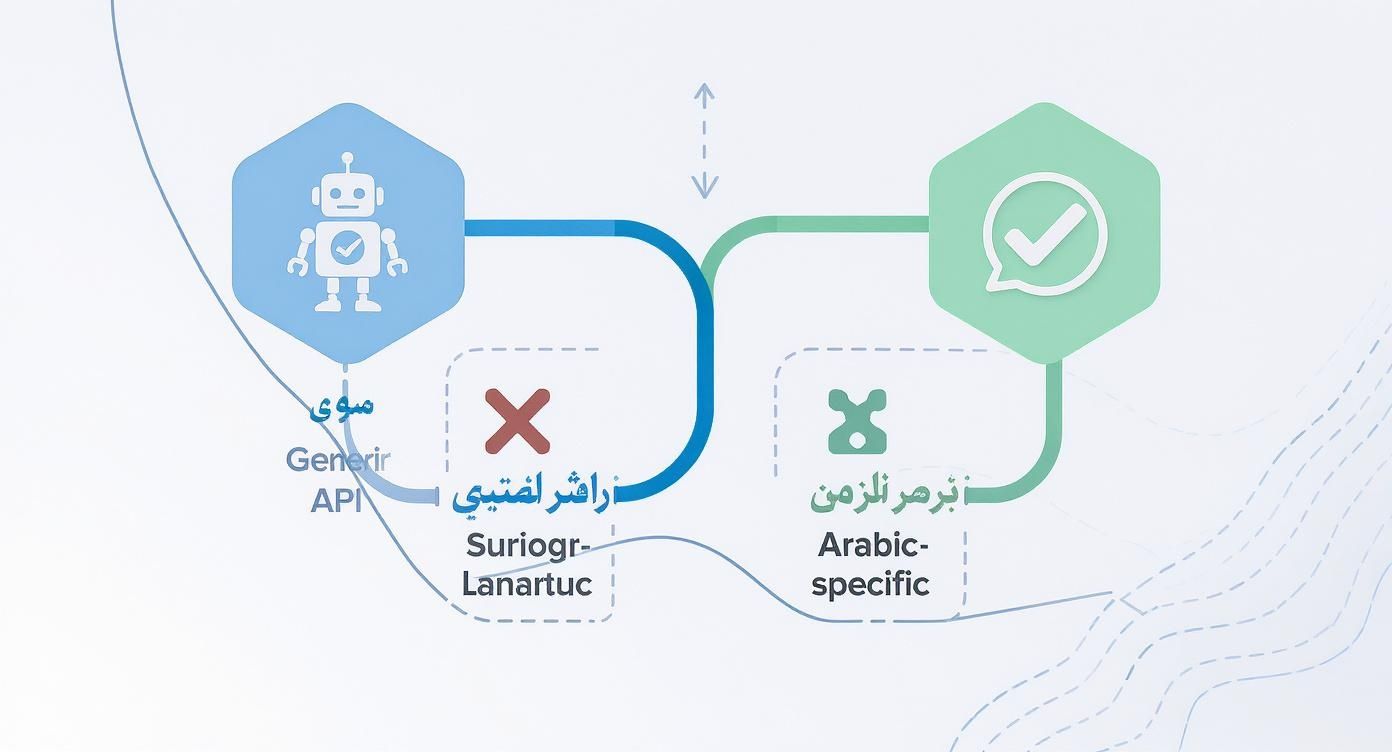
As you can see, a generic API might seem good enough at first glance, but it often stumbles on the linguistic details, creating a poor experience. An Arabic-first approach, on the other hand, is designed from the ground up to deliver the kind of authenticity that builds trust with your users.
When you start sizing up different providers, a few key features should be at the very top of your checklist. These are the things that directly determine how natural the generated speech sounds to a native speaker.
You'll want to investigate three core areas:
A key thing to remember is that the "best" API is entirely relative to your project. An API with the most realistic Egyptian dialect might be perfect for a customer service bot in Cairo, but it would be a poor fit for an e-learning platform targeting students across the Arab world, where MSA is the standard.
The major cloud players like Google, Microsoft, and Amazon have all invested heavily in their text-to-speech services, and their Arabic options are pretty solid. Each one has its own particular strengths.
Google Cloud Text-to-Speech, for example, is known for its WaveNet voices, which produce exceptionally natural-sounding speech. Microsoft Azure Cognitive Services also brings a wide array of neural voices and dialects to the table, giving you plenty of options to find a voice that matches your brand’s personality.
The growth in this space is staggering. The global TTS market was valued at USD 4.55 billion in 2024 and is projected to skyrocket to USD 37.55 billion by 2032. This boom is fueled by AI advancements and the growing demand for voice-enabled apps. It also underscores why localizing for complex languages like Arabic is so crucial for tapping into new global markets. You can learn more about the market trends driving text-to-speech growth to see the bigger picture.
To help you get a quick overview, here's a high-level look at how some of the big names stack up on features that are critical for Arabic.
| Feature | Provider A (e.g., Google) | Provider B (e.g., Azure) | Provider C (e.g., AWS) |
|---|---|---|---|
| Neural Voice Quality | Excellent (WaveNet) | Excellent (Neural) | Very Good (Neural) |
| Dialect Coverage | Good (MSA + several key dialects) | Extensive (MSA + wide range of regional dialects) | Good (MSA + popular dialects) |
| Diacritics Support | Strong, automatic handling | Robust, with options for manual control | Good, generally handles Harakat well |
| Customization (SSML) | Extensive support for pauses, pitch, rate | Full SSML support for fine-tuning | Comprehensive SSML tags for speech control |
| Free Tier | Generous (e.g., 1 million characters/month) | Generous (e.g., 500k characters/month) | Generous (e.g., 1 million characters/month for 12 months) |
This table is just a starting point, of course. The best way to evaluate them is to run your own tests with text specific to your application to see which voice sounds most natural for your use case.
API pricing is another major piece of the puzzle. Most providers operate on a pay-as-you-go model, usually charging you based on the number of characters or bytes you send for processing.
Here are the common pricing structures you'll run into:
Always read the fine print. Some services charge a premium for their top-tier neural voices compared to the older standard ones. For a more budget-friendly option, services like Lemonfox.ai offer high-quality voice synthesis at a fraction of the cost, which can make advanced voice tech more accessible.
Ultimately, making the right choice comes down to balancing voice quality, dialect options, and your budget to find the API that delivers the best all-around value for your specific project.
Theory is one thing, but let's get our hands dirty and actually build something. This walkthrough will take you from zero to generating your first high-quality text to arabic speech audio file. We'll be using a popular TTS API to show how the core concepts work in practice, from getting authenticated to saving the final audio.
By the time we're done here, you’ll have a working script that can take an Arabic phrase, fire it off to an API, and save the resulting speech as a playable MP3. Think of this as the foundation you can build on for your own projects.
Before a single line of code gets written, we need to do a little prep work. This means grabbing an API key and getting your local environment set up with the right tools. It's a straightforward but absolutely essential step for a smooth ride.
First things first, you’ll need an account with whatever TTS provider you've chosen. Once you're signed up, head over to your account dashboard or the API section and generate a new API key. This key is your personal pass to the service; it proves your requests are legit and ties everything back to your account.
Pro Tip: Treat your API key like a password. Seriously. Store it safely in an environment variable or use a secrets management tool. Never, ever hardcode it directly into your source code, especially if you plan on pushing your code to a public place like GitHub.
With your key secured, it's time to prep your coding environment. We'll use Python for this example since it’s a go-to for API integrations. You'll also need a library to handle HTTP requests. My recommendation is the requests library—it's incredibly popular and easy to work with.
You can get it installed with a quick pip command:pip install requests
And just like that, your environment is ready to start talking to the TTS API.
Alright, now for the fun part: writing the code that actually communicates with the API. The goal here is a simple function that takes your Arabic text, wraps it up in a proper API request, and sends it on its way.
Let’s break down the main pieces of our request. We'll need the API endpoint URL, our secret key for authentication, and the payload that carries our text and specific settings.
For this example, we’ll use the phrase: "أهلاً بك في عالم تحويل النص إلى كلام" (Welcome to the world of text-to-speech). It’s a great test case because it uses common Arabic letters and has a natural flow.
Here’s what our API call needs to include:
application/json).ar for Arabic, and define the output format (like mp3).Choosing the right voice is a bigger deal than you might think. Most providers give you a whole list to pick from, with different genders and regional accents. For our first test, a standard Modern Standard Arabic (MSA) voice is a safe bet since it's universally understood.
Once the request is structured, it's time to send it and handle what comes back. You might expect to get a file directly, but that's not usually how it works. Instead, the API typically streams back raw audio data as a sequence of bytes. Your script's job is to catch that stream and write it to a file.
The requests library makes this pretty painless. You'll make a POST request to the API endpoint, passing along your headers and the JSON payload. If everything goes well, you'll get a 200 OK status code, and the response body will contain your audio data.
It's really important to build some error handling into your script. What happens if your API key is wrong? Or if the service is down for a minute? By checking the response status code, you can handle these problems gracefully instead of just letting your script crash. For example, a 401 Unauthorized status is a dead giveaway that something's off with your API key.
After you've confirmed a successful response, you can grab the audio from response.content. This attribute holds the raw binary data for your MP3. The last step is to open a new file on your machine in binary write mode ('wb') and save this content.
Let's call our output file arabic_speech.mp3. Run the script, and this file should pop up in your project folder. Double-click it, and you should hear clear, synthesized Arabic audio: "أهلاً بك في عالم تحويل النص إلى كلام."
And there you have it—you've successfully integrated a text to arabic speech service. This simple script is just the beginning. From here, you can build more advanced applications, whether it's creating dynamic audio for a website or building an interactive voice response system for a call center.
Moving from a basic API call to a professional-grade application is all about getting the details right. When working with text to Arabic speech, those details are the unique linguistic nuances that make the language so rich. Nailing them is what separates a robotic, clunky output from a voice experience that feels genuinely human to a native speaker.
This is where you graduate from just generating audio to truly directing the performance. We'll get into the practical techniques for handling diacritics, controlling pronunciation with precision, and making sure elements like numbers and dates are spoken correctly in an Arabic context. These are the pro-tips that will really make your implementation shine.

One of the first hurdles developers run into is handling diacritics (Tashkeel or Harakat). In most modern Arabic text, these short vowel marks are left out, and native speakers just know how a word should sound from the context. Today's top-tier neural TTS engines are surprisingly good at guessing the correct vowels, a process known as automatic diacritization.
For everyday sentences, you can often trust the API to figure it out. But leaving it to chance can be a risk, especially with certain types of content.
Think about these real-world scenarios:
My rule of thumb is this: add diacritics yourself for any text where accuracy is non-negotiable. While modern APIs are impressive, providing the fully vocalized text removes all guesswork and guarantees the intended pronunciation.
If you want to move beyond the default output, you need to get familiar with Speech Synthesis Markup Language (SSML). Think of SSML as your personal control panel for the TTS engine. It's an XML-based language that lets you embed tags directly into your input text to manage everything from pronunciation and pauses to pitch and speaking rate.
Using SSML is the key to making your Arabic audio sound directed and expressive, rather than flat and monotonous. For instance, you could insert a natural pause after an introductory phrase or change the pitch to emphasize a key word. This level of control is absolutely essential for creating engaging audio for e-learning, narration, or interactive assistants.
Let's look at a few SSML tags that are especially useful for Arabic. Imagine you want to make sure the word "مرحباً" (Marhaban) is spoken with a welcoming, slightly slower cadence.
You could simply wrap it in SSML like this:<speak> <prosody rate="slow">مرحباً</prosody>, كيف حالك اليوم؟ </speak>
That little tag tells the engine to slow down just for that word, making a world of difference in the final feel.
A few other indispensable tags include:
<break>: This lets you insert a pause. You can be specific, like <break time="500ms"/> for a clean half-second pause.<say-as>: This tag is a lifesaver for clarifying how to read numbers, dates, and currencies. For instance, you can tell the engine if "١٩٩٩" should be read as a cardinal number or a year.<phoneme>: This is your ultimate tool for pronunciation. If the engine just can't get a word right, you can spell it out phonetically using an alphabet like IPA.This need for nuanced TTS isn't just a niche concern; it's a global one. The Asia-Pacific region, for example, is a massive market for this technology, with growth projected to shoot past a 15% CAGR through the late 2020s. This boom is fueled by high smartphone adoption and government investments in digital services that require solid local language support—including Arabic for various regional populations. These trends just go to show the worldwide demand for high-quality, natural-sounding TTS. You can dig into more data on the global text-to-speech market and its regional dynamics.
SSML provides a ton of options, but here's a quick cheat sheet for the tags you'll likely use most often when working with Arabic.
| SSML Tag | Purpose | Arabic Example Usage |
|---|---|---|
<speak> |
The root element that wraps all SSML content. | <speak>النص هنا</speak> |
<break> |
Inserts a pause between words. | انتظر لحظة<break time="1s"/> ثم أكمل. |
<prosody> |
Controls the rate, pitch, and volume of speech. | تحدث <prosody rate="fast">بسرعة</prosody> أو <prosody pitch="high">بصوت عالٍ</prosody>. |
<say-as> |
Specifies how to interpret text like numbers or dates. | عام <say-as interpret-as="date" format="y">2023</say-as> |
<phoneme> |
Provides a phonetic pronunciation for a word. | هذا هو النطق الصحيح لـ <phoneme alphabet="ipa" ph="ˈmɑdʒɪd">ماجد</phoneme>. |
<sub> |
Substitutes a word or phrase with another for pronunciation. | اقرأ <sub alias="منظمة الصحة العالمية">WHO</sub> بصوت عالٍ. |
Getting comfortable with these tags will give you an incredible amount of control over the final audio output.
Numbers and dates can be surprisingly tricky. The number "١٠" (10) might need to be pronounced differently depending on whether it's part of a phone number, a date, or a simple count. This is exactly where the <say-as> tag in SSML proves its worth.
For example, to make sure a year is read out correctly as a date, you would use:<say-as interpret-as="date" format="ymd">2024-12-25</say-as>
In the same way, you can force numbers to be read as individual digits (perfect for a phone number) or as a cardinal number (for a quantity). Without this explicit instruction, a TTS engine might make the wrong assumption, leading to an unnatural or confusing experience for the listener. Mastering these SSML controls ensures your application communicates with the clarity and precision that reflects a deep understanding of the Arabic language.
Getting your text to arabic speech integration working is one thing. Making it production-ready—meaning fast, responsive, and budget-friendly—is a whole different ballgame. Once you have the basics down, your focus needs to shift to efficiency. It’s all about striking a balance between a snappy user experience and keeping your API bill from spiraling out of control.
This really boils down to two main goals: cutting down latency so your users aren't left waiting, and being smart about how and when you call the API to manage costs.
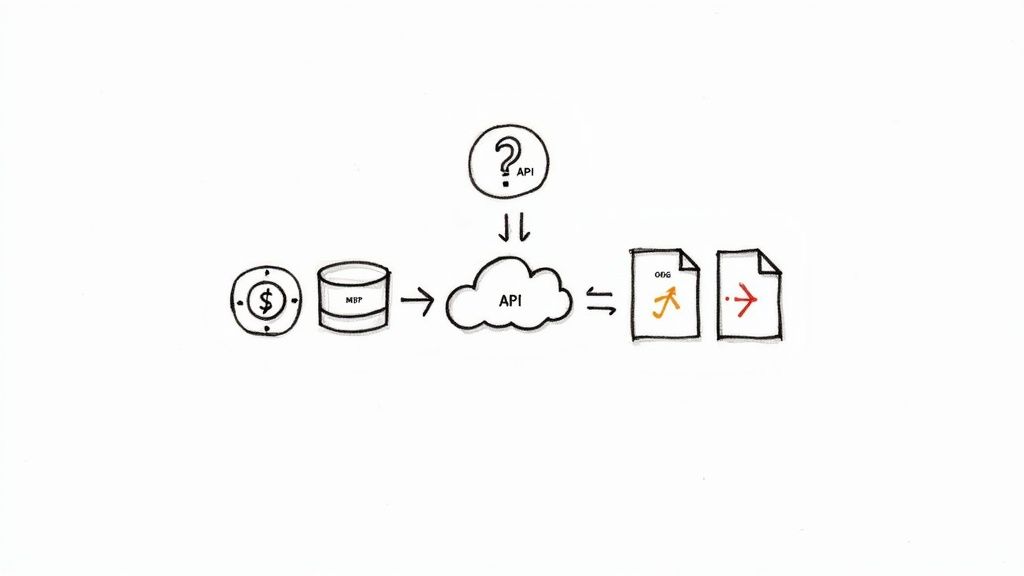
Let's be honest: the biggest drag on performance is almost always API latency. The round-trip time to send text and get back audio data can feel like an eternity in a real-time application. If you’re repeatedly generating the same audio—think common IVR prompts like "للعربية، اضغط على واحد" or standard UI notifications—calling the API every single time is just burning time and money.
This is where a caching layer becomes your best friend. Instead of hitting the API for audio you've already generated, you store it and serve it directly from your own system. For repeat requests, this simple change can drop latency from a few hundred milliseconds down to practically zero.
Here are a few ways you can implement this:
A smart caching strategy does more than just speed things up. It also directly lowers your API costs by drastically reducing the number of redundant calls you make for identical text snippets.
The audio format you request from the API has a huge impact on both file size and perceived quality. Many APIs default to a high-quality format like WAV, but these are uncompressed and can be massive. For most voice applications, a compressed format is a much more practical choice.
For the vast majority of web and mobile apps, MP3 is the safest bet. You’ll slash your bandwidth and storage needs without anyone noticing a difference in the voice quality.
Most TTS APIs operate on a pay-as-you-go model, typically charging per character. While the cost for a single character is minuscule, it adds up incredibly fast when you're processing a high volume of text.
Beyond caching, another powerful strategy is to consolidate your API requests.
Instead of firing off dozens of small requests for short sentences or phrases, try to batch them into a single, larger request whenever it makes sense. This is a game-changer when you're generating audio for a list of items or a sequence of steps. Fewer API calls mean less network overhead and cleaner, simpler code on your end.
And a final, critical piece of advice: protect your API keys. Store them in environment variables or use a dedicated secrets management tool. A leaked key can be used by anyone, leading to a nightmare scenario of unauthorized usage and a massive, unexpected bill. A secure implementation is a cost-effective one.
When you start working with text to arabic speech, you'll quickly run into a few common questions. These aren't just technical details; they're strategic decisions that directly affect how users interact with your app and how much work is involved on your end. Let's walk through the most frequent ones I see developers grapple with.
Getting these right from the start can make a huge difference, saving you headaches down the road and creating a much better product for your Arabic-speaking audience.
This is probably the first big decision you'll face, and the answer comes down to one thing: context. There's no single "best" choice, only what's right for your users and your application's purpose.
Here’s how I typically advise teams to think about it:
What if your audience is spread out but your app is still conversational? A smart approach is to use MSA as the default but give users the option to switch to their preferred dialect in the settings.
It’s incredibly common to have text that mixes Arabic with English, especially for brand names, technical jargon, or common loanwords. The good news is that most modern neural TTS engines are trained on multilingual datasets and can handle this "code-switching" pretty well right out of the box.
But for a truly polished, professional sound, you don't want to leave it up to the model's best guess.
The most bulletproof solution is to use SSML (Speech Synthesis Markup Language). By wrapping an English word or phrase in a
<lang xml:lang='en-US'>tag, you're explicitly telling the synthesis engine to switch to its English model for just that part. This ensures perfect pronunciation before it seamlessly flips back to Arabic.
Absolutely, but it requires a totally different setup than a cloud API. If you need offline capability, especially for a mobile app, you won't be making HTTP requests. Instead, you’ll integrate an on-device TTS engine.
Both Android and iOS offer native TTS support that includes Arabic, though the quality can be a mixed bag. For more natural, high-fidelity offline voices, you'll likely need a third-party SDK. These let you bundle the neural voice models directly into your application package. Just be prepared for the trade-offs: a bigger app download size and voices that might not be quite as sophisticated as what the massive cloud-based models can produce.
This is a classic challenge with Arabic. Top-tier neural TTS models are surprisingly good at predicting the correct diacritics (Tashkeel) based on the surrounding text, a process often called automatic diacritization. For most everyday sentences, you can rely on the API to get it right.
However, when accuracy is non-negotiable, you need to step in. For ambiguous words, names, or passages from religious texts or poetry, the only way to guarantee the correct pronunciation is to add the diacritics yourself in the input text. This removes all ambiguity for the engine and puts you in complete control of the final audio.
Ready to bring high-quality, natural-sounding voices into your application? With Lemonfox.ai, you can generate human-like audio using a simple and affordable Text-to-Speech API. Start building more engaging voice experiences today at a fraction of the cost of other providers. Visit https://www.lemonfox.ai to learn more.