
First month for free!
Get started
Published 12/30/2025
Yes, you absolutely can get your Kindle to read to you. The simplest way is using its built-in VoiceView screen reader, which pairs with any Bluetooth speaker or headphones. But let's be honest, for an experience that feels less like a robot and more like a real audiobook, you'll probably want to explore third-party apps and specialized services that offer much higher-quality voices.
Wanting your Kindle to read aloud is about more than just convenience. It's about fundamentally changing how we fit books into our lives, blending the quiet, personal act of reading with the dynamic, on-the-go nature of audio. For some, it's a critical accessibility tool, opening up entire libraries to people with visual impairments or reading challenges like dyslexia.
But the appeal is much wider. Think about your daily commute, a session at the gym, or just doing chores around the house. These are all times when your eyes and hands are occupied, but your mind is free to listen. This is where text to speech for Kindle really shines, turning that "dead time" into productive reading time. You can get through a chapter while making dinner or finish a novel on your morning run, weaving books into even the busiest days.
So, how do you actually make your Kindle books audible? The options boil down to a few key approaches, each designed for different needs. The right path for you really depends on what you're trying to achieve—are you a casual listener just looking for a straightforward solution, or maybe a developer who wants to build a completely custom audio experience?
This decision tree lays out the main choices you have.
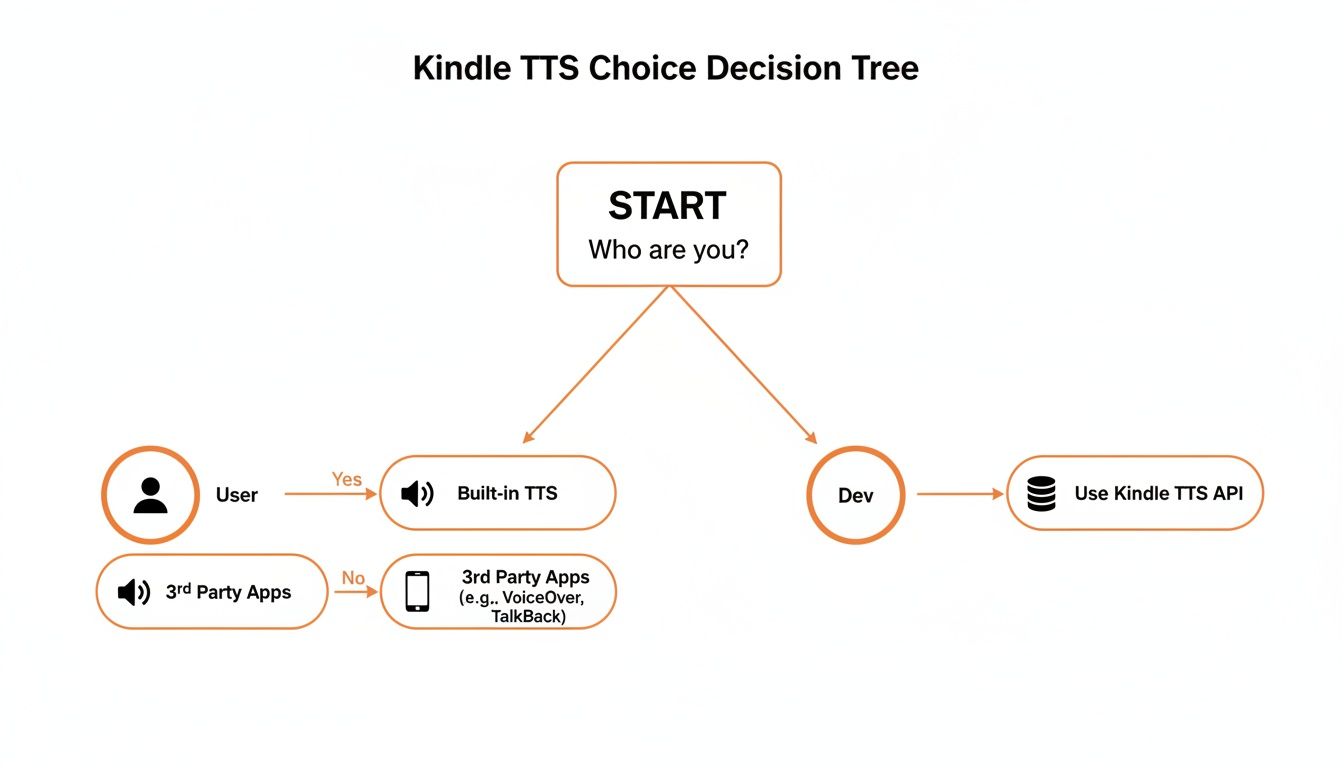
Ultimately, your technical comfort level and your end goal—whether it's just listening for yourself or creating a new application—will point you toward either using existing tools or diving in with a powerful API.
The demand for these audio features is huge, and it's actively reshaping the e-reader market. The Amazon Kindle market itself was valued at a massive USD 17.2 billion in 2024, and it's projected to climb to USD 22.76 billion by 2033. A big driver of that growth is the push for better accessibility features, like TTS, that make content available to a much broader audience. You can discover more insights about this growing market and its trends.
To help you decide which route to take, here's a quick comparison of the most common methods.
| Method | Best For | Voice Quality | Ease of Use |
|---|---|---|---|
| Built-in VoiceView | Basic accessibility, hands-free reading on device | Robotic, functional | Easy |
| Third-Party Apps | Casual listening with better voices | Varies, often good to great | Moderate |
| DIY with TTS APIs | Developers, businesses, custom solutions | Excellent, highly customizable | Advanced |
Each path has its place. VoiceView is built-in and simple, third-party apps offer a nice middle ground, and APIs provide ultimate control for those who need it.
For many readers, the ability to switch between reading with their eyes and listening with their ears is the ultimate reading superpower. It boosts comprehension and makes it possible to finish way more books than ever before.
This guide will walk you through all the practical options, from simply flipping on Kindle’s own features to exploring advanced third-party solutions and even building your own custom text-to-speech tools.
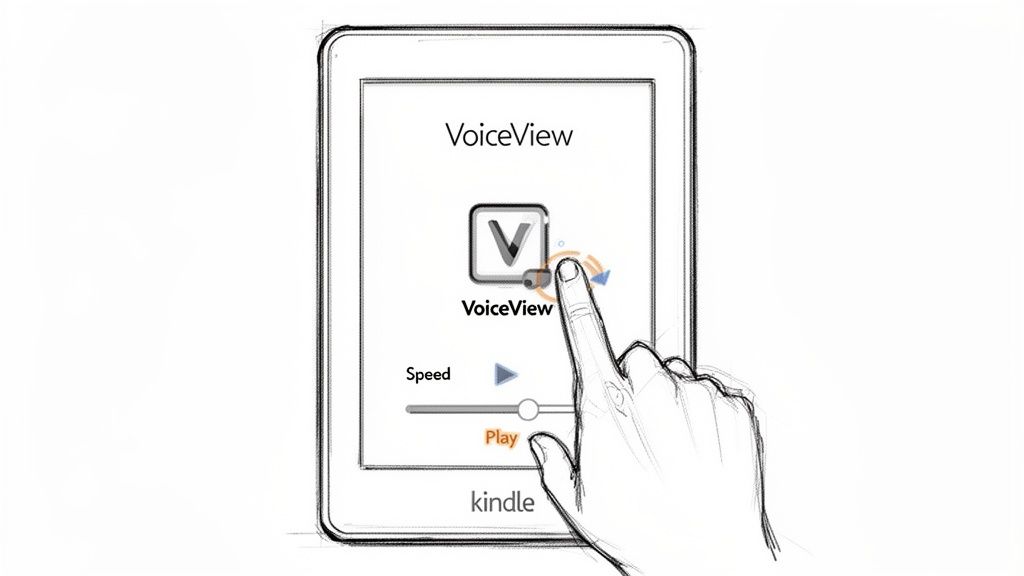
Amazon actually includes a native text-to-speech tool called the VoiceView Screen Reader in its Kindle ecosystem. But before you get too excited, it’s crucial to understand what it's designed for. VoiceView is an accessibility feature, not a dedicated audiobook player. Its main job is to help users with visual impairments navigate their device by reading everything on the screen—menus, battery life, settings, and, yes, your book.
This means that for someone just wanting to listen to their book, the experience can feel a bit cumbersome. It doesn't just play the story; it announces every single interface element you interact with. Still, it’s the most direct, built-in method you’ve got, and it doesn’t require any extra software.
The exact steps to get VoiceView running depend on what device you're using. If you have a modern Kindle E-reader like a Paperwhite or Oasis, you'll need to connect a Bluetooth device first—headphones or a speaker will do the trick, since the e-readers don't have their own speakers.
Here's how to enable it on a Kindle E-reader:
For the Kindle app on a smartphone or tablet, the process piggybacks on your device's built-in screen reader. On an iPhone or iPad, you’ll enable VoiceOver from your main Accessibility settings. For Android users, the feature is usually called TalkBack. Once you turn it on, the Kindle app will start reading book text and menu options aloud.
Pro Tip: Navigating with VoiceView active is different. A single tap now selects an item and reads it aloud, while a double-tap activates it (like opening a book). To turn a page, you'll need to swipe with two fingers. It definitely takes some getting used to.
So, is VoiceView a replacement for a professionally narrated audiobook? Not even close. While it provides a functional text to speech for Kindle solution, you need to be aware of its limitations. The default voice is what you’d expect from a screen reader—robotic, flat, and lacking the emotional range that makes a story come alive.
Here’s a quick rundown of what to expect:
VoiceView is a solid accessibility tool and can be a lifesaver if you want some hands-free reading in a pinch. But for most people looking for a more natural and enjoyable listen, its limitations are a good reason to explore other options.
Let's be honest, while Kindle’s VoiceView gets the job done, the robotic voice can feel a little flat. If you're looking for an experience that genuinely feels like listening to an audiobook—with natural-sounding, expressive voices—you’ll need to look beyond Amazon’s built-in tools. That means bringing in a third-party app.
This approach, however, comes with a big catch: Digital Rights Management (DRM). Nearly every book you buy from the Kindle Store is wrapped in DRM, a kind of digital lock that ties the content to your Amazon account. It's designed to stop you from opening your purchased ebooks anywhere else.
Think of DRM as the digital equivalent of a key that only fits Amazon's locks. While it's there to prevent piracy, it also stops you from using your legally purchased books with far superior text-to-speech software.
The whole topic of removing DRM is a legal and ethical minefield. In the U.S., for instance, getting around it can run afoul of the Digital Millennium Copyright Act (DMCA). The laws are different everywhere, and it can get complicated fast.
Because of all that complexity, this guide will stick to the straightforward, hassle-free methods. We’re only going to cover how to use third-party TTS apps with content that is already DRM-free.
This way, you get that top-tier listening experience without having to wade into any legal gray areas. And you’d be surprised just how much DRM-free content is out there.
Luckily, there's a huge library of amazing literature that comes without any digital locks. Pairing these books with a high-quality TTS app is the perfect ethical solution for getting fantastic text to speech for Kindle content.
Here are a few of my favorite places to find DRM-free ebooks:
Once you’ve got a DRM-free file (usually an EPUB or PDF), you can bring it into a dedicated text-to-speech app on your phone or computer. Apps like Voice Dream Reader, Speechify, and NaturalReader are excellent choices, offering a wide selection of premium, human-like voices.
The process is simple: just import your book or document into the app, pick a voice you like, adjust the speed, and press play. The jump in quality from Kindle’s VoiceView is instantly obvious. It makes for a much richer, more engaging listening session that you can enjoy for hours.
For developers, publishers, or any business looking to innovate, the real magic isn't in just using a text-to-speech app—it's in building one. When you move beyond off-the-shelf tools, you gain the power to create a truly custom audio experience from your ebook content. This is the path you take when you're building a unique reading app, generating in-house training materials, or launching a specialized accessibility service.
The concept is pretty straightforward. Instead of being limited by a third-party app's features, you use a Text-to-Speech (TTS) API to directly convert the raw text from your DRM-free files into high-quality audio. This approach puts you in the driver's seat, giving you complete control over everything from the voice and pacing to the final audio format.
Of course, to do this effectively, you need to start with the source material. A solid grasp of understanding the specific Kindle formats for ebooks is essential. Knowing how to extract clean text from formats like EPUB or MOBI is the foundational step before any audio conversion can begin.
A powerful TTS API, like the one from Lemonfox.ai, becomes the engine for your entire operation. You feed it text, and it returns a polished, often incredibly realistic audio file that leaves traditional screen readers in the dust. This technology is a huge deal—the global TTS market was valued at USD 3.87 billion in 2025 and is projected to hit USD 7.28 billion by 2030. That growth is fueled by the demand for the kind of neural voices we're now seeing in modern devices. You can discover more about the market growth and its rapid expansion.
For anyone building an application, relying on an API just makes sense. Here’s why:
Getting this up and running is often less complicated than you might think. A few lines of code are usually all it takes to send your text to the API and get a ready-to-play audio file in return.
Here's a simple Python script that shows just how easy it is to use the Lemonfox.ai API. All it does is take a string of text and turn it into an MP3 file.
import requests
api_key = "YOUR_LEMONFOX_API_KEY"
headers = {"Authorization": f"Bearer {api_key}"}
payload = {
"voice": "en-US-Standard-C",
"input": {
"text": "Hello world! This is a test of the Lemonfox AI Text-to-Speech API."
},
"audioConfig": {
"audioEncoding": "MP3"
}
}
response = requests.post(
"https://api.lemonfox.ai/v1/audio/synthesize",
headers=headers,
json=payload
)
if response.status_code == 200:
with open("output.mp3", "wb") as f:
f.write(response.content)
print("Audio file created successfully!")
else:
print(f"Error: {response.status_code} - {response.text}")
This little snippet shows the basic workflow: authenticate with your key, send the text and your desired settings, and save the audio that comes back. It’s a powerful, accessible way to start building your own text-to-speech features.
APIs put professional-grade voice synthesis directly into the hands of developers. This allows even small teams to create audio experiences that rival those from major publishers, democratizing access to high-quality narration.
With most services offering a generous free trial, it costs nothing to experiment and see firsthand how a developer-focused API can completely change how you create and deliver audible content.
A great listening experience really boils down to one thing: the voice. The right voice can pull you into a story and make hours disappear, but the wrong one can turn even the most thrilling book into a total drag. This is exactly why moving beyond basic, built-in screen readers is a game-changer for quality text to speech for Kindle audio.
The biggest jump in quality you'll notice is the difference between those old-school robotic voices and today's neural voices. Standard TTS often sounds choppy and unnatural because it's essentially just stringing together pre-recorded sounds. The result is a flat, monotonous delivery.
Neural TTS voices, on the other hand, are a whole different ballgame. They're generated by sophisticated AI that has been trained on the subtle nuances of human speech—things like pacing, intonation, and even emotion. This creates a listening experience that feels genuinely human and is far more engaging.
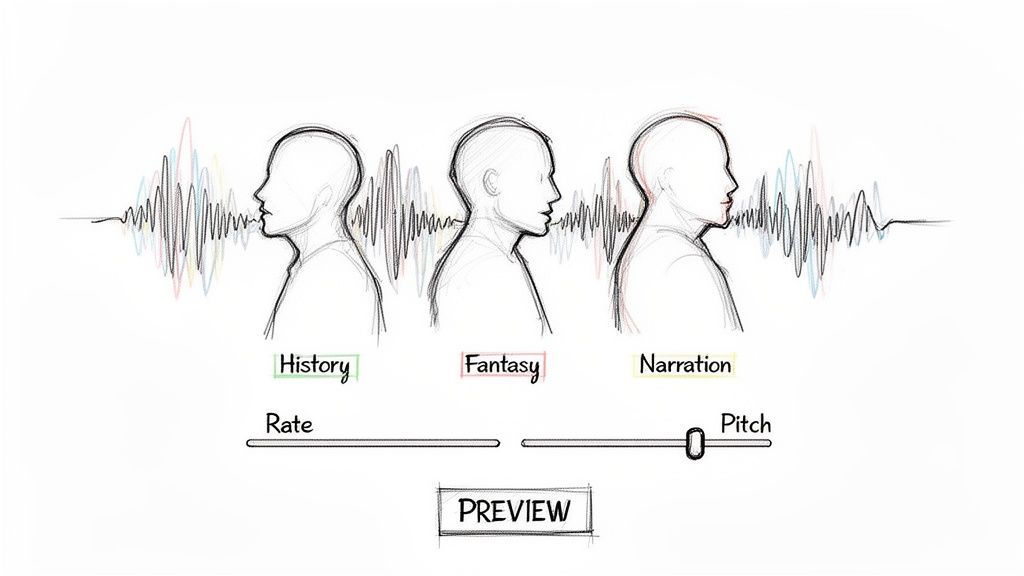
Think of it like casting an actor for a movie role. You have to match the voice to the book's content. A voice that’s perfect for a high-octane thriller would likely feel completely out of place narrating a thoughtful biography. The key is finding a voice that complements the book's specific tone and genre.
For example, imagine these scenarios:
This kind of advanced TTS is a huge reason the market is growing so fast. It was valued at USD 4.66 billion in 2025 and is expected to climb to USD 7.6 billion by 2029. Neural TTS is at the forefront of this growth, all because of its incredibly human-like quality. If you're curious, you can learn more about these market trends and what’s driving the innovation.
For developers or businesses using a TTS API, just picking a voice is only the starting line. You have a ton of control to fine-tune the audio output and create a truly custom listening experience. This is where you can elevate a good TTS voice into something that rivals a professional audiobook production.
The ultimate goal is to make the technology disappear. A perfectly tuned voice doesn't sound like a computer reading text; it sounds like a person telling a story.
Here are the most important settings you can play with to get the audio just right:
By taking the time to carefully select and tune your voice, you can transform plain text into a rich, memorable audio experience that will keep listeners hooked from the first page to the last.
As you start exploring the options for text to speech for Kindle, you're bound to run into a few common questions. Sorting these out can help you decide which approach works best for you, whether you just want to listen to a chapter now and then or you're a developer looking to build a full-fledged audio feature.
Let's dive into some of the questions I hear most often.
This is the big one, and unfortunately, the answer is a murky "it depends." The legality of stripping Digital Rights Management (DRM) from your Kindle books changes drastically depending on where you live.
In the United States, for instance, getting around DRM could put you on the wrong side of the Digital Millennium Copyright Act (DMCA), even if you only intend to listen to the book for your own enjoyment. The laws are often ambiguous and subject to interpretation.
To keep things straightforward, this guide sticks to using text-to-speech with content that’s already DRM-free. Think public domain classics, your own personal documents, or ebooks from online stores that don't lock down their files. It's always smart to check your local laws to make sure you're in the clear.
Technically, yes, but the experience you get varies wildly. Most current Kindle e-readers, like the Paperwhite and Oasis models, include the VoiceView screen reader for accessibility. The catch? These devices don't have speakers, so you must connect a Bluetooth speaker or headphones to hear anything.
Also, be prepared for VoiceView's very robotic sound. If you’re after a high-quality, natural-sounding voice, you’ll be much happier using the Kindle mobile app on your phone or tablet. Your other best bet is pairing a dedicated TTS service with your DRM-free files on a computer or mobile device.
The difference is night and day. Think of VoiceView as a basic accessibility tool—it reads what's on the screen so you can navigate, but it sounds exactly like a machine. It gets the job done, but it’s not exactly an immersive listening experience.
A modern TTS API, on the other hand, is built with neural technology to produce voices that are incredibly human-like. You get natural pacing, intonation, and flow. It’s the difference between a robot reciting words and a narrator telling a story.
Services like Lemonfox.ai provide a massive library of different voices and languages. For developers, this means you get granular control over the final audio, making it possible to create a genuinely premium, audiobook-quality experience for any app or service.
Absolutely. Your Kindle’s E Ink display is famous for sipping power, but audio is a different beast. Processing sound and keeping a Bluetooth connection active are much more energy-intensive tasks.
If you’re settling in for a long listening session, I'd recommend starting with a full battery or keeping a power source handy. It's a small trade-off for the convenience, but it’s definitely something to be aware of, especially if you're on the move.
Ready to create your own high-quality, human-like audio experiences? With Lemonfox.ai, you can integrate premium voice technology into your projects at a fraction of the cost. Start building with our simple and powerful Text-to-Speech API today.