
First month for free!
Get started
Published 11/1/2025
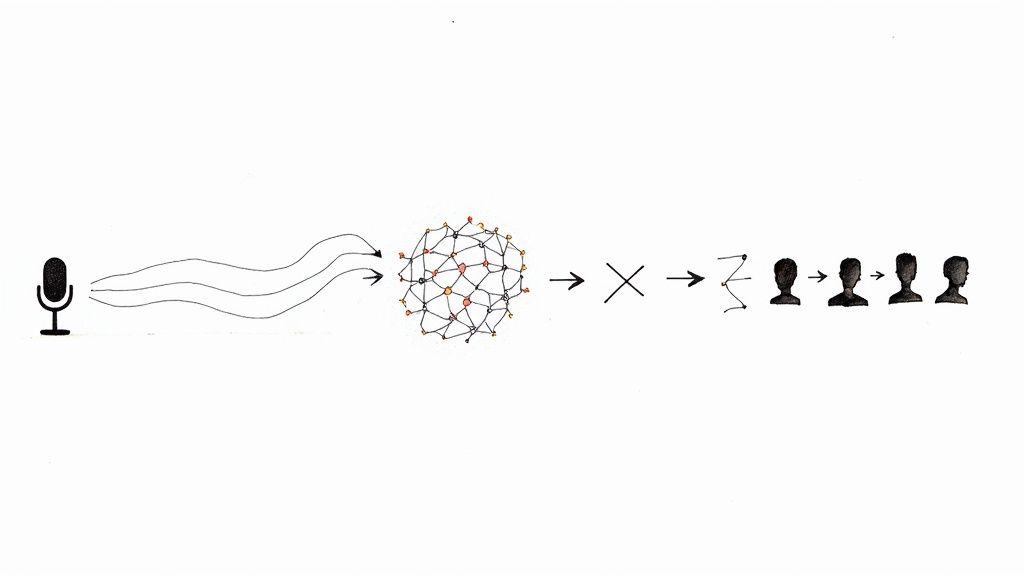
So, what exactly is a voice recognition API?
Think of it as a specialized translator that lives in the cloud. Your application can send it a piece of audio—someone speaking—and the API sends back the written text. It’s a ready-made engine that lets your software understand spoken words without you having to become a machine learning expert.
At its heart, a voice recognition API does one thing exceptionally well: it bridges the gap between how humans talk and how computers "think." Human speech is messy, full of nuance, and unstructured. Software, on the other hand, needs clear, structured data to work. The API is the interpreter that makes that connection happen.
Before these APIs became widely available, adding voice features to an app was a massive undertaking. It meant building everything from scratch, which required huge amounts of data, specialized AI talent, and a ton of computing power.
Now, developers can simply hand off the heavy lifting. You send an audio file to the API, and a moment later, you get a clean text transcript back. This simple exchange opens the door to creating more natural, hands-free, and accessible experiences for users.
And it's not a niche interest, either. The global market for speech and voice recognition hit USD 8.49 billion in 2024 and is on track to reach USD 23.11 billion by 2030. This boom is fueled by better AI and our growing comfort with talking to our devices. You can explore more data on the expanding voice recognition market on marketsandmarkets.com.
Let’s be realistic: building a voice recognition system from the ground up is not just hard—it’s impractical for most development teams. An API handles all the incredibly complex steps that happen behind the scenes.
Here's a quick look at the main tasks an API performs to turn sound into text.
| Function | What It Does for Your App | Example Application |
|---|---|---|
| Audio Processing | Cleans up raw audio, removing background noise and standardizing the format for analysis. | A virtual meeting app filtering out office chatter to focus on the main speaker's voice. |
| Speech-to-Text Conversion | Uses advanced AI models to transcribe the cleaned audio into a written text string. | A dictation app turning a doctor's spoken notes into a medical record. |
| Formatting & Punctuation | Adds punctuation, capitalization, and paragraph breaks to make the text readable and useful. | A customer service tool transcribing a support call into a well-formatted, easy-to-read log. |
These APIs take on the enormous technical burden, so you don't have to.
Trying to build this in-house involves a few major hurdles that an API helps you leap over:
By plugging into a voice recognition API, your team gets to skip all that. You can focus your energy on what makes your application unique, rather than trying to reinvent the complex machinery of speech recognition. It's a faster, cheaper, and more effective way to get world-class technology into your product.
Ever wondered what actually happens when you talk to your phone? A voice recognition API is like a highly trained digital linguist, meticulously breaking down your spoken words into their smallest parts and then reassembling them into written text. The whole process is a fascinating journey from a simple sound wave to a perfectly structured sentence. It all kicks off the second a microphone picks up your voice.
First, the raw audio signal is a bit of a mess. It's not just your voice; it's a digital soup of sound waves mixed with background noise, echoes, and all sorts of volume fluctuations. The first, and maybe most critical, step is audio pre-processing. Here, the API plays the role of a sound engineer, cleaning everything up. It filters out the distracting hum of an air conditioner or the chatter from a nearby conversation and normalizes the volume to make sure your speech is front and center.
This infographic shows the high-level flow, from you speaking to the API delivering structured text.
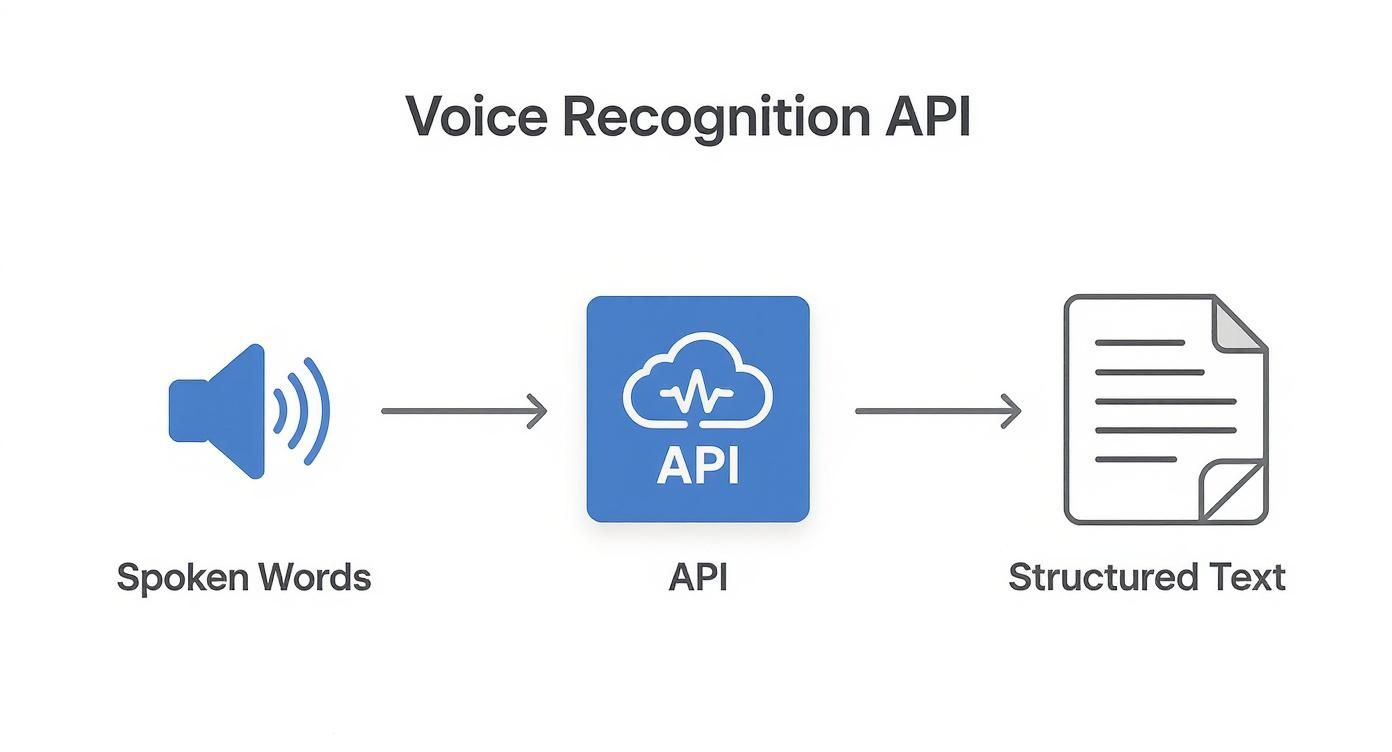
As you can see, the API is the engine in the middle, taking in raw sound and spitting out clean, usable data.
With the audio now crystal clear, the API begins feature extraction. You can think of this as creating a unique "acoustic fingerprint" for every tiny snippet of sound. The system chops up the audio into incredibly short segments—we're talking just a few milliseconds long—and converts each one into a string of numbers. These numbers represent distinct characteristics of the sound, like its pitch, tone, and frequency.
This stage is absolutely essential. It’s how the chaotic, wavy nature of sound gets translated into a structured, numerical format that a machine learning model can actually work with. What you're left with is a precise sequence of these acoustic fingerprints, all queued up for the next step.
Now we get to the heart of the matter: the acoustic model. This is a massive, pre-trained library that works a lot like a phonetic dictionary. Its entire job is to connect those acoustic fingerprints to the smallest units of sound in a language, which linguists call phonemes. For instance, it knows how to link a specific sound pattern to the "k" sound in "cat" or the "sh" sound in "shoe."
The acoustic model is what answers the question, "Given this exact pattern of sound, what's the most likely sound-unit, or phoneme, being spoken?" It's the crucial bridge between raw audio data and the fundamental building blocks of words.
The API takes the incoming stream of acoustic fingerprints and runs them against its enormous database, calculating the probability for countless phoneme combinations. This gives it a rough phonetic draft of what was said. So, a phrase like "hello world" might first get mapped out as a sequence of phonemes like "hh-eh-l-ow w-er-l-d."
The final piece of the puzzle is the language model. This component is like a sophisticated editor that takes that jumbled chain of phonemes and uses its deep knowledge of grammar, syntax, and common phrases to build logical sentences. It knows, for example, that "how are you" is an infinitely more likely phrase than "how oar ewe," even if the two sound almost identical.
The language model weighs different word combinations, giving each potential sentence a probability score. By looking at the surrounding context and applying linguistic rules, it picks the most plausible sequence. Then, it polishes the result by adding punctuation and capitalization, producing the final, human-readable text. And the most amazing part? This entire process, from messy audio to polished sentence, often happens in less than a second.
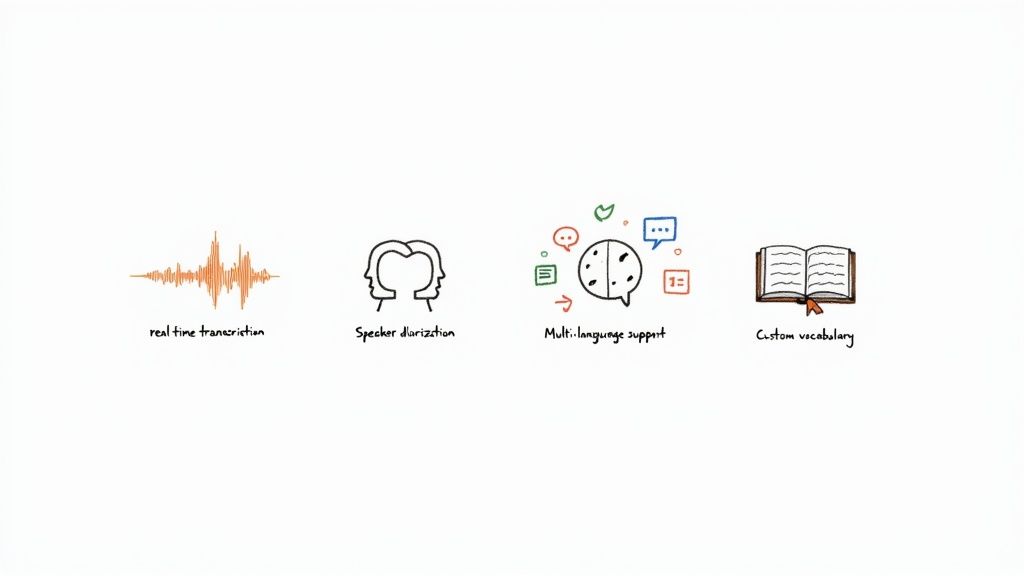
Picking a voice recognition API isn't just about finding something that can turn audio into text. That's table stakes. Today's applications need a much richer set of tools to create the kind of smooth, accurate experiences users actually want. The best APIs go way beyond basic transcription, offering advanced features that solve very specific, real-world problems.
Getting familiar with these key features will help you choose a provider that can handle what you need today and scale with you tomorrow. And this matters more than ever—the voice recognition market, valued around USD 18.4 billion in 2025, is on a massive growth trajectory. It's expected to hit nearly USD 78.0 billion by 2032 as the underlying tech gets even better. You can discover more about the future of voice technology on coherentmarketinsights.com.
So, what should be on your checklist?
Think of real-time transcription (often called streaming) as live subtitles for your app. Instead of making you wait until a whole audio file is recorded and processed, this feature transcribes speech as it’s happening, usually with only a second or two of lag.
This is a must-have for anything involving live conversation. A customer support platform, for instance, could use it to show a live transcript of a call, letting a supervisor monitor for quality. It's also the magic behind voice assistants and live captioning for events.
Ever tried to make sense of a meeting transcript where everyone's comments are jumbled into one big block of text? It’s impossible to tell who said what. That's the exact problem speaker diarization fixes. It identifies and labels each person speaking in an audio file.
It's not just a nice-to-have; it's what makes a transcript truly useful. The API analyzes the unique qualities of each person's voice and assigns a label, like "Speaker 1" or "Agent," to everything they say.
This is critical for applications like:
Odds are, your users aren't all in one place. Your voice API needs to keep up. Multi-language support is essential for accurately transcribing audio from speakers all over the world. The leading APIs can handle dozens—sometimes over a hundred—languages and dialects.
Some of the more sophisticated systems even offer automatic language detection. This means the API can figure out what language is being spoken on its own, without you having to tell it first. It’s perfect for platforms with a diverse, international user base.
A standard language model is great for everyday chit-chat, but it can easily trip over industry jargon, unique product names, or acronyms. Custom vocabulary is a feature that lets you "teach" the API the specific words and phrases that matter to your business.
A legal transcription tool, for example, could upload a list of legal terminology. A healthcare app could add a custom vocabulary of complex drug names. This simple step can dramatically boost accuracy, preventing embarrassing and confusing mistakes like "aortic stenosis" being transcribed as "a chaotic stenosis."
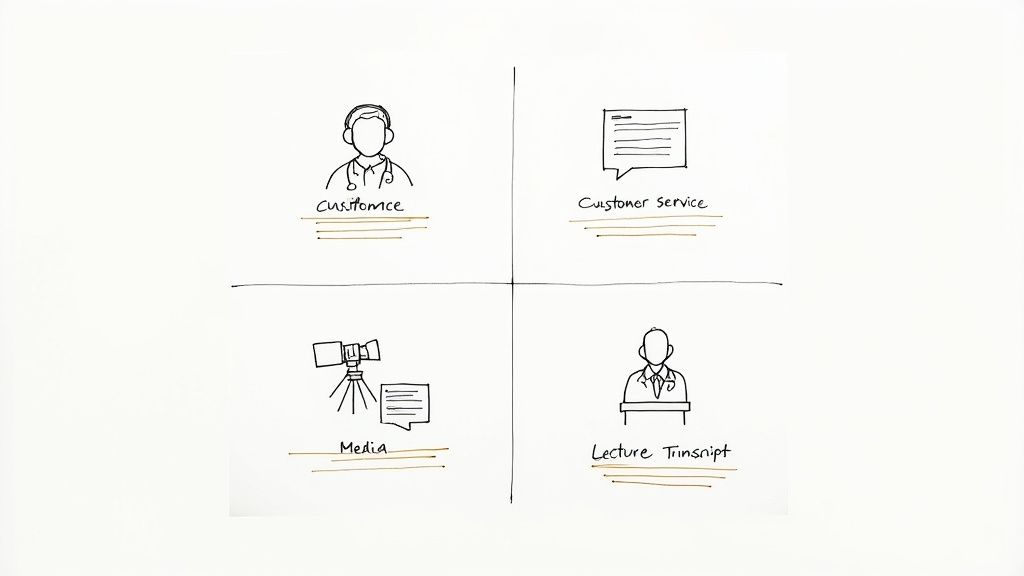
A voice recognition API is interesting in theory, but its true power comes to life when it solves a real problem. Across countless industries, this technology is taking on tedious work, uncovering fresh insights, and making digital experiences feel more human. It's the engine behind a quiet but significant shift in how we get things done.
This growing adoption is no secret. The market reflects this excitement, with the global speech-to-text API market hitting a valuation of USD 3.87 billion in 2024. As more businesses discover what voice can do for them, that number is only expected to climb. You can dive deeper into the numbers by checking out the speech-to-text API market report on Grand View Research.
So, let's move past the abstract and look at a few concrete examples of where this technology is already making a difference.
Anyone in healthcare will tell you that administrative work, especially clinical documentation, is a major time sink for physicians. Voice recognition APIs are a game-changer here, letting doctors dictate patient notes directly into electronic health records (EHRs).
Imagine a doctor finishing a patient visit. Instead of spending the next 15 minutes typing, they can just speak their observations, diagnoses, and treatment plans. The API transcribes it all in real time. This isn't just about saving time; it leads to more detailed, accurate patient records. The result is less physician burnout and more focus where it belongs: on the patient.
By automating transcription, healthcare providers can capture more detailed narrative information from patient encounters, leading to richer data for both immediate care and long-term medical research.
Call centers sit on a goldmine of customer feedback. The problem? Manually sifting through thousands of hours of recorded calls is an impossible task. This is where voice recognition APIs come in, automatically transcribing every single customer support call.
With all that spoken audio converted to text, the real work can begin. Companies can analyze the data for sentiment, spot recurring complaints, or identify trends in customer needs. It’s a direct line to understanding what people love (and hate) about a product, giving businesses the hard data they need to make smarter decisions.
See how different industries leverage voice recognition APIs to solve specific problems and achieve business goals.
| Industry | Primary Use Case | Key Business Benefit |
|---|---|---|
| Media & Entertainment | Automatically generating captions and subtitles for video content. | Boosts accessibility for viewers and improves SEO for discoverability. |
| Education | Transcribing lectures and class discussions for students. | Creates searchable study guides and supports students with learning disabilities. |
| Legal | Producing accurate transcripts of depositions and court proceedings. | Slashes manual transcription costs and speeds up the legal documentation process. |
From making media accessible to everyone to helping a student ace their exam, the applications are as practical as they are diverse. Each one shows how a voice API can be pointed at a specific business challenge to create real, tangible value.
Picking the right voice recognition API is a make-or-break decision for your app. It’s not just about features; it’s about performance, cost, and ultimately, user experience. With so many options on the market, you have to cut through the marketing noise and get down to what really matters for your specific project.
The first thing everyone talks about is accuracy, and for good reason. But accuracy isn't a single, simple number on a spec sheet. It’s a moving target. An API that works wonders in a quiet office might fall apart in a noisy warehouse or struggle with regional accents.
The only way to know for sure is to test it with audio that looks and sounds just like what your users will be sending. Recent benchmarks show that performance can swing wildly depending on the environment. One API might be the champion of noisy audio, while another is a wizard with niche medical or legal terms.
And don't forget the developer experience. Great documentation is a lifesaver, potentially saving your team hundreds of hours of frustration. A helpful developer community or solid tech support can be the difference between a smooth launch and a nightmare of a debugging session.
Alright, let's talk money. API pricing can feel like a maze, but most providers boil it down to one of three models. Think of it like picking a cell phone plan—the right choice depends entirely on your usage habits.
Pay-As-You-Go: This is your classic prepaid plan. You only pay for what you actually use, usually billed by the minute or even the second. It’s a fantastic option for new projects, startups, or apps with unpredictable traffic spikes. No commitment, total flexibility.
Tiered Subscriptions: This is more like a standard monthly phone contract. You pay a set price each month for a certain number of transcription hours. This route gives you cost predictability and almost always comes with a better per-minute rate than pay-as-you-go, making it perfect for businesses with steady, consistent demand.
Custom Enterprise Plans: If you're operating at a massive scale, this is your play. You'll negotiate a custom deal directly with the provider, much like a corporate fleet plan. This gets you the absolute best unit pricing and often includes premium perks like dedicated support, but it comes with a significant long-term commitment.
The secret is to do your homework and estimate your monthly audio volume before you sign up. A simple calculation can point you straight to the most cost-effective model, saving you from paying for capacity you don't need or getting shocked by a massive overage bill. Choosing the right plan is just as important as choosing the right tech.
Getting started with a voice recognition API is a lot less intimidating than it sounds. While the nitty-gritty details change from one provider to another, almost every integration follows the same basic five-step pattern. Think of it as a universal roadmap that takes you from zero to a working transcription feature.
First things first, you need to get your credentials. This almost always means signing up for an account to get an API key. This key is essentially a unique password for your application, proving it has permission to talk to the service. It’s the handshake that starts the whole conversation.
Once you have your key, it’s time to prepare your coding environment. This usually involves installing a specific SDK (Software Development Kit) or a library that the provider offers. These tools handle a lot of the boilerplate code for you. You’ll also want to make sure your audio files are in a format the API can understand, like WAV or MP3.
Now for the fun part: actually sending your audio to get transcribed. Your code will make an API request, packaging up your API key and the audio file, and sending it to a specific URL (the endpoint). You can do this with pre-recorded files or even stream audio live as it comes in.
After the API works its magic, it sends back a response. This is typically a chunk of JSON data containing the transcribed text. But that's not all—you'll often get other useful bits of information, like timestamps for each word or a confidence score for the transcription's accuracy. Your job is to parse this JSON and use the text however you need to.
Finally, don't forget about error handling. This is what separates a quick prototype from a professional application. What should your app do if the internet connection drops or you accidentally send a video file instead of audio?
Building a production-ready application means anticipating what can go wrong. Solid error handling—like retrying a failed request or giving the user a clear message—is crucial. It’s the final polish that ensures your voice feature is reliable and user-friendly.
When you start digging into voice recognition APIs, a few key questions always pop up. Let's tackle some of the most common ones to clear things up.
This is the big one, but accuracy isn't a simple percentage you can slap on a box. It's more of a moving target that depends entirely on the situation. While a high-end voice recognition API can get impressively close to human accuracy with a clean recording, its performance can change dramatically based on a few key variables:
The only way to know for sure is to test drive an API with audio that actually reflects what you'll be throwing at it. That’s how you’ll see if it can really do the job for your specific needs.
People often use these terms as if they mean the same thing, but they're fundamentally different. It's an important distinction.
Speech recognition is all about understanding what is being said. Its entire purpose is to convert spoken language into written text. Think of it as a super-fast transcriptionist.
Voice recognition, on the other hand, is about identifying who is speaking. It analyzes the unique characteristics of a person's voice—like a vocal fingerprint—to confirm their identity. This is the tech behind voice biometrics for logging into your bank account or figuring out who said what in a recorded meeting.
Absolutely. Modern APIs have gotten remarkably good at understanding a wide spectrum of accents and dialects.
This isn't magic; it's the result of training their AI models on massive datasets. We're talking thousands upon thousands of hours of audio from speakers all over the globe. The more diverse that training data is, the better the API gets at navigating different pronunciations and speech patterns. A provider's language support page is often a good clue as to how well they can handle a global audience.
Ready to add powerful, accurate, and affordable transcription to your app? Lemonfox.ai offers a developer-first Speech-To-Text API that handles over 100 languages and includes features like speaker recognition, all for less than $0.17 per hour. You can start a free trial and get 30 hours of transcription on the house. Learn more and get started at Lemonfox.ai.