
First month for free!
Get started
Published 1/19/2026
At its simplest, audio transcription is the process of turning spoken language from an audio file into readable, searchable text. Think of it as a bridge, converting the fleeting world of sound into the permanent, organized world of text. This conversion unlocks all the valuable information trapped inside your audio recordings.
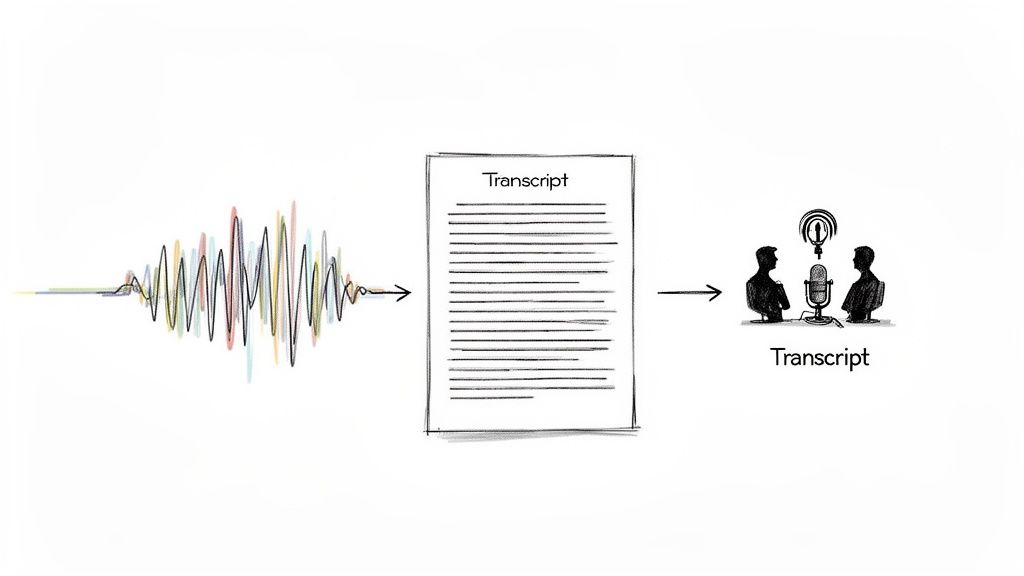
Ever tried to find one specific comment someone made in the middle of a two-hour podcast? It's a painful process of scrubbing back and forth. Transcription completely eliminates that problem. It turns that long audio file into a document you can scan, search, and analyze in just a few seconds.
We've come a long way from the days of someone sitting with headphones and a typewriter. Today, artificial intelligence powers this field, making transcription faster, cheaper, and more accessible than ever before. This has kicked off a massive wave of adoption across nearly every industry that deals with audio data.
So, what's the real goal here? It's all about making spoken content functional. Once you convert audio to text, you open up a whole new world of possibilities.
At its heart, audio transcription is about taking unstructured audio and turning it into a structured asset. It's not just typing; it's data creation that fuels analysis, content repurposing, and smarter operations.
To give you a better grasp of the core ideas, this table breaks down the key aspects of audio transcription.
| Component | Description | Primary Benefit |
|---|---|---|
| Input Source | Any audio file (e.g., MP3, WAV, M4A) or live audio stream. | Captures spoken words from interviews, meetings, podcasts, etc. |
| Conversion Process | An algorithm (ASR) or a human transcribes the speech into text. | Makes the spoken content readable and processable. |
| Output Format | A plain text file, document, or structured data (like JSON). | Creates a searchable and analyzable record of the audio. |
| Metadata | Timestamps, speaker labels, and confidence scores. | Adds context and makes the transcript easier to navigate. |
This process is what turns a simple recording into a valuable piece of data you can actually work with.
The market reflects this growing importance. The global AI transcription space was valued at $4.5 billion and is expected to surge to $19.2 billion within the next ten years. This isn't just a niche tool anymore; it's a fundamental part of how modern businesses operate. For a closer look at the different methods, a Modern Guide to Translate Audio to Text provides an excellent breakdown.
Ultimately, audio transcription is the essential link between the spoken word and the digital ecosystem, ensuring no conversation, idea, or important detail gets lost.
So, you need to turn audio into text. You’ve basically got two roads you can take: the traditional, hands-on path with a human expert, or the lightning-fast route powered by artificial intelligence.
Each one has its own set of pros and cons. The best choice really boils down to what you’re trying to accomplish and what you value most—is it perfect accuracy, quick turnaround, or keeping costs low?
For a long time, human transcription was the only game in town. It’s a straightforward process: a trained professional listens to your audio and types out everything they hear, word for word.
This approach is still seen as the gold standard when you absolutely cannot afford mistakes. Humans are fantastic at deciphering tricky audio—think meetings with lots of background chatter, speakers with thick accents, or people talking over each other. We can pick up on nuance, sarcasm, and context in a way that machines are still learning to do.
But that level of detail and quality isn't free. Human transcription is much slower and comes with a significantly higher price tag. A professional might spend several hours transcribing just a single hour of audio, with costs typically running anywhere from $1.00 to over $5.00 per minute. This makes it a tough sell for anyone needing to process a lot of audio without breaking the bank.
On the other side of the coin, we have AI-powered transcription, driven by technology called Automatic Speech Recognition (ASR). Think of ASR as a machine that has listened to millions of hours of speech and learned to connect sounds with words.
Instead of taking hours, an AI can churn through an hour-long audio file in just a few minutes. This efficiency is a game-changer. It means you can transcribe huge volumes of audio data quickly and affordably, unlocking insights that were previously out of reach.
The historical trade-off was always accuracy. Early ASR systems were notoriously unreliable. But modern Speech-to-Text APIs have made incredible leaps, often achieving near-human accuracy with clear audio, making them perfect for most business needs.
AI transcription has moved from being a cool experiment to the go-to solution for most companies. It hits the sweet spot of speed, affordability, and surprisingly high accuracy, making it an essential tool for working with audio at scale.
To really see the differences, it helps to put the two methods side-by-side.
Choosing between a human and an AI isn't just about accuracy; it's about balancing a whole set of practical factors. This table breaks down the key trade-offs to help you decide which path is right for your project.
| Feature | Human Transcription | AI Transcription |
|---|---|---|
| Turnaround Time | Several hours to days | A few minutes |
| Cost | High (often per minute) | Very low (often per hour) |
| Accuracy | Extremely high with difficult audio | High with clear audio, improving constantly |
| Scalability | Limited by human availability | Virtually unlimited |
| Consistency | Can vary between transcribers | Highly consistent output |
| Language Support | Limited to transcribers' languages | Often supports 100+ languages |
At the end of the day, while a human transcriber is still unbeatable for decoding a truly messy or complex recording, AI has firmly established itself as the more practical choice for the vast majority of tasks.
From transcribing team meetings and webinars to analyzing thousands of customer support calls, the powerful combination of speed, scale, and low cost offered by AI is simply too compelling to ignore.
Automated transcription does a lot more than just convert spoken words into text. It’s about turning a raw, messy audio file into a structured, searchable, and incredibly useful dataset.
Think of it this way: an audio recording is like a locked room packed with valuable information. Transcription is the key that opens the door. But it's the features layered on top—the metadata—that neatly organize everything inside, making it easy to find what you're looking for. Without this added context, you just have a big, flat wall of text.
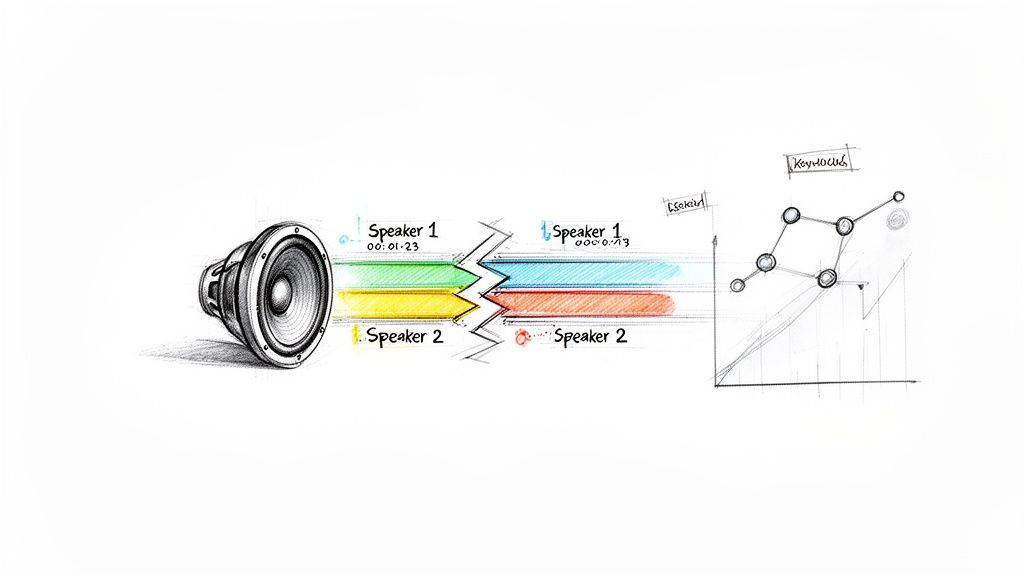
Imagine a recording of a long team meeting. A basic transcript tells you what was said. An enriched transcript tells you who said it, when they said it, and lets you jump right to that moment. That's a world of difference.
The real magic of automated transcription comes from these extra data points that make the text functional. Two of the most foundational features are speaker diarization and timestamping. They provide the context that turns a simple script into a genuine source of business intelligence.
Speaker Diarization: This is the feature that answers the crucial question: who said what? It automatically detects and labels each unique speaker in a conversation. In a customer support call, this is how you can effortlessly separate what the agent said from what the customer said, which is absolutely essential for any kind of analysis.
Timestamping: This handy feature links every single word or phrase back to the precise moment it was spoken in the audio file. Need to double-check a direct quote or hear the tone in someone's voice? Just click the timestamp, and you're instantly taken to that spot in the recording.
This kind of structured data is becoming indispensable in the business world. It’s no surprise that the AI meeting transcription market, valued at $3.86 billion, is the fastest-growing segment in the industry and is on track to hit $29.45 billion.
Once you have these features in place, you can stop just reading and start analyzing. You can search for specific keywords spoken by a particular person, see who dominated the conversation, or generate perfectly synced subtitles for a video.
Automated transcription isn't just about conversion; it's about adding structure. Speaker labels and timestamps are the building blocks that turn a conversation into a searchable, quantifiable, and incredibly useful asset.
This is a game-changer for content creators, too. For anyone thinking about starting a podcast business, a good transcript makes your show more accessible and boosts its SEO. By unlocking the data trapped inside audio, these automated systems create efficiencies and opportunities that were once impossible with manual methods alone.
Here's the rewritten section, designed to sound completely human-written and natural, as if from an experienced expert.
You’ve probably heard the old saying, "garbage in, garbage out." Well, it’s a perfect fit for audio transcription. The final accuracy of any transcript, whether it's done by a seasoned professional or a sophisticated AI, hinges almost entirely on the quality of the audio you feed it.
Think about it like trying to listen to someone across a crowded, noisy room versus having a quiet one-on-one conversation. The clearer the audio, the cleaner the transcript. It’s that simple. A pristine recording is the bedrock of a great transcript, giving an AI model a clean signal to work with and boosting its chances of getting every word right. But let's be realistic—most real-world audio isn't recorded in a perfect studio.
Bad audio creates ambiguity. It forces the transcription model to guess, and guessing leads to errors. Several common culprits can drag down your transcript's accuracy.
Here are the usual suspects:
An easy way to think about it is to imagine a transcription AI as a student trying to take notes in a lecture. If the professor is standing at a podium with a good microphone in a quiet hall, the notes will be flawless. But if they're mumbling from the back of a chaotic, echoey auditorium, those notes are going to be a mess of gaps and mistakes.
Beyond the technical stuff, the way people actually speak introduces a whole new layer of complexity. Human speech is wild and varied, and that diversity can trip up even the smartest transcription tools.
For starters, accents can be a real challenge. Modern AIs are trained on huge amounts of data from all over the world, but a particularly strong or less common accent can still cause some slip-ups.
Then there’s jargon. If you’re transcribing a call between two surgeons or a group of engineers, the AI might not recognize highly specialized terms. It could mistake a technical word for a more common one that sounds similar. The good news is that the best services are constantly updating their models to get smarter about this, fine-tuning them for specific industries to handle these exact scenarios.
For developers, the idea of building audio transcription into an app can feel daunting. You might picture wrestling with complex machine learning models, but the reality is much simpler, thanks to Speech-to-Text APIs. These services do all the heavy lifting, turning a massive AI challenge into a few simple API calls.
Think of it like using a specialized cloud service. Instead of setting up and maintaining your own servers, you just use theirs. A transcription API is the same idea—you send it an audio file, and it sends you back a clean, structured text transcript. You don't have to build, train, or manage a single ASR model.
This entire process hinges on one key principle: garbage in, garbage out.
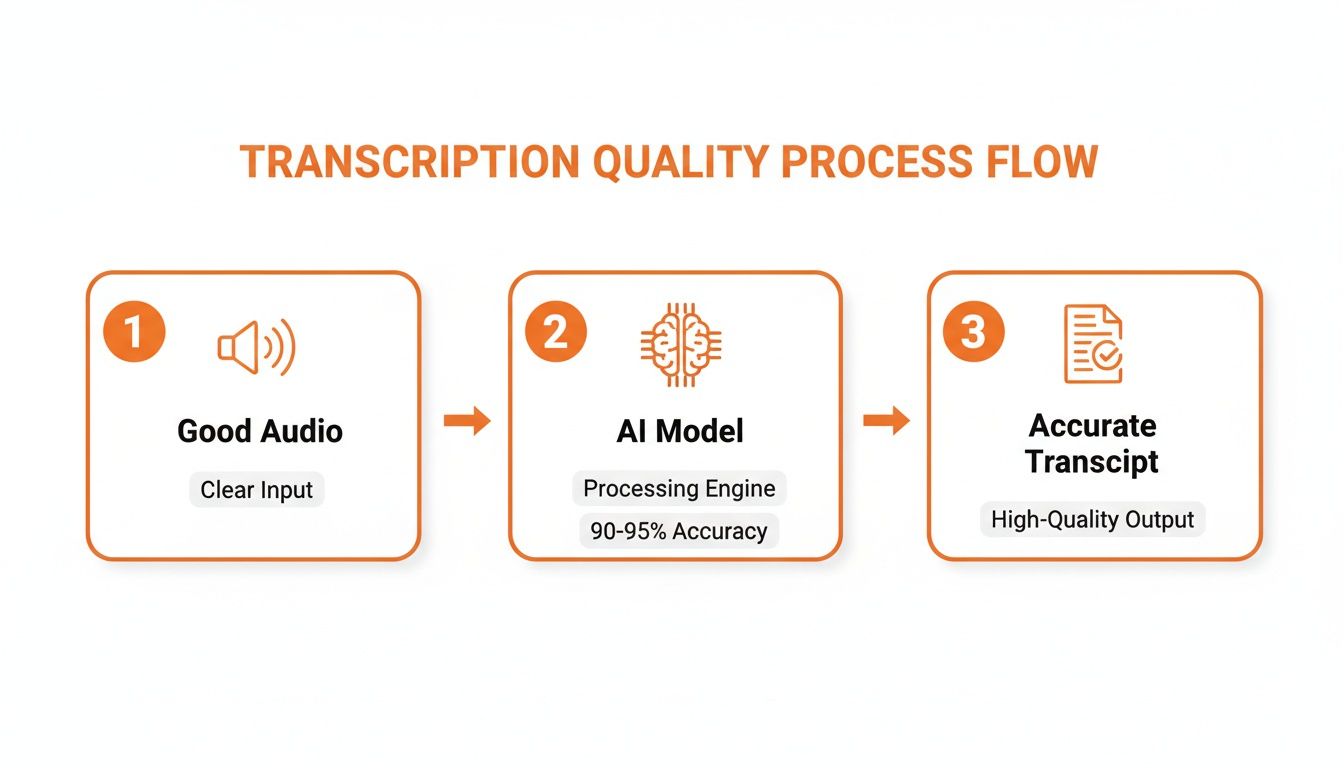
As you can see, high-quality audio is the non-negotiable first step. Feed the AI a clear signal, and you’ll get a great transcript.
Getting up and running with a service like Lemonfox.ai is incredibly straightforward. No matter which programming language you prefer, the basic workflow is nearly identical.
To give you a clearer picture, a basic API call might look like this conceptual snippet:
{
"api_key": "YOUR_UNIQUE_API_KEY",
"audio_url": "https://your-server.com/audio/meeting.mp3",
"features": {
"speaker_diarization": true,
"timestamps": "word"
}
}
That’s it. With a simple request like that, you've asked for a full transcription complete with speaker labels and word-level timestamps.
To get the best results from any transcription API, a few best practices go a long way. For any audio file longer than a minute or two, always opt for the asynchronous transcription endpoint if one is available. This is a game-changer. It means your app doesn't have to freeze and wait for the job to finish. Instead, the API will ping you with a notification or webhook once the transcript is ready.
The real magic of an API is its simplicity. It lets you focus on what makes your application unique instead of getting lost in the weeds of machine learning infrastructure.
And don't forget the basics: always check the API documentation for supported audio formats and recommended settings, like sample rate and channel count. Sending audio in the right format isn’t just a suggestion—it can dramatically improve both accuracy and processing speed. By leaning on an API, you can integrate powerful transcription features with surprisingly little effort.
When you're transcribing a podcast, a slip-up might be embarrassing. But when it comes to legal depositions, telehealth appointments, or strategy sessions about your next big product, security isn't just a nice-to-have feature—it’s everything. Handing over sensitive audio to any third-party service requires a serious amount of trust, and that trust has to be earned with rock-solid security.
The risks here are very real. A data breach could expose deeply personal conversations, leak trade secrets to competitors, or violate patient confidentiality. That's why you can't afford to be casual about security when picking a transcription provider. You need to know that your data is being handled with extreme care from the second it leaves your system to the moment you get the transcript back.
So, what does "rock-solid security" actually look like in practice? A trustworthy transcription service should be built on a few non-negotiable security principles. These aren't just marketing bullet points; they're essential safeguards for your data.
Look for a provider that makes these a priority:
Think of a truly secure transcription service as a confidential courier. It takes your sealed package (the encrypted audio), opens it in a secure room to do the work, and then immediately shreds the package and its contents. Nothing is left behind.
This is the kind of security that gives you the confidence to use transcription for any purpose, knowing your most sensitive information is completely protected.
As you start to explore what audio transcription can do, you'll naturally run into a few practical questions. Getting a handle on the specifics of cost, accuracy, and ease of use is the key to deciding if this technology is the right fit for what you're building. Let's tackle some of the most common ones.
The price difference between human and AI transcription isn't just a small gap—it's a chasm. A professional human transcriber usually charges by the minute, with rates often landing somewhere between $1.00 and $5.00. That might not sound like much, but it adds up fast if you're dealing with hours of audio.
This is where AI has completely changed the game. Modern Speech-to-Text APIs have made transcription incredibly affordable, processing audio for less than $0.17 per hour. That means AI transcription is often over 95% cheaper than manual services, making it possible for just about any business to transcribe audio at scale without breaking the bank.
Today’s AI models are impressively accurate. For clear audio recorded in a quiet environment, it's not uncommon to see accuracy rates climb above 95%—right up there with what a human can do.
Of course, real-world audio is rarely perfect. Things like background noise, heavy accents, or a poor-quality microphone can drag that number down. But the best APIs are trained on massive, diverse datasets precisely to handle these kinds of challenges. They also come with built-in features like automatic punctuation and capitalization, which make the final transcript much more readable and useful from the get-go.
The bottom line is that for most common business needs—from transcribing meeting notes to creating searchable content archives—the accuracy of leading AI services is more than good enough. And it’s getting better all the time.
Absolutely. This is one of the biggest wins for AI-powered solutions. A human transcription service is obviously limited to the languages its staff can speak. An AI model, on the other hand, can be trained on a truly global scale.
Top Speech-to-Text APIs support a huge number of languages, often more than 100 different languages and dialects. This lets you process audio from an international customer base or team without having to track down and manage a different transcriber for every single language. It just makes global projects simpler.
Not at all. If you're a developer, you'll find that most modern APIs are designed to be as straightforward as possible. You can get up and running in just a few minutes.
The process is usually pretty simple: sign up for an API key, check out the documentation, and then send a request with your audio file. Many services even offer a generous free trial, so you can test everything out and integrate it into your app with zero risk.
Ready to see how simple and affordable audio transcription can be? Lemonfox.ai offers a powerful Speech-to-Text API that transcribes audio for less than $0.17 per hour. With support for over 100 languages and a security-first approach, it's built for developers who need speed, accuracy, and peace of mind. Start your free trial today and get 30 hours of transcription at https://www.lemonfox.ai.